

Create versioned SQL queries in the Analytics Manager
The core feature of the Analytics Manager is to provide versioned queries, which can be run on the fly or used in dashboards or front-end applications
Objective
The core feature of the Analytics Manager is to provide versioned queries, which can be run on the fly or used in dashboards or front-end applications. Queries thus constitute the first step of structuring your data and displaying it to the outside world.
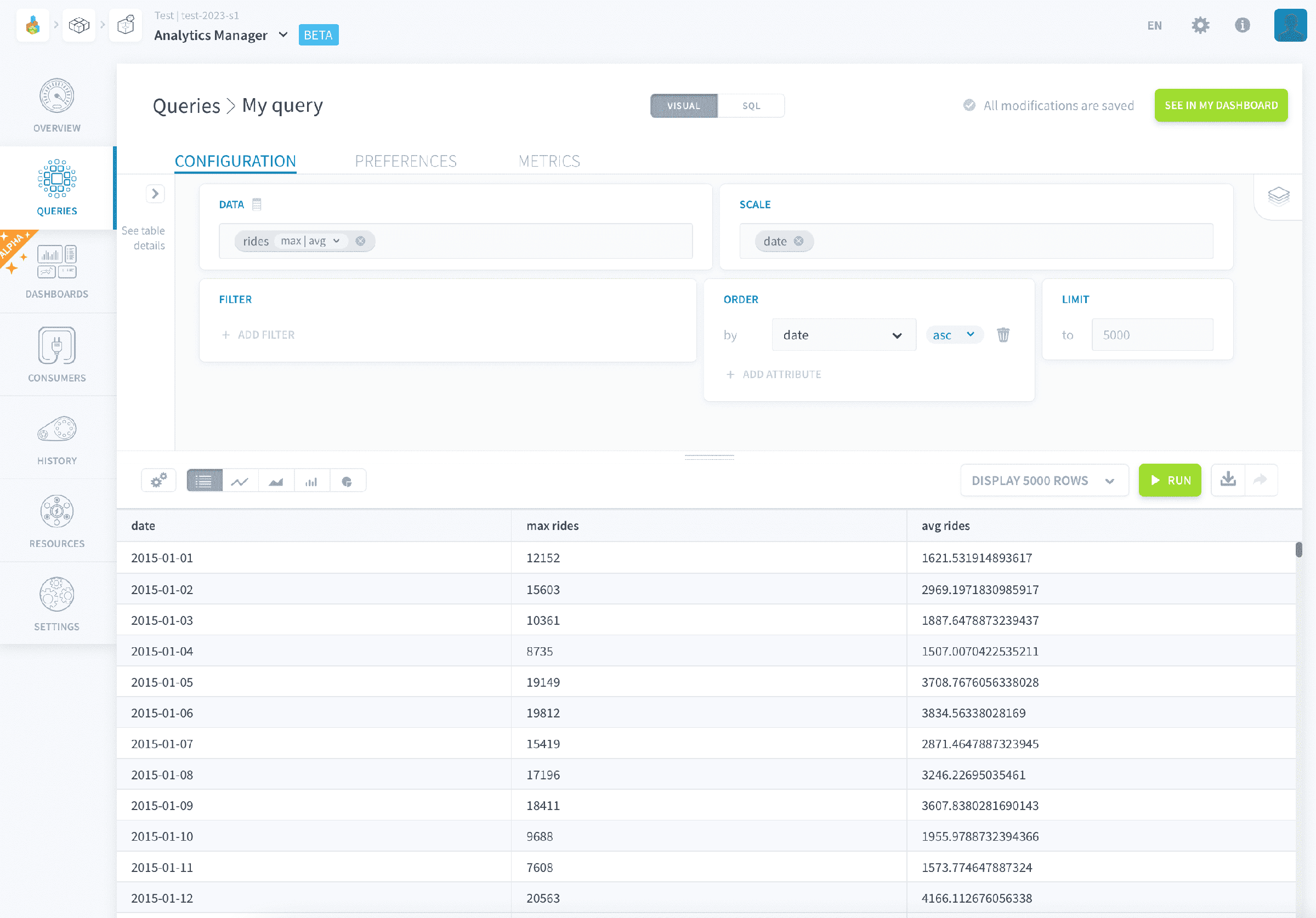
You can create, view, organize or execute queries and manage which versions to deploy. Queries are stored and organized into repositories.
You can drill down on execution performance metrics and KPI for your queries, to easily optimize your analytics system. Further, create API endpoints to expose the data to the Platform apps or external applications in one click.
Create queries
In the Analytics Manager, there are several interfaces to create and execute queries.
- The visual builder lets you discover insights through an array of data visualizations in a simple point-and-click environment.
- The SQL editor lets you write ANSI SQL queries to explore your data freely.
Click on New query to create a new query. It will be using the visual builder interface by default.
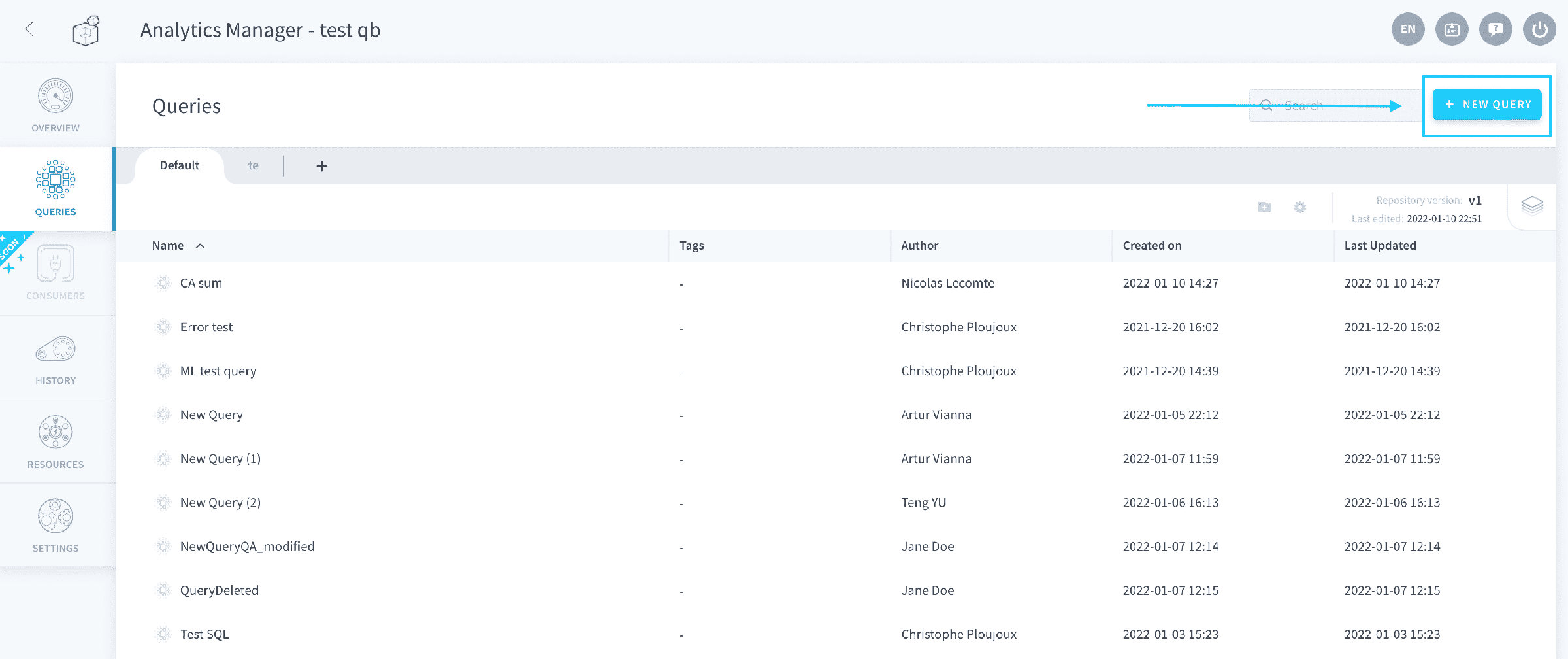
Learn how to do a query with the no-code builder
Manage existing queries
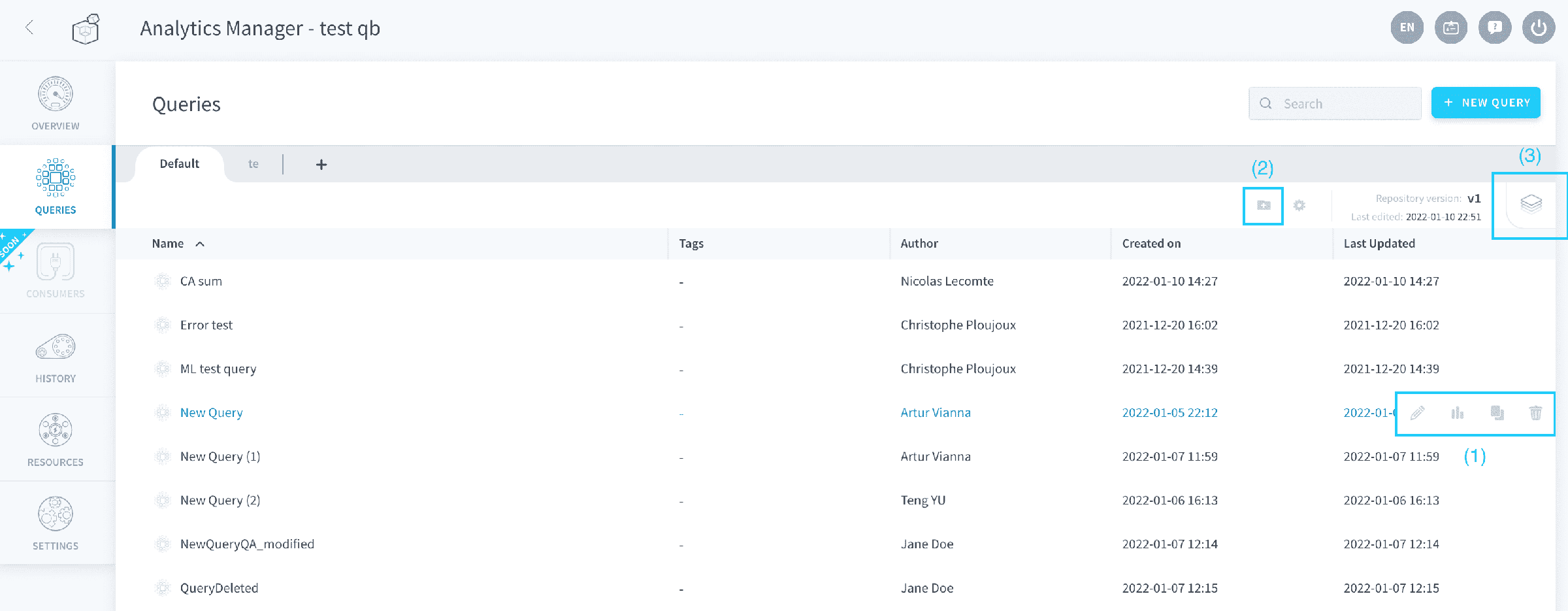
From the queries tab you can:
- Create, delete or edit (1) queries
- Duplicate (1) queries
- Organize (2) your queries in folders
- Manage the version (3) of the repository
Versioning queries
When you are trying to iterate on existing queries, it is best to create several versions of the query. This lets you incrementally introduce variations to experiment and test your work, while keeping the version in production always intact.
This versioning happens through repositories, which regroup both queries and dashboards. Each repository can have multiple versions of the code (queries + dashboards) they contain:
- For queries it is the query parameters (or SQL), as well as default visualization options
- For dashboards it is just their layout, filters and other minor overrides (like the color palette)
Repositories all have a deployed version, which is the version served when one of the queries is called in any downstream process (API, apps, etc.), or opened via a dashboard.
They also have an active version, which is the version currently being edited through the editor panel.
- If your repository only has one version, the active version is the same as the deployed version, which means that you are editing your queries in production.
- If your repository has two versions or more, the deployed version cannot be edited. It can be viewed in read-only mode.
It is no longer possible to version an individual query directly. All versions are now at the level of the repository.
Repositories allow compartmentalizing your queries into different sections, but more than this, they can be linked to a Git repository (coming soon!)
Discover the design philosophy behind queries
Since the release of its first version, the component behind the Analytics Manager which orchestrates the query execution has kept a simple design philosophy: where flexibility meets automation.
Need of flexible data models
The more complex a BI Project becomes, the more important it is to understand the data schema and each of its attributes.
A data lake / data warehouse in the Lakehouse Manager may change over time, which could be because of:
- Addition of new data sources (resulting in new business KPIs)
- Changes and optimizations made to the data schemas
- Addition, deletion, or modification of aggregate tables or repositories
The Lakehouse Manager (in charge of the schema structure containing the attributes, thus defines where and how to execute the queries, so that the people in charge of developing restitution interfaces (front-end) and APIs do not have to worry about it.
Automated multi-base query engine
To meet the above needs, the Analytics Manager leverages an agnostic multi-base engine, which can request your data model in SQL no matter the underlying dataset or schema.
When you create a query using the visual point-and-click interface, you don't have to specify the table names.The Platform will automatically choose the most suitable table by performing those steps:
- Check all the attributes needed to perform your query (and translate the virtual attributes into required attributes as well to append to this required list).
- Check all candidate tables that possess all required attributes (excluding the non-queryable tables).
- Select the table that has fewer rows.
While the Platform provides you the above flexibility, you can always override the automatically-chosen tables and force the table to query.
Go further
For training or technical assistance implementing our solutions, contact your sales representative or visit our Professional Services page to request a quote and have your project analysed by our experts.
Ask questions, give your feedback and interact directly with the team building the Data Platform on the dedicated Discord channel.
If you need support with your OVHcloud services, create a request in our Help Centre.
Join our community of users.