

Save a SQL query as a reusable view
Views let you save a SQL SELECT query as a named, reusable virtual table inside a dataset and query it like a table
Objective
Views let you save a SQL SELECT query as a named, reusable virtual table inside a dataset. A view looks and behaves like a table everywhere you query data, in Analytics Manager queries and dashboards, and in notebooks, but it stores no data of its own: every time it is read, the result is computed live from its source tables. Change the underlying data and the view reflects it instantly, with no build or refresh step.
Typical uses: exposing a cleaned or filtered version of a raw table, pre-joining tables that are always queried together, renaming or hiding columns for consumers, or sharing one agreed-upon business definition of a metric instead of copy-pasting SQL.
Instructions
Create a view
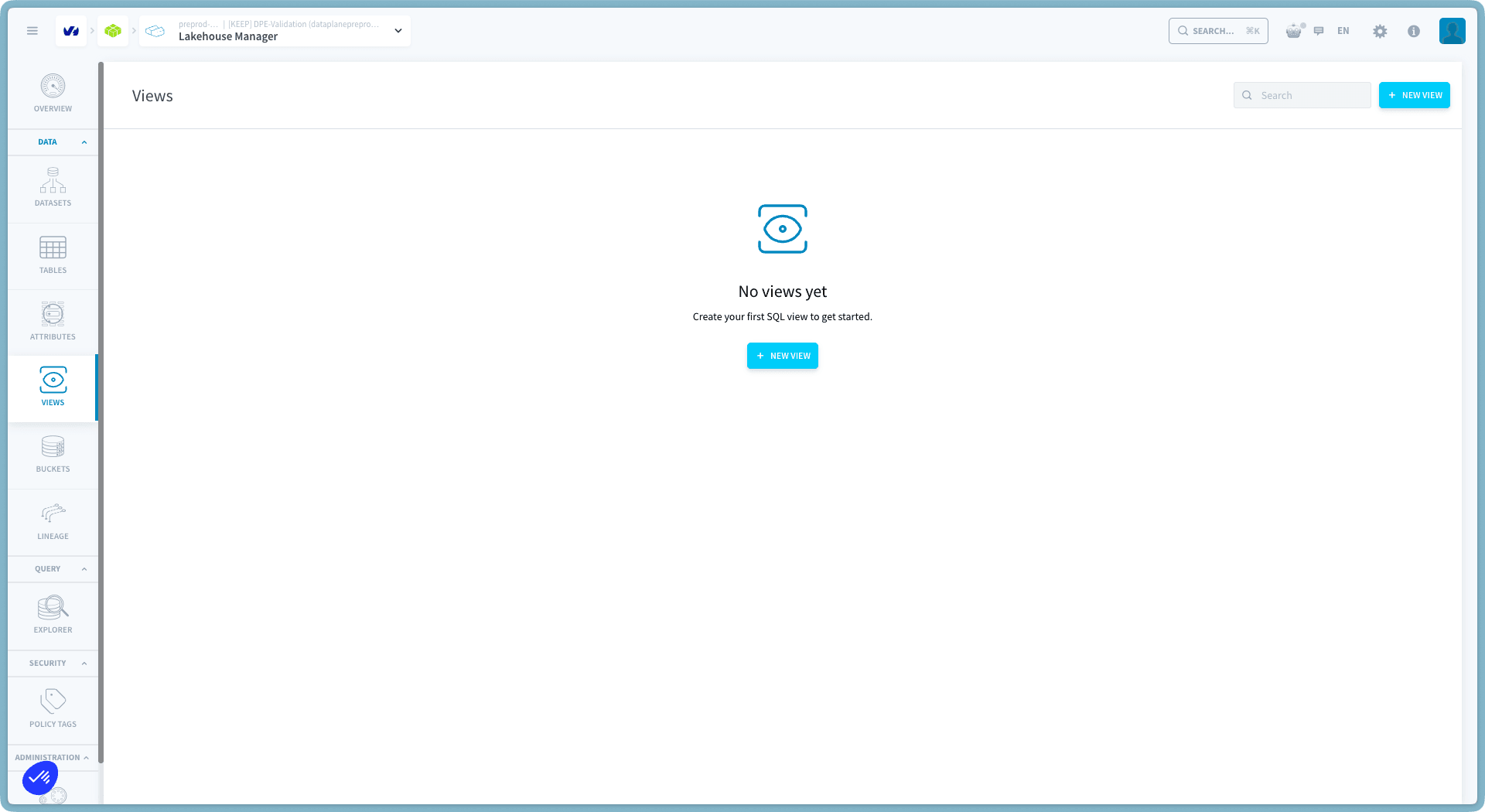
A view needs three things: a name, the dataset it lives in, and the SQL SELECT statement that defines it. To create one, go to the Views section in the Lakehouse Manager, then click New View.
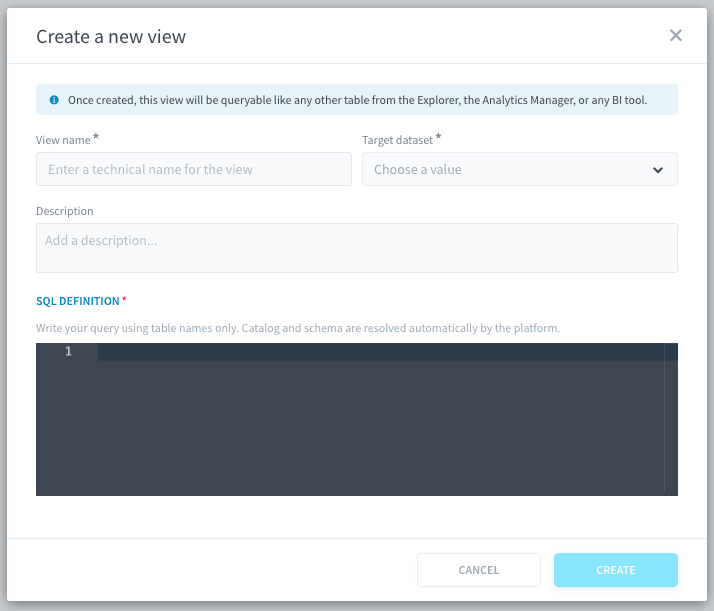
- The SQL is validated immediately on creation. Errors come back human-readable, with the line and column in your SQL and the object names you know, for example
line 2:3: Column 'name' cannot be resolved. - The view's columns are derived automatically from the SQL, names and types included. You never declare a schema.
- The view can read tables from its own dataset (plain names) or from other datasets (qualified names), and it can read other views: views stack.
- A view and a table cannot share a name within a dataset. Collisions are rejected in both directions: you also cannot build a table over an existing view's name.
View status: Valid and Broken
Every view has a status, and the platform keeps it truthful for you:
- When a platform action changes a source table (a build finishes, a column is added or removed, a table is deleted or rolled back), the views reading that table are re-checked automatically within seconds and their status updates on its own.
- A broken view tells you why: if a source table is gone, the missing tables are listed by name. Opening the view re-checks it live at column level, so a dropped column is detected the moment you look.
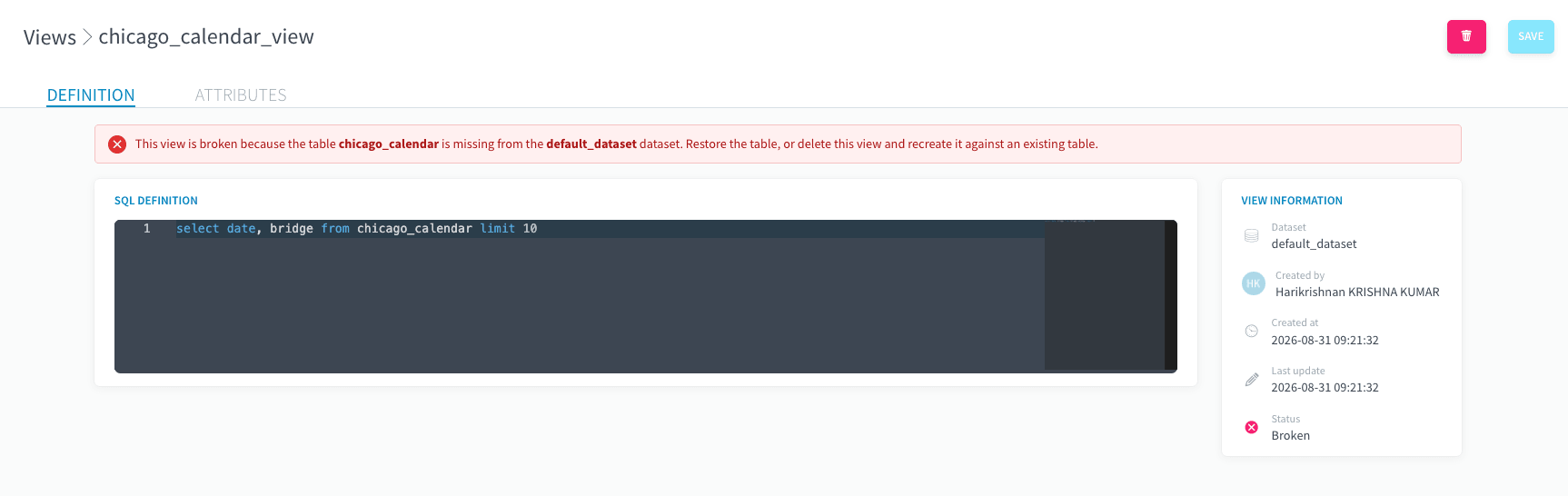
Breakage is not destructive: the view definition is kept, and as soon as the source is restored (the table rebuilt, the column re-added), the view flips back to Valid automatically. No manual repair needed.
Changes made entirely outside the platform (for example a notebook writing straight to the storage layer) emit no signal. Those are picked up by periodic background checks instead: within minutes for a missing table, within a few hours for column-level drift.
Edit, rename, delete
From the views list, click the edit icon to open a view. Its title and SQL definition are editable in place: as soon as an edit is in progress, a Save button appears. The list also shows when each view was last updated.
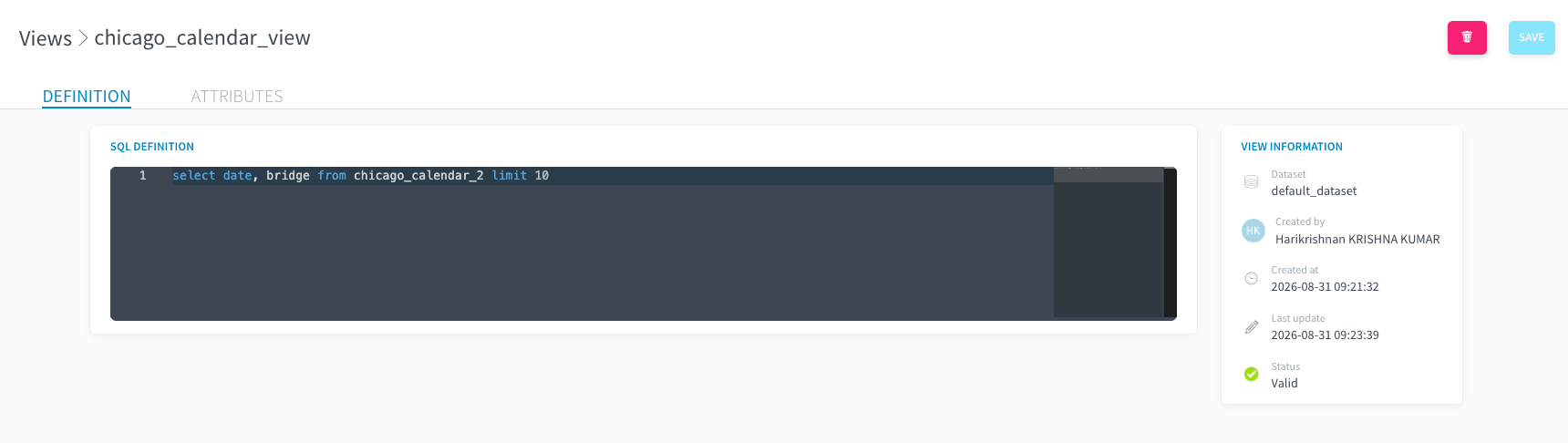
- The SQL definition can be replaced at any time. The new SQL is validated first and applied atomically, so a failed edit never leaves the view half-changed. Columns and status are recomputed on the spot.
- Renaming is guarded: if other views read this one, the rename is refused and the dependent views are listed, because renaming would break them silently otherwise.
Deleting is allowed even when other views depend on this one. The dependent views are immediately marked Broken, with the deleted view pinpointed as the missing source.
Governance
- Policy tags work on views exactly as on datasets and tables: they can be set at creation or on update, and are shown wherever the view is shown.
- Permissions ride the dataset: whoever can read a dataset can read its views, and whoever can edit a dataset's data model can create, edit and delete its views. No new roles or grants to learn.
- Changes to views are recorded in the audit trail like other data-model changes.
Views created outside Lakehouse Manager
Views created directly on the lakehouse by external tools (dbt, notebooks, BI tools) are discovered automatically and appear alongside the ones created in the Lakehouse Manager. Their status is tracked the same way, and their SQL is shown read-only, as stored in the catalog.
Good to know
- A view is computed at query time: a heavy view is a heavy query. For expensive transformations that are read often, a built (materialized) table may be the better tool. Views are for definitions that should always be fresh.
- Creating or editing a view takes a few seconds, because the SQL is really executed against the query engine for validation. Listing and opening views is instant.
Go further
For training or technical assistance implementing our solutions, contact your sales representative or visit our Professional Services page to request a quote and have your project analysed by our experts.
Ask questions, give your feedback and interact directly with the team building the Data Platform on the dedicated Discord channel.
If you need support with your OVHcloud services, create a request in our Help Centre.
Join our community of users.