

Manage a table in Lakehouse Manager
There are six table interactions in total. ' icon after clicking on the table
Objective
There are six table interactions in total. When in Canvas-view, display the first three options by clicking on a table and, display the other three, by clicking on the '...' icon after clicking on the table. In List-view, just scroll over the table to display all available interactions.
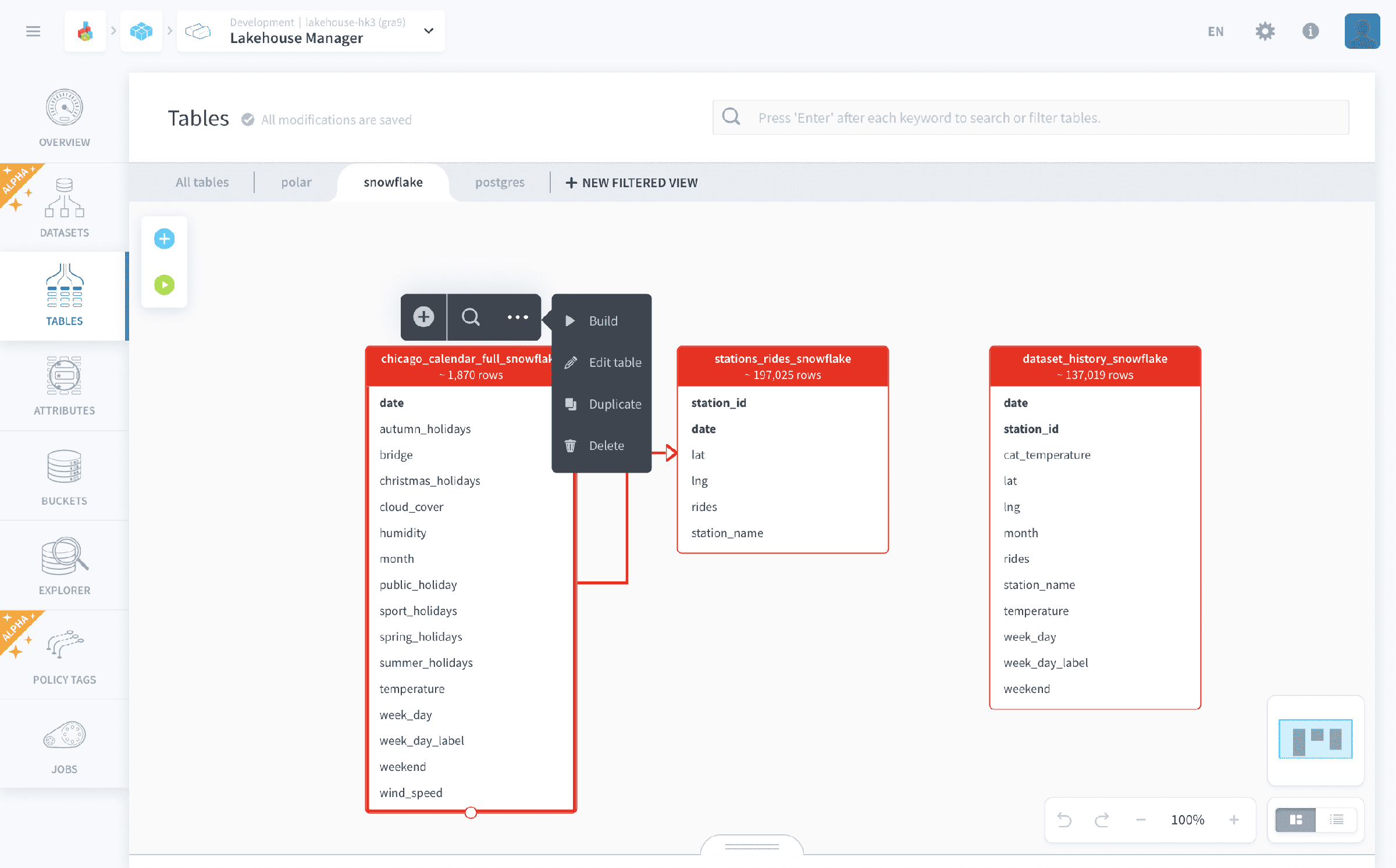
- ➕ Add a new attribute
- ✏️ Edit table
- ▶️/⏹️ Build table/Stop building table
- 📑 Duplicate
- 🗑 Delete
Add a new attribute
Represented by the symbol ➕.
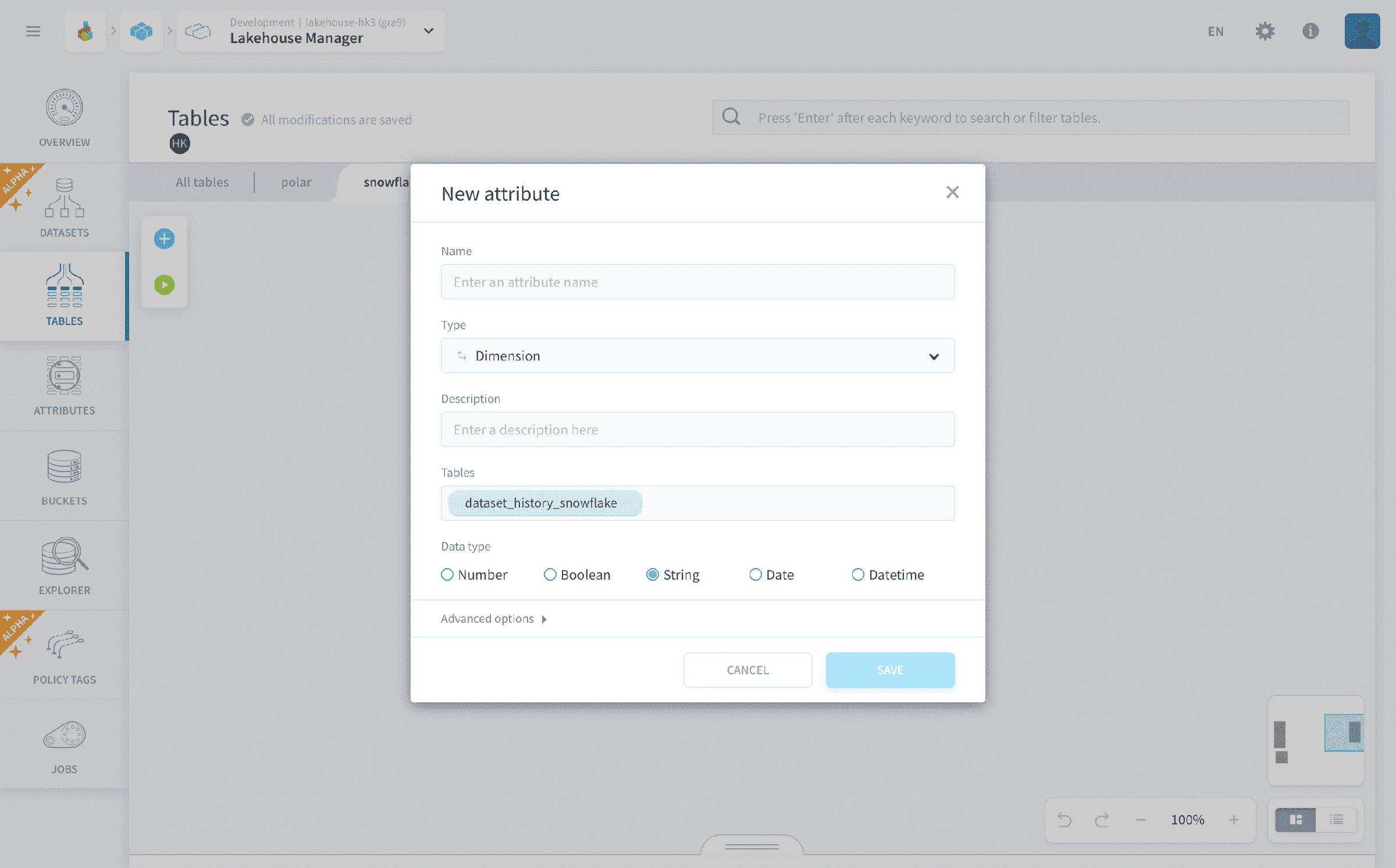
Adds a new attribute to the target table by opening the attribute creation window, shown below.
Attribute constraints
When setting an attribute on a table, you can add the following constraints:
- Required: the field can never contain NULL. If a job tries to insert a null value into it, the query engine returns an error.
- Required + Identifier: the field is required and marked as an identifier field, meaning it is used to define the uniqueness of a row for upsert operations. See the write strategy of the Load / Aggregate (Python and PySpark) actions for more information.
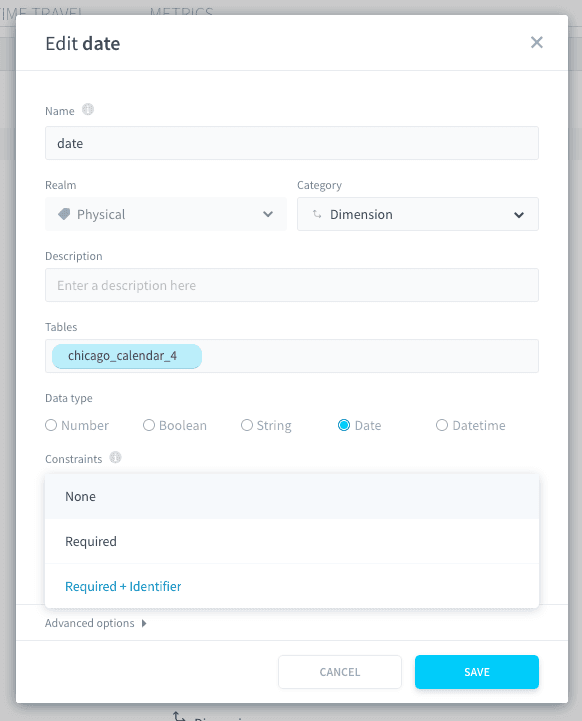
Once a table is built, you cannot add a Required field. You can still remove the Required property from an existing required field, but you cannot add the NOT NULL constraint to a field after the fact. The only way to add a required (or identifier) field to a built table is to fully rebuild it. See the Rebuild action.
An identifier field cannot be a double or a decimal.
Edit table
Represented by the symbol ✏️.
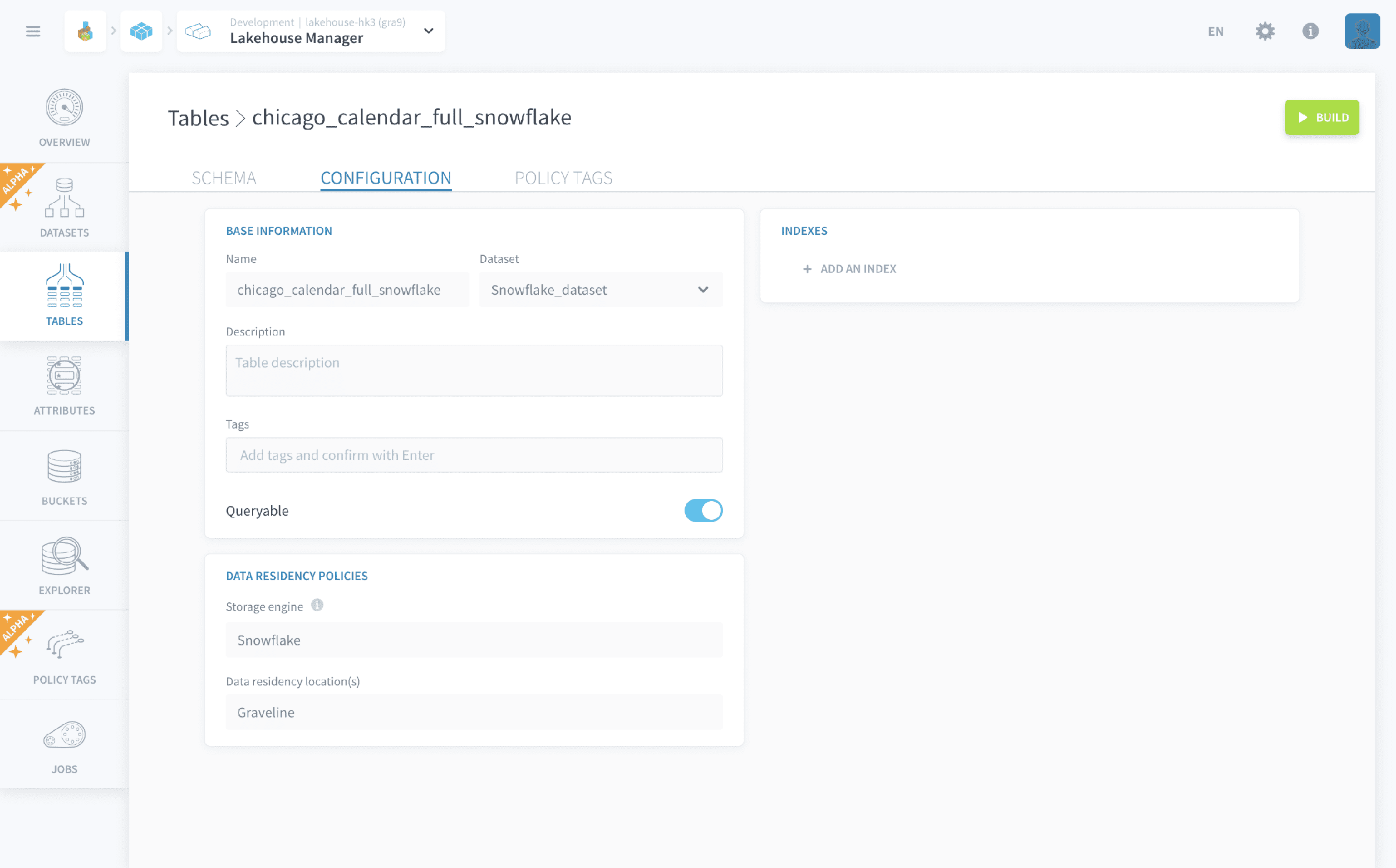
Allows the editing of the table's schema and configuration.
Basic actions
You can change the following basic configurations :
- Name of the table
- Table type
- Table's description
- Table tags (used to easily search for it)
- Queryable (if a table isn't set as queryable, it won't be detected by the automated visual query builders of Analytics Manager and Lakehouse Manager Explorer)
Labeling and Indexing
When editing a table you can further add:
- A label
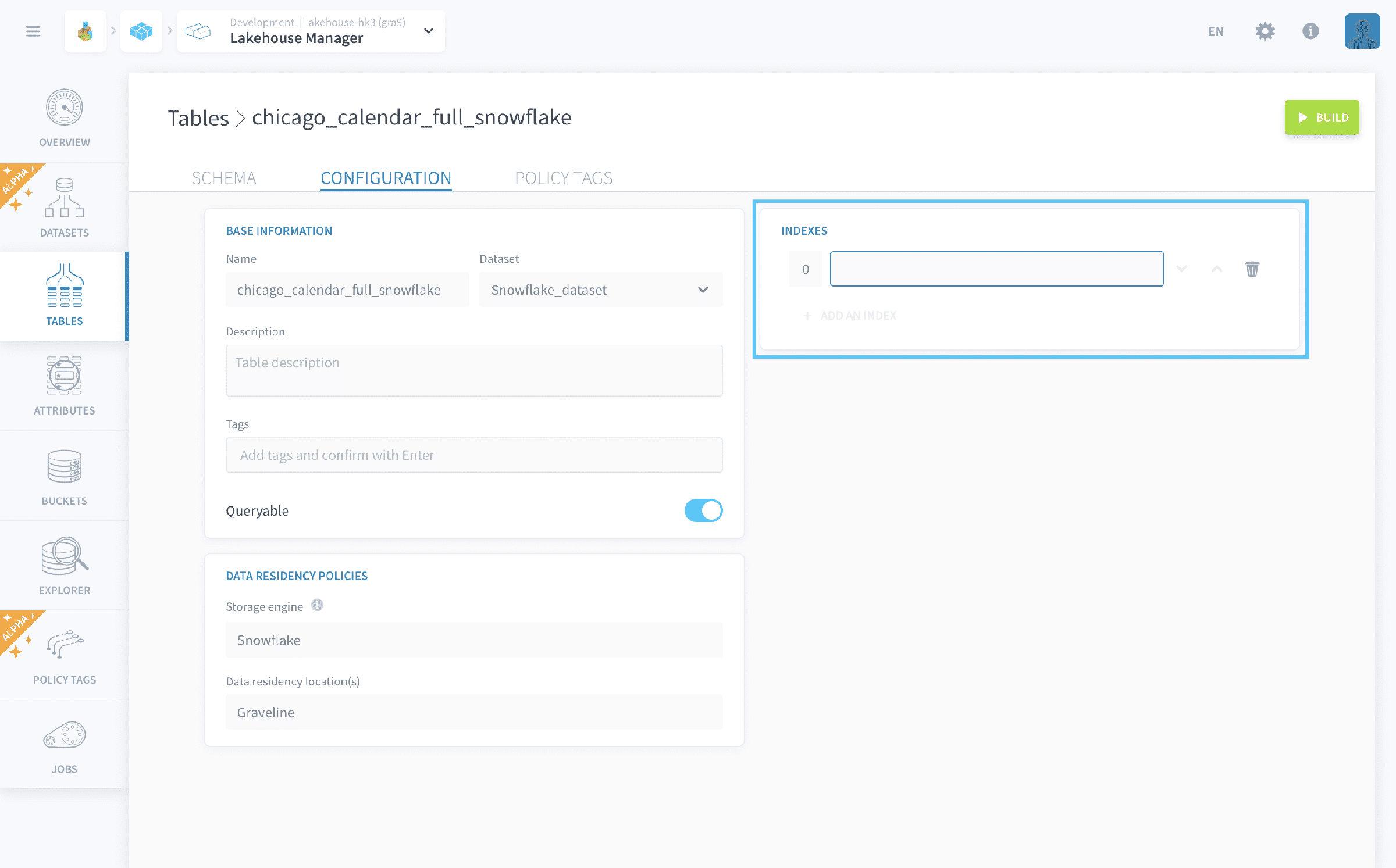
- One or several partition keys/indexes (under advanced options)
Labels
You can choose one of the table’s attributes as an optional label for the primary key of this table.
This turns the table into a dictionary which is going to be stored in the cache of the APIs that you deploy in your Project. The API will enforce the translation in the queries using this dictionary, and the label will automatically be displayed in your applications instead of the primary key.
Pro Tip: By defining labels, you don't have to store heavy additional data in aggregated tables.
Indexes
Further, you can set indexes or partition keys to quickly locate data without having to search every row in a table.
Pro tip: Defining indexes improves the speed of data retrieval operations on a table at the cost of additional writes and storage space to maintain the index structure.
Build table
Represented by the symbol ▶️ if clicking to build, or ⏹️ if stopping build.
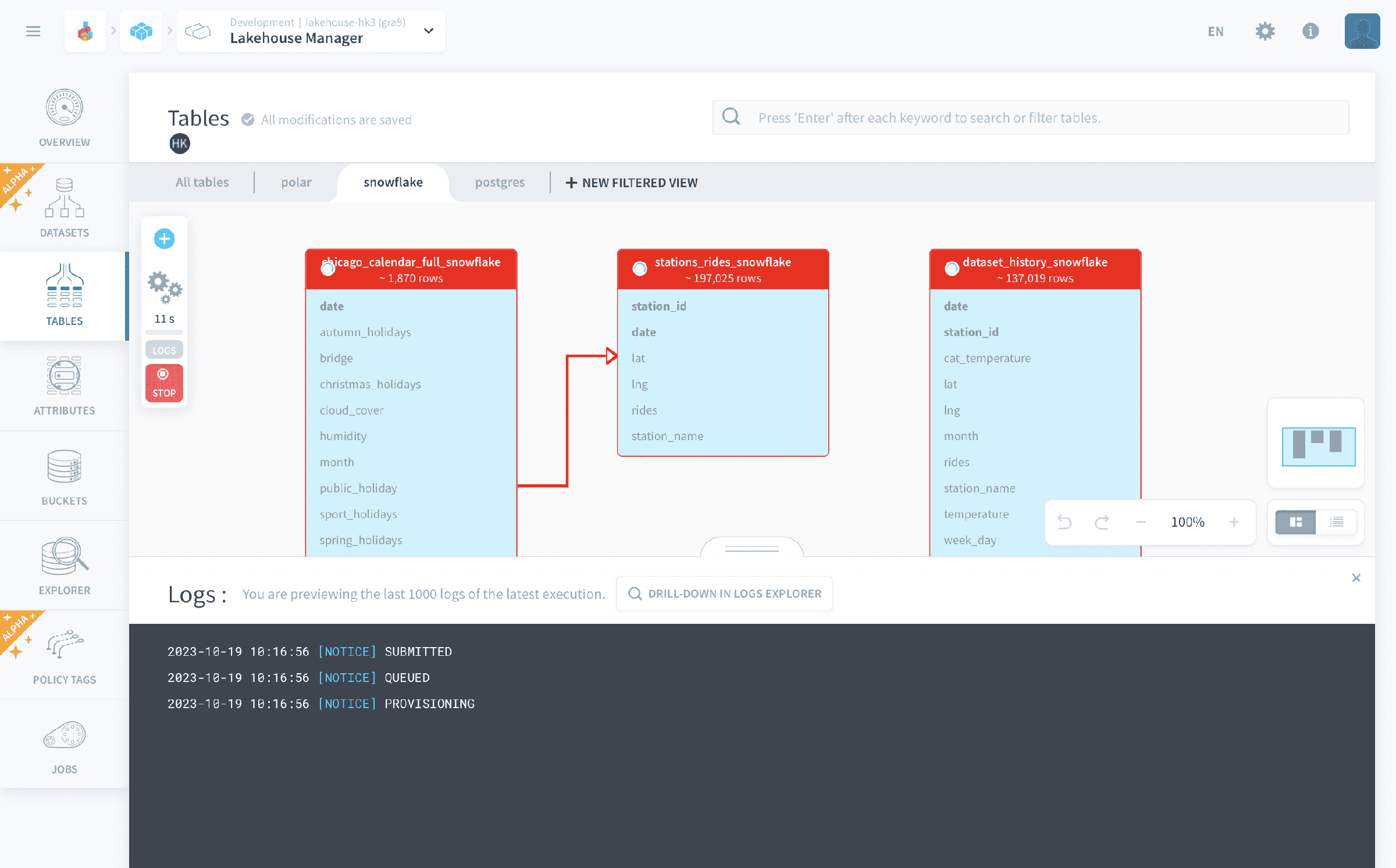
Click to start or stop build job for the target table. This job corresponds to physically building your tables in the database and is required for loading and accessing your data in the platform.
Starting the build job will automatically open the job logs that you can monitor the job status:
Duplicate
Represented by the symbol 📑.
Creates a copy of the target table that has to be built separately.
Delete
Represented by the symbol 🗑.
Removes the target table from the logic data schema. Removes its physically built counterpart as well if the table has already been built.
Go further
For training or technical assistance implementing our solutions, contact your sales representative or visit our Professional Services page to request a quote and have your project analysed by our experts.
Ask questions, give your feedback and interact directly with the team building the Data Platform on the dedicated Discord channel.
If you need support with your OVHcloud services, create a request in our Help Centre.
Join our community of users.