

CSV to PostgreSQL Action
By default, this action appends data to an existing table, with an explicit option to entirely overwrite its contents
Objective
The CSV to PostgreSQL action allows you to ingest data from a CSV file (sourced from any compatible connection in your Connectors) into a table within a PostgreSQL database. By default, this action appends data to an existing table, with an explicit option to entirely overwrite its contents.
Configure a CSV to PostgreSQL action
To create a new CSV to PostgreSQL action, follow these steps within the Data Processing Engine (DPE):
- Navigate to the Action tab within the Data Processing Engine (DPE) interface.
- Click on the "New Action" button.
- From the list of available actions, select "CSV to PostgreSQL".
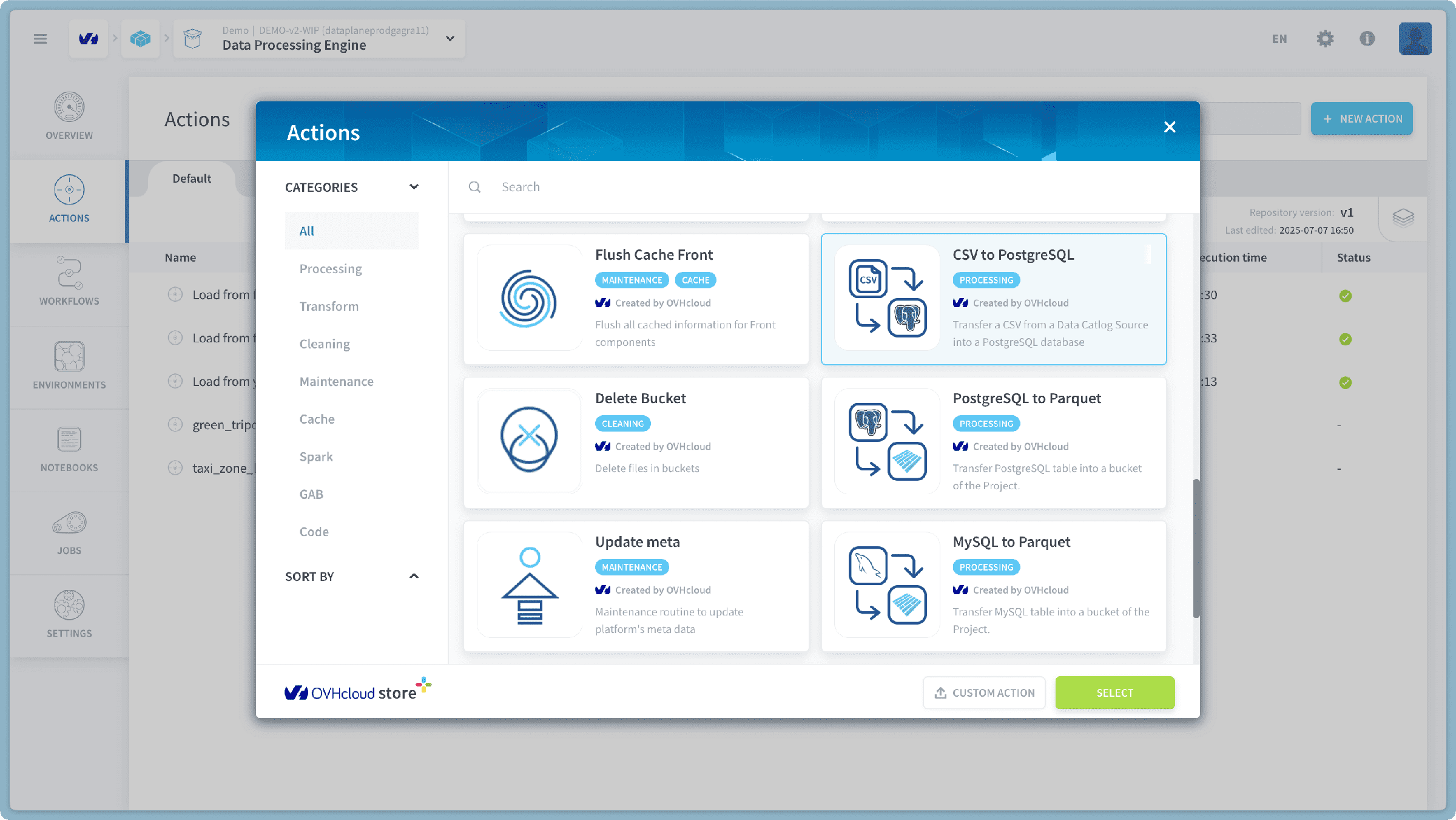
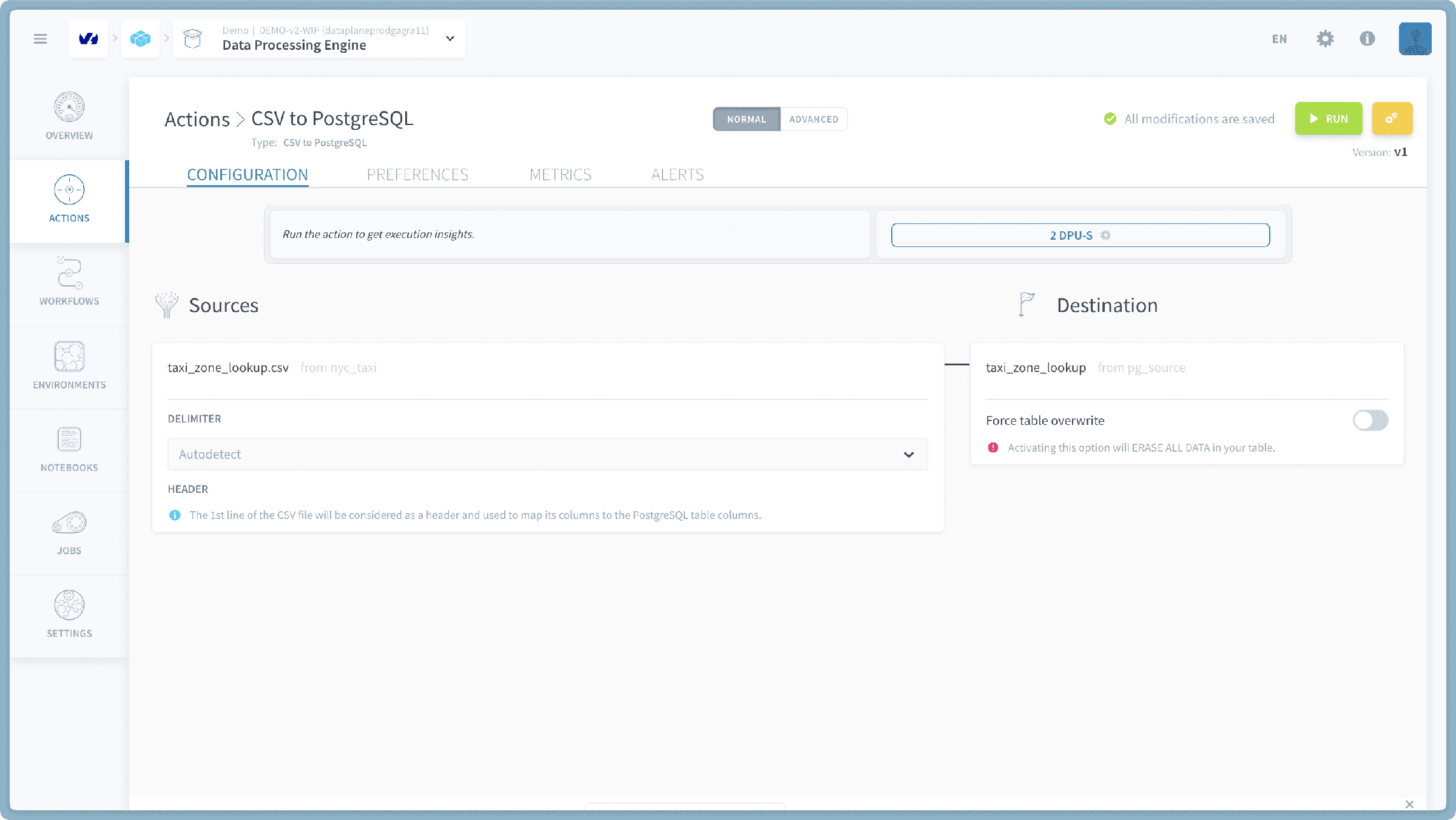
Choose a CSV File for Transfer
First, you need to select the specific CSV file you wish to transfer. This list will comprise CSV files accessible from all compatible sources configured in your Connectors.
- You will be presented with a unified list of available CSV files. These files are drawn from all Connectors sources that contain CSV data.
- Browse or search through this list to locate the CSV file you want to transfer.
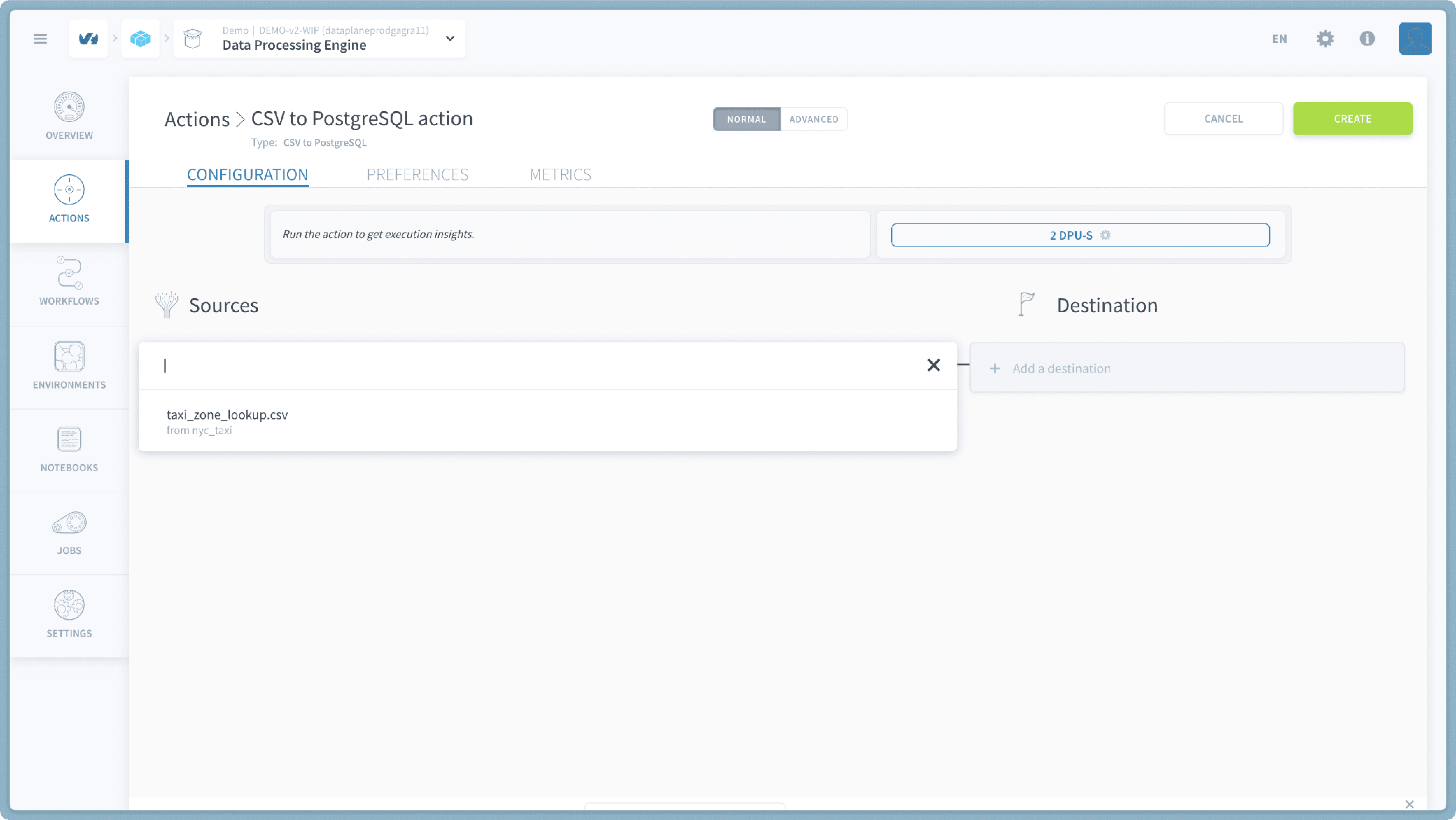
- Select the desired CSV file.
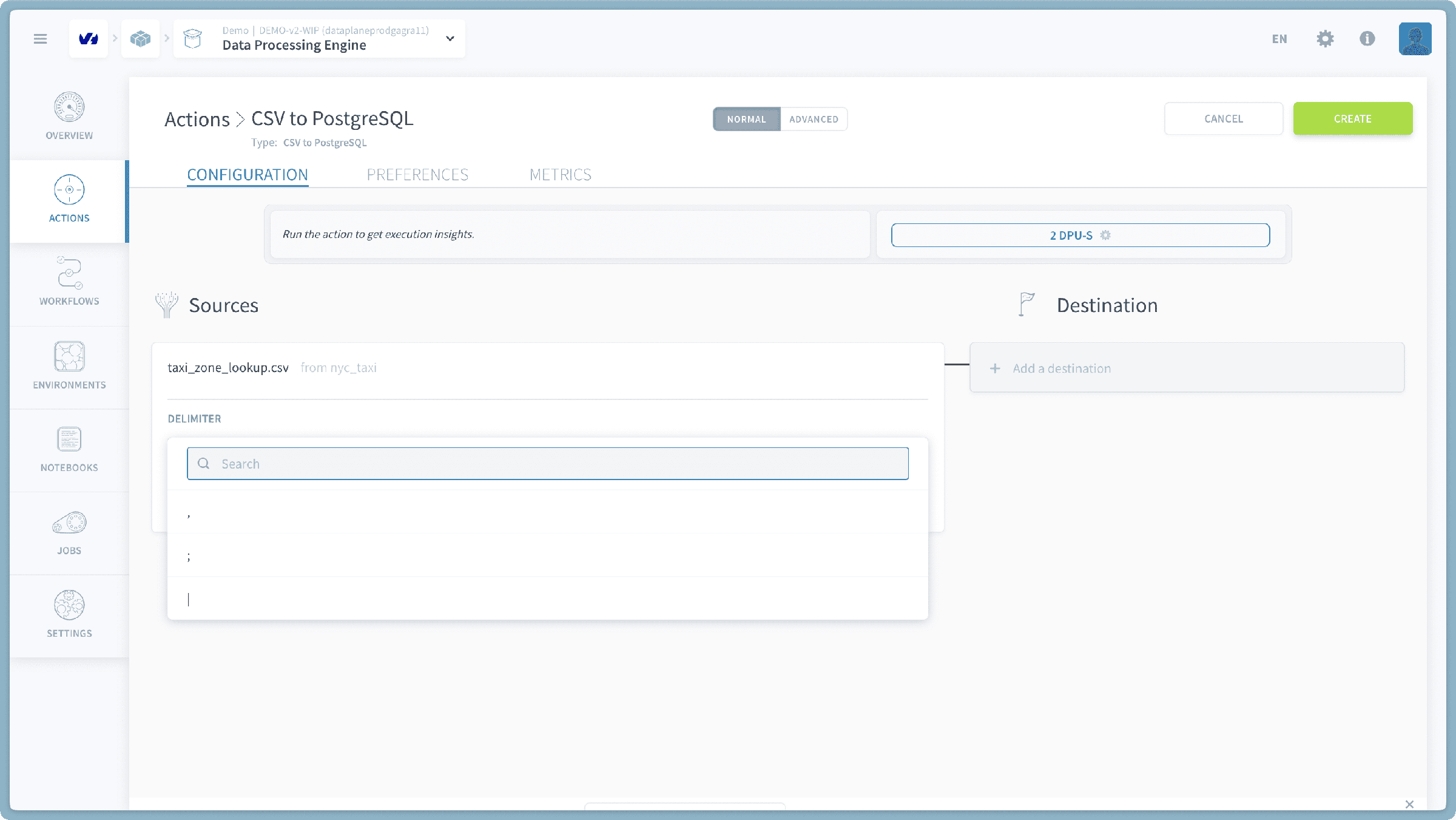
- Choose Delimiter (Optional): You can specify the delimiter used in your CSV file. By default, the system will attempt to auto-detect the delimiter. Alternatively, you can explicitly select one of the following common delimiters:
,(comma),;(semicolon), or|(pipe).
Select Destination PostgreSQL Table and Options
Next, you will define the target PostgreSQL table and how the data should be loaded. You will see a consolidated list of all tables from all connected PostgreSQL sources.
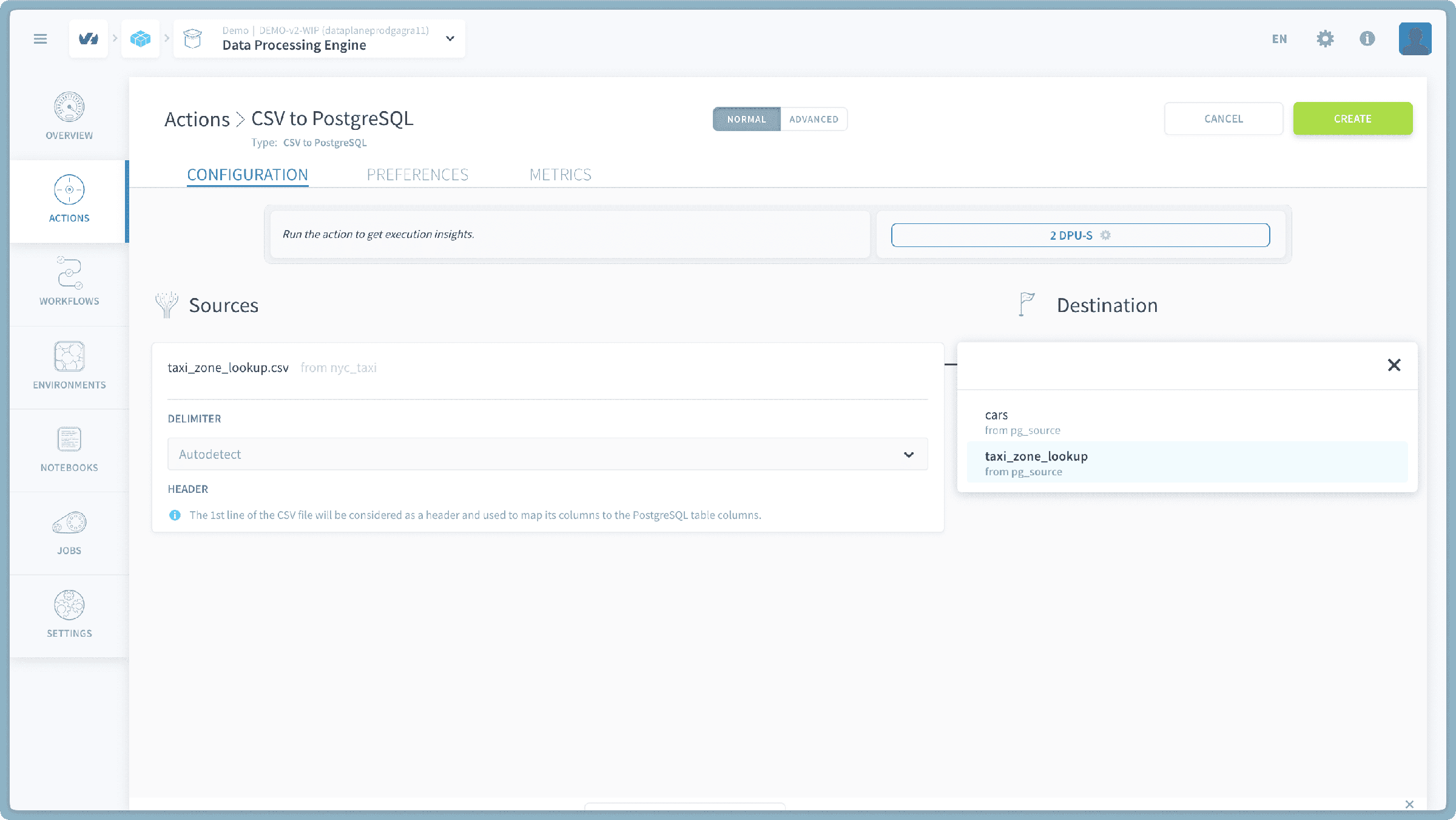
- Select Destination Table: You will see a comprehensive list of all PostgreSQL tables available across all your connected PostgreSQL Connectors sources.
- For easier identification, the name of the PostgreSQL source will be mentioned below each table name.
- Limitation: Currently, this action supports pushing data only into existing tables in your PostgreSQL database.
- To load into a new table: You must first create an empty table in your PostgreSQL database (using your preferred PostgreSQL client or tools) and then select it from this list.
- Loading Option: By default, the action will append the new data from your CSV file to the selected PostgreSQL table.
- You will also have an explicit option to Overwrite the table. If selected, this will completely delete all existing data from the chosen PostgreSQL table before inserting the new data from your CSV file. Use this with extreme caution, as it will erase all previous data in that table.
- Run the Action: Once your CSV file, destination PostgreSQL table, and loading option are configured, click the "Run" button to initiate the transfer.
Verify Your Transfer
After the CSV to PostgreSQL action completes successfully, you can verify the transfer by connecting to the respective PostgreSQL database (e.g., using a SQL client) and querying the destination table to confirm the presence and correctness of the loaded CSV data.
Go further
For training or technical assistance implementing our solutions, contact your sales representative or visit our Professional Services page to request a quote and have your project analysed by our experts.
Ask questions, give your feedback and interact directly with the team building the Data Platform on the dedicated Discord channel.
If you need support with your OVHcloud services, create a request in our Help Centre.
Join our community of users.