

Data preparation
This page describes the Machine Learning Manager, a service of the ForePaaS Legacy Platform that is not available on OVHcloud Data Platform. See the current documentation.
Data preparation is the first step to any machine learning process. It is the step during which you will specify your data source and the rules according to which it is turned into ML datasets.
ML datasets are modeled and stored as tables that are automatically created in the Data Manager and fed with data from the source specified at the entry of your pipeline. Specifying the rows and columns of these tables is the gist of the data preparation step.
In order to better orchestrate data versioning, data can only be added to an ML dataset. You have the option to manually reset your ML datasets in your pipeline preferences.
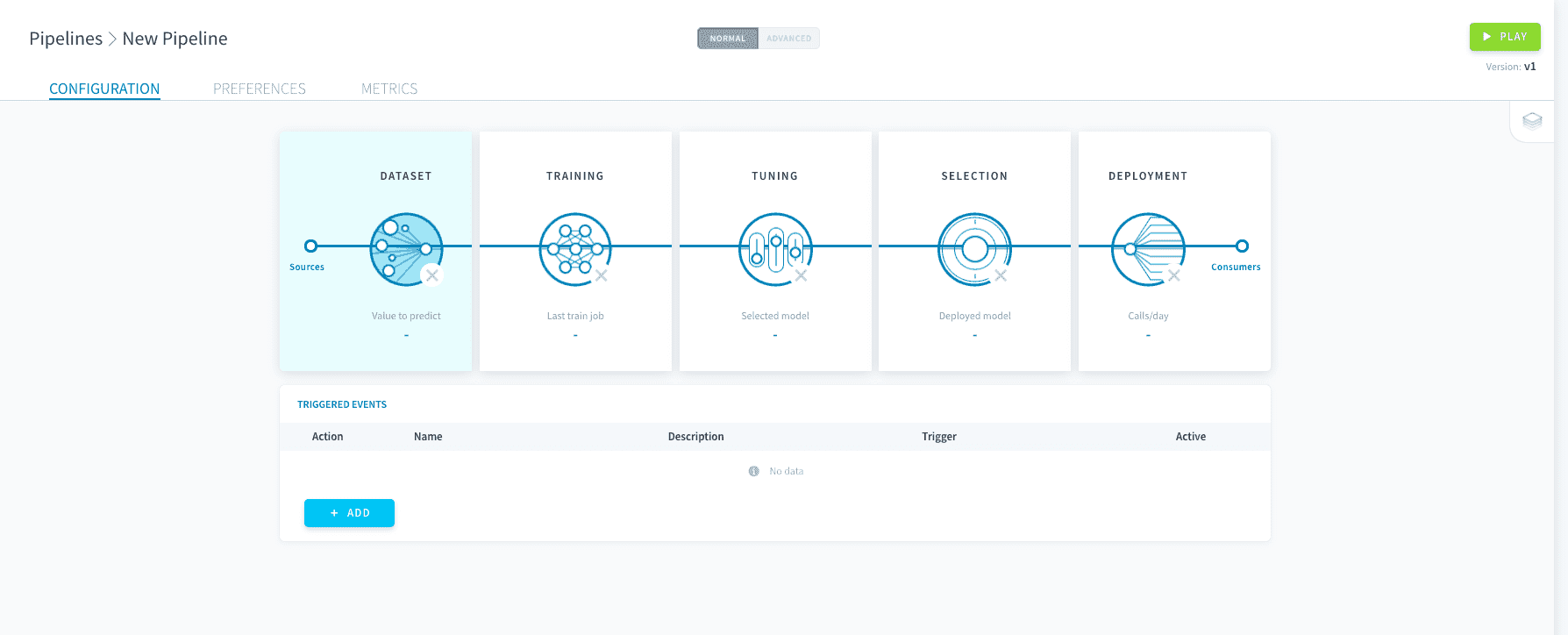
Data preparation is usually the first step you need to parametrize since the rest of the pipeline should be designed according to this choice. To enter data preparation, click on Dataset on your pipeline's main page.
Dataset generation
You can connect data from multiple sources - either within or outside of ForePaaS - at the entry point of your pipeline. This data must then be split into a train and a test dataset for the model to be fitted and evaluated.
Manage source and train-test split
Feature engineering
Good data preparation means selecting the correct features for your model. Learn how to add variables to your X and Y sets, and how to execute basic checks on the data content.
Go further
If you need training or technical assistance to implement our solutions, contact your sales representative or click on this link to get a quote and ask our Professional Services experts for a custom analysis of your project.
Ask questions, give your feedback and interact directly with the team building the Data Platform on the dedicated Discord channel.
If you need support with your OVHcloud services, create a request in our Help Centre.
Join our community of users.