

Manage table attributes in the Lakehouse Manager
The Attributes page groups all the attributes in your lakehouse Manager by unique attribute names
Objective
The Attributes page groups all the attributes in your lakehouse Manager by unique attribute names. Each of those attributes are part of a realm: physical or virtual.
Physical attributes
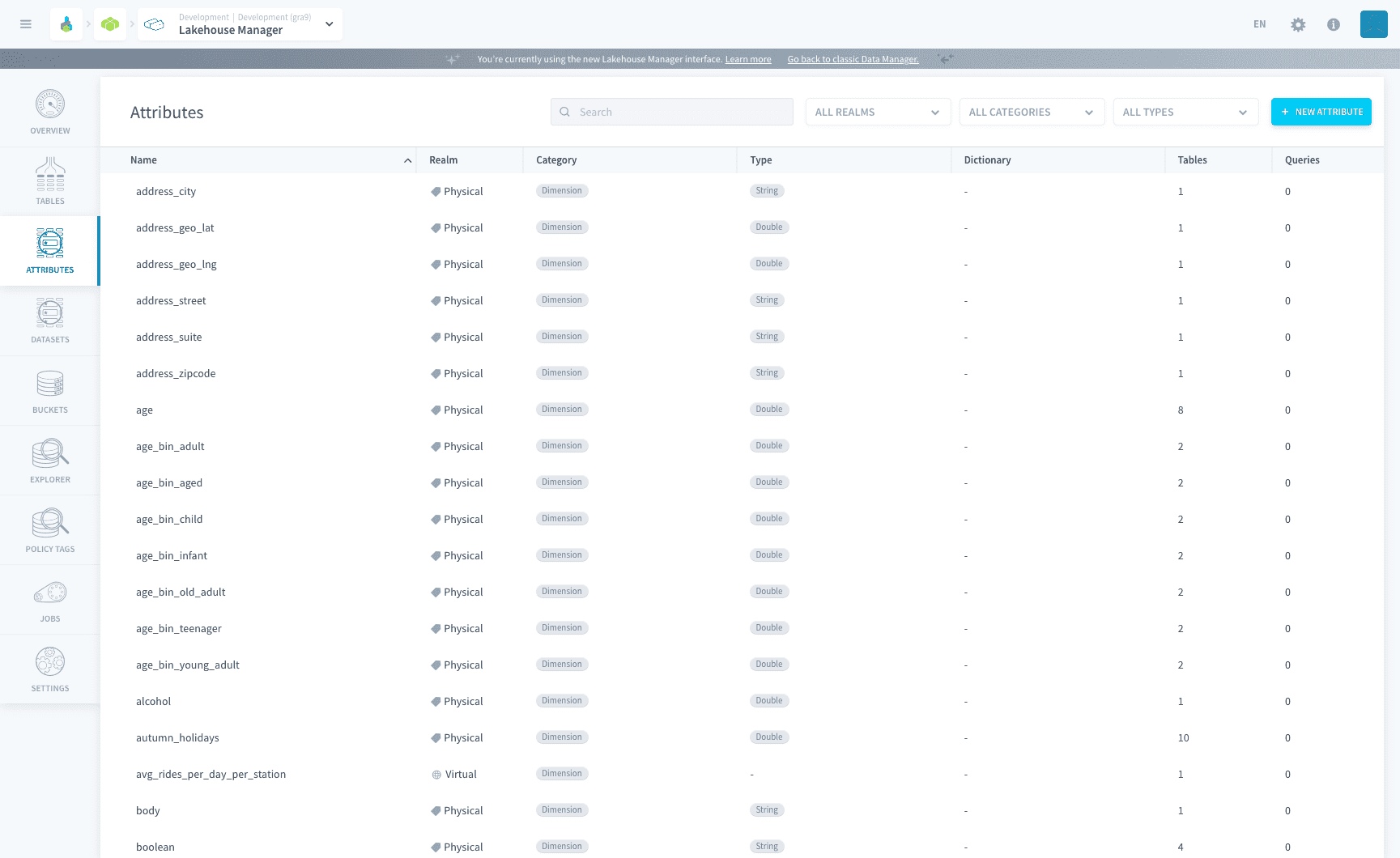
Physical attributes are the attributes physically stored in Lakehouse Manager tables. You can edit their category, type, and other information at the level of the table.
They are grouped by name on the Attributes page, letting you watch at a glance the different categories and types each attribute takes across all of your data warehouse / data lake.
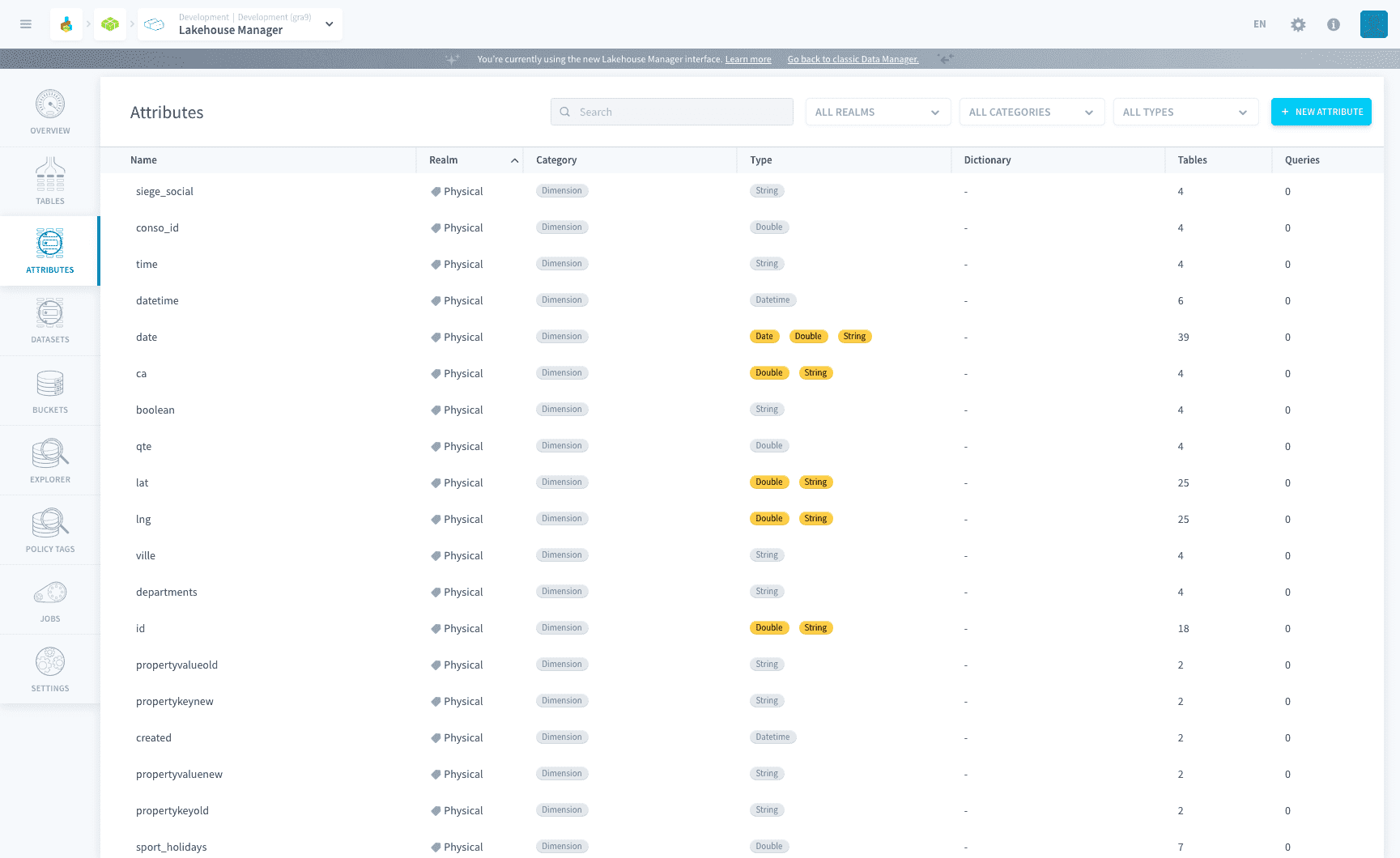
Each attribute can be expanded in order to get full lineage over the objects in your Project that use this attribute:
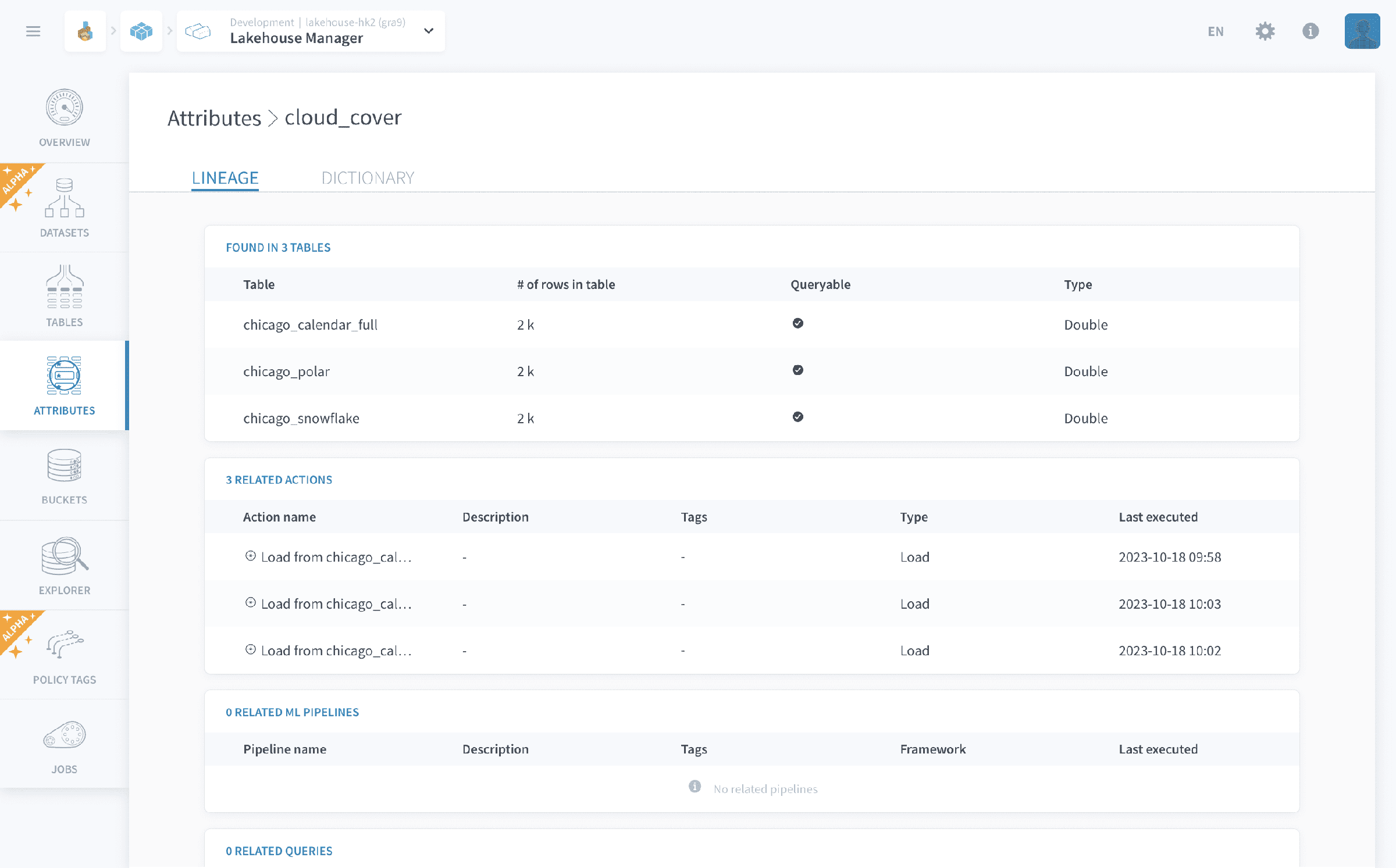
Some attributes can be a key for a dictionary. In that case, another attribute is used as a label for this attribute, to be automatically displayed in applications instead of the key.
Labels can be set at the level of a table (containing the dictionary key as its primary key) in the Tables screen.
Supported attribute types
Attributes support the following primitive types:
integer, bigint, float, real, double, decimal, varchar, boolean, timestamp, date.
There is no native GEOMETRY type, and complex or nested structures are not stored natively. The patterns below cover the most common needs in the meantime.
Custom business types with native validation in the schema (SIRET, IBAN, GPS coordinates) are not supported. Store a SIRET or an IBAN as a varchar, without schema-level validation.
Working with unstructured or complex data
Documents (PDF, Word, ...)
- Store the raw file in a bucket.
- Extract its content in a Custom action (Python, with libraries such as
pypdforpython-docxinstalled through Python Requirements). - Write the metadata and the extracted text into a table so it can be queried.
Geographic objects
There is no native path today. Two options:
- Store the geometry as WKT text in a
varcharattribute, or as WKB in aVARBINARYattribute. - Run spatial computations outside the schema, with Apache Sedona (added as a Git dependency in a PySpark Custom action) or with
geopandas/shapelyin a Notebook.
Trino exposes the standard spatial functions (ST_*) when the deployed version includes them. Confirm availability for your project before relying on them in a query.
Semi-structured JSON
- Use a
ROW/MAPfield in Iceberg when the schema is stable. - Use a
varcharattribute plus Trino'sjson_*functions (json_extract,json_parse) when the schema varies.
Full-text / vector search
There is no native path. The recommended pattern is to export to an external service (a managed Elasticsearch, a vector database) through a Custom action on the output side.
A PostgreSQL storage engine is on the roadmap and will, in time, be the best answer for geographic data through PostGIS.
Constraints
A physical attribute can carry constraints that are applied to the table when it is built:
- Required: the field can never contain NULL.
- Required + Identifier: the field is required and used to define the uniqueness of a row for upsert operations. An identifier field cannot be a
doubleor adecimal.
You set these when adding or editing an attribute on a table.
Constraints apply to physical attributes only. Virtual attributes cannot be Required or Identifier.
Naming conventions
Attribute names are unique per table, but the platform aggregates them by name at the Project level on the Attributes page. This is useful to spot inconsistencies, for example the same code attribute typed as integer in one table and bigint in another, but it does not prevent them.
The general naming guidelines and the list of reserved words apply to attributes as well as tables: see Naming Conventions and Reserved Words on the Tables page.
VALUE is on the reserved words list. Prefer amount, metric_value or entity_value instead.
Handling homonym attributes
When attributes such as code, libelle or value come from different sources with different types, use the following practices:
- Prefix by domain or source. Use
clt_code,clt_libelle,clt_valuefor customers,prd_code,prd_libellefor products,cmd_codefor orders, and so on. A prefix turnscodeintoentity_codeand removes any ambiguity, both when reading and in auto-detected formulas. - If renaming is not possible, harmonise the type across tables. Pick the widest type (
decimalorbigint) andCASTatINSERTtime in the source tables. This removes at least the type inconsistency on the Attributes page. - Document with tags and a description to distinguish usages when a name is ambiguous.
- Reserve short generic names (
code,libelle,value,id,name,status) for cross-cutting use, or avoid them altogether.
Documenting shared attributes: the data dictionary
The Data Platform does not ship a full external data catalog, but several built-in mechanisms already act as a functional data dictionary:
- The Attributes page. One entry per attribute name across the whole Project, a breakdown of the types and categories it takes across tables (ideal for spotting
codeasintegervsbigintvsdecimal), and full lineage over the objects that consume it, as described above. - Policy tags. Although policy tags were designed for access control, they can also be reused to categorise your data:
domain: finance,sensitivity: high,pii: true,glossary_term: client_id. Policy tags are inherited from dataset to table to attribute, so a tag set on a dataset applies to every untagged attribute below it. This lets you set a baseline and override it where needed. - Dictionaries. The dictionary mechanism (key → label) described above handles code → label reference tables.
Enriched per-attribute descriptions, a business glossary, ownership, and integration with an external catalog (Collibra, DataHub) are not available. For those needs, a complementary external tool is still required.
Virtual attributes
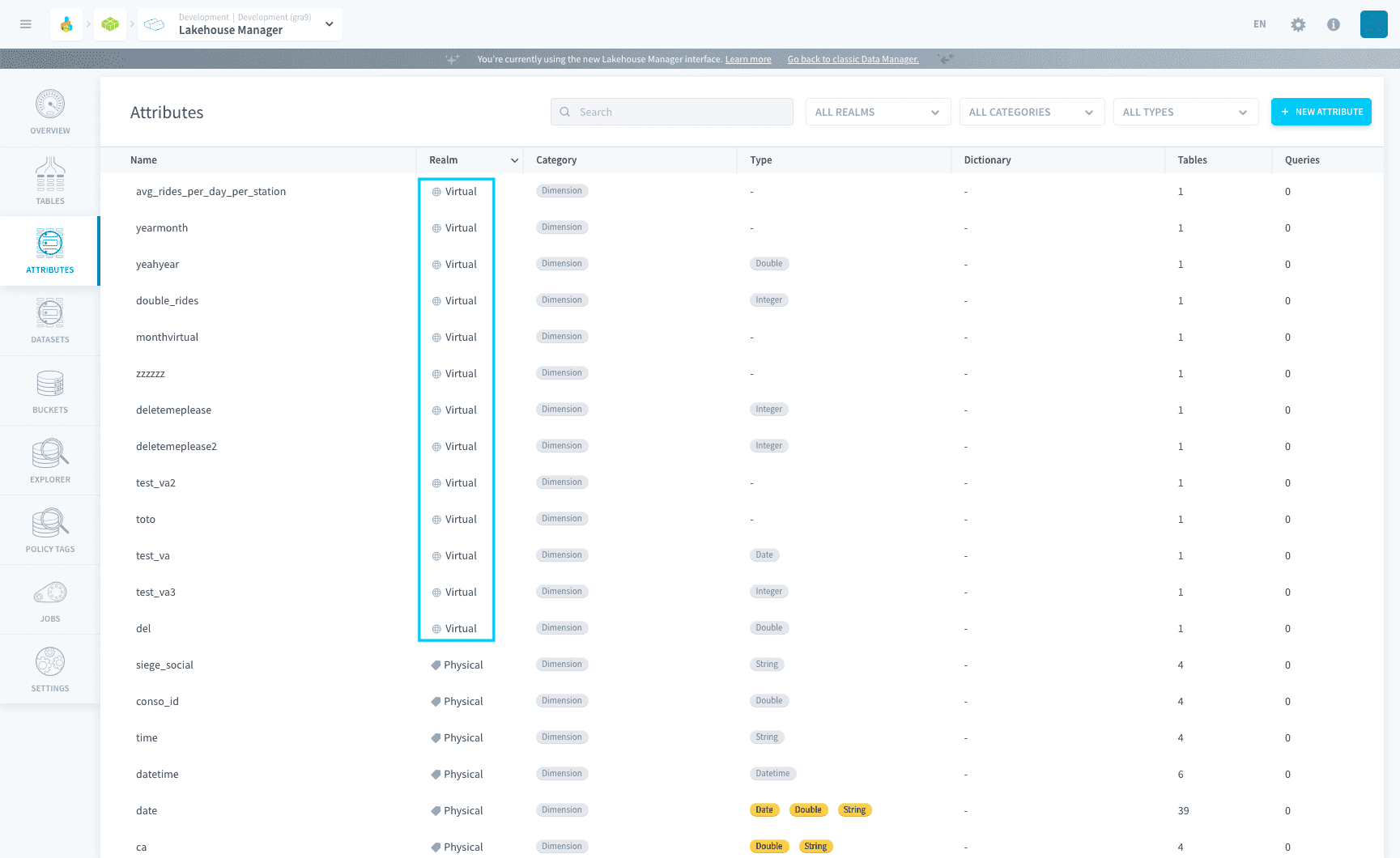
Virtual attributes are used to compute new formulas on your data. They are not stored in the database but are computed on the fly for a query or a dashboard/restitution chart.
Virtual attribute formula
The most important element of a virtual attribute is its SQL definition.
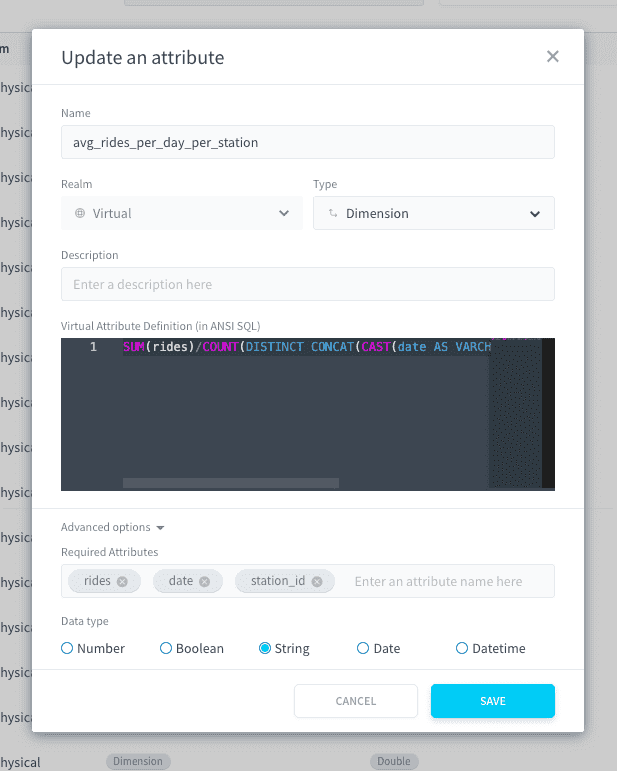
Write a formula which contains a combination of SQL keywords and physical attributes.
The formula should be written using ANSI-compliant SQL syntax to ensure the portability of your Project. Engine-specific syntax is not supported by Data Platform.
Example of virtual attribute formula
SUM(rides)/COUNT(DISTINCT CONCAT(CAST(date AS VARCHAR), CAST(station_id AS VARCHAR)))
Here, rides, date, and station_id are physical attributes coming from a Lakehouse Manager table. The Platform will automatically detect them, along with the most relevant table to query from (if it is not explicitly defined in your formula).
Virtual attribute options
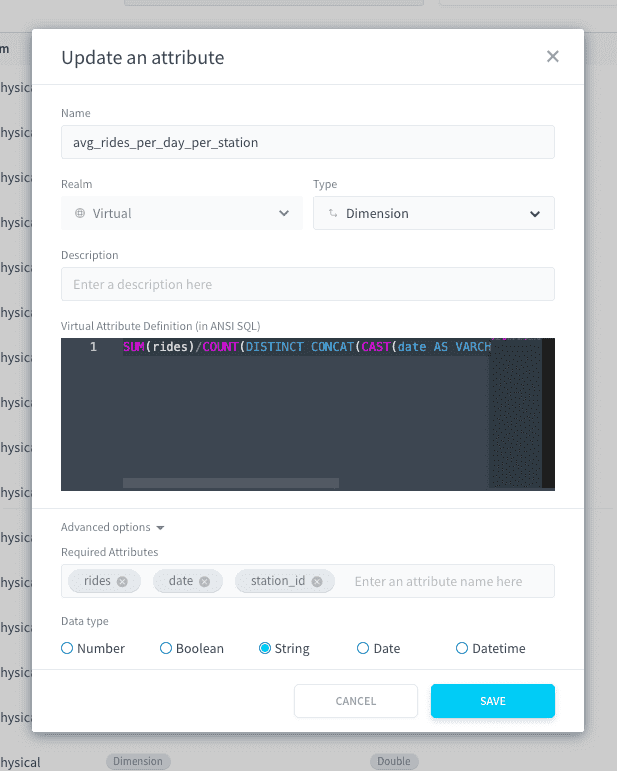
Required attributes
the platform automatically detects the physical attributes required to run the virtual attribute formula.
You can edit them in the advanced options of the virtual attribute. Reasons for editing the type include (but are not limited to): a physical attribute in the formula is detected as a SQL keyword instead of a required attribute, or the vice-versa.
Type
The type of the virtual attribute is automatically inferred when you create it. This type allows the platform to automate the planning of queries which use the virtual attribute.
You can edit it in the advanced options of the virtual attribute. Reasons for editing the type include (but are not limited to): filter values based on a virtual attribute are automatically converted to another type resulting queries to fail in the Analytics Manager.
Go further
For training or technical assistance implementing our solutions, contact your sales representative or visit our Professional Services page to request a quote and have your project analysed by our experts.
Ask questions, give your feedback and interact directly with the team building the Data Platform on the dedicated Discord channel.
If you need support with your OVHcloud services, create a request in our Help Centre.
Join our community of users.