

API management interface
Once an API has been created, you will be able to access its management interface
Objective
Once an API has been created, you will be able to access its management interface. The Overview tab allows you to easily manage the whole life cycle of your API.
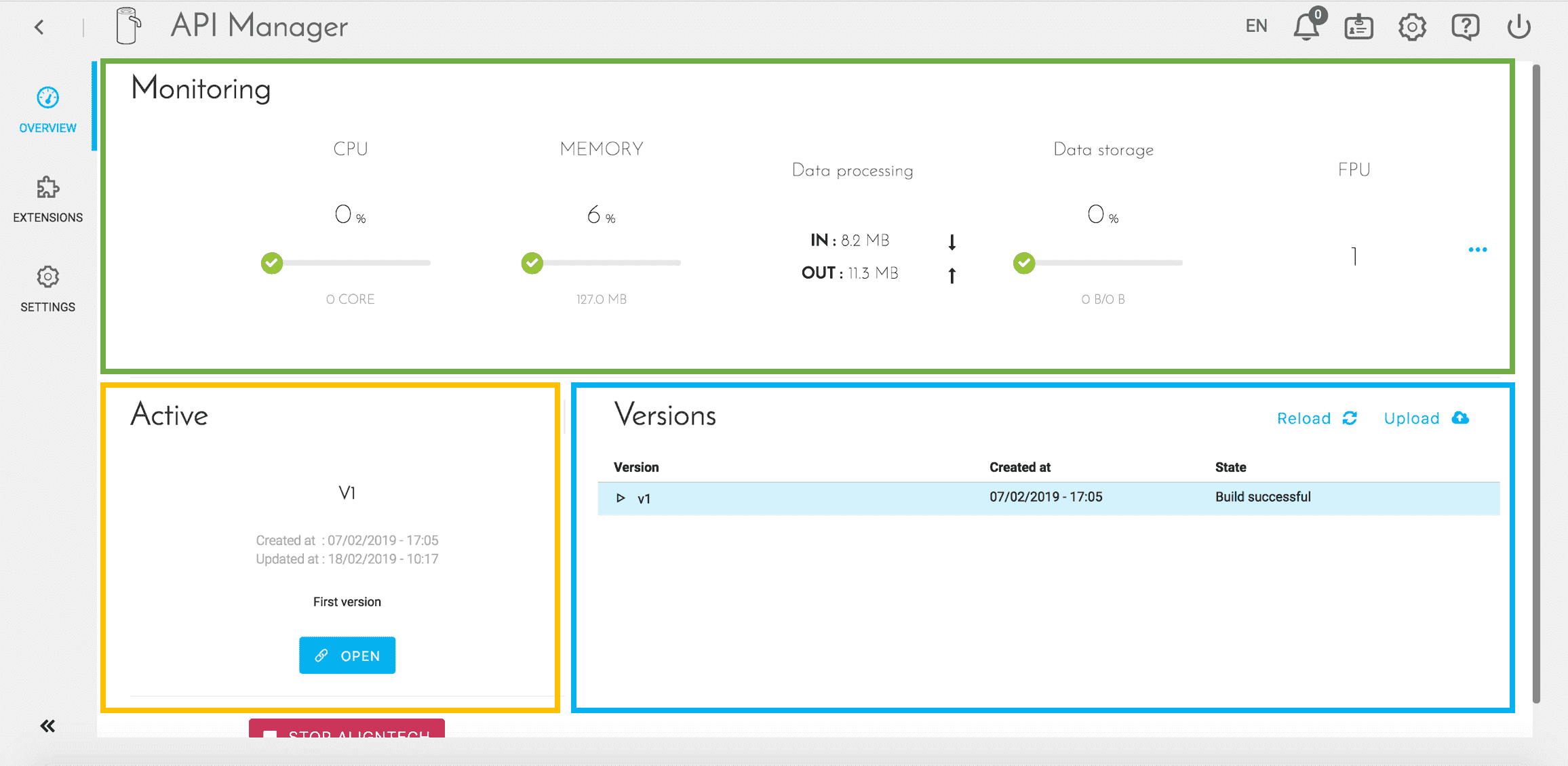
The screen is divided into 3 parts:
-
The top block (green) shows some indicators related to the resources used by the API. These indicators make it possible, for example, to know if it is necessary to increase the number of instances.
-
The left block (yellow) indicates the status of the active version (in production). Some shortcuts are proposed by buttons according to the state (New / Built / Deployed) of the version.
-
The right block (blue) lists the different versions of the API. The active version is displayed in blue. Different actions are possible for each version:
- Synchronize / Download - action depending on the type of code source (ZIP file or GIT repository)
- Duplicate version
- Build the artifact of this version
- Deploy / Stop version
- Open the building console
- Remove version - requires that the version has not been deployed
Configuring extensions
When creating an API through the Marketplace, the latter is created with a set of default extensions that can be viewed in the Extensions tab.
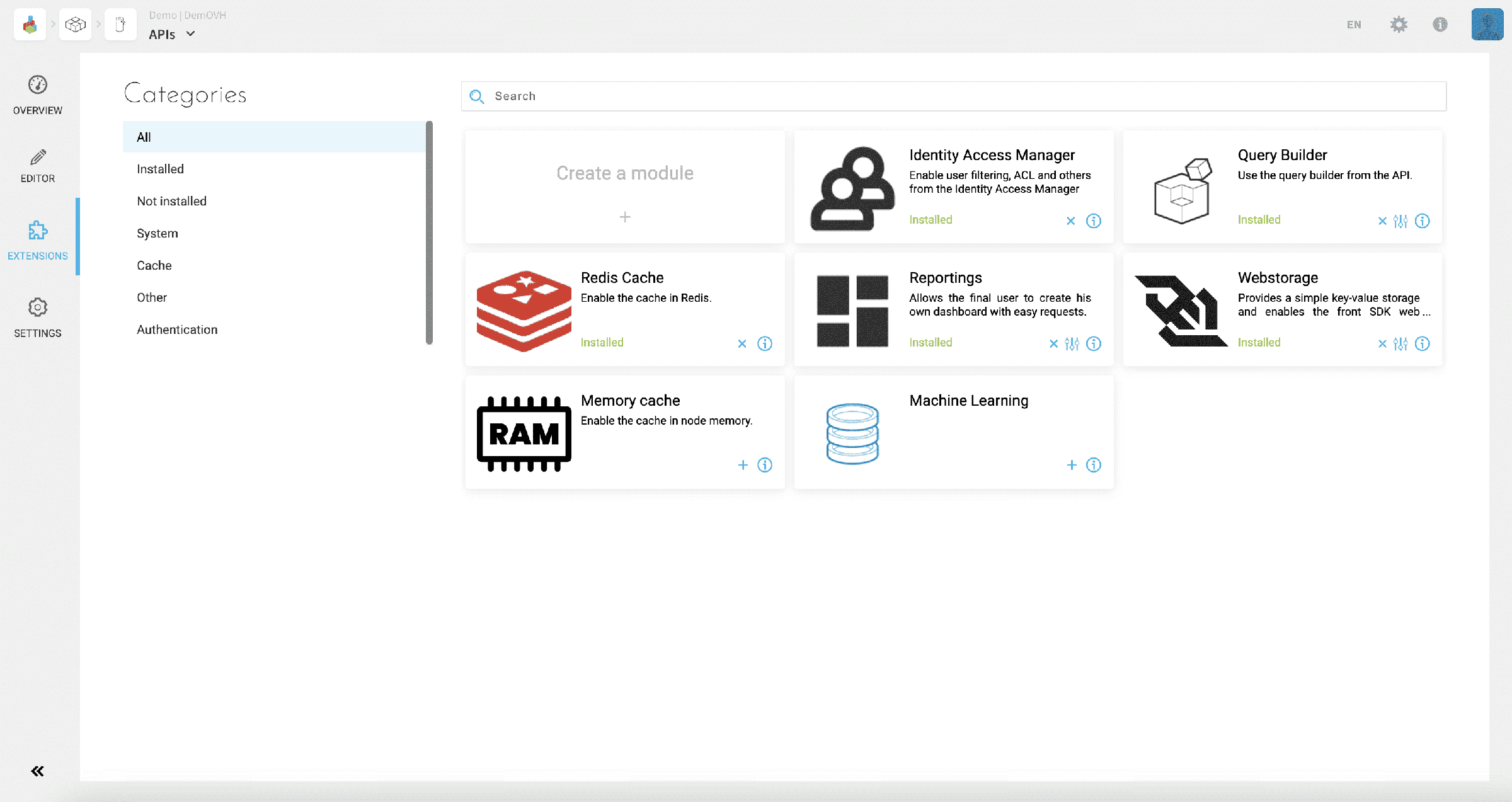
This screen lets you visualize the different libraries organized by categories with the possibility to:
- Remove extensions which are already installed
- Add new extensions which are not yet installed on the API
- Configure the package of an extension
- Access additional information about libraries
- Import an open source or proprietary extension, specific to a Project or an organization
Adding an extension requires you to reload your API (on the Overview page) in order to be able to build it.
Settings
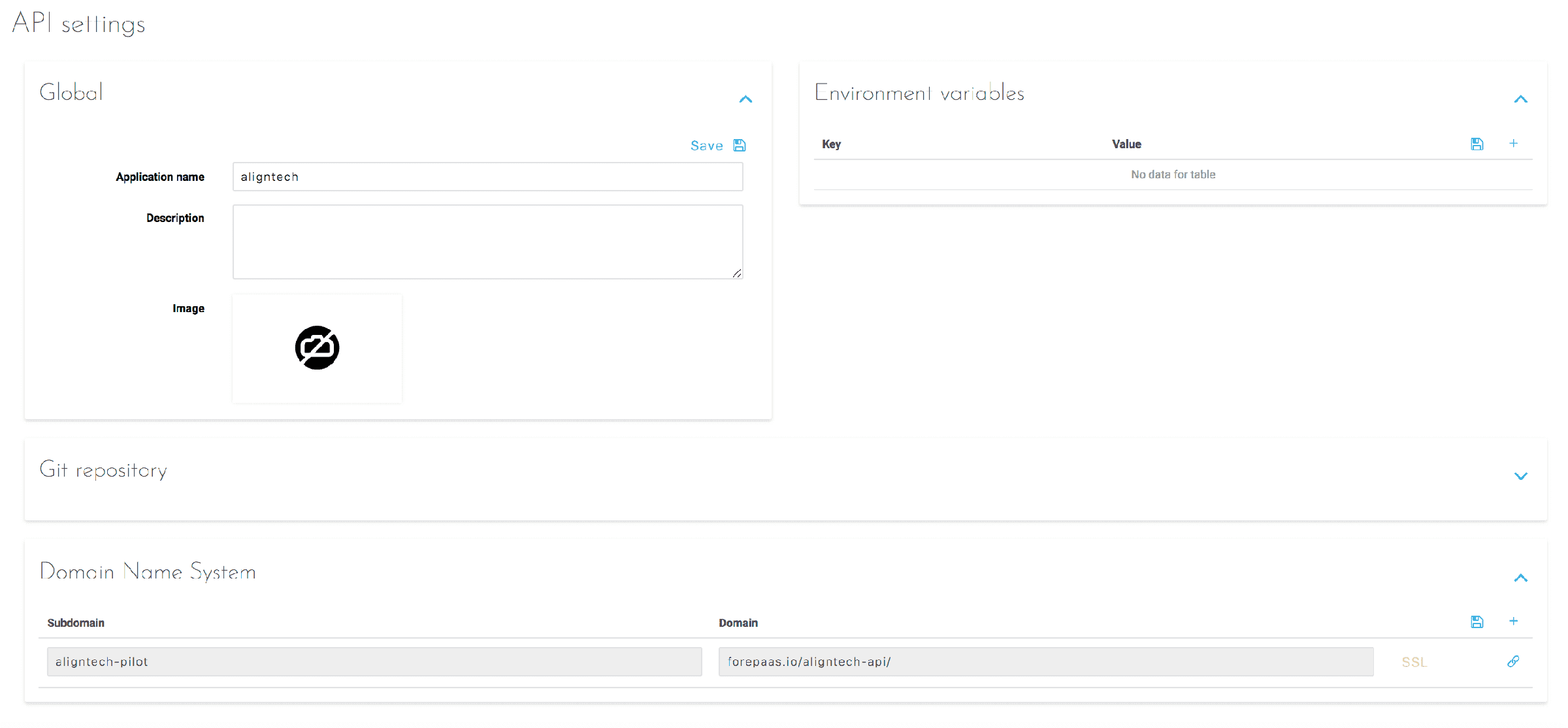
Three types of API settings are configurable in the Settings tab.
-
Global: Refers to global API information such as its name, description, and main image.
-
Environment Variables: Defines the variables that the API needs in order to work. Those necessary for the smooth functioning of the API and its various extensions are filled in automatically. Only the variables specific to a business need are presented here.
-
Domain Name System: Allows you to add one or more URLs allowing access to the API, in addition to the one generated by default. These URLs have the domain "eu.dataplatform.ovh.net" unless you have added another domain at the organization level.
Go further
For training or technical assistance implementing our solutions, contact your sales representative or visit our Professional Services page to request a quote and have your project analysed by our experts.
Ask questions, give your feedback and interact directly with the team building the Data Platform on the dedicated Discord channel.
If you need support with your OVHcloud services, create a request in our Help Centre.
Join our community of users.