

Generate API and secret keys for a user / service account
If you want to connect to the Data Platform from outside of the platform, you will need to generate API and secret keys to authenticate
Objective
If you want to connect to the Data Platform from outside of the platform, you will need to generate API and secret keys to authenticate. The API key is the public key associated to the user who is connecting to an API. The secret key is the private key known only to the user. The combination of the two is used to authenticate, through the generation of temporary authentication tokens.
API and secret keys can be generated per user or service account.
Generate a new set of API and secret keys
For a user
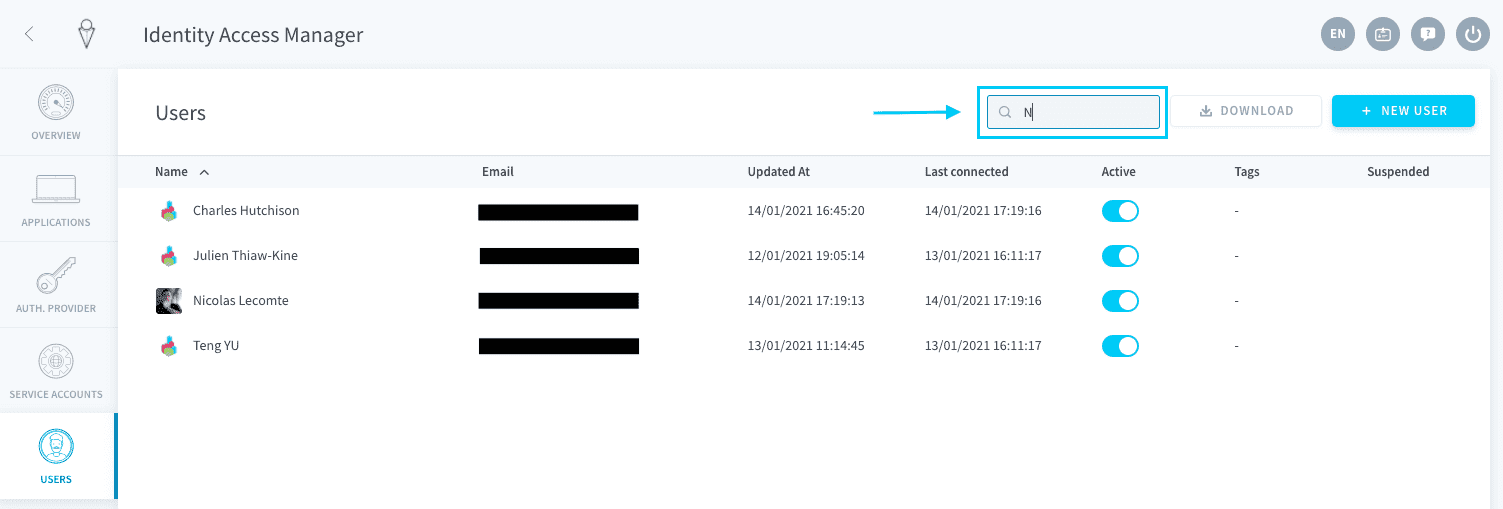
Navigate to the Users tab of the Identity Access Manager. Search for the user for which you want to generate API & Secret keys, using the search bar on the top right if needed. Edit the user.
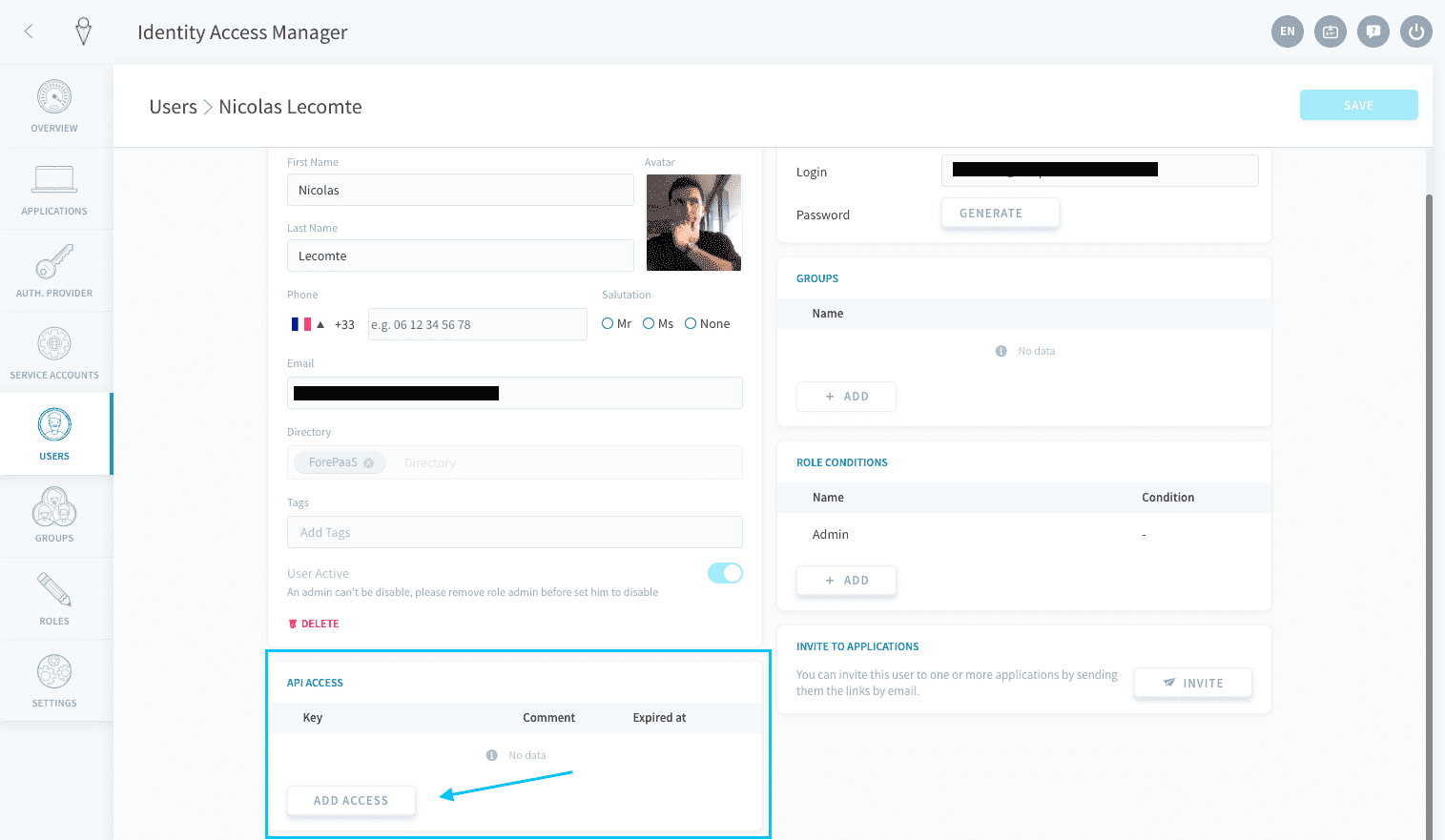
In the user's settings, scroll down to the API Access panel and click on Add access.
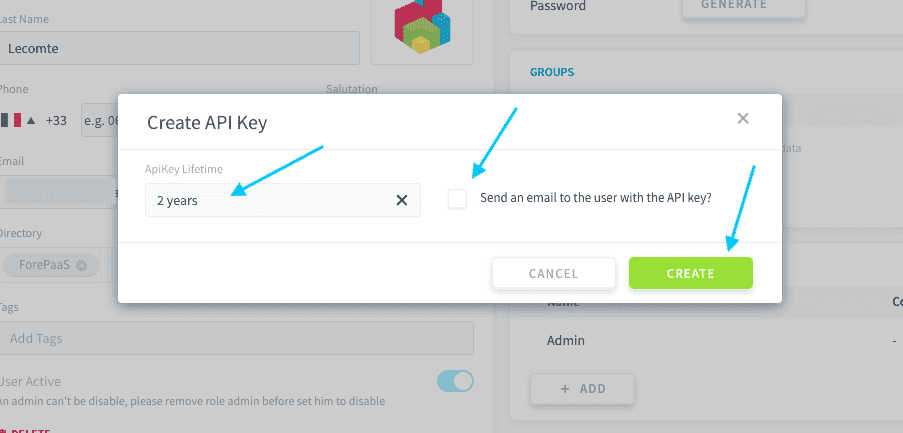
Select the lifetime of the keys (i.e. the expiration date from today) and whether you want to send an email to the user with the API & secret key information. Then press Create.
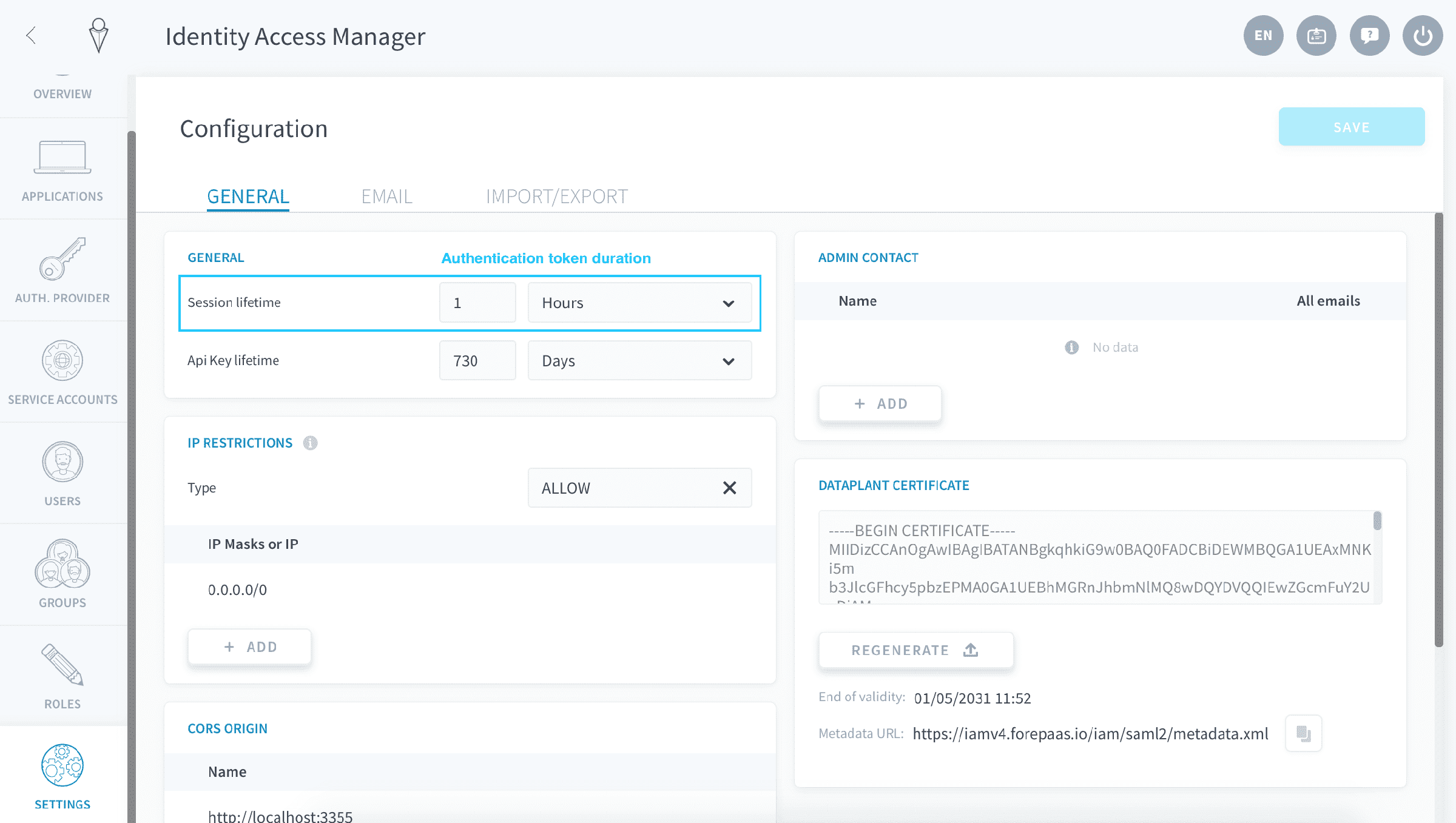
The Default value can be changed in your Identity Access Manager settings.
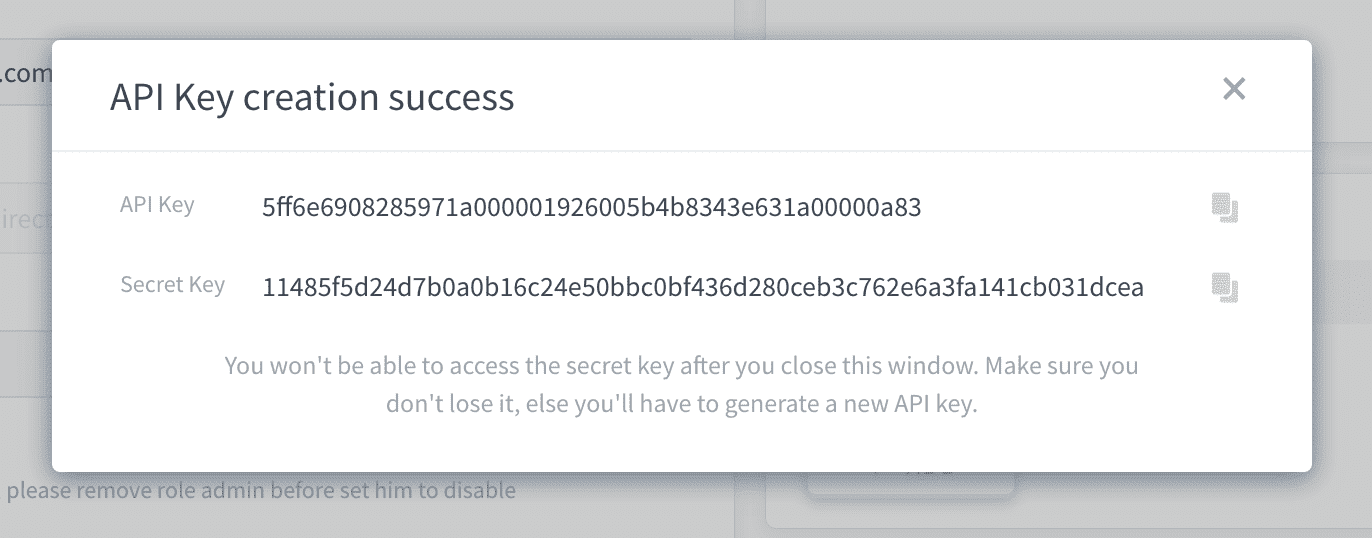
A new window will open with the API and secret key values.
After closing the window, there is no way to view the secret key again. Make sure you keep a record a the keys either by sending an email to the user or storing them in your code.
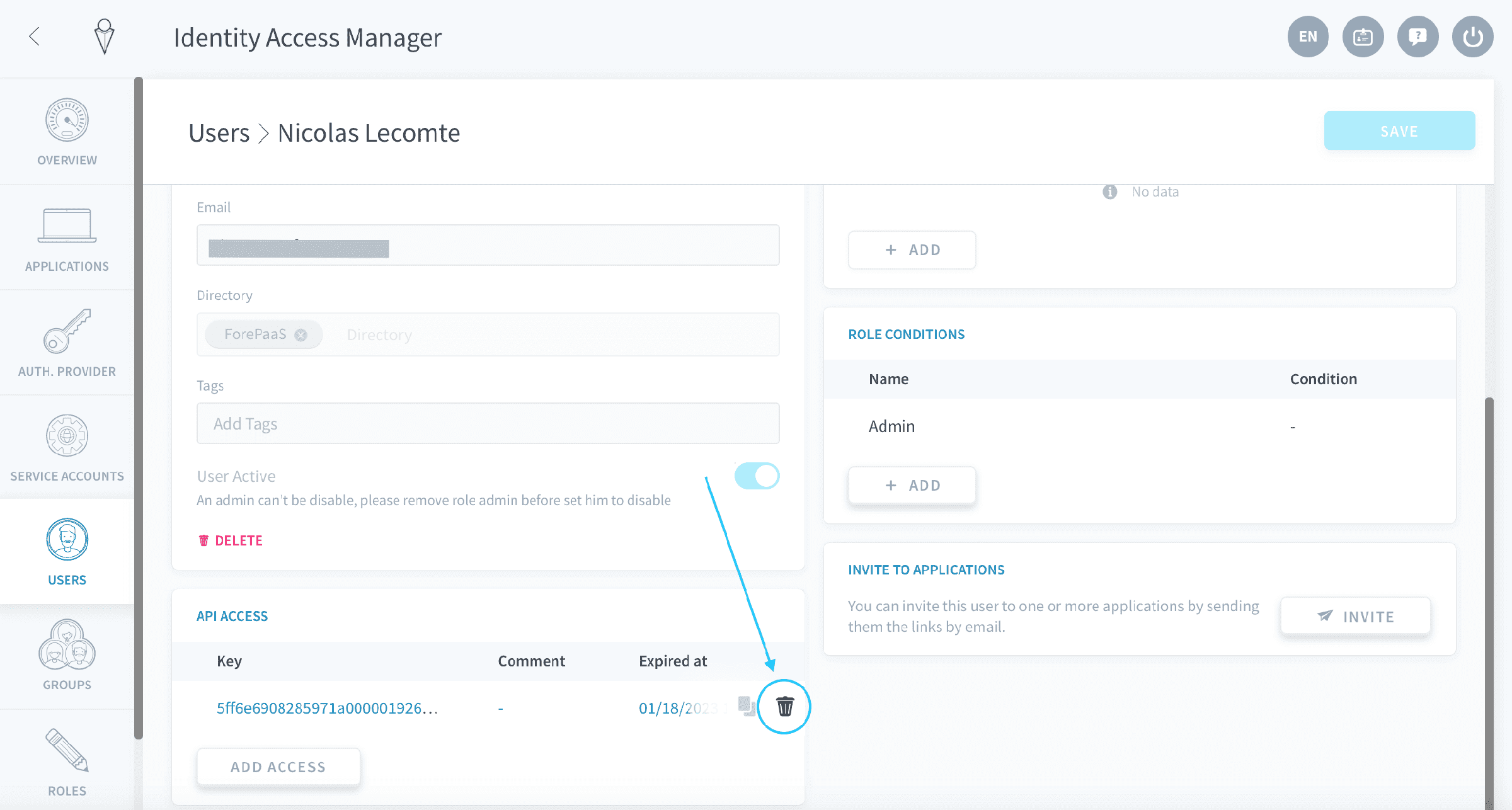
To delete a key, hover over the key that you would like to delete and click on the trash 🗑️ icon. Once the key is deleted, the credentials for the keys will become inactive and cannot be use to authenticate anymore.
For a service account
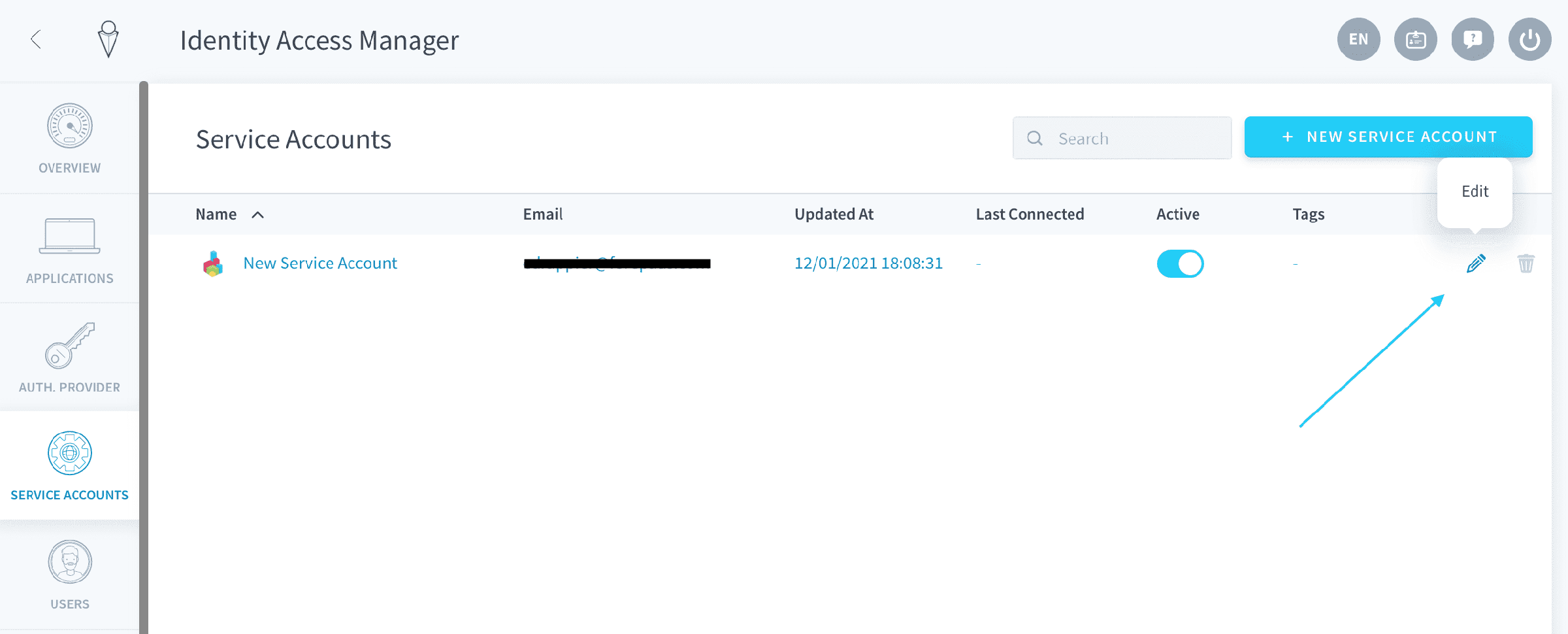
Navigate to the Service Accounts tab of the Identity Access Manager. Search for the service account for which you want to generate API & Secret keys, using the search bar on the top-right if needed.
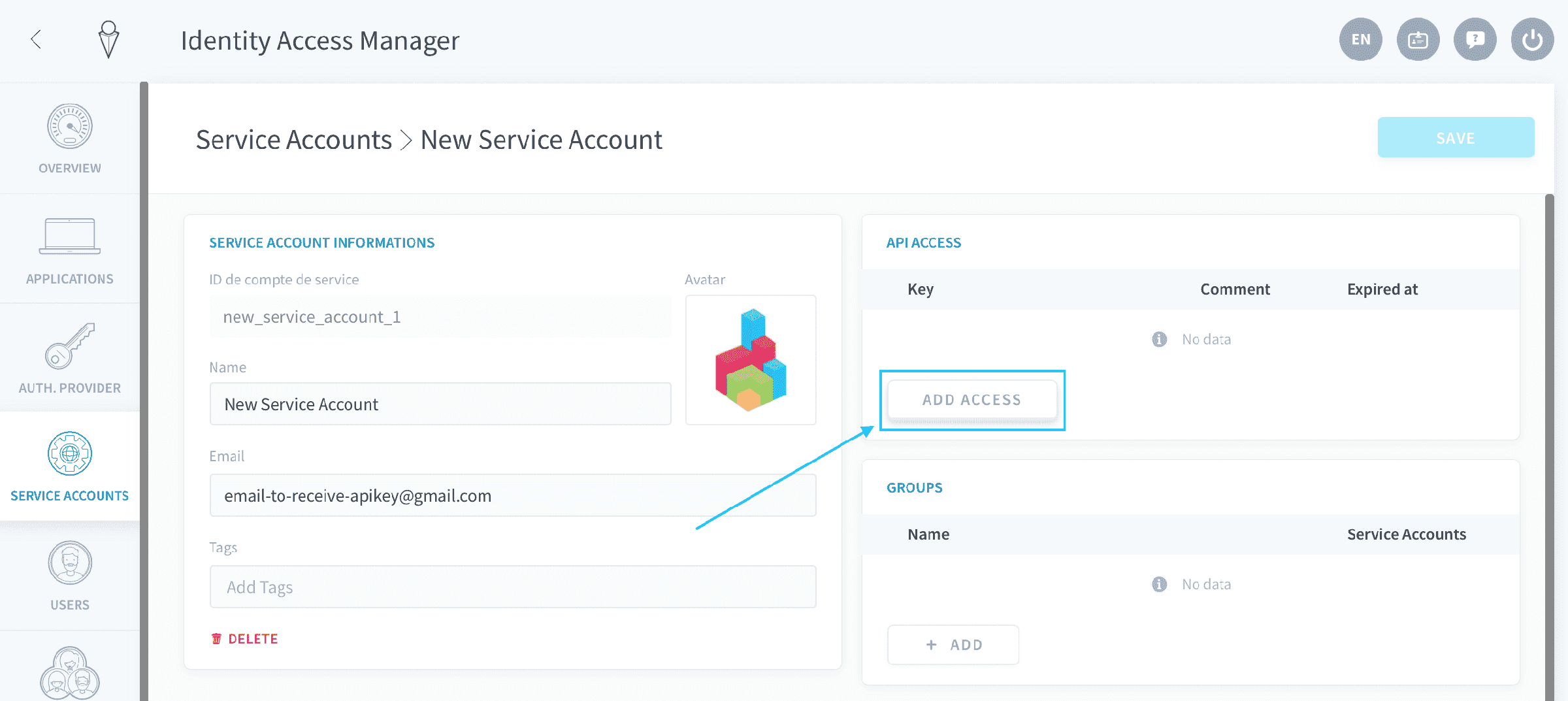
In the service account settings, locate the API Access panel and click on Add access.
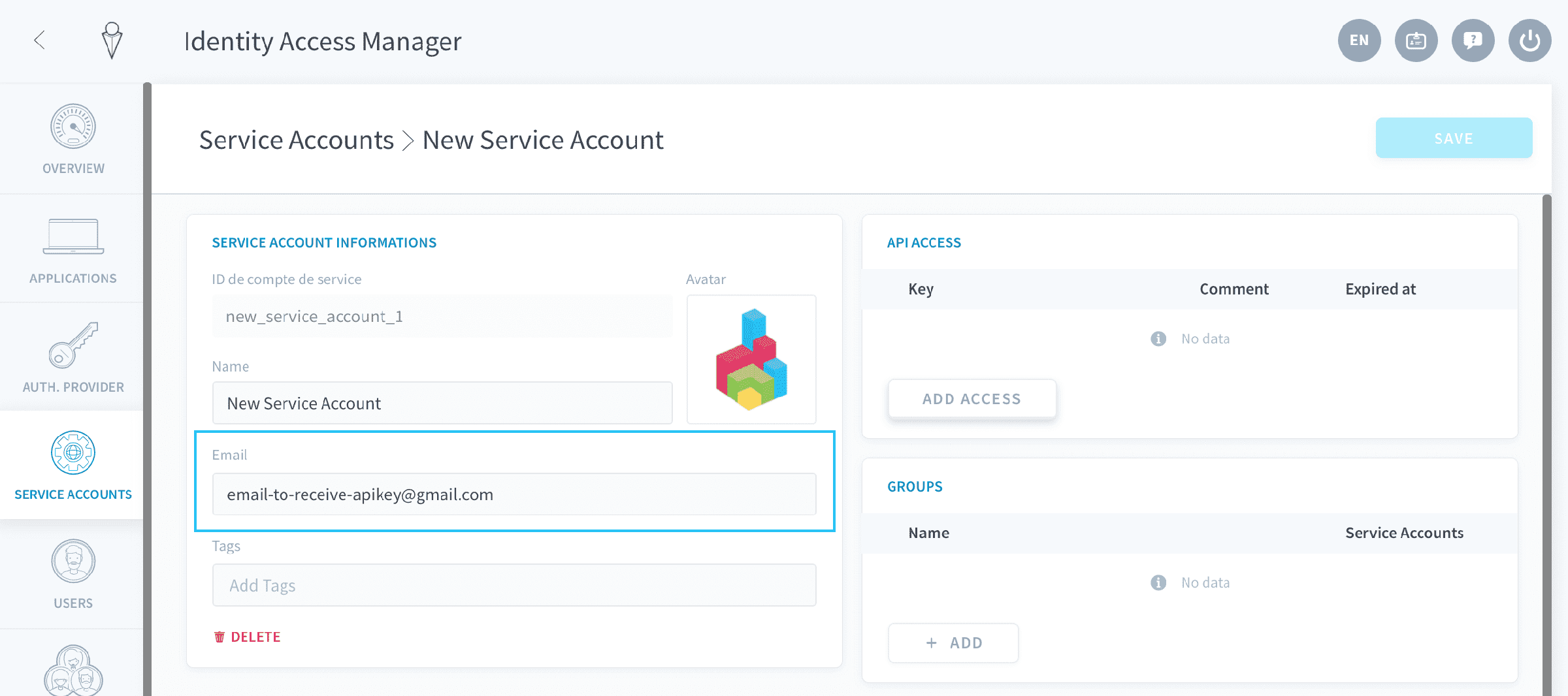
After that, the process is the same as for users. Note that if you want to send an email with a record of the API and secret keys, you need to fill in an email address for the service account.
Generate an authentication token
Generation scripts
Once you've created API & secret keys, you need to generate a dynamic authentication token in order to authenticate to Data Platform via an API endpoint. Authentication tokens are only active for a short time: this duration can be configured in your IAM settings.
To generate a token, simply run the command samples below.
Make to update the {project_subdomain} else your calls won't go through.
How to find your Project subdomain.
Go further
For training or technical assistance implementing our solutions, contact your sales representative or visit our Professional Services page to request a quote and have your project analysed by our experts.
Ask questions, give your feedback and interact directly with the team building the Data Platform on the dedicated Discord channel.
If you need support with your OVHcloud services, create a request in our Help Centre.
Join our community of users.