

Assign roles to multiple users with IAM groups
Groups enable you to assign the same roles to multiple users or service accounts at once
Objective
Groups enable you to assign the same roles to multiple users or service accounts at once.
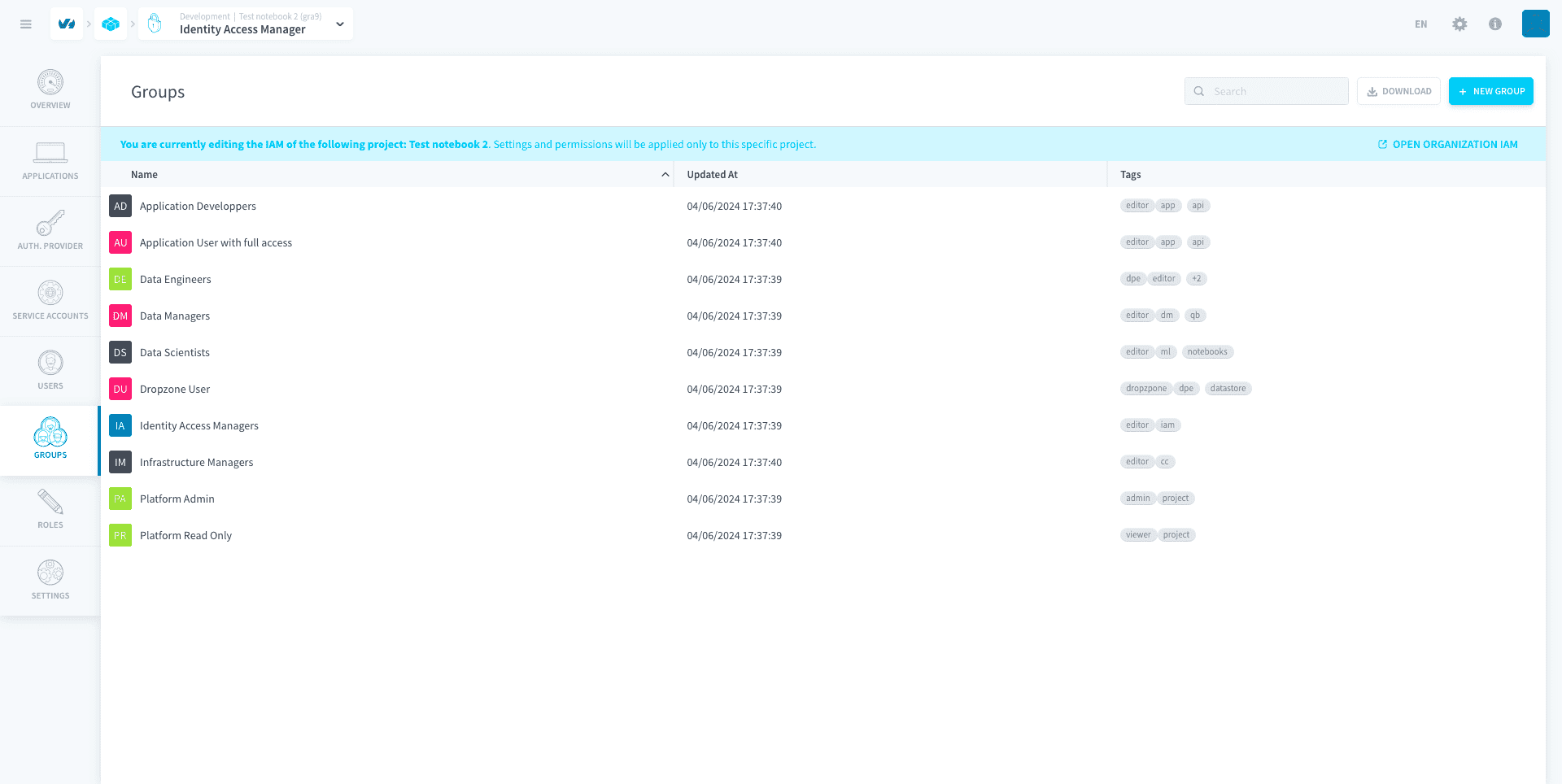
By default, some groups are pre-generated by Data Platform for you to use directly. These are called default groups and they cannot be deleted.
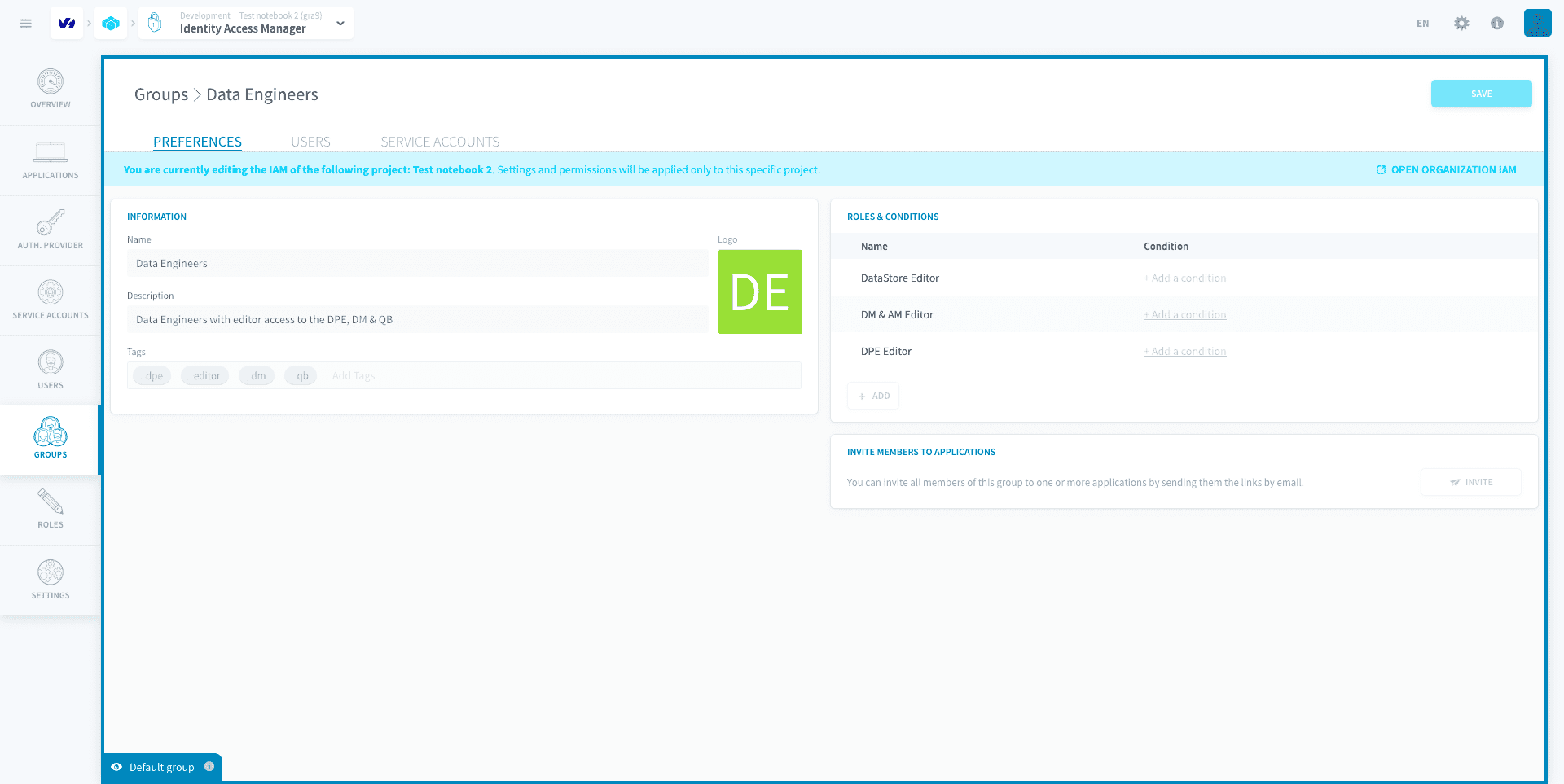
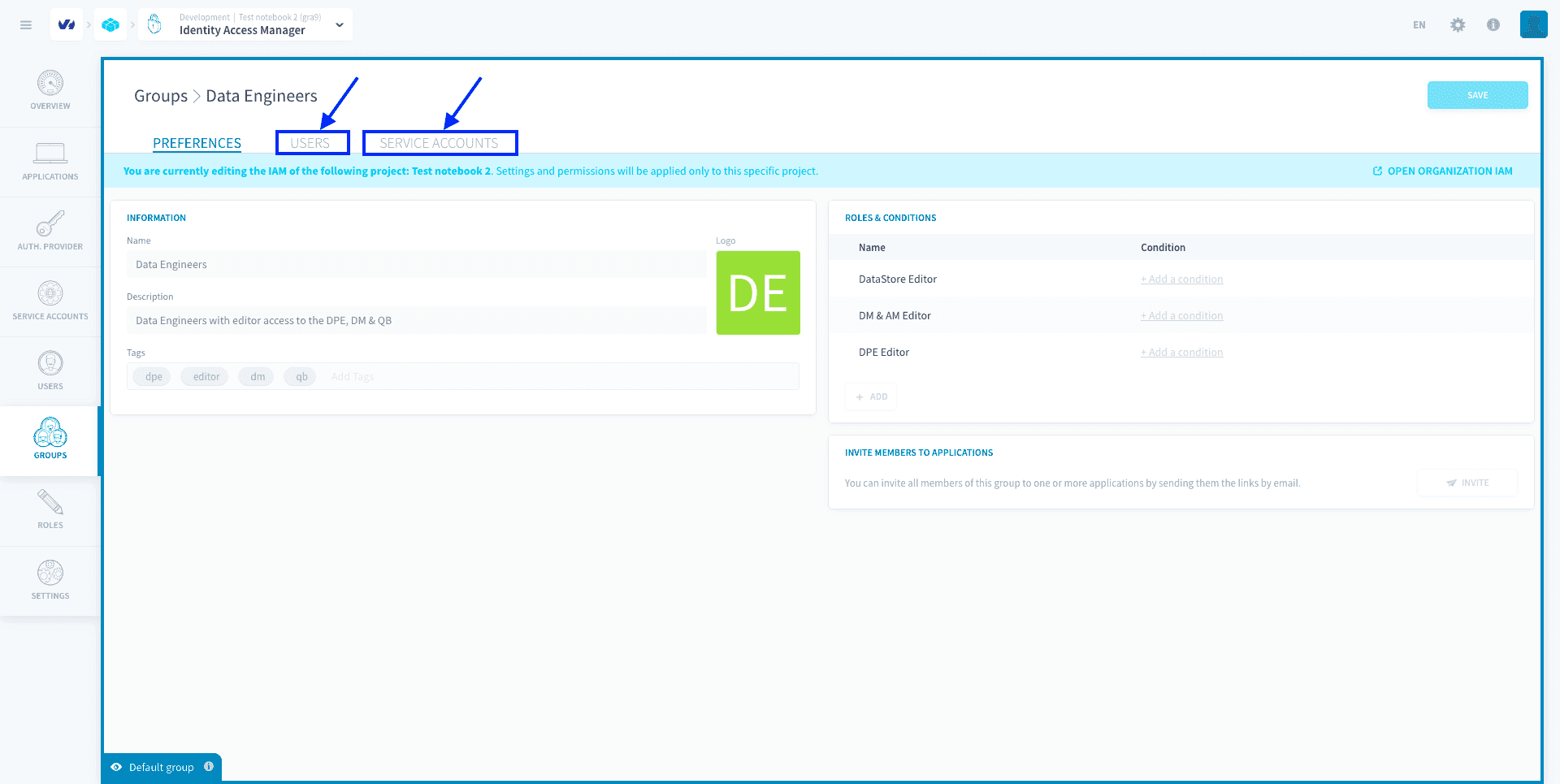
For example, the default group Data Engineers in the Project IAM gives its members editor roles for the Data Processing Engine, the Lakehouse Manager and the Analytics Manager.
Note that Groups exist both in the Project and Organization IAMs. The screenshots in this article have been taken in the Project IAM, but the steps are the same in the Organization IAM.
Create a group
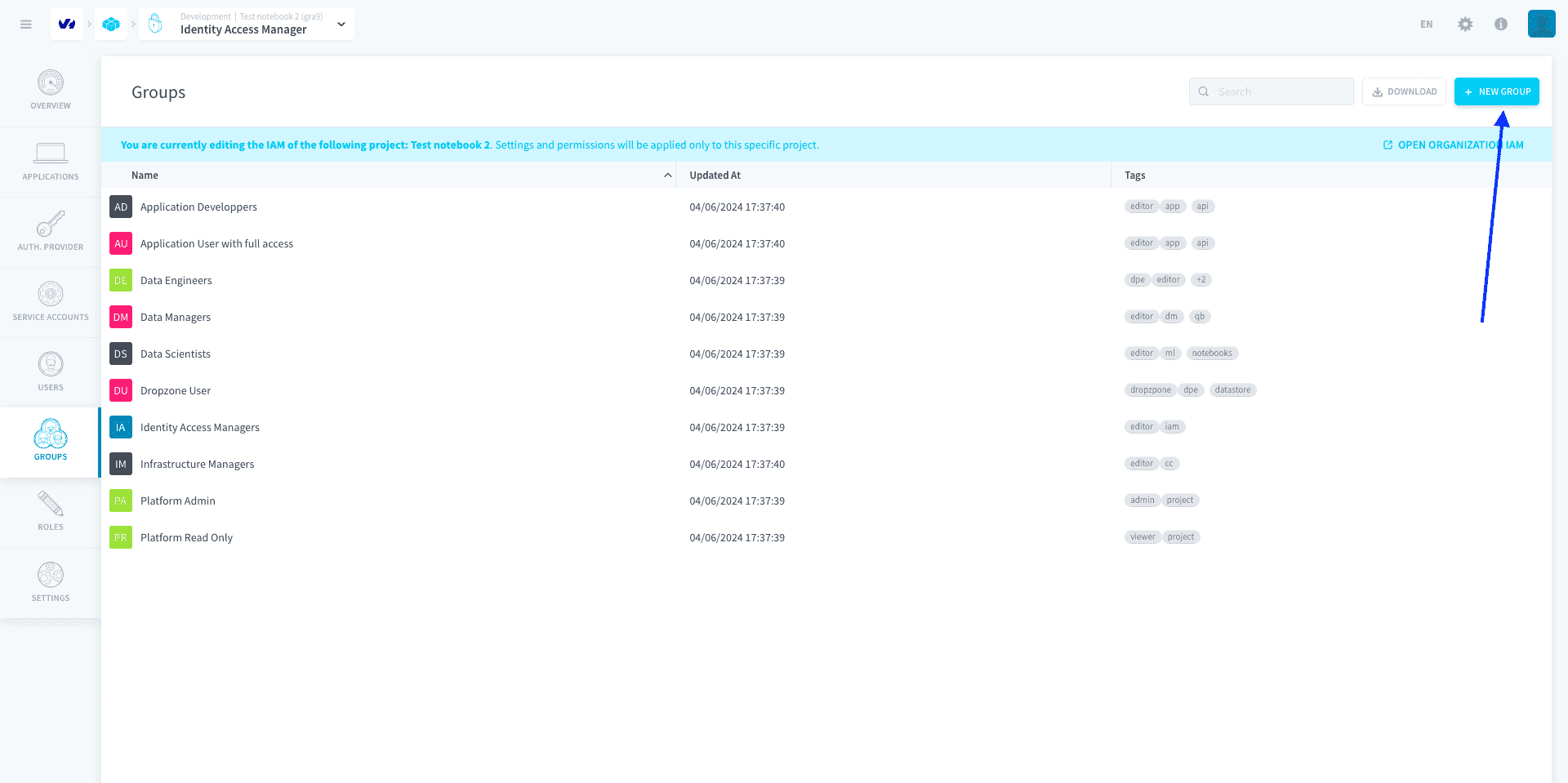
To create a group, head to the Groups tab of the Identity Access Manager. Click on New group.
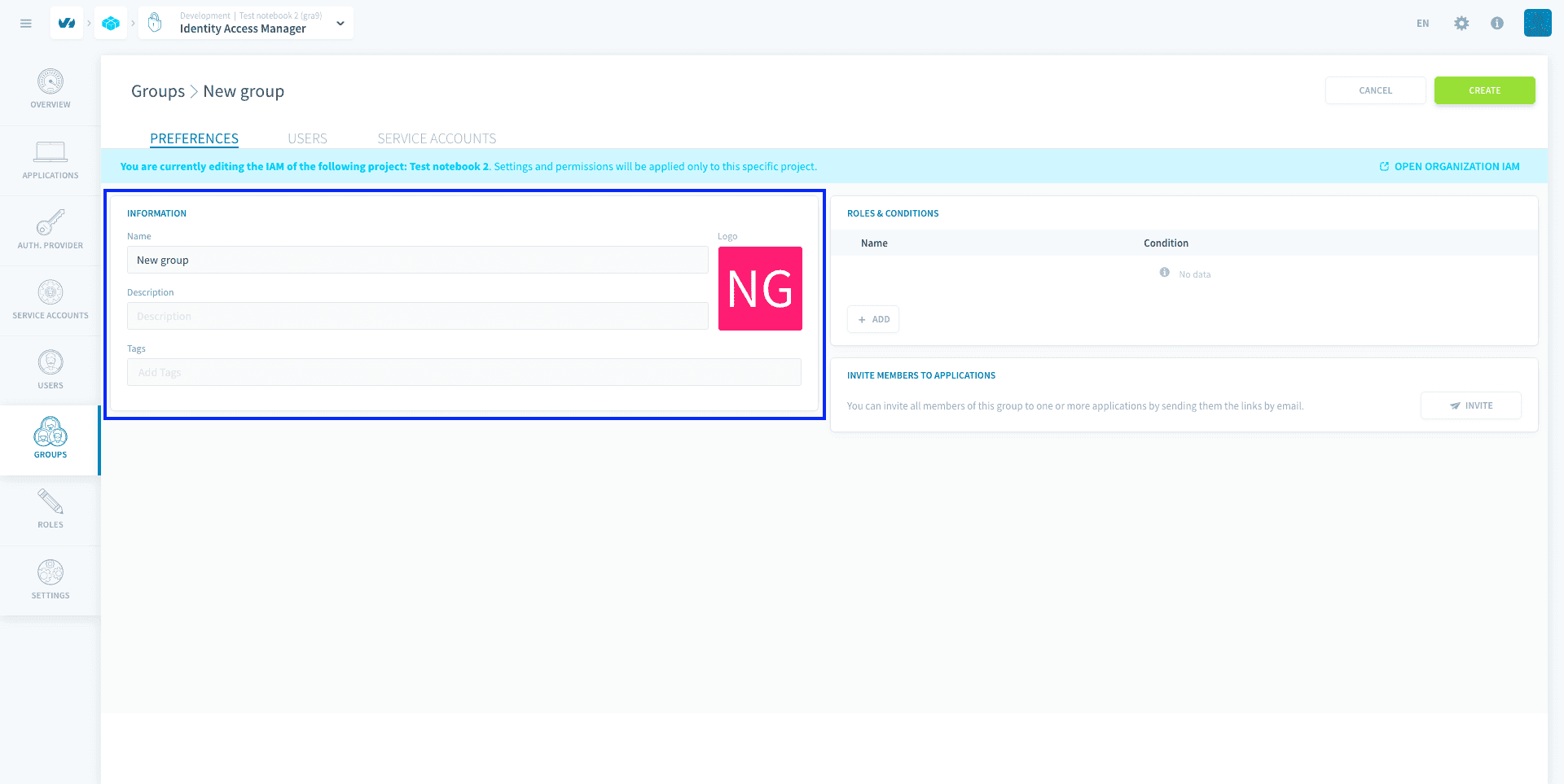
Give your group a name. You can also add a description and tags to help you manage your groups more easily.
Assign roles to a group
You can either give additional roles to the group right now, or at any time after it's been created.
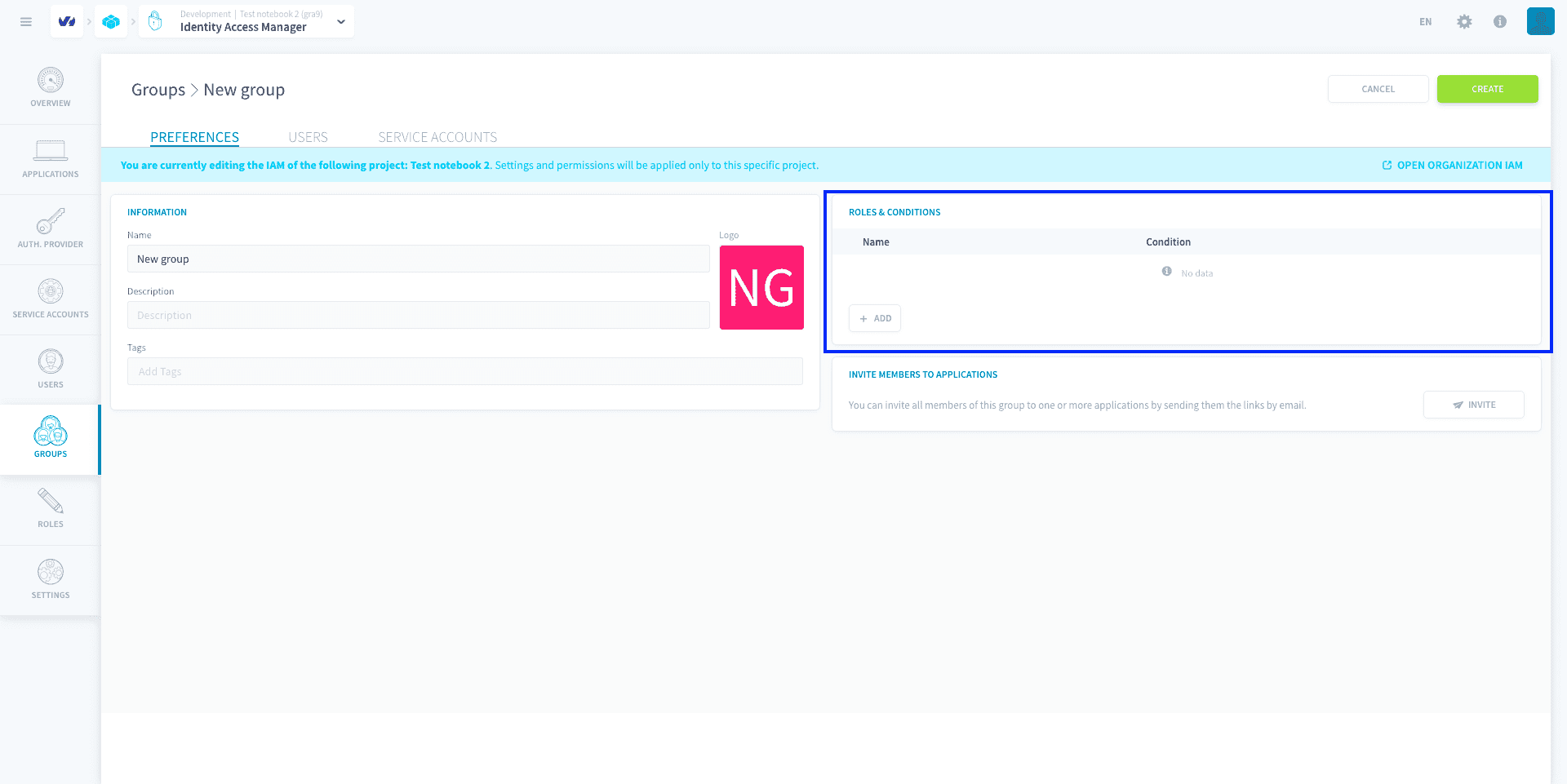
Learn how to assign a role to a group
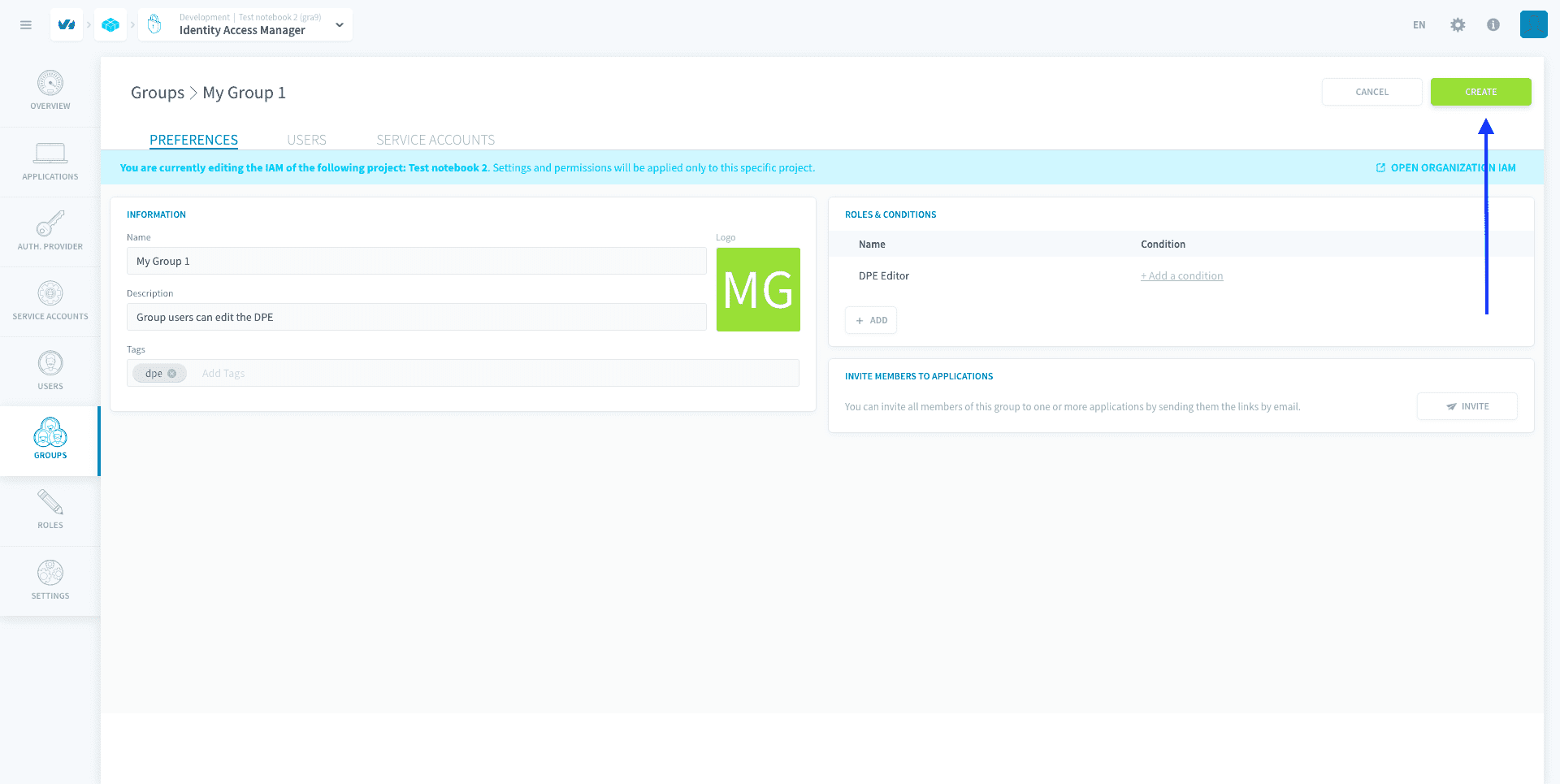
Finish creating your group
You can either assign users to the group right now, or at any time after it's been created.
To finish creating your group, press Create.
Assign users or service accounts to a group
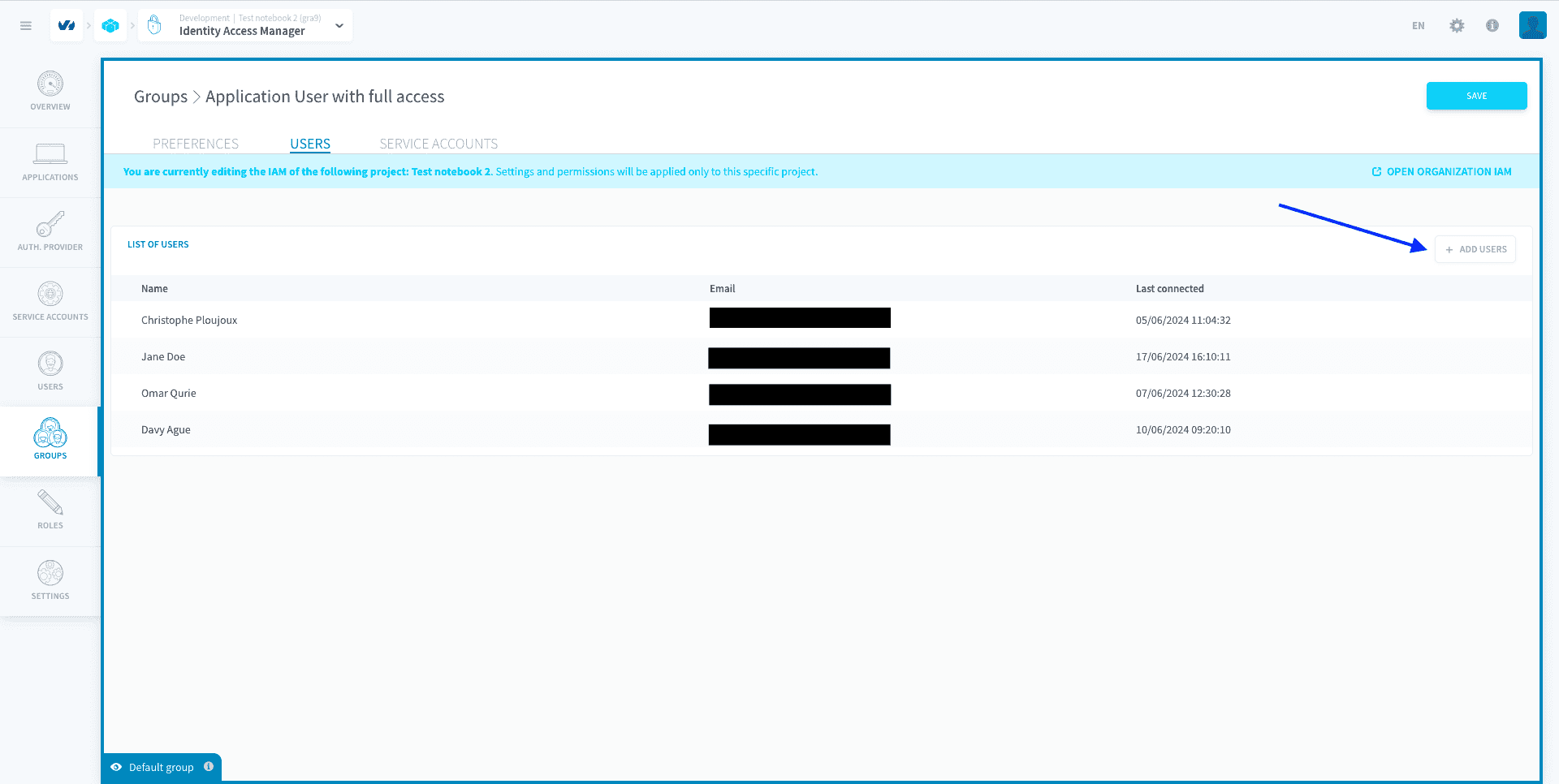
To add users or service accounts into a group, open the group and head to the corresponding tab.
You can see the list of users / service accounts who are currently part of the group. Users, like service accounts, can be in multiple groups: they wind up having all the roles associated to any group they are part of.
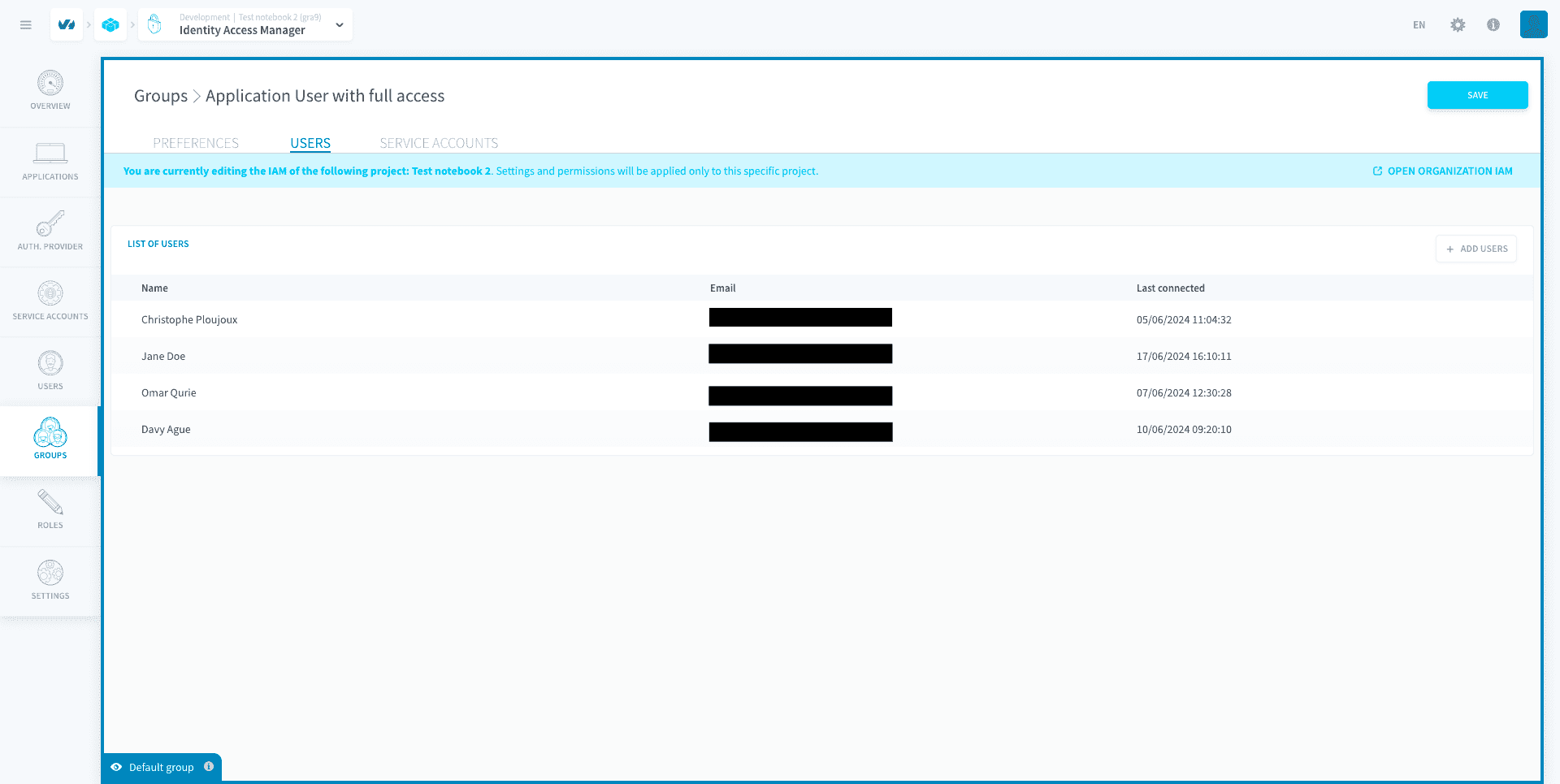
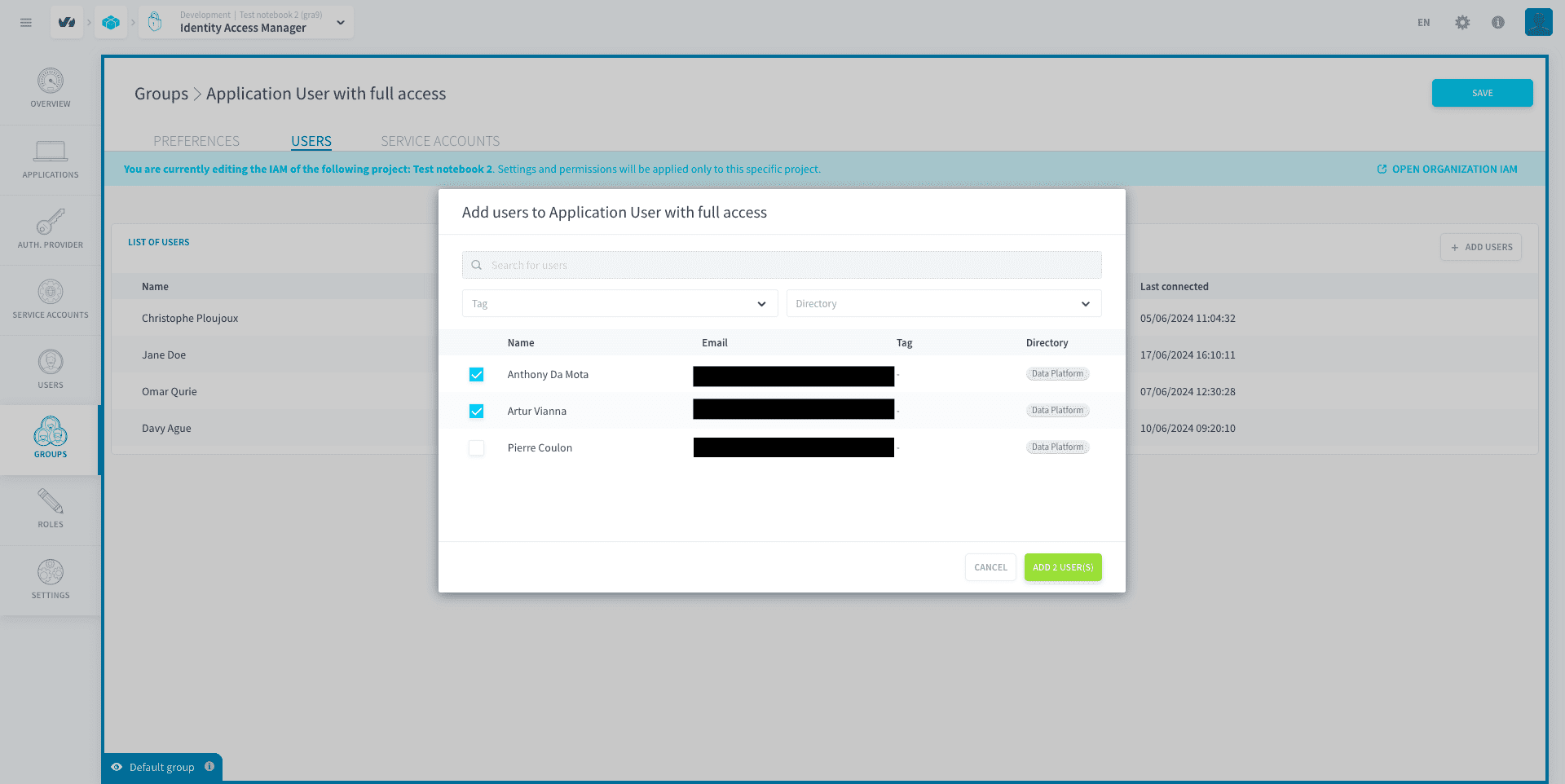
To add users / service accounts into the group, click on Add then select all the Project users / service accounts that you want to add to the group.
You can also check which groups a specific user is part of by heading to the user page in the Identity Access Manager.
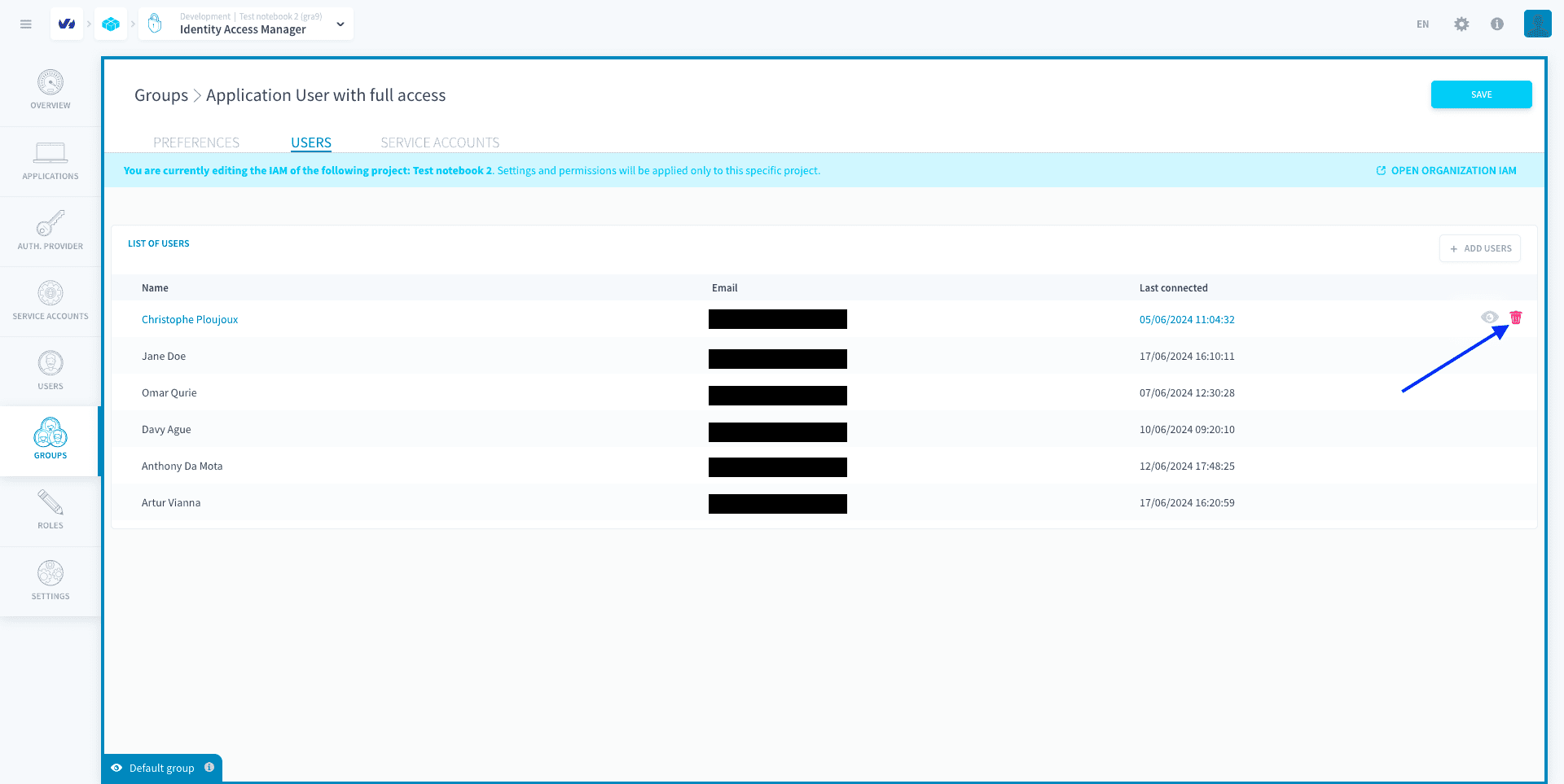
You can remove users / service accounts from a group by clicking on the trash icon.
Go further
For training or technical assistance implementing our solutions, contact your sales representative or visit our Professional Services page to request a quote and have your project analysed by our experts.
Ask questions, give your feedback and interact directly with the team building the Data Platform on the dedicated Discord channel.
If you need support with your OVHcloud services, create a request in our Help Centre.
Join our community of users.