

Troubleshooting & FAQ
Rework pending, no delivery date. The Front App SDK (ReactJS) and the Front API SDK (NodeJS) are both being replaced. This page documents the current release, remains accurate, and is maintained until the replacement ships. Code written against it keeps working.
This page provides an accessible reference to solutions for common issues you may have when developing your application on Data Platform as well as some Frequently Asked Questions.
If you do not find an answer to your question, please reach out to our Support team!
Troubleshooting
Incorrect Query
Occurrence
This error occurs when you use attempt to access a query that isn't available.
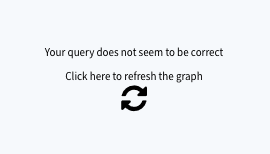
Common causes & solutions
Undeployed API
If the API associated to your APP isn't deployed, your APP won't be able to retrieve the query in the Analytics Manager.
Check if your API is deployed and deploy it if it isn't.
Typo in your query
Check if the fields in your query are written correctly and if they exist in the Analytics Manager.
FAQ
How to use a specific NodeJS version?
It is possible to specify the NodeJS version to use when building App by specifying in ./forepaas.json:
How to format a value using an existing formatter?
How to use registered translations?
How to make a query and get its results outside a Chart?
How to deploy a Simple Web App?
Sometimes it is needed to deploy a simple web app or using a different SDK.
App's code may be provided either through a ZIP file or a Git repository. It must provide at least:
forepaas.json: minimal version described belowpackage.json: minimal version described belowproduction/: folder that will be the root of the website after deployment, thepackage.jsonfile may contain abuildcommand to make that folder
forepaas.json
package.json
Go further
If you need training or technical assistance to implement our solutions, contact your sales representative or click on this link to get a quote and ask our Professional Services experts for a custom analysis of your project.
Ask questions, give your feedback and interact directly with the team building the Data Platform on the dedicated Discord channel.
If you need support with your OVHcloud services, create a request in our Help Centre.
Join our community of users.