

Export folders with a custom date
This tutorial demonstrates how to add a custom date to your folder names during the creation of the Data Processing Actions
Objective
This tutorial demonstrates how to add a custom date to your folder names during the creation of the Data Processing Actions.
Note: This functionality is only available to the following actions: Load to Bucket, MySQL to Parquet, and PostgreSQL to Parquet.
Introduction
Requirements
To follow this tutorial, you need to be familiar with the Data Processing Engine and you should preferably have done the Getting Started guide. The essential is that you know what Actions are for and how to use them.
Concepts Overview
When you create actions, you have the choice to name your folder which will hold your exported files. The $now token enables you to give custom dates easily using a few basic patterns as part of the folder name.
There are 4 patterns available on the Data Platform:
- $now(date)
- $now(datetime)
- $now(timestamp): Timestamp will be printed in UNIX epoch time
- $now(insert sequence here): Create custom date sequences with the available format codes.
Now let's see how all of this works in practice!
Use the $now token
For this tutorial we shall only explore how to use the $now token. To know how to create and run Actions, there is an in depth documentation on Actions available.
For the ease of understanding we will choose to create an action - Load to Bucket, which is meant to run daily for the foreseeable future - Which will in turn lead to folders being generated on a daily basis. To help sort and easily access the correct folder, the $now token can be used.
At the stage where the option to input the name for the folder becomes available, You can use the $now token like shown in the example below.
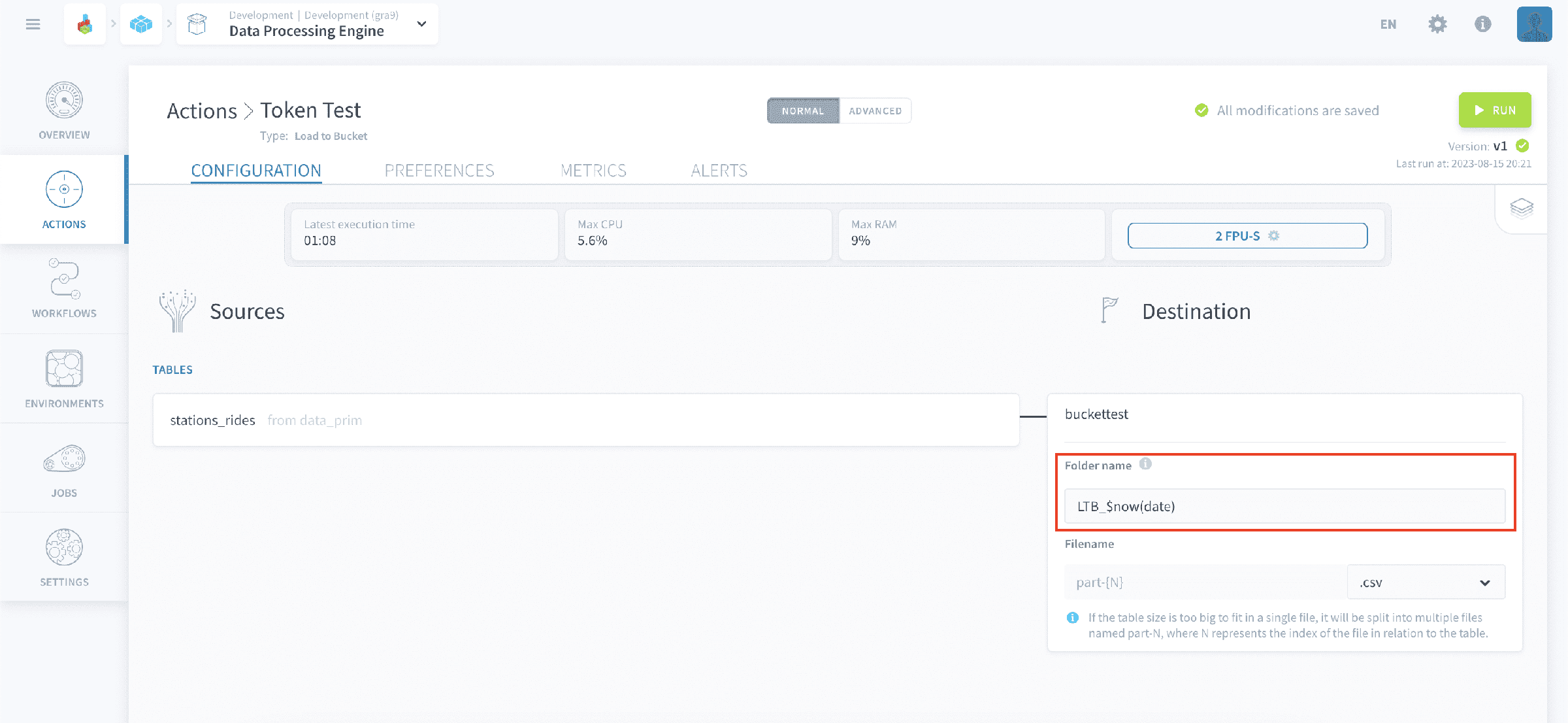
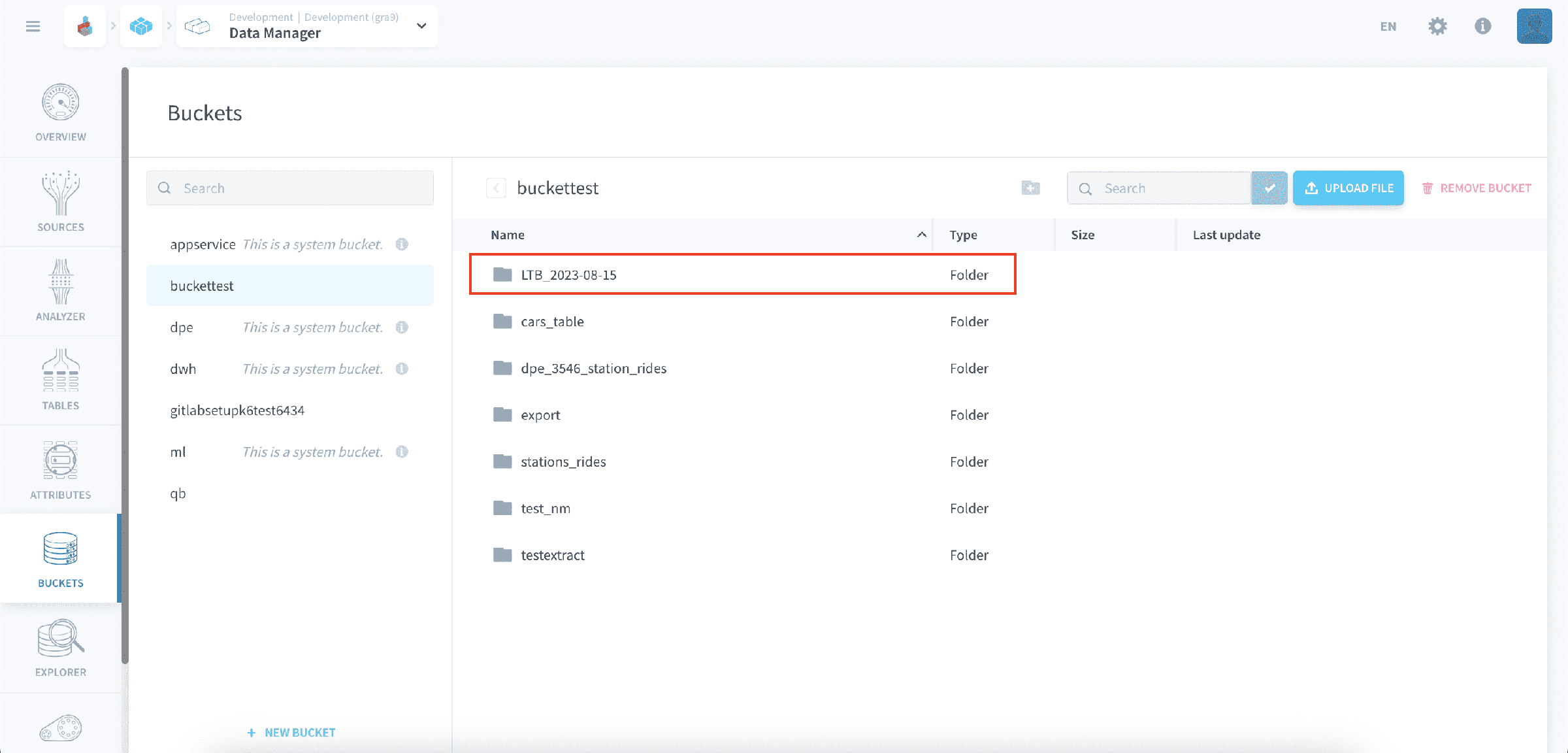
On the picture below, you can see that the folder has been successfully generated in the bucket with the naming schema we expected. It is not necessary to have additional text in the folder name like used in the example, the token can be used independently as well.
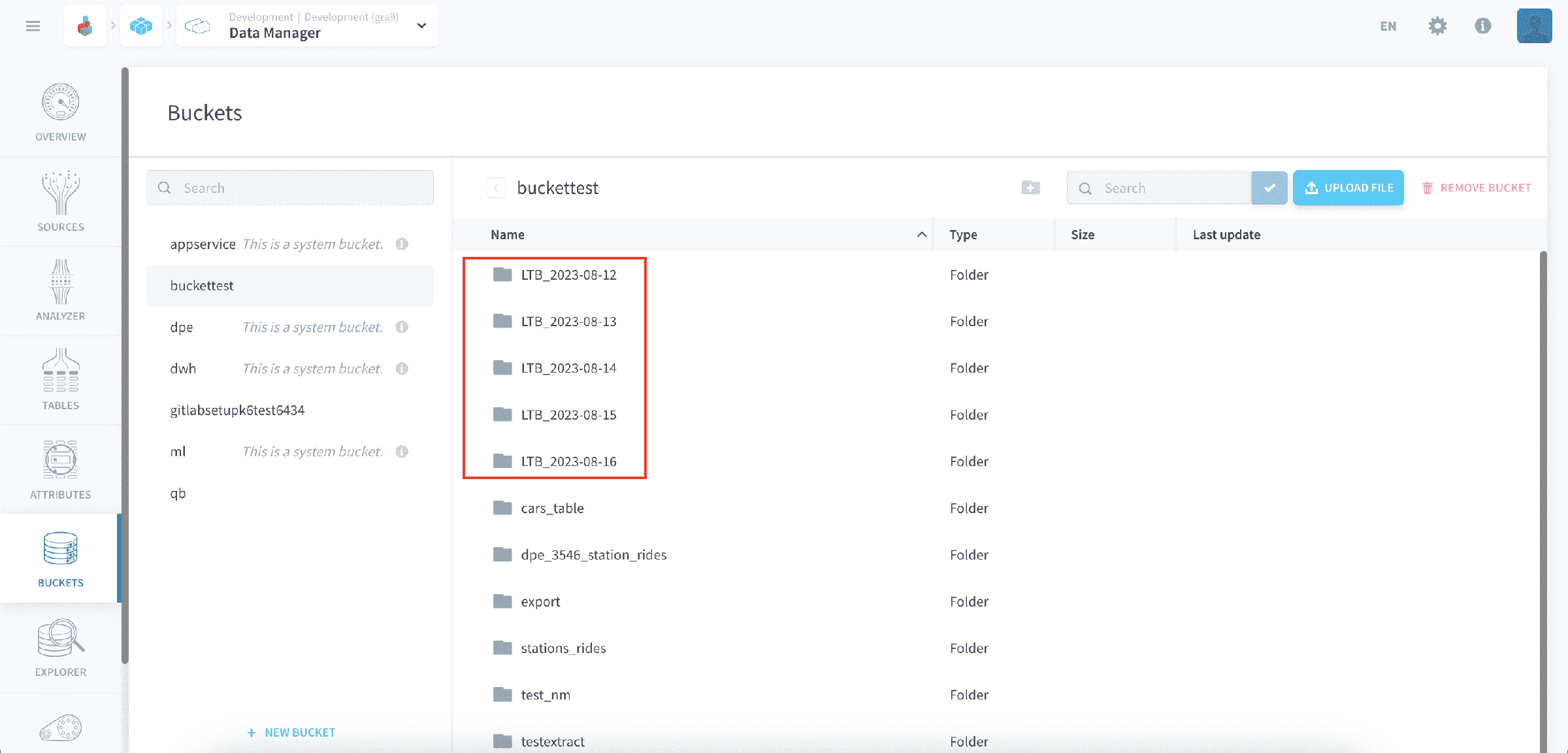
bFor the scenario mentioned above, here is an example of how the bucket will look with the folders generated over the past few days. It becomes easy to quickly identify the folder created on a certain date.
Examples
Here are some more examples of how the folder name will appear with different use cases:
- $now(date): 2023-08-15
- $now(datetime): 2023-08-15_20-51-04
- $now(timestamp): 1692132664 (Unix epoch time)
- $now(%a-%d-%b-%Y_%H-%M%): Tue-15-Aug-2023_20-53
Since folder names shouldn't have special characters like colon, slash, asterisk, etc. the dash character is used for the time and date format.
Go further
For training or technical assistance implementing our solutions, contact your sales representative or visit our Professional Services page to request a quote and have your project analysed by our experts.
Ask questions, give your feedback and interact directly with the team building the Data Platform on the dedicated Discord channel.
If you need support with your OVHcloud services, create a request in our Help Centre.
Join our community of users.