

Custom PySpark Action
Using our Software Development Kit (SDK) to easily interact with the different components of the platform
Objective
A Custom PySpark action allows you to execute custom PySpark scripts in a scalable cloud cluster environment using Apache Spark™.
Using our Software Development Kit (SDK) to easily interact with the different components of the platform, Custom PySpark actions can be used to implement a variety of use-cases such as:
- Execute a manipulation algorithm or ETL job on your data warehouse
- Execute a simple data analysis or machine learning algorithm
- Extract data from data sources not available on the Data Platform marketplace without having to create connectors for it
- Extract real time data (like MQTT, Kafka, etc..)
Custom PySpark actions can be orchestrated within workflows and triggered immediately or on a scheduled basis. At the moment, a single workflow cannot contain both PySpark actions and normal actions.
Configure a Custom PySpark action
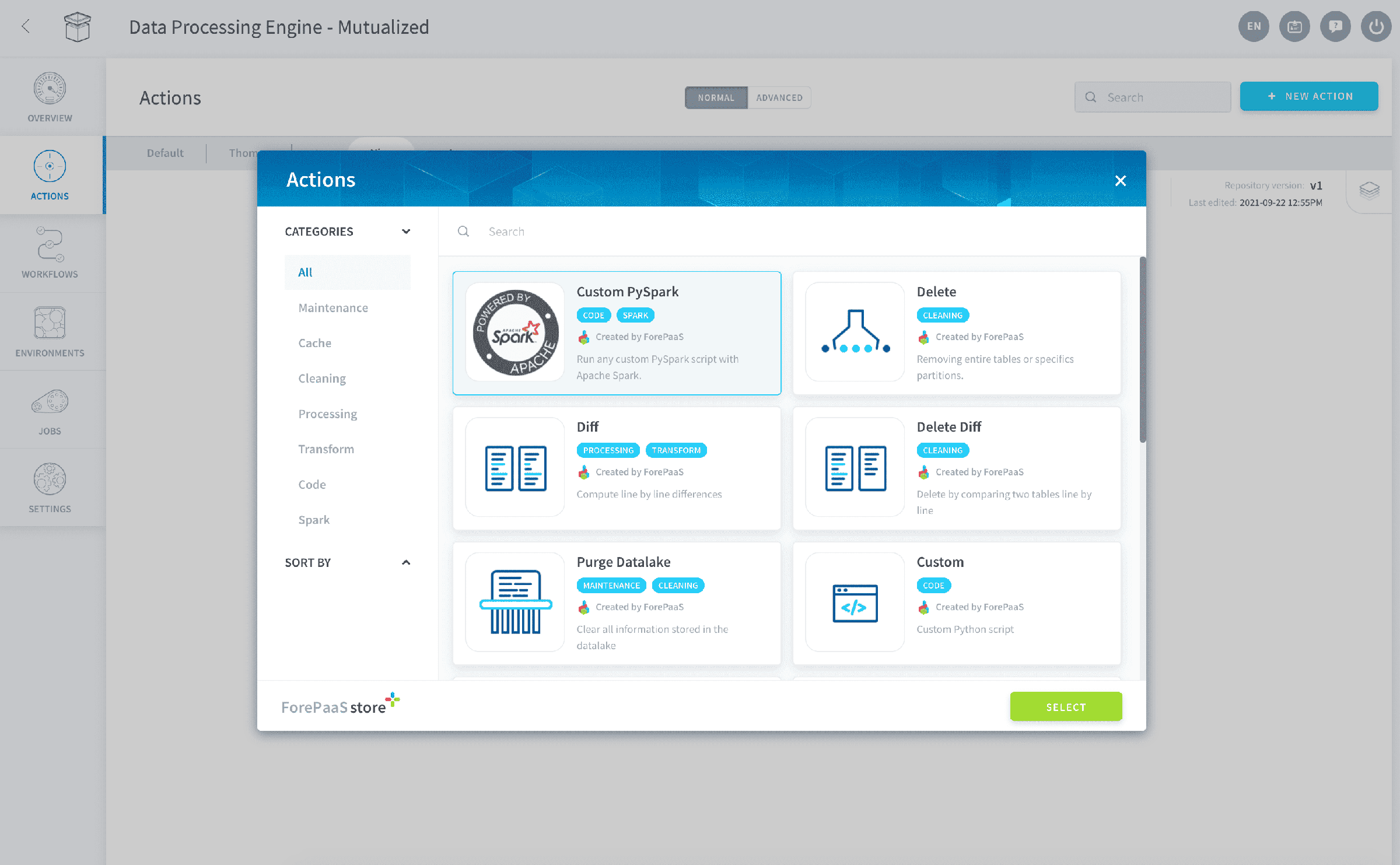
In the Data Processing Engine of your Project, go in the Actions tab and click on the New Action button. Choose the action type Custom PySpark.
Drag and drop your .py PySpark script onto the "Drag and drop" section.
Alternatively, select the Start with a boilerplate option to get started directly on the Platform's Python interface with example code snippets.
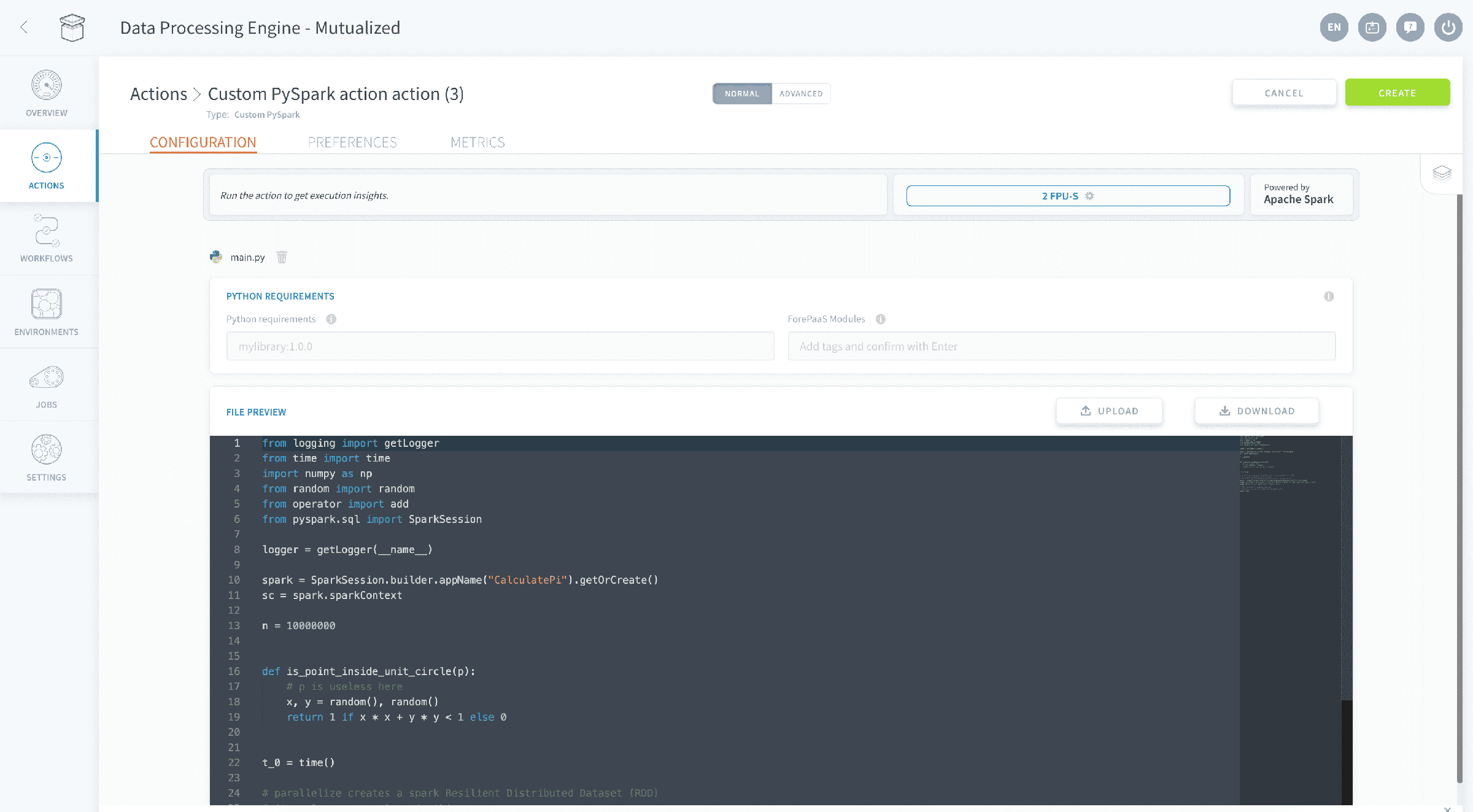
You will be able to edit your source file directly in the editing interface (or drop a new file if needed). Check out the PySpark documentation below:
Note you can also use any function provided in the Software Development Kit (SDK) to easily interact with other components of the platform. To read more about all the available SDK functions check out the article below:
Use the helper panel
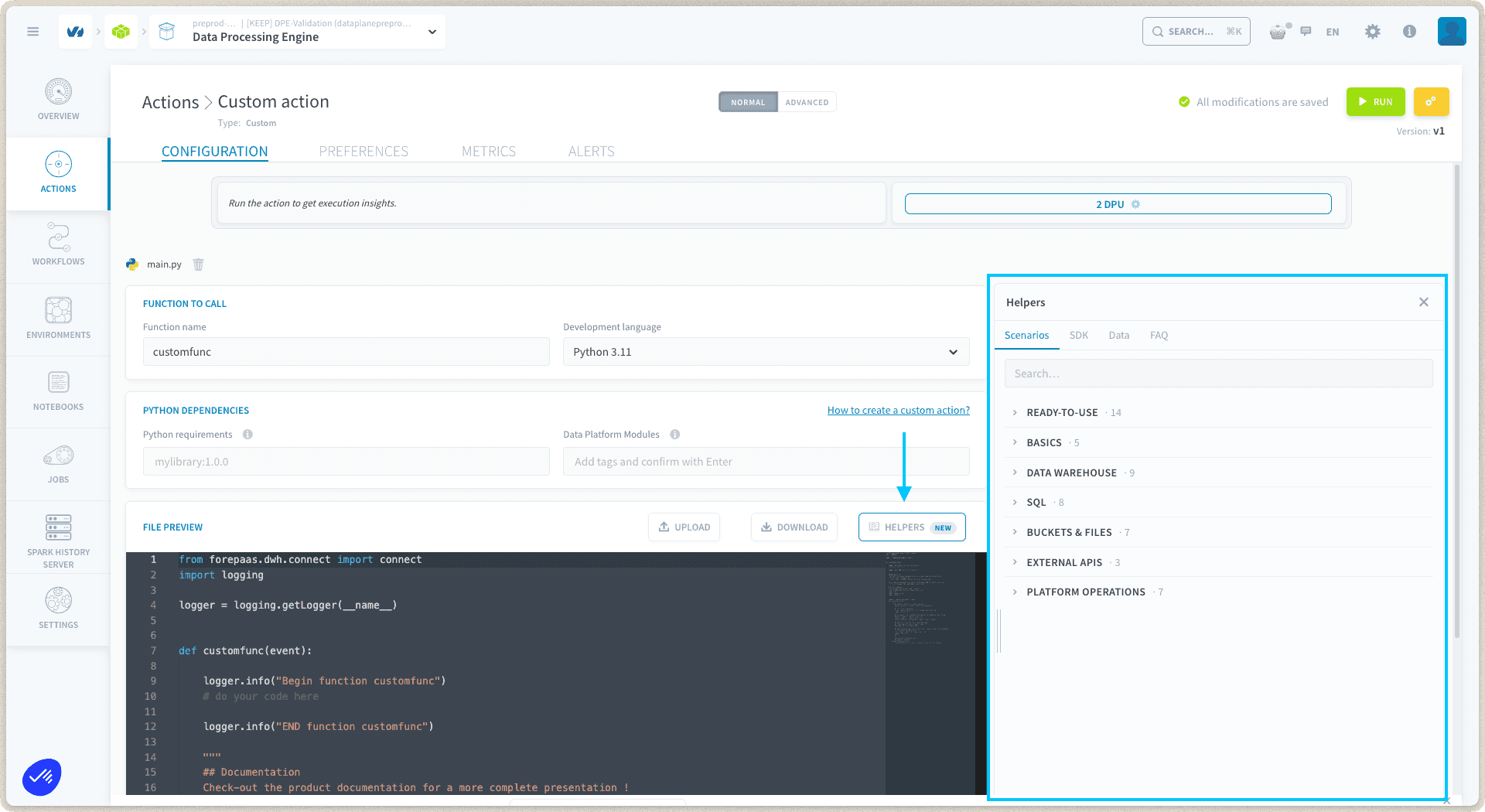
The Custom PySpark action editor includes a helper panel, so you can find guidance without leaving your script:
- Scenarios: ready-to-use action scripts organized by category, to copy and adapt to your use case.
- SDK guides: documentation for the SDK methods you can call from your script.
- Data: browse your project's data directly from the editor, to check names and structures while you write your code.
- FAQ: answers to common action questions.
The helper content is the same live catalog that powers the Data Platform Extension in notebooks, so it is always up to date.
Manage parallelization
Scale your job by adding more parallel worker instances in the action's preferences.
Set the number of executors and the DPU size of each. The Spark driver has its own DPU size, set independently of the executors. The Resources panel shows the total DPU of the execution.
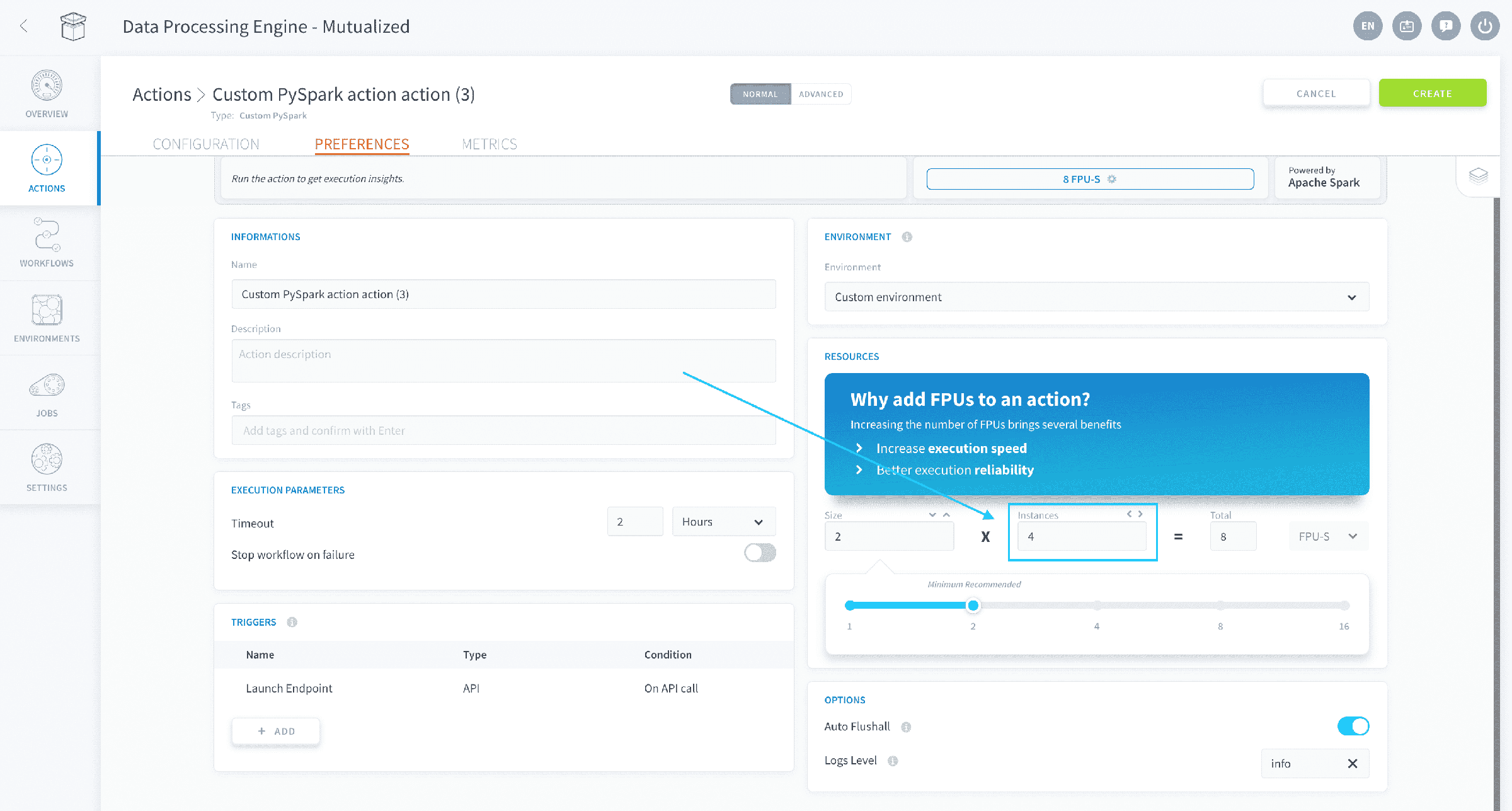
Specify how to split your job's workload on those different workers inside your PySpark script.
Contrary to actions that use the Platform's proprietary data processing engine, PySpark actions don't have settings for segmentation and perimeter in the action's preferences. These must be handled inside your PySpark code.
Manage dependencies
Installing Python packages
You might need to install specific packages not included by default. You can add them in the "Python Requirements" field respecting the format used in a basic requirements file for "pip" (Python package manager) then press "ENTER" on your keyboard.
This is what it should looks like once you pressed "ENTER":

Installing packages from a Git repository
You can install Python packages directly from a GitHub or GitLab repository using the git+ prefix in your requirements:
To pin a specific version, add a tag or commit hash:
Auto-install the latest release
To always install the most recent published release without manually tracking version tags, use @latest:
The platform detects the git+ prefix and @latest suffix, then automatically resolves and substitutes the latest release tag before installing.
After adding or modifying a Git dependency, click Force Build to reinstall. You no longer need to manually update the tag or commit hash each time a new version of your module is published, but note that the latest release is not picked up automatically at runtime, a manual Force Build is always required.
Default list of dependencies
Data Platform blocks the minors of the versions allowing bug fixes to be installed. If you need a more recent version of a library you can override it manually by adding the same package with the new version in the "Requirements" field.
Here is the list of all the packages and their version (as you could find them in a requirements file for pip) shipped with the Data Processing Engine workers:
Discover all default Python packages
Go further
For training or technical assistance implementing our solutions, contact your sales representative or visit our Professional Services page to request a quote and have your project analysed by our experts.
Ask questions, give your feedback and interact directly with the team building the Data Platform on the dedicated Discord channel.
If you need support with your OVHcloud services, create a request in our Help Centre.
Join our community of users.