

Load to Bucket Action
You can choose the file format. To create a new action, navigate to the Action tab of the Data Processing Engine (DPE)
Objective
The Load to Bucket action extracts raw data from sources and puts it into a file in your Project bucket. You can choose the file format.
Note: This action supports the functionality to have customised date in the folder name. You can find the tutorial here.
Configure a Load to Bucket action
To create a new action, navigate to the Action tab of the Data Processing Engine (DPE), click on New Action and select the Load to Bucket action.
Choose a source and a destination
To set-up the action, start by selecting a source from the list that you have already set-up in the Sources tab of the Connectors.
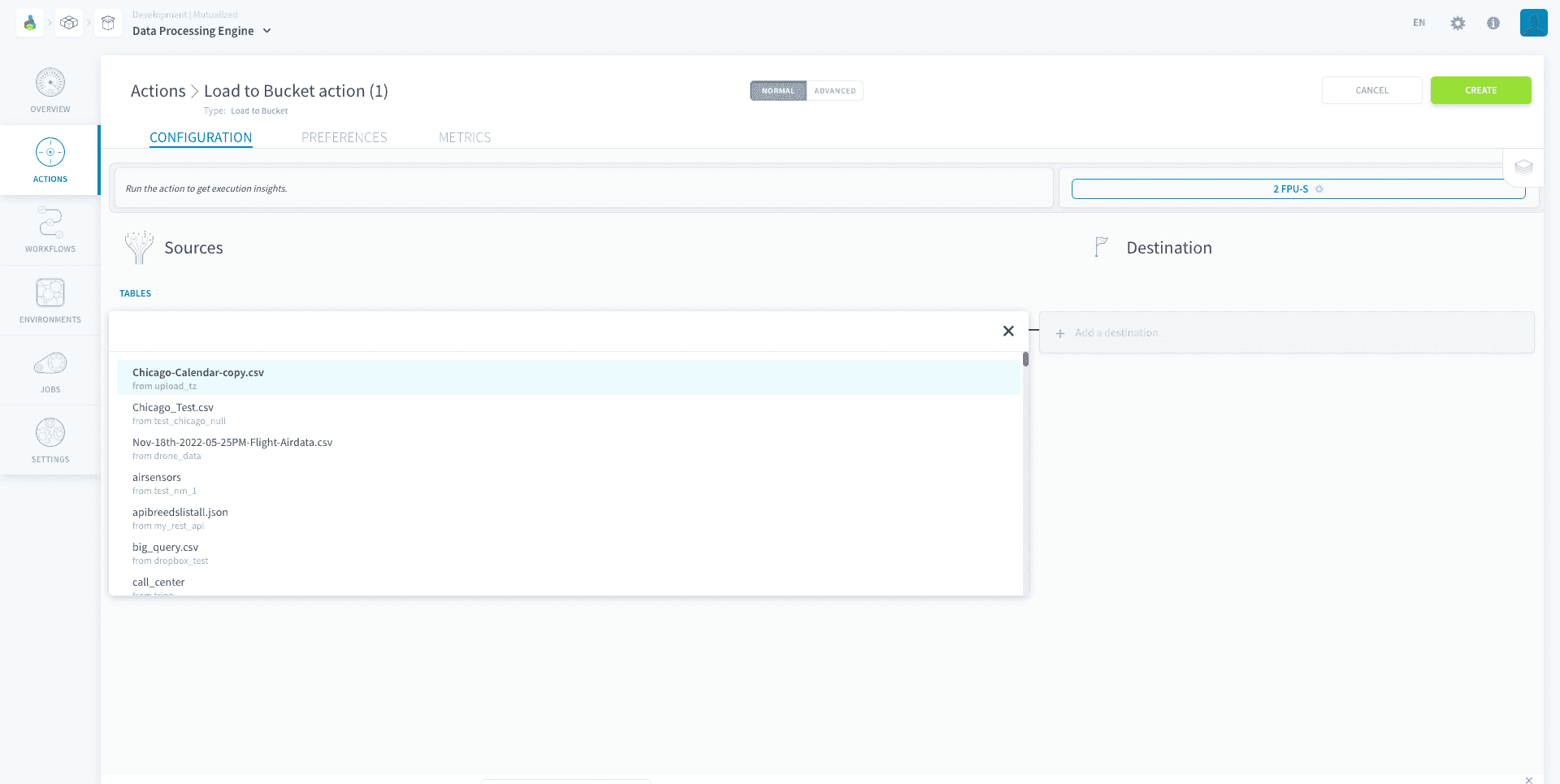
Then, choose the destination bucket from the list of Project buckets.
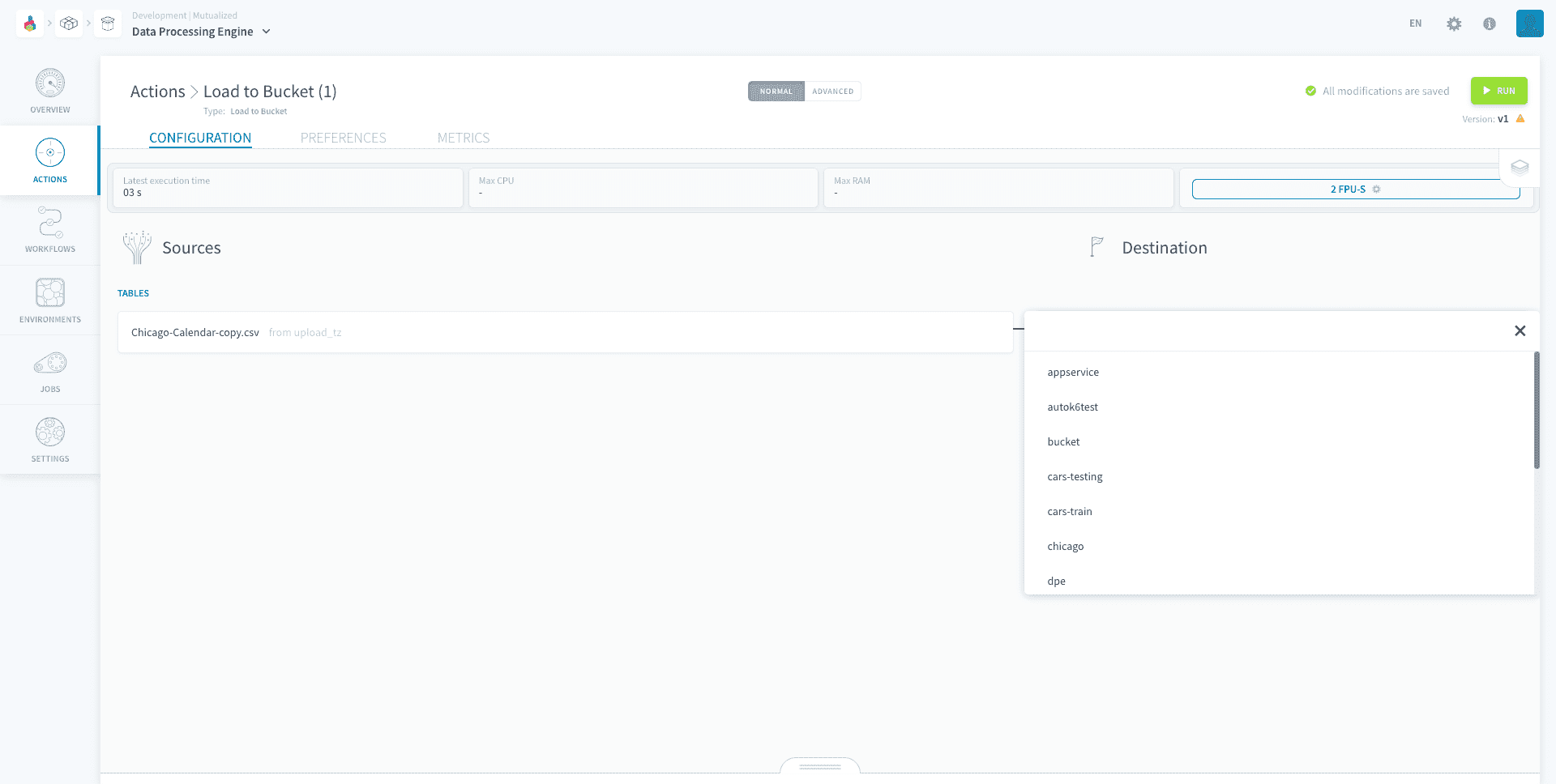
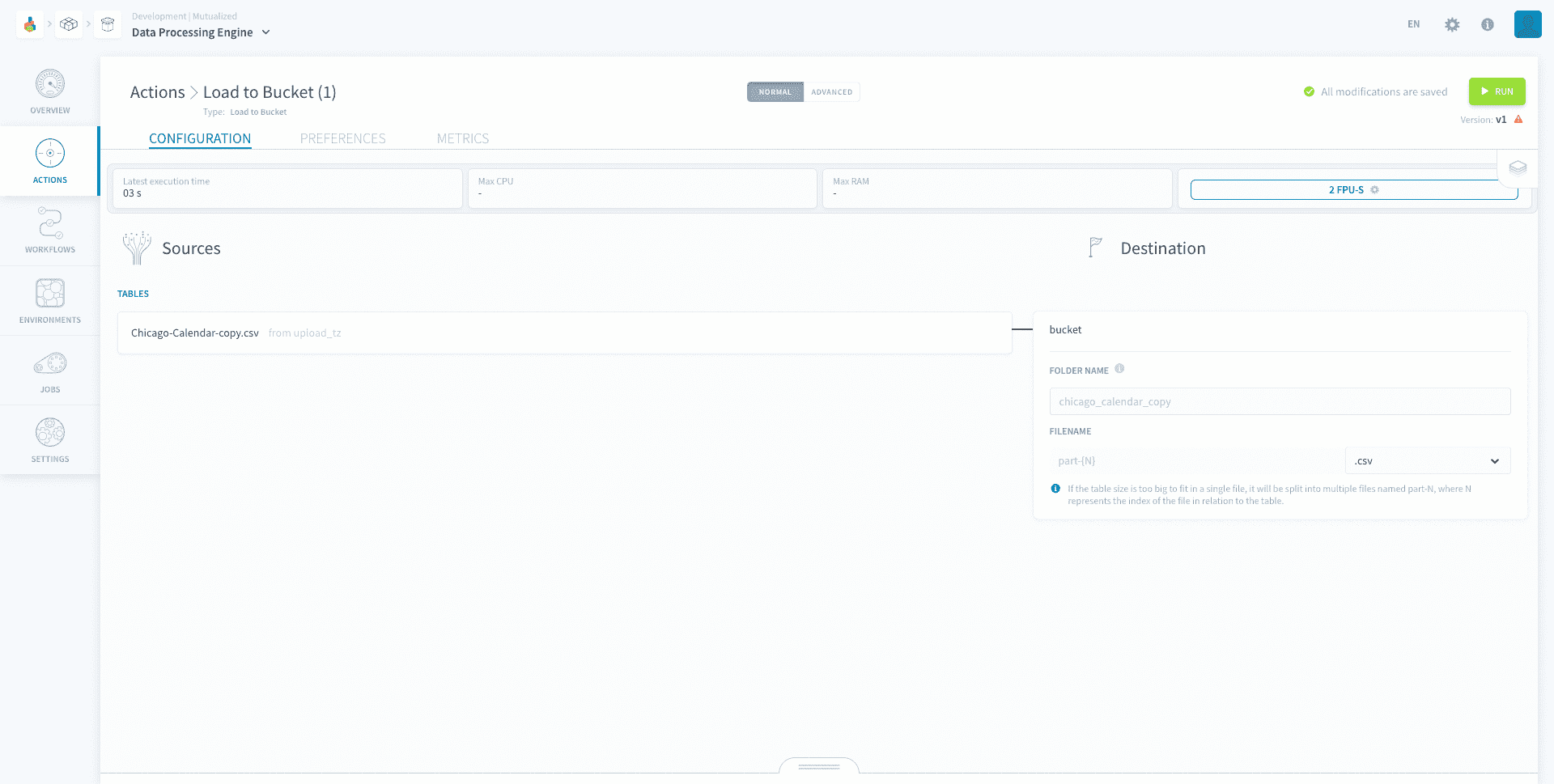
You will then be prompted to choose the file format and the destination folder. If you leave the folder name empty, it will automatically be named as the source name.
Note that the following sources are NOT supported in this action: Azure Blob Storage, Data Store, Dropbox, FTP, Google Drive, HTTP Files, HTTP REST, One Drive, S31-compatible-storage, Amazon S3 and SFTP.
If you choose a PostgreSQL source your action will be have optimised performance similarly to the PostgreSQL to Parquet action.
Destination file
Your data will be put into the destination folder in a file named part-1 with the format you specified. If your file is too big, it will be split into multiple files named part-1, part-2, part-3 and so on.
The order of your rows will be preserved in this process. Hence, the first rows will be in the part-1 file and the following rows will be in the part-2 file.
Go further
For training or technical assistance implementing our solutions, contact your sales representative or visit our Professional Services page to request a quote and have your project analysed by our experts.
Ask questions, give your feedback and interact directly with the team building the Data Platform on the dedicated Discord channel.
If you need support with your OVHcloud services, create a request in our Help Centre.
Join our community of users.
1: S3 is a trademark of Amazon Technologies, Inc. OVHcloud's service is not sponsored by, endorsed by, or otherwise affiliated with Amazon Technologies, Inc.