

Feature engineering
This page describes the Machine Learning Manager, a service of the ForePaaS Legacy Platform that is not available on OVHcloud Data Platform. See the current documentation.
ForePaaS enables you to fully specify which variables to select for your model.
Add a value-to-predict
The value you want to predict (i.e. the label) is saved in the Y dataset. To add a value-to-predict, click on Add a source next to Y.
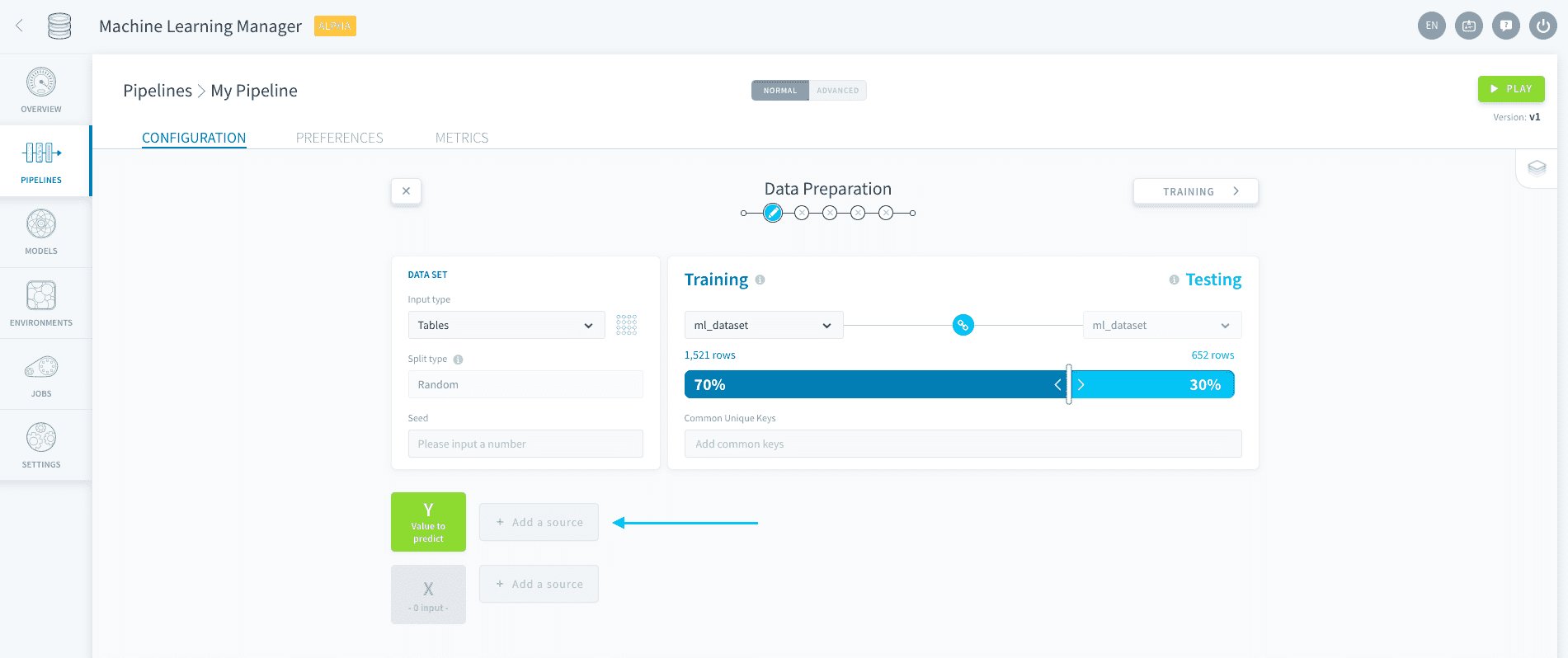
Choose the source based on the input type you specified when generating your dataset and save.
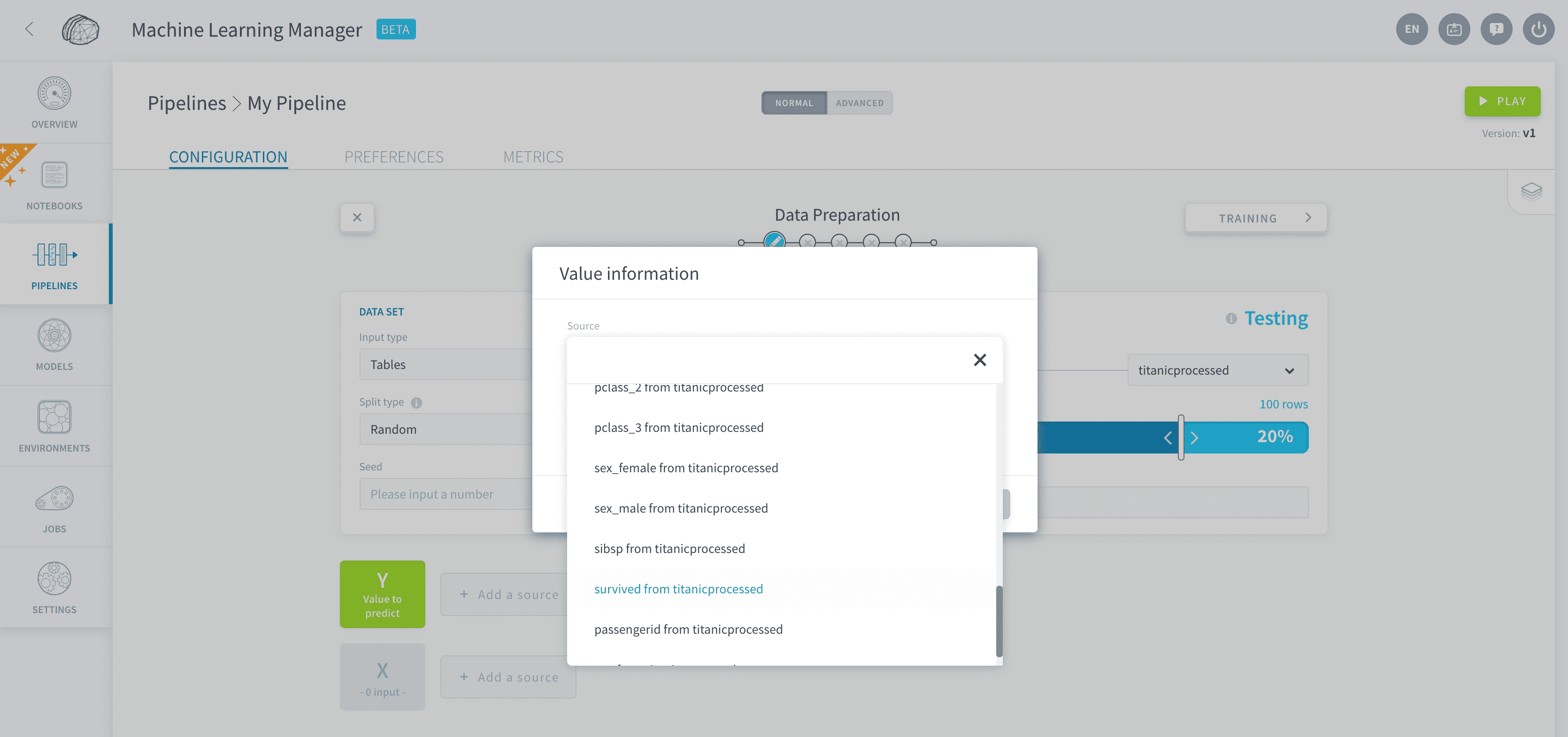
When the input type is Tables
You will be able to select one attribute from the training table.
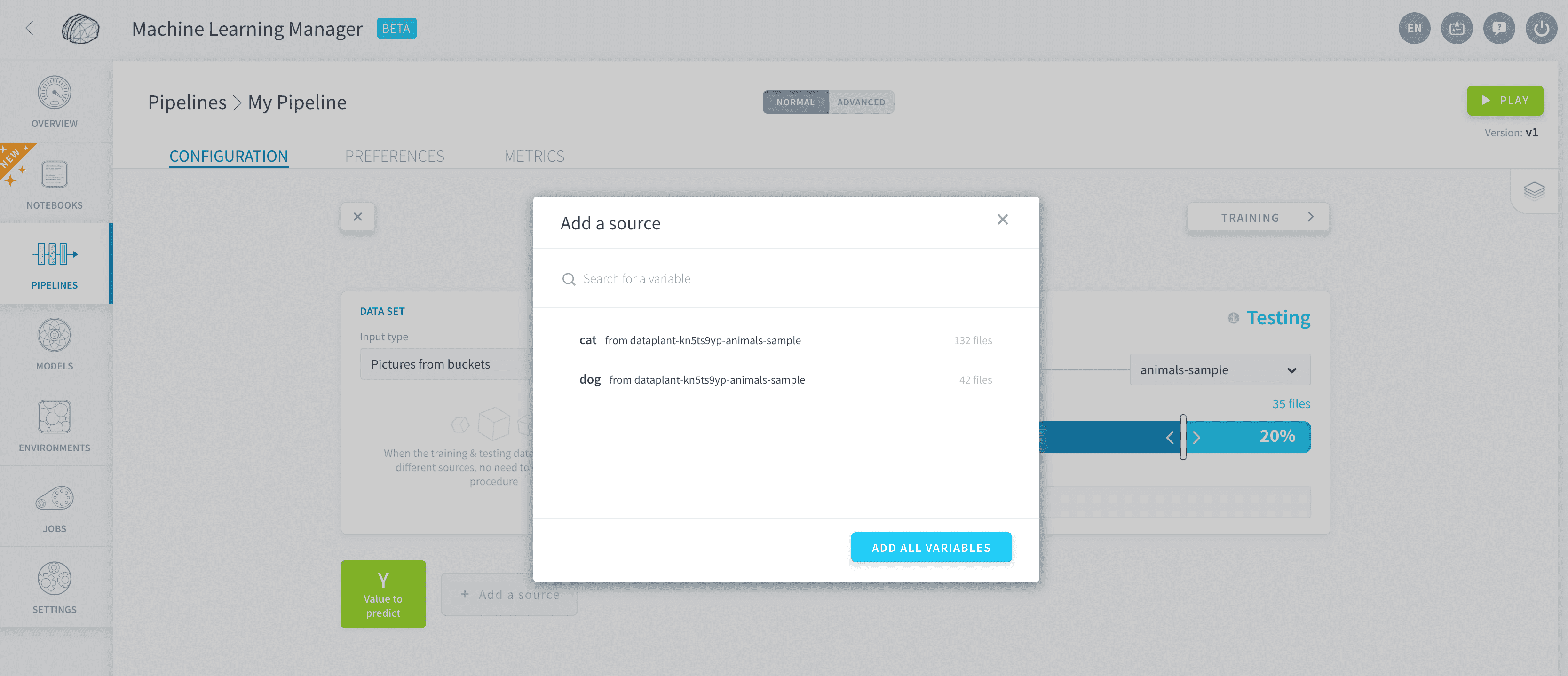
When the input type is Pictures from buckets
You will be able to select one or several folders from the training bucket.
Add features
The features, or variables, that are used to make a prediction are saved in the X dataset. To add features to your structured data model, click on Add a source next to X.
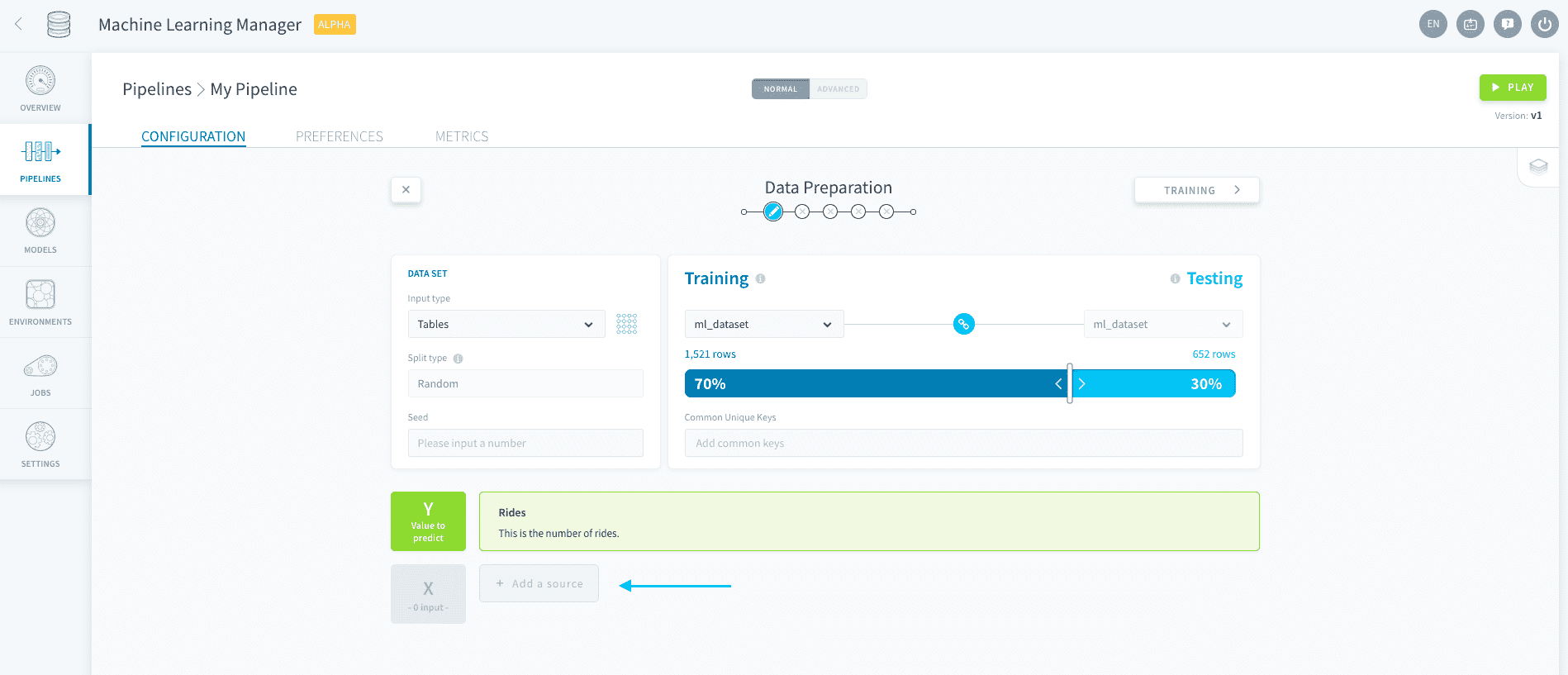
Choose as many variables as you want from the source based on the input type you specified when generating your dataset and save.
Shortcut tip: you have the option to add all variables in one go: this will add all the variables from the source except the one you chose as the value-to-predict.
Pre-processing
Advanced feature engineering should be carried out in the Data Processing Engine (DPE) on your source itself.
Go further
If you need training or technical assistance to implement our solutions, contact your sales representative or click on this link to get a quote and ask our Professional Services experts for a custom analysis of your project.
Ask questions, give your feedback and interact directly with the team building the Data Platform on the dedicated Discord channel.
If you need support with your OVHcloud services, create a request in our Help Centre.
Join our community of users.