

Manage libraries and dependencies
This page describes the Machine Learning Manager, a service of the ForePaaS Legacy Platform that is not available on OVHcloud Data Platform. See the current documentation.
The Dependencies panel lets you manage the language version and all the packages requirements for the execution of your pipeline. There are two kinds of dependencies:
- ForePaaS modules: they are prepared by ForePaaS and already contain all the libraries required to run a standard estimator.
- Python libraries: they are the libraries used in your estimator script that aren't already contained in a ForePaaS module. They only need to be added when you are using a custom estimator.
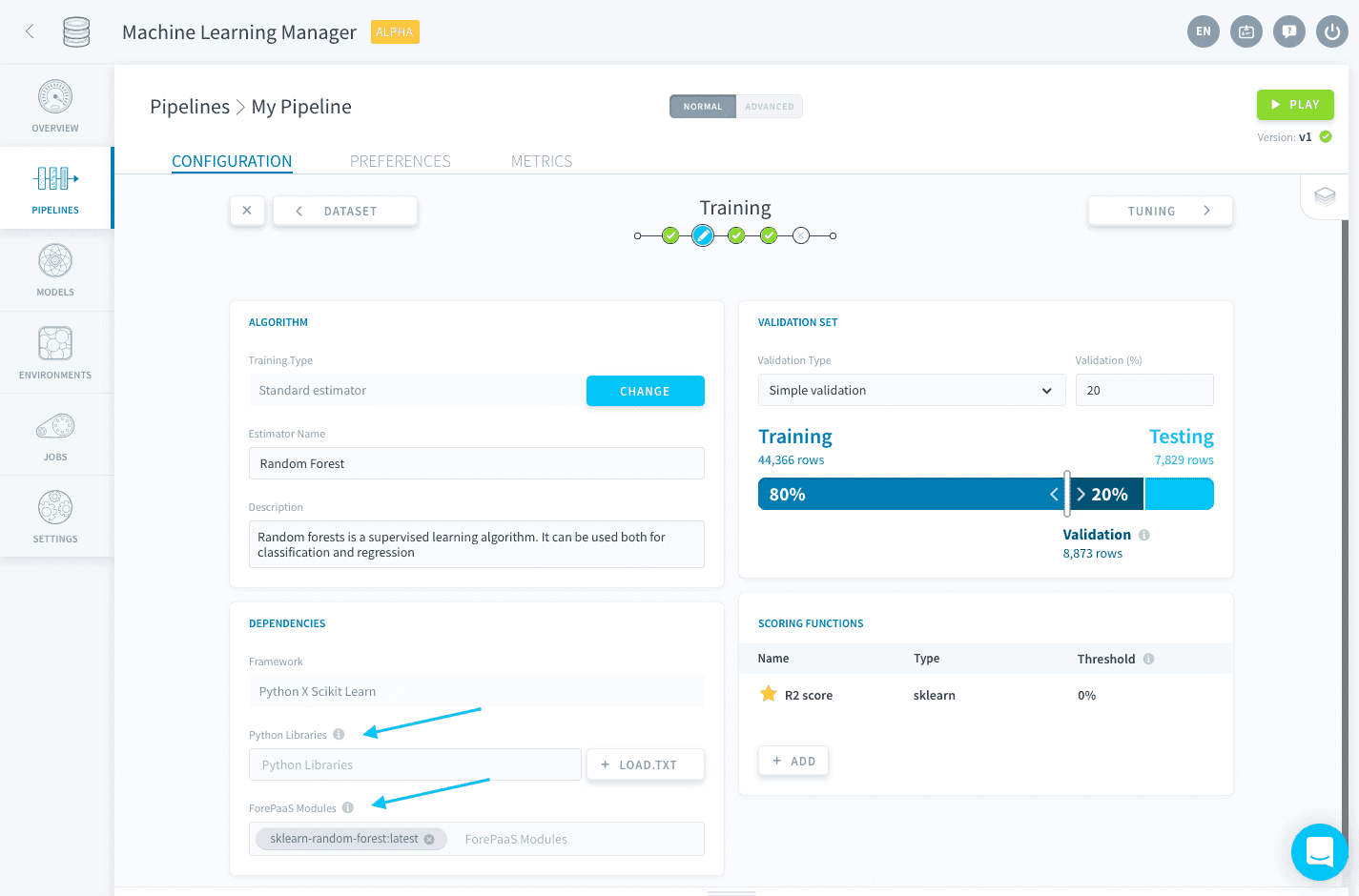
When using a standard estimator, all dependencies are automatically configured to reflect your choice. No need to scratch your head handling the library requirements, we are taking care of this for you!
On top of that, if you are using a custom estimator, you can also choose the Python version with which to run the pipeline. You can choose amongst the following:
- Python 3.11
- Python 3.9 (default option)
We are regularly updating the available versions to provide you with a best-practice development framework. Your existing work is not migrated to a new version as long as its language version is still supported.
Import libraries
You can either specify your libraries one by one, or import them all in one go using a requirements.txt file.
Import a single library
To specify a single library, spell the package name in the Python libraries field.
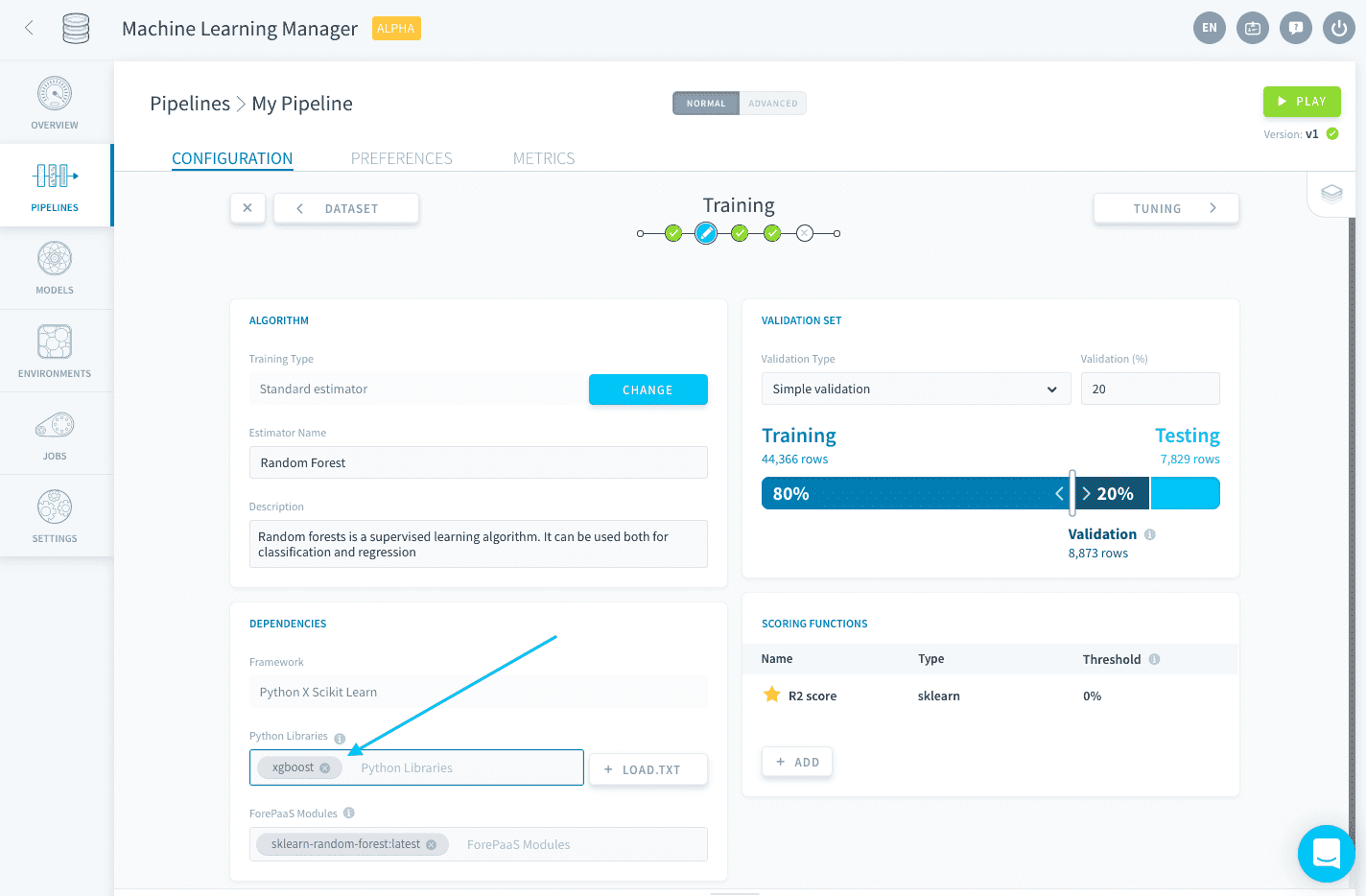
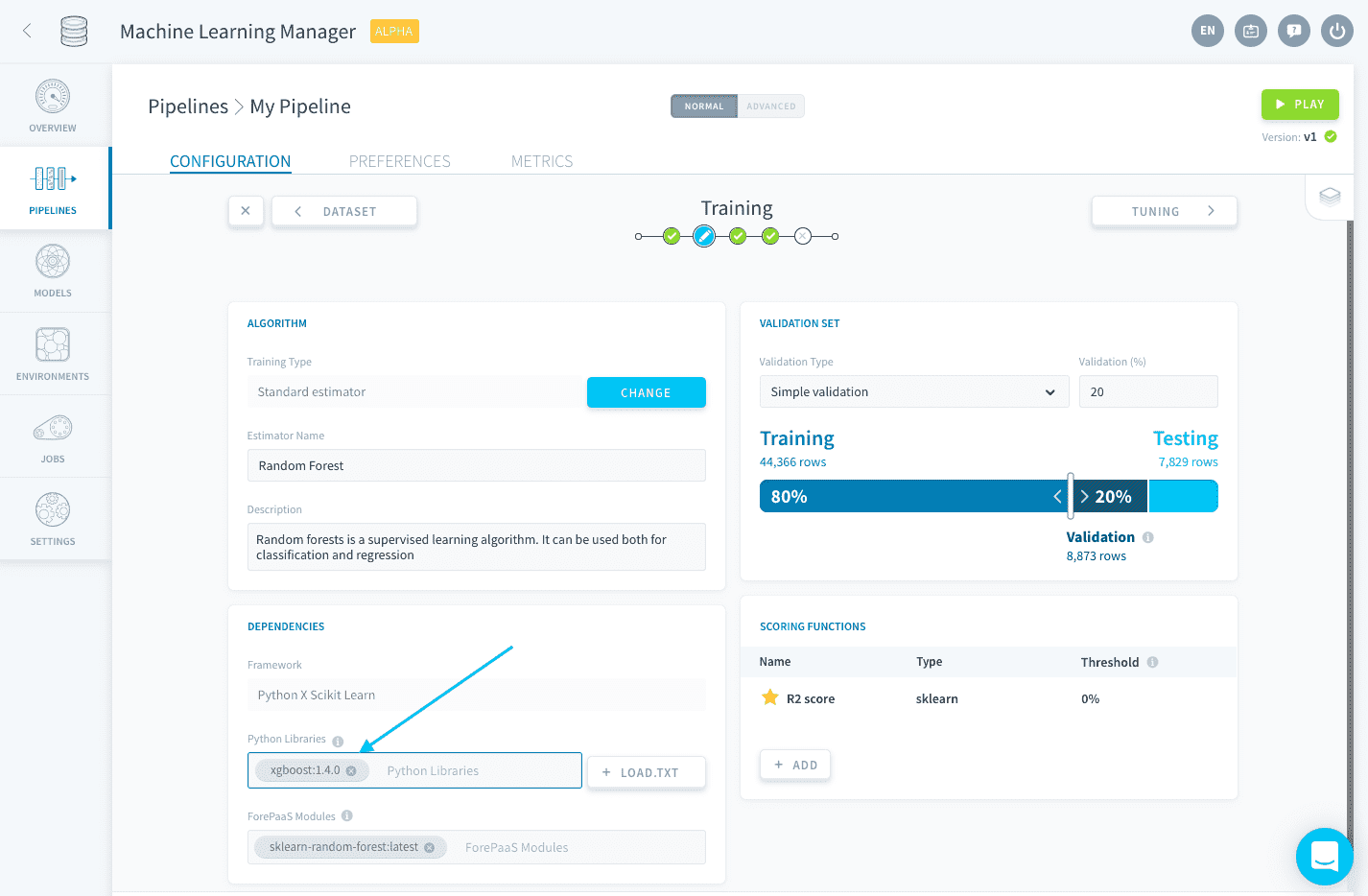
You can also specify the version as such: library:version.
Import a requirements.txt file
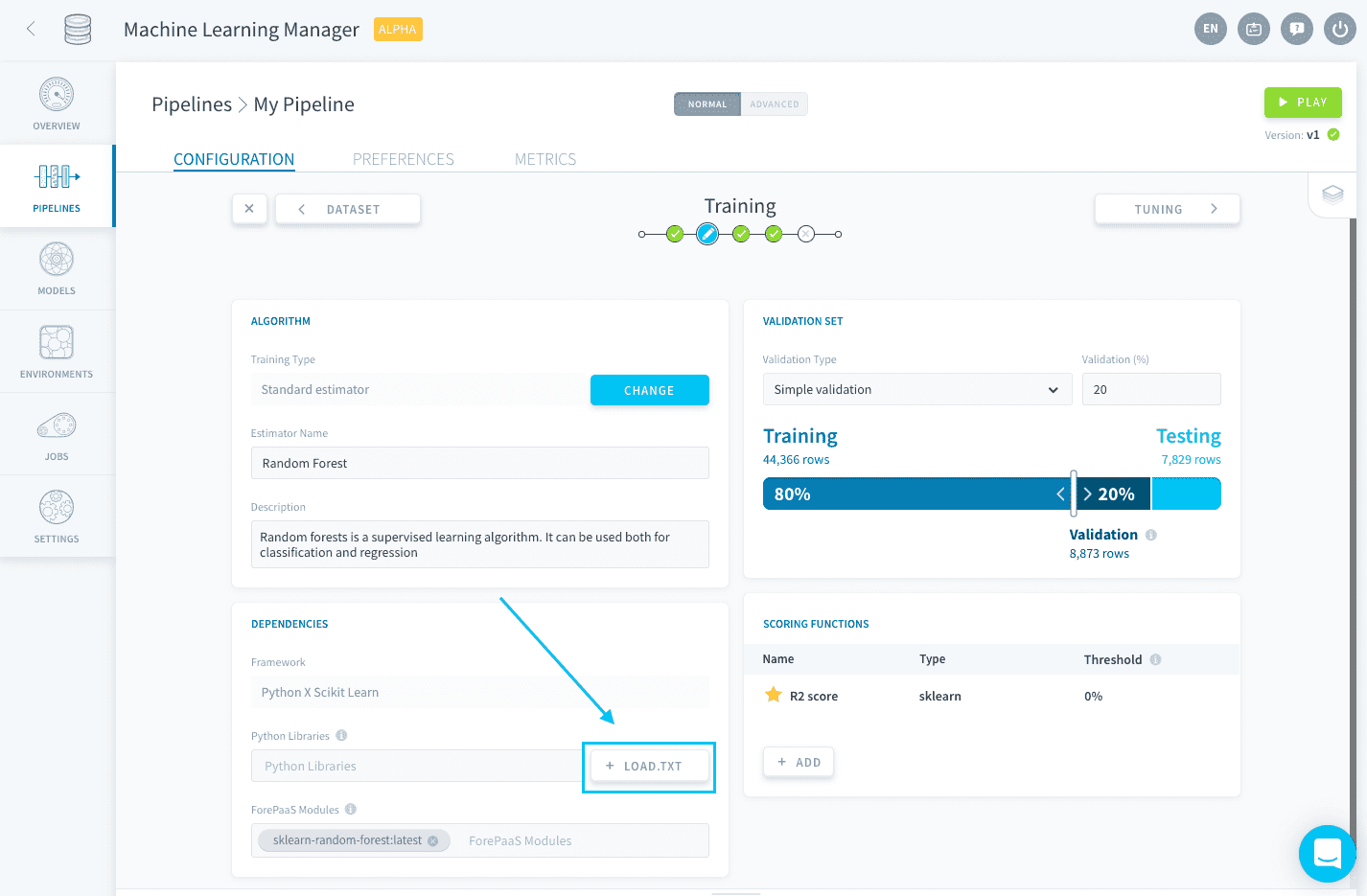
You can bulk-import all the libraries needed for your Project using a text file formatted like the output of a pip freezecommand.
Click on Load .txt to upload the text file.
Here is the expected requirements format:
Go further
If you need training or technical assistance to implement our solutions, contact your sales representative or click on this link to get a quote and ask our Professional Services experts for a custom analysis of your project.
Ask questions, give your feedback and interact directly with the team building the Data Platform on the dedicated Discord channel.
If you need support with your OVHcloud services, create a request in our Help Centre.
Join our community of users.