

Remove duplicate rows with the Deduplicate action
The Deduplicate action removes duplicate rows from a table, in place, keeping exactly one row per deduplication key
Objective
The Deduplicate action removes duplicate rows from a table, in place, keeping exactly one row per deduplication key. The typical use case is a table that was loaded in append mode when upsert was intended: deduplicating on the table's identifier fields produces exactly the table that upsert would have produced. Like any other action, it can be run on demand, scheduled with a cron trigger, or orchestrated inside a workflow.
The action works on tables stored in lakehouse (Iceberg) and PostgreSQL datasets.
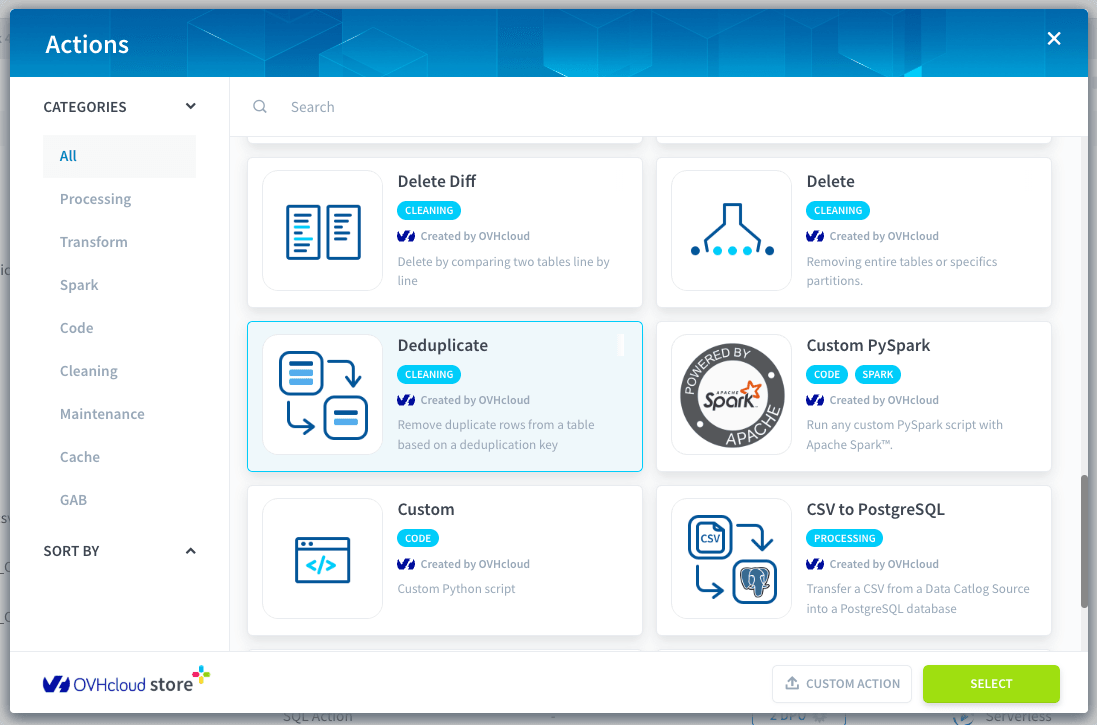
Deduplicate modifies the target table itself. On lakehouse tables the previous state remains available as a snapshot, so a run can be undone with time travel. On PostgreSQL tables the removal is permanent: enable the backup option before deduplicating anything you are not ready to lose.
Configure a Deduplicate action
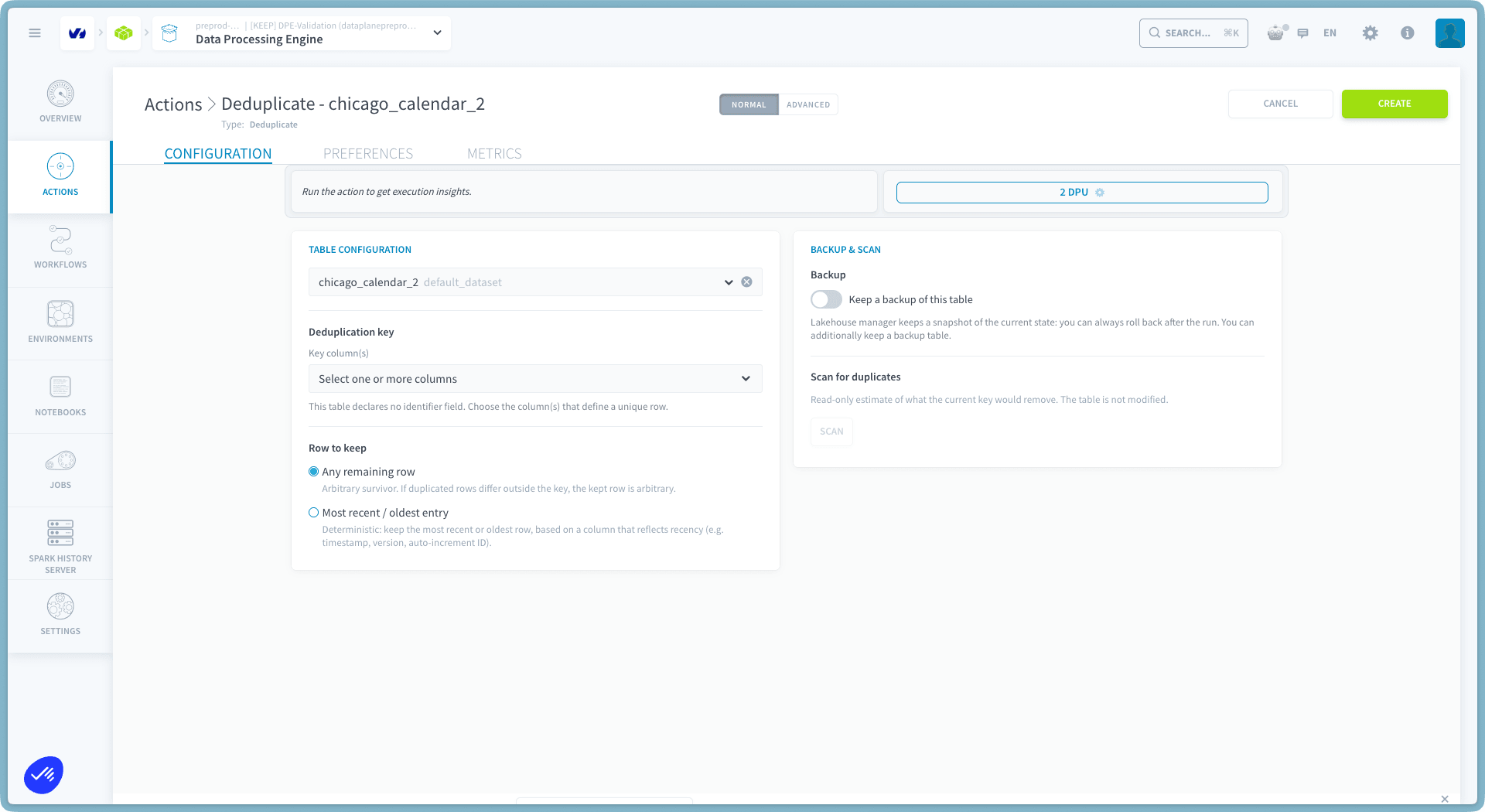
The configuration screen has two panels: Table configuration on the left, where you pick the table, the deduplication key and the row to keep, and Backup & scan on the right, where you protect the run and preview its effect before creating the action.
Choose the table
Select the target table from the table selector. Each entry displays the table name together with the dataset it belongs to. The action name is prefilled from the selected table, for example Deduplicate - orders.
Choose the deduplication key
The deduplication key is the set of columns that defines a unique row: after the run, the table contains exactly one row per distinct combination of these columns.
When the table declares identifier fields, they are displayed above the key selector and the key is prefilled with them. This is the recommended key: it deduplicates the table exactly the way an upsert load would have deduplicated it on ingestion.
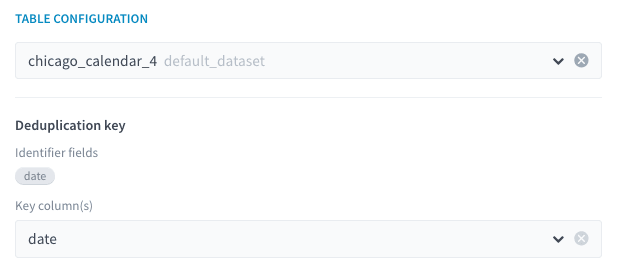
You can select any set of existing columns instead. If your selection differs from the table's declared identifier fields, a warning reminds you that rows which are not duplicates by the table's own definition may be removed. If the table declares no identifier field, pick the column or columns that define a unique row for your data.
Rows whose key columns are empty group together, following standard SQL GROUP BY semantics: two rows with NULL in the same key column count as duplicates of each other.
Choose the row to keep
When several rows share the same key, the Row to keep setting decides which one survives:
- Any remaining row (default): the survivor is arbitrary. This is the right choice when duplicated rows are identical copies. If duplicated rows differ outside the key, the kept row is arbitrary.
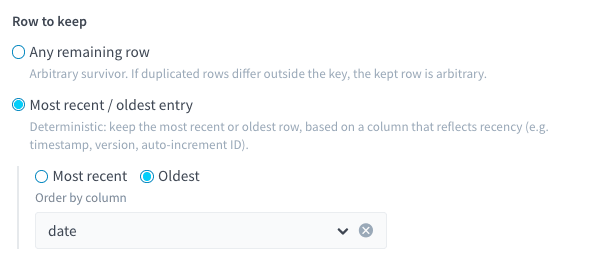
- Most recent / oldest entry: deterministic. Choose Most recent or Oldest, then select the Order by column: a date, timestamp or numeric column that reflects recency, such as an update timestamp, a version number, or an auto-increment ID. Rows with an empty ordering column rank last: a row with a value always wins over a row without one.
Keep a backup
Turn on Keep a backup of this table to create a full copy of the table before anything is removed. The copy is named <table>_backup_<id> and registered in the Lakehouse Manager like any other table.
The backup is created only when the run actually has duplicates to remove, and its row count is verified before the target table is touched: if the backup cannot be created or verified, the run stops and the table is left untouched. The backup table is never deleted automatically, even when a run fails; delete it yourself once you no longer need it.
On lakehouse tables, a snapshot of the current state is kept in any case, so the backup is an extra safety net. On PostgreSQL tables, the backup is the only way to recover removed rows.
Scan for duplicates
Before creating the action, click Scan to get a read-only estimate of what the current configuration would remove. The scan never modifies the table. It requires a selected table and at least one key column.
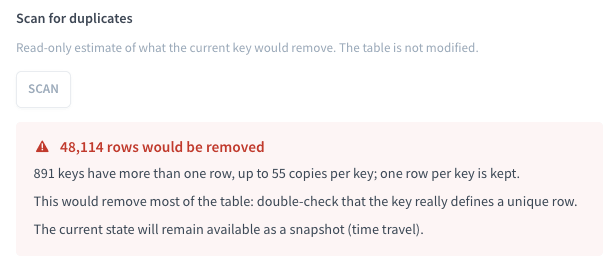
The result card shows:
- how many rows would be removed, and the survivor rule that would apply;
- how many keys have more than one row, and the worst per-key copy count;
- whether the previous state will remain available (lakehouse snapshot) or the removal is permanent (PostgreSQL).
If the scan finds no duplicates for the key, the card confirms there is nothing to remove. If more than half of the table would be removed, an extra warning asks you to double-check that the key really defines a unique row: removing most of a table usually means the key is wrong, for example a lone date column on a table with many rows per day.
The scan result is discarded whenever you change the table, the key or the survivor rule: run it again to get a fresh estimate. The same statistics are recomputed at the start of every run, so the run confirms what the scan previewed.
How deduplication runs
The mechanism depends on the engine of the dataset that holds the table:
Every run starts by scanning the table. When the scan finds no duplicates for the key, the run ends immediately and the table is not touched.
The action removes rows only: it never modifies the table's schema, partitioning or identifier fields.
On lakehouse tables, a transient <table>_dedup_tmp table may appear in the dataset while the action runs. It is dropped automatically at the end of the run, and a leftover from a hard failure is cleaned up at the start of the next run.
Do not write to the target table while the action is running: concurrent writes are unsupported. On lakehouse tables the conflicting commit fails and the automatic rollback restores the pre-run state.
Check the outcome of a run
Each run writes a summary to the action's execution logs: the number of rows before and after, the number of rows removed, the number of keys that had duplicates, the key that was used, and how to undo the run. When the backup option is enabled, the summary also names the backup table. For example:
Undo a deduplication
- Lakehouse tables: the pre-run snapshot id is printed in the run's logs. Restore the table to that snapshot with time travel, within the snapshot retention period (14 days by default).
- PostgreSQL tables: there are no snapshots, so the removal itself cannot be undone. If the run was created with the backup option, the
<table>_backup_<id>copy holds the exact pre-run content of the table.
Examples
Select a tab below to see a typical configuration, shown as the JSON you would see in Advanced mode:
A load ran twice in append mode, so every row of orders exists twice. The rows are identical copies, so any survivor works. Deduplicating on the table's identifier field order_id produces the table the upsert would have produced:
Use the Advanced mode
If you need to access the JSON configuration file of the action, activate the Advanced mode by clicking on Advanced at the top of the page.
The action takes the following parameters:
Go further
For training or technical assistance implementing our solutions, contact your sales representative or visit our Professional Services page to request a quote and have your project analysed by our experts.
Ask questions, give your feedback and interact directly with the team building the Data Platform on the dedicated Discord channel.
If you need support with your OVHcloud services, create a request in our Help Centre.
Join our community of users.