

Load PySpark Action
It is usually the first step in any data processing system, necessary before running any other processes on data coming from connected sources
Objective
The Load PySpark action extracts raw data from sources and inserts it into primary tables in your data warehouse using Apache Spark™. It is usually the first step in any data processing system, necessary before running any other processes on data coming from connected sources.
In other terms, if you've set-up a connector through the Connectors, the Project has the information to connect to the source as well as its metadata, but won't contain the actual data until it is actually loaded using the Load PySpark action.
The Load PySpark action is only compatible with the following source connectors: MySQL, PostgreSQL, Snowflake, Trino, AWS S31, Microsoft Azure Blob Storage, Data Platform Buckets, File Upload, and S3.
Configure a Load PySpark action
To create a new Load PySpark action, navigate to the Actions tab of the Data Processing Engine (DPE), click on New Action and select the Load PySpark action.
Choose a source and destination
To set-up the Load PySpark action, start by selecting a source from the list that you have already set-up in the Sources tab of the Connectors.
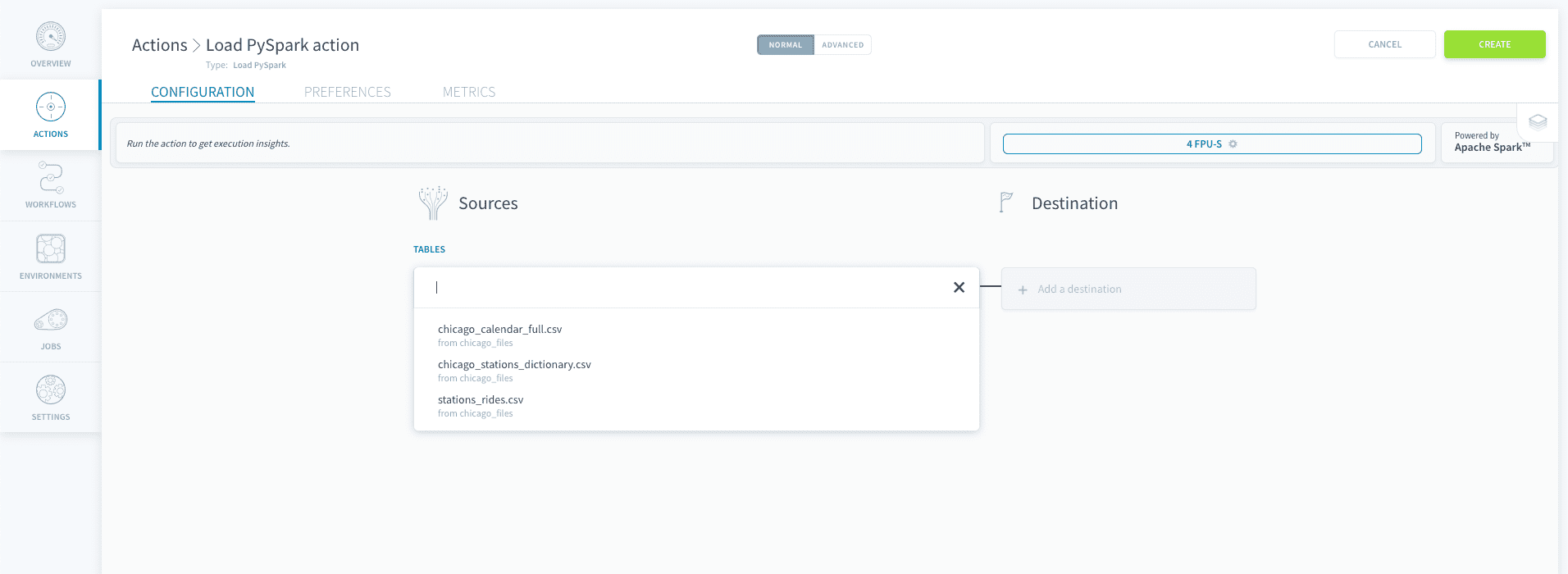
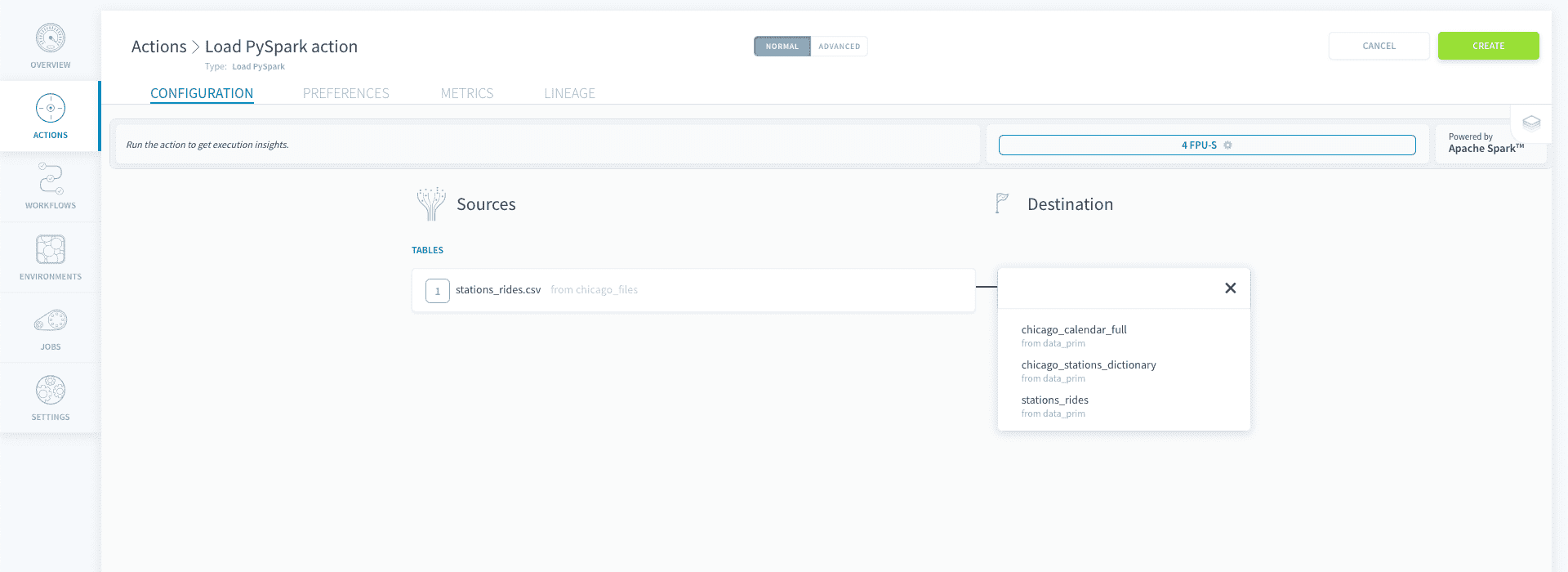
Then a destination table to send your data to. Similarly to the sources, the tables have to be configured ahead of time in the Tables tab of the Lakehouse Manager. Make sure you've built your data model otherwise the tables won't be accessible by other components in the platform.
Map attributes
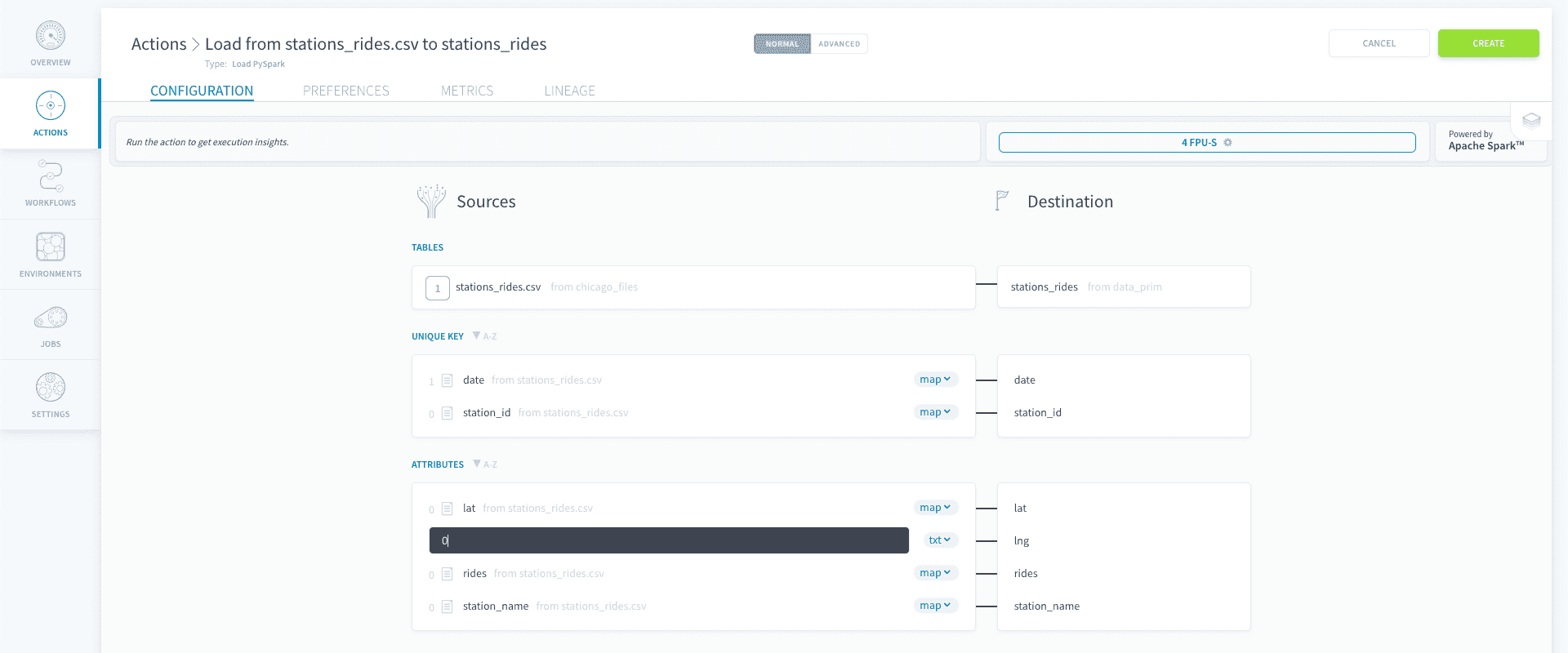
Once the source & destination have been selected, the system will automatically map the destination attributes of your destination table with the different columns that it has identified in the raw data source.
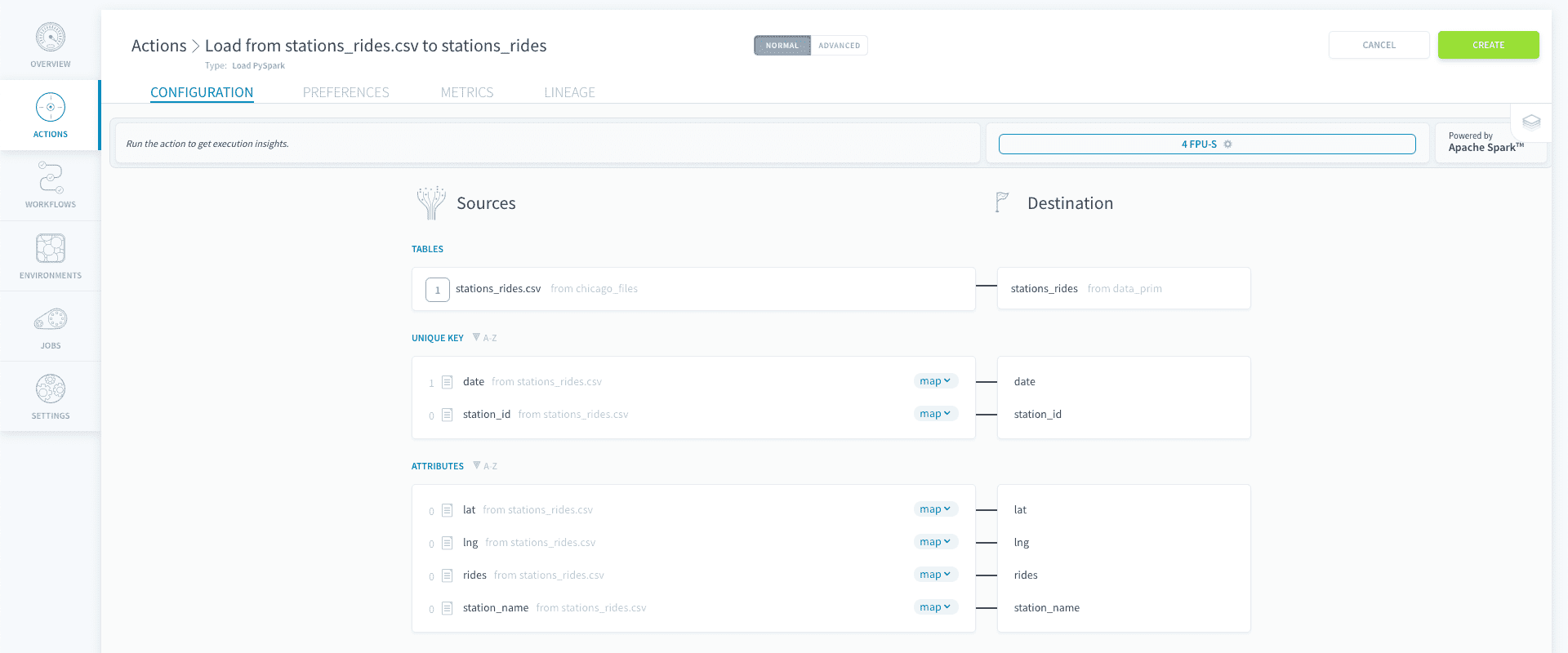
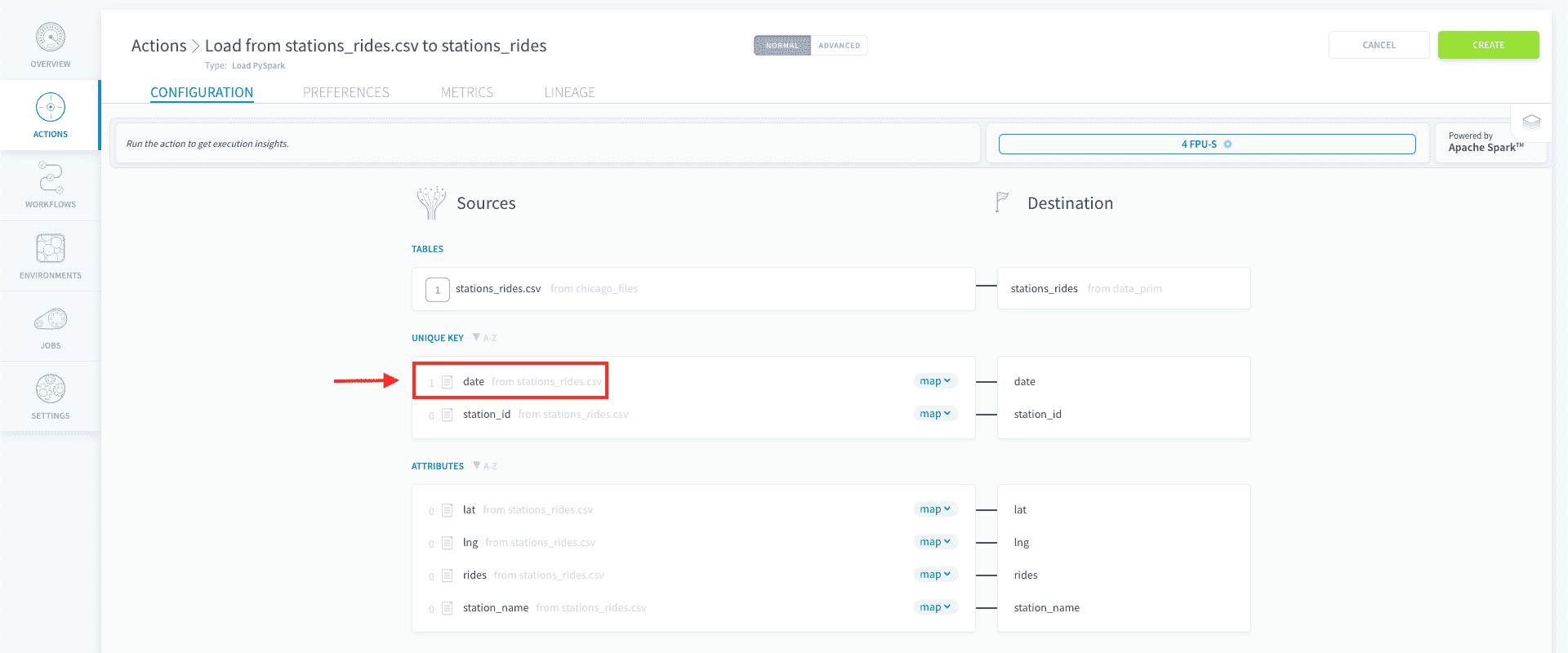
On the picture below, you can see that the date attribute has a a value of '1' beside the notepad icon. This indicates the number of data validation rules, also called blueprint rules, defined in the Connectors, that will be automatically applied when loading the data. Blueprint rules allow users to quickly filter out invalid data like nulls / empty cells or reformat values such as date or currencies.
Note that you might want to insert raw text directly inside your destination table. This might come in handy for instance when you want to count the number of data points or tag a certain source with a label that will be later used in an aggregate table. To do that, select < txt > which will set the source attribute to a raw text input field.
Configure the action's preferences
Once you're satisfied with the mapping of your attributes, navigate to the preferences tab to configure the action settings.
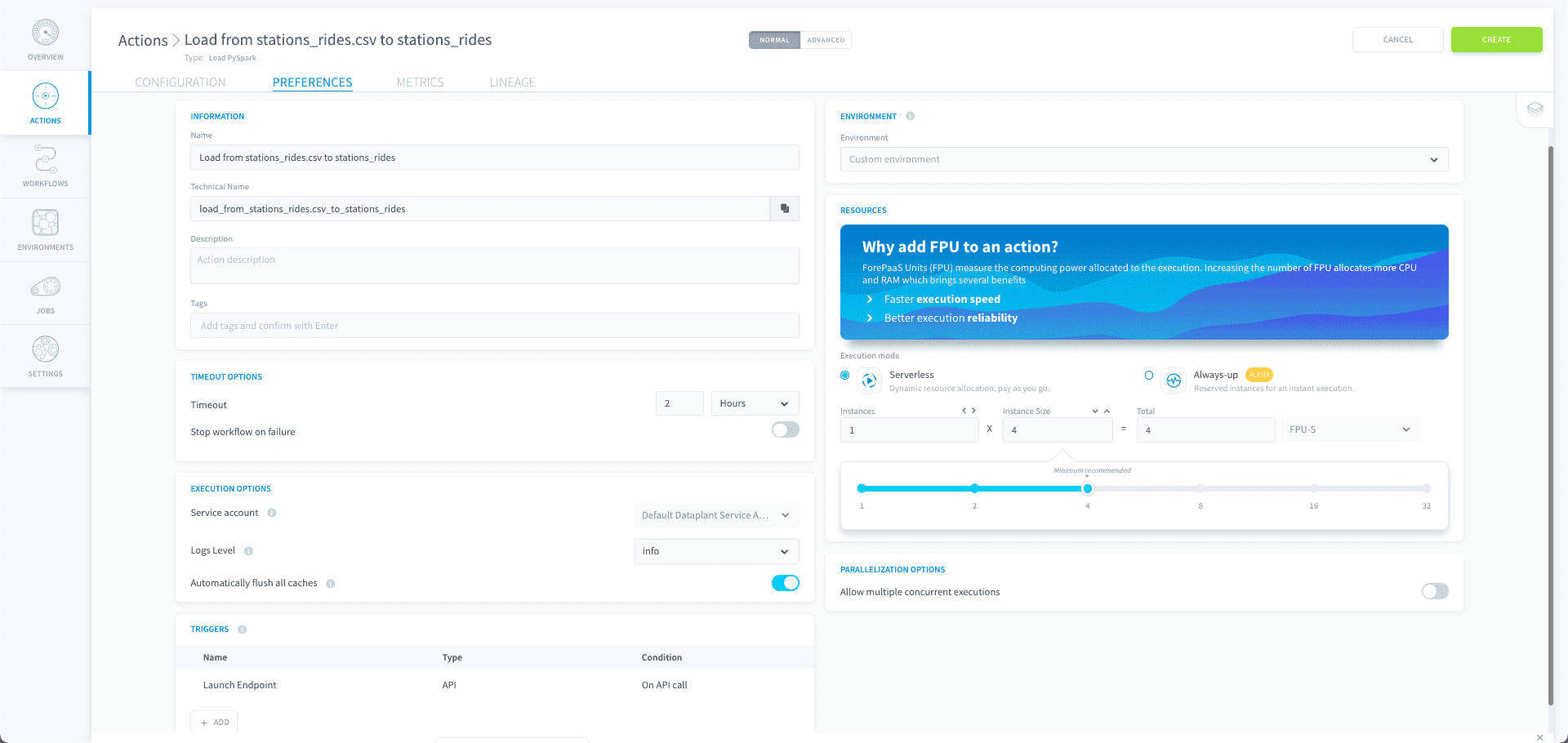
When you are done editing your action, click on Create to validate the action.
Advanced Mode
If you need to access the JSON configuration file of the action, you can activate the Advanced mode by clicking on Advanced at the top of the page.
Use the Advanced mode of a Load action
Go further
For training or technical assistance implementing our solutions, contact your sales representative or visit our Professional Services page to request a quote and have your project analysed by our experts.
Ask questions, give your feedback and interact directly with the team building the Data Platform on the dedicated Discord channel.
If you need support with your OVHcloud services, create a request in our Help Centre.
Join our community of users.
1: S3 is a trademark of Amazon Technologies, Inc. OVHcloud's service is not sponsored by, endorsed by, or otherwise affiliated with Amazon Technologies, Inc.