

Projects and services
On the Platform, a Project is a cloud environment with dedicated resources that contains all the components required to manage your data's lifecycle
Objective
On the Platform, a Project is a cloud environment with dedicated resources that contains all the components required to manage your data's lifecycle, from ingestion to restitution. The physical data, in turn, is stored in a dataset linked to the Project.
What can I do in a Project
Projects are the hub in which you access all the platform services as well as your data. The tasks that are necessary to build a data application into production are all automated, such as:
- getting an entire team to work on the same environment, with different access rights to the data or the modules
- building a logical database schema, without being linked to a specific database
- automating the data collection, ETL-ing and visualization
- monitoring the cloud infrastructure and its performances
In general, one Project can answer one or a range of specific use cases. You can use several Projects in order to work on different environments (staging, production...) for the same use case.
Learn more about how to export a Project configuration.
What services are included in a Project
A Project is a flexible environment composed of multiple services, meaning you can add services in your Project as you wish. These services are separated into categories and only the Admin tools services are mandatory for your project to run, all the others you may add according to your needs.
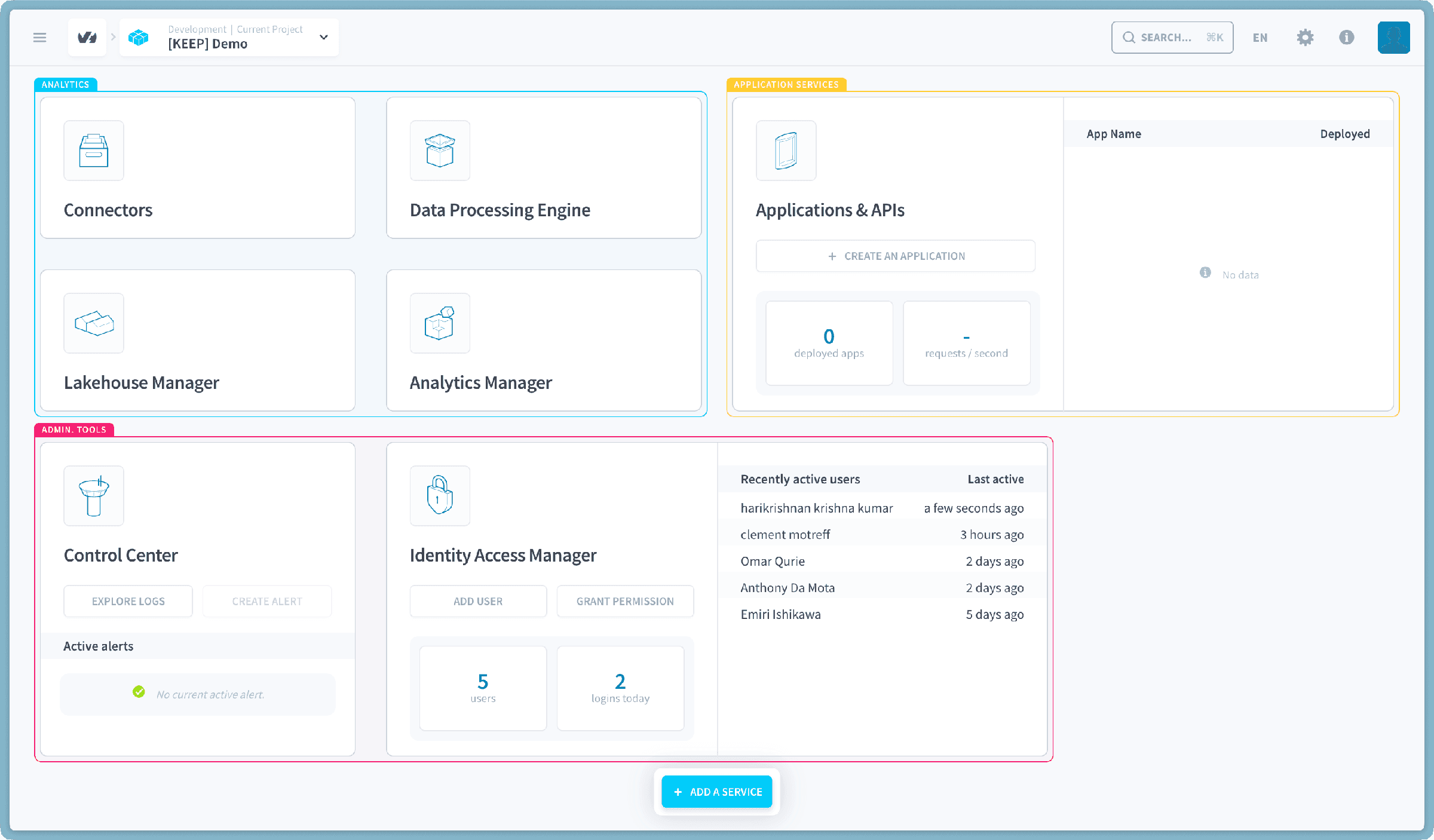
- Data Analytics: collection, data warehousing and processing, and querying.
- The Connectors
- The Lakehouse Manager
- The Data Processing Engine
- The Analytics Manager
- Application Services : API gateways and data visualization.
- Admin Tools: resources management and access control.
How to allocate resources in a Project?
Projects were designed from scratch to scale easily as the requirements of your data Project evolve. You can independently scale horizontally and vertically in any component of your choice in just a few clicks, for example in the preferences of a Data Processing Engine workflow. Deployed instances, such as APIs and applications can also be scaled independently.
Each component in your Project will consume resources when it is actively running (either through a job or a deployment).
Even when it is idle, your Project uses a handful of DPUs by default. You can manage this amount in Control Center.
Learn more about resource consumption
Go further
For training or technical assistance implementing our solutions, contact your sales representative or visit our Professional Services page to request a quote and have your project analysed by our experts.
Ask questions, give your feedback and interact directly with the team building the Data Platform on the dedicated Discord channel.
If you need support with your OVHcloud services, create a request in our Help Centre.
Join our community of users.