

Configure organization authentication requirements
In the Authentication Settings tab you can set global authentication and login requirements and configurations for users of the organization
Objective
In the Authentication Settings tab you can set global authentication and login requirements and configurations for users of the organization.
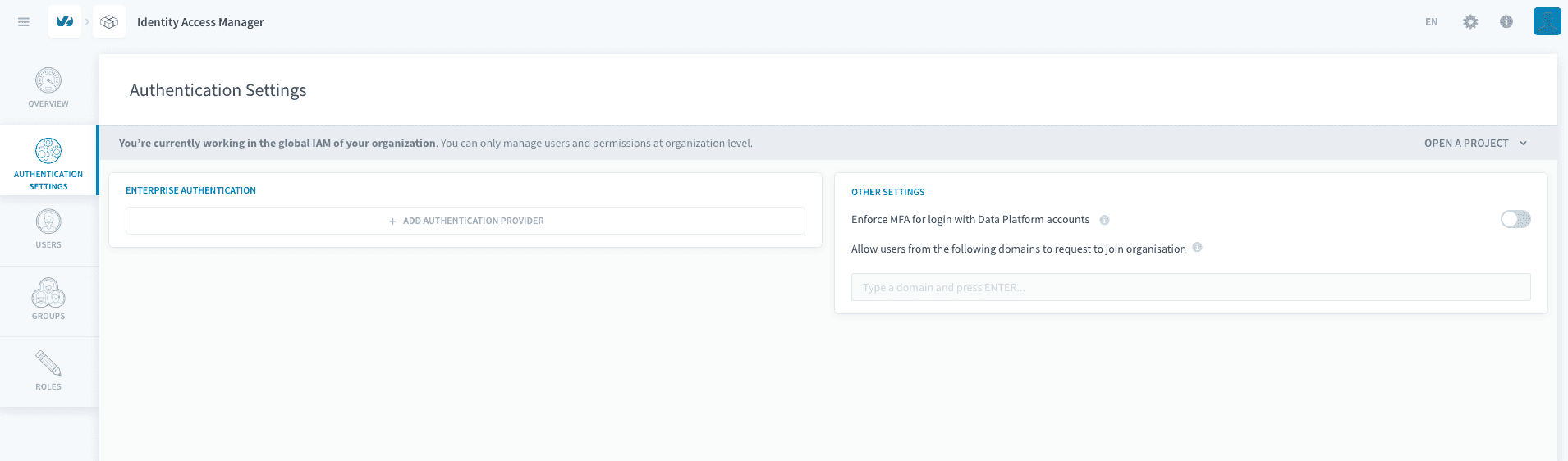
Setting up a Single-Sign-On provider
Setup
You can configure an external Single-Sign-On provider that can be used instead of their Data Platform account to validate the credentials of all users upon login.
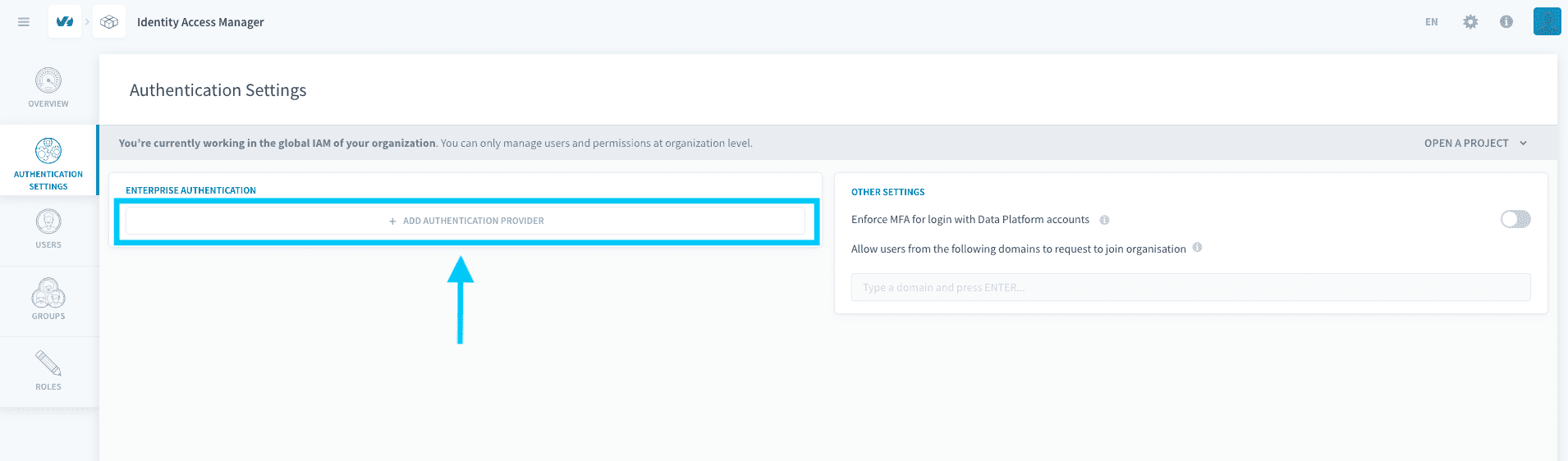
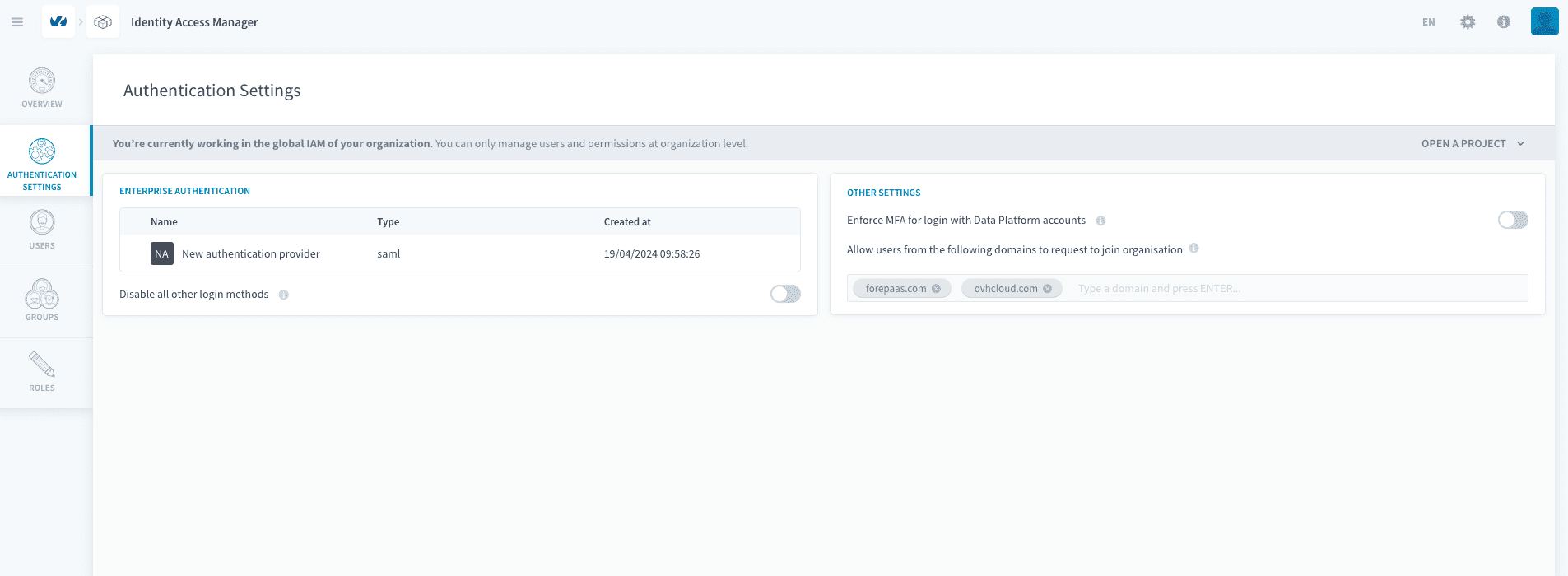
To do so, first click on + Add Authentication provider under the Enterprise Authentication section.
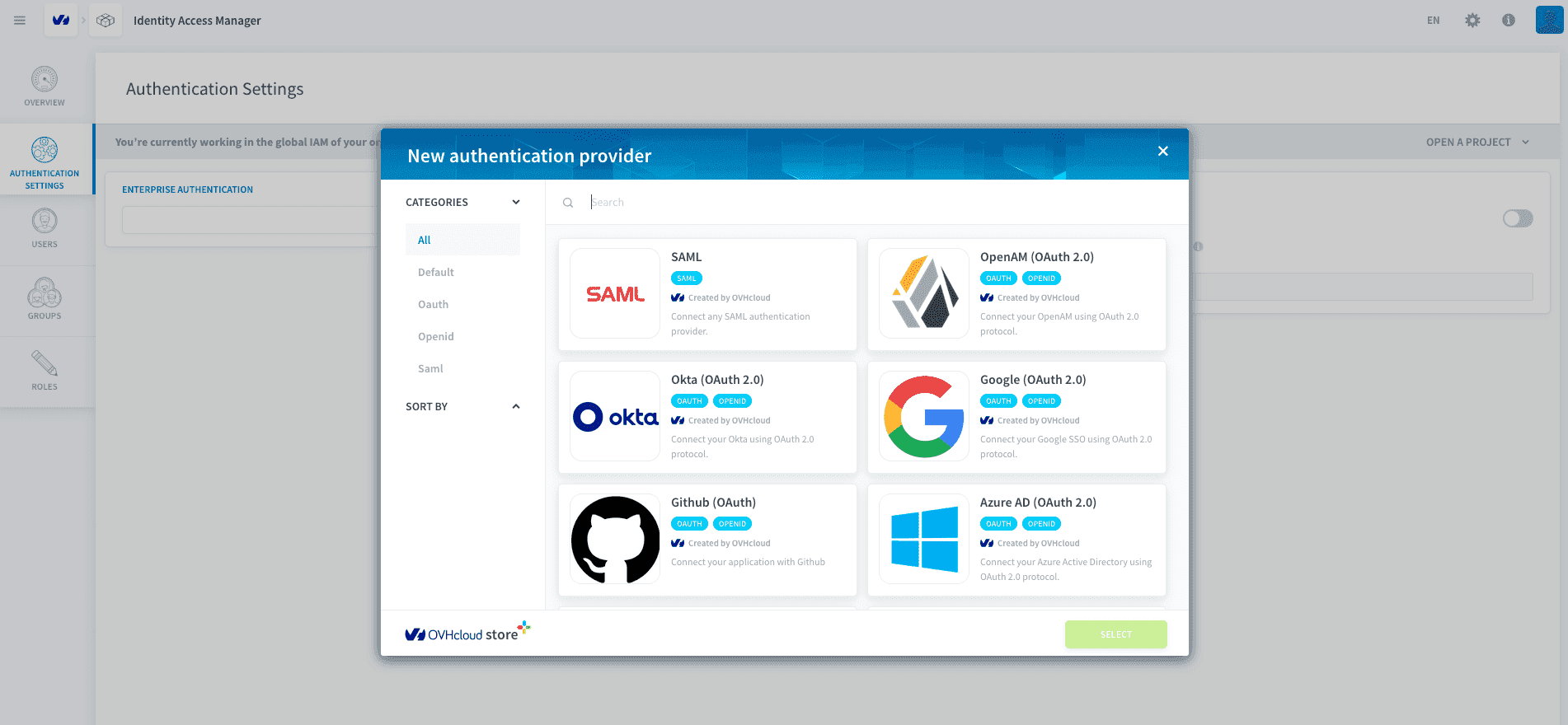
Next, choose a compatible authentication provider from our list.
After confirming your choice, you will have to configure your provider.
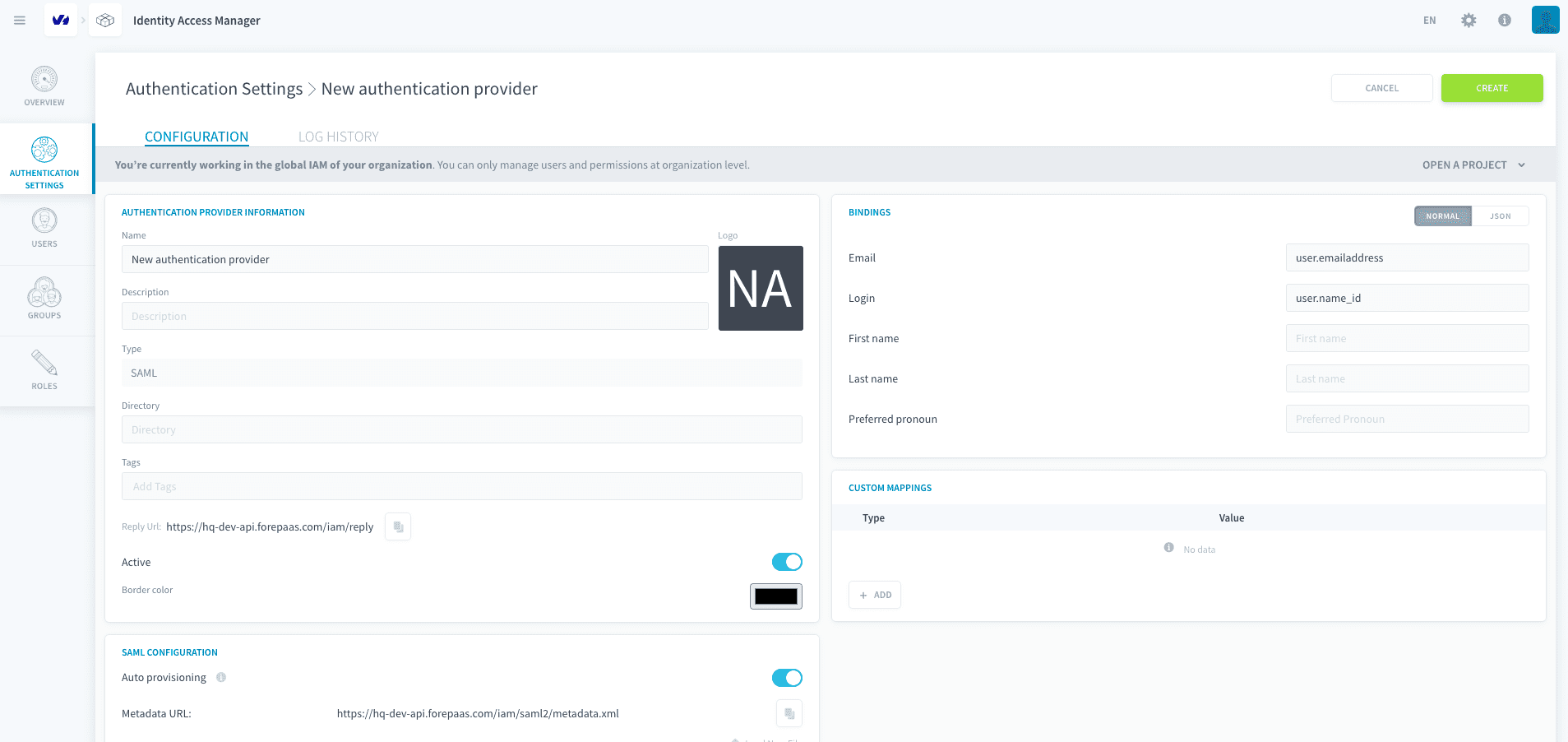
Once your provider is configured, it is operational ready-to-use.
Enforcing SSO-login for all users
If your security needs require all your organization users to login using your enterprise SSO, you can enforce this login method by activating the disable all other login methods option.
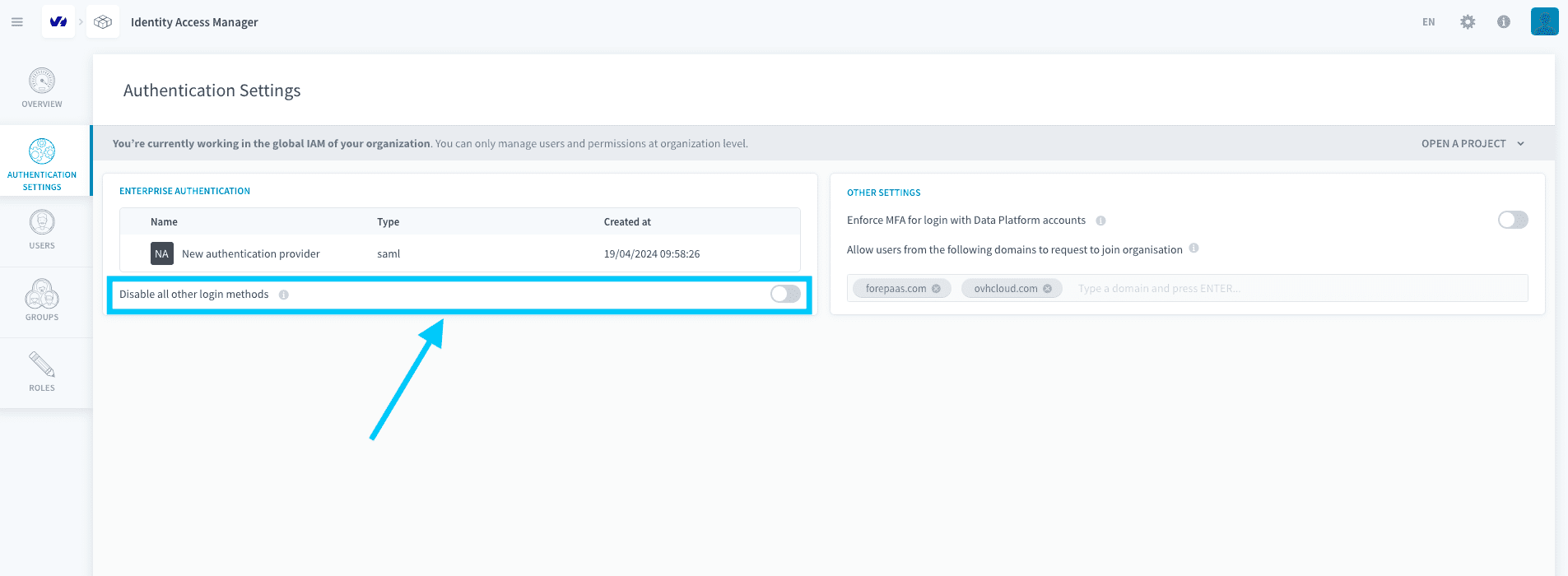
Note that if you do not configure your provider properly and then disable all other login options, you will lock all unauthenticated users out of the platform. Therefore, be sure to properly configure your provider before disabling the other login methods.
Enforcing Multi-Factor Authentication
You can also require all users to setup and use Multi-Factor-Authentication (MFA) work on projects by checking the Enforce MFA for all Data Platform accounts option.
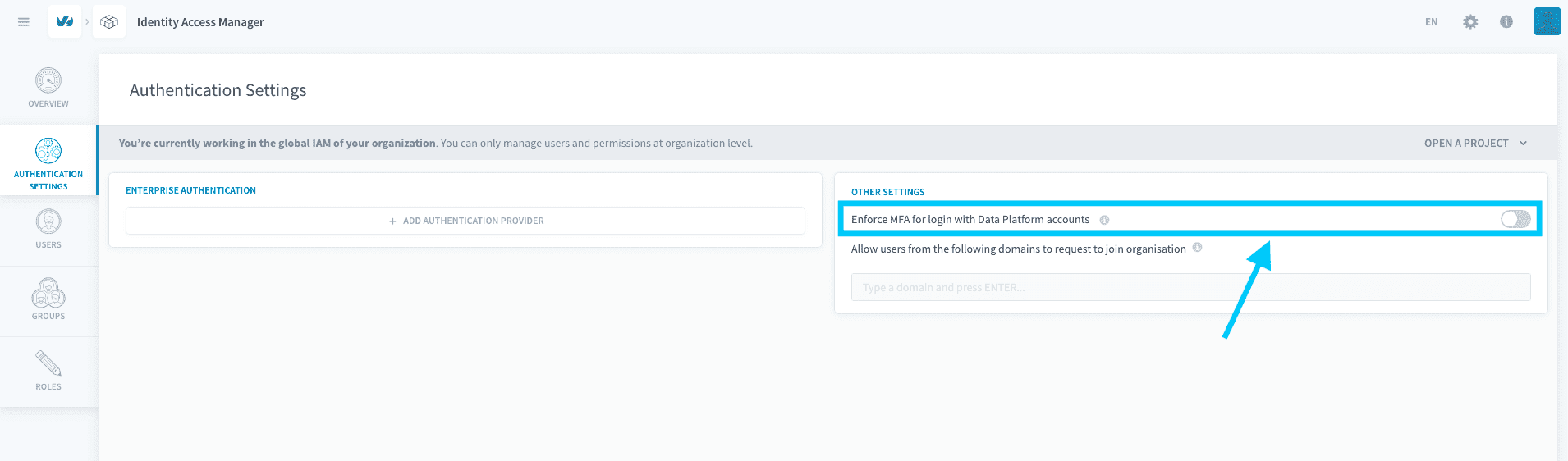
Activating this option will require all organization users to verify a phone number of their choice before working on any project on Data Platform.
Allow users to request to join organization
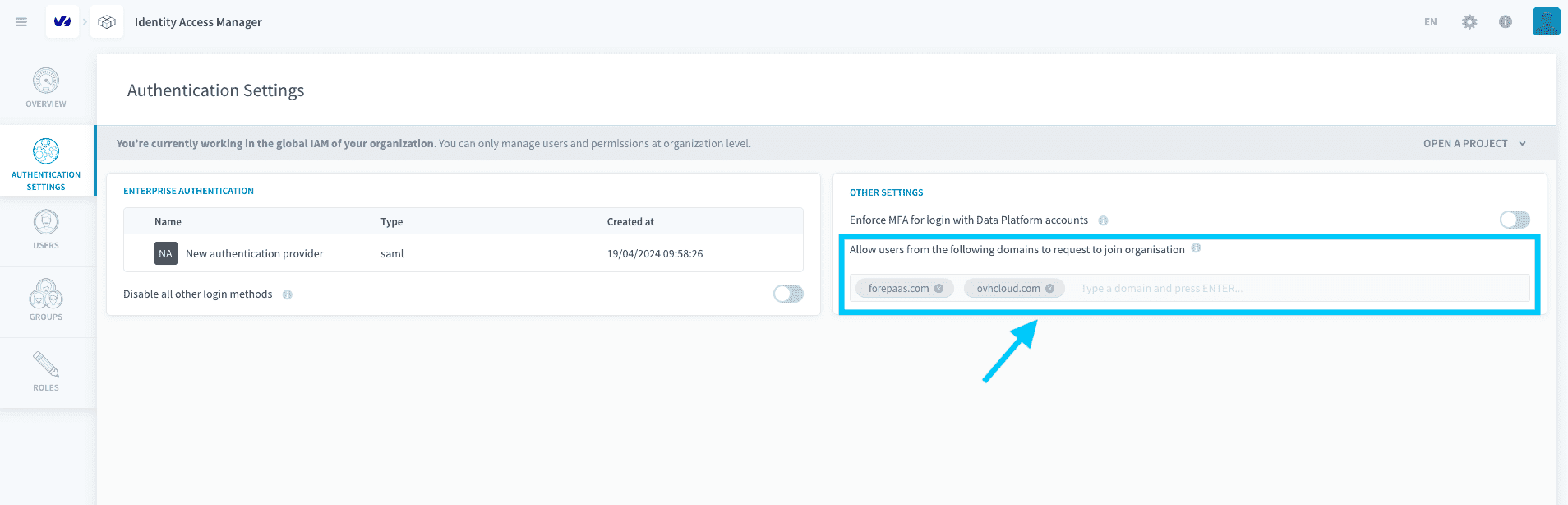
To avoid having to add many users that share the same email domain (e.g. your company's email domain), you can add a domain as allowed to request to join. Do this by typing the desired domain in the box indicated below and clicking on ENTER.
Go further
For training or technical assistance implementing our solutions, contact your sales representative or visit our Professional Services page to request a quote and have your project analysed by our experts.
Ask questions, give your feedback and interact directly with the team building the Data Platform on the dedicated Discord channel.
If you need support with your OVHcloud services, create a request in our Help Centre.
Join our community of users.