

Explore your data with the Lakehouse Manager Explorer
The Explorer is a powerful and flexible tool designed to perform exploratory data analysis in an easy-to-use interface
Objective
The Explorer is a powerful and flexible tool designed to perform exploratory data analysis in an easy-to-use interface, using either a no-code visual query tool, or SQL.
It provides an easy way to check table contents and get the insights you need to decide what to build next, including data you have loaded through the Data Processing Engine into the Lakehouse Manager, and data you reach through the entry points below.
Finding tables in the Explorer
In the Explorer you can list and open tables in three ways:
- Folders: browse the folder hierarchy.
- Datasets: browse by dataset. A Shared Datasets category is also listed here when other projects in your organization have shared datasets with this project. Shared dataset tables can only be queried using the SQL editor.
- Direct query: when a data source has direct query enabled, it appears in this list. You can select it and explore tables directly in the Explorer, without importing or loading those tables into the Lakehouse Manager first.
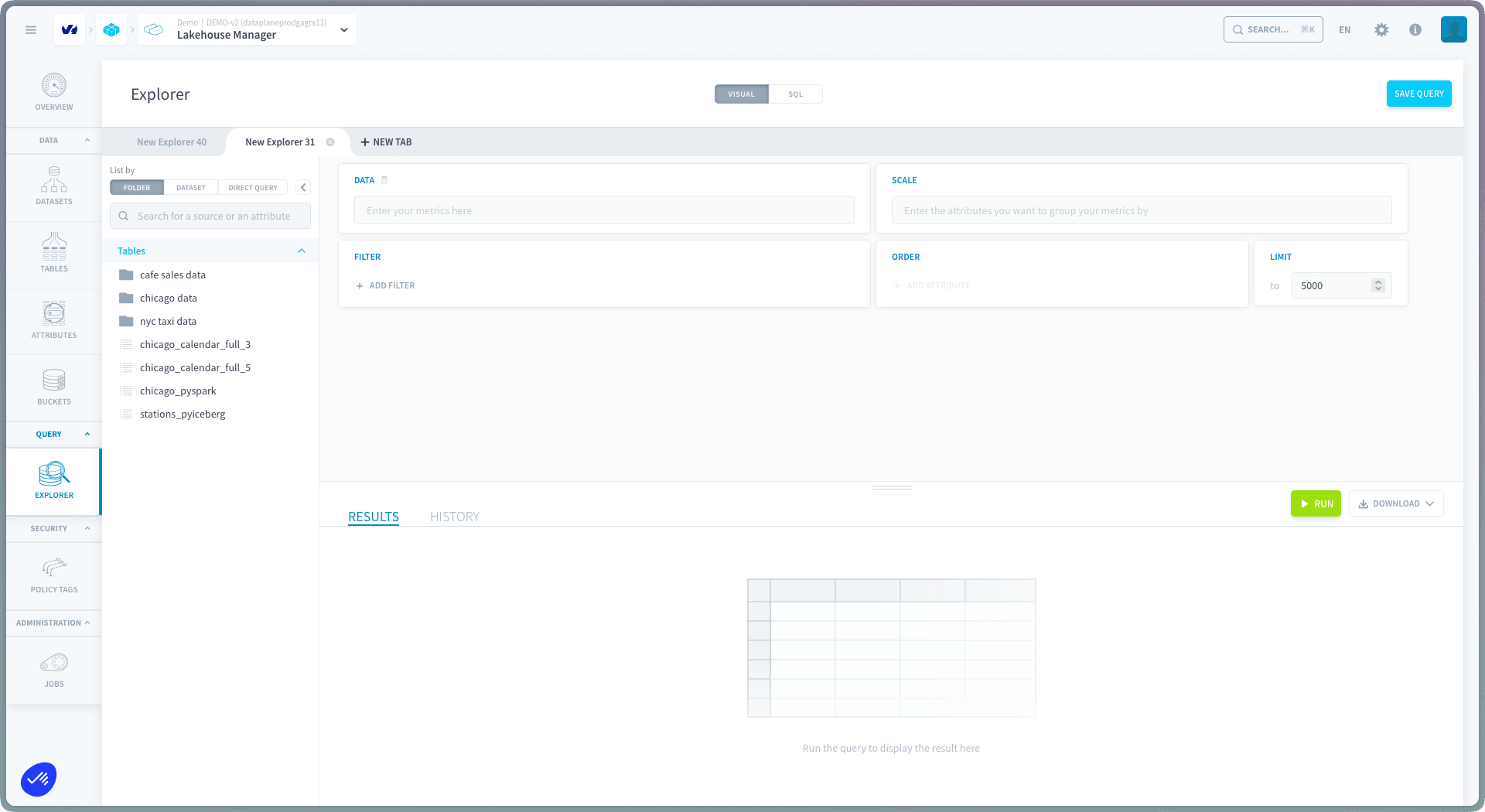
The Explorer is a collaborative tool. You and your team can work on multiple tabs at the same time, and you can see the queries of your teammates by switching to their tabs. You can only edit the tabs that you created: your teammates' tabs are in read-only mode.
The Explorer only displays results in the form of a table. If you want to create charts and visualizations, use the Analytics Manager
How to explore your data using the visual builder
The visual builder interface offered in the Explorer is the same as the one used to build queries in the Analytics Manager. Discover how to use it on the link below.
How to explore your data using the SQL editor
The SQL editor interface offered in the Explorer is the same as the one used to build queries in the Analytics Manager. Discover how to use it on the link below.
Go further
For training or technical assistance implementing our solutions, contact your sales representative or visit our Professional Services page to request a quote and have your project analysed by our experts.
Ask questions, give your feedback and interact directly with the team building the Data Platform on the dedicated Discord channel.
If you need support with your OVHcloud services, create a request in our Help Centre.
Join our community of users.