

Aggregate PySpark Action
Each destination attribute needs to be mapped to a source attribute. When multiple source tables are selected
Objective
The Aggregate PySpark action allows you to transfer data from any pre-existing table into any other table (including the same table), using Apache Spark™.
The Aggregate PySpark action's scope - which typically allows SQL handling as well as joining multiple tables and grouping results - is wide, making it one of the most used action in data processing workflows.
Configure an Aggregate PySpark action
An Aggregate PySpark action is composed of a list of one or more source tables from which the values will be extracted and placed into a single destination table. Each destination attribute needs to be mapped to a source attribute.
When multiple source tables are selected, it is necessary to specify a join condition, just like it's done in SQL.
Note that leaving a destination attribute unmapped in the Aggregate PySpark action configuration will trigger an error when the action is launched. If you'd rather leave the destination field empty, make sure to simply remove it from the list of mapped attributes.
When destination attributes are removed from the list of mapped attributes, the following behavior shall be expected:
- If the Aggregate PySpark action is inserting new rows, it will simply fill the destination attribute column with NULL values.
- If the Aggregate PySpark action is updating existing rows (i.e. inserting over existing data), it will leave the previous value intact regardless of whether it was NULL or not.
Use case examples for both single and multiple source tables are described below.
Transfer raw data into a primary table
Create a new Aggregate PySpark action:
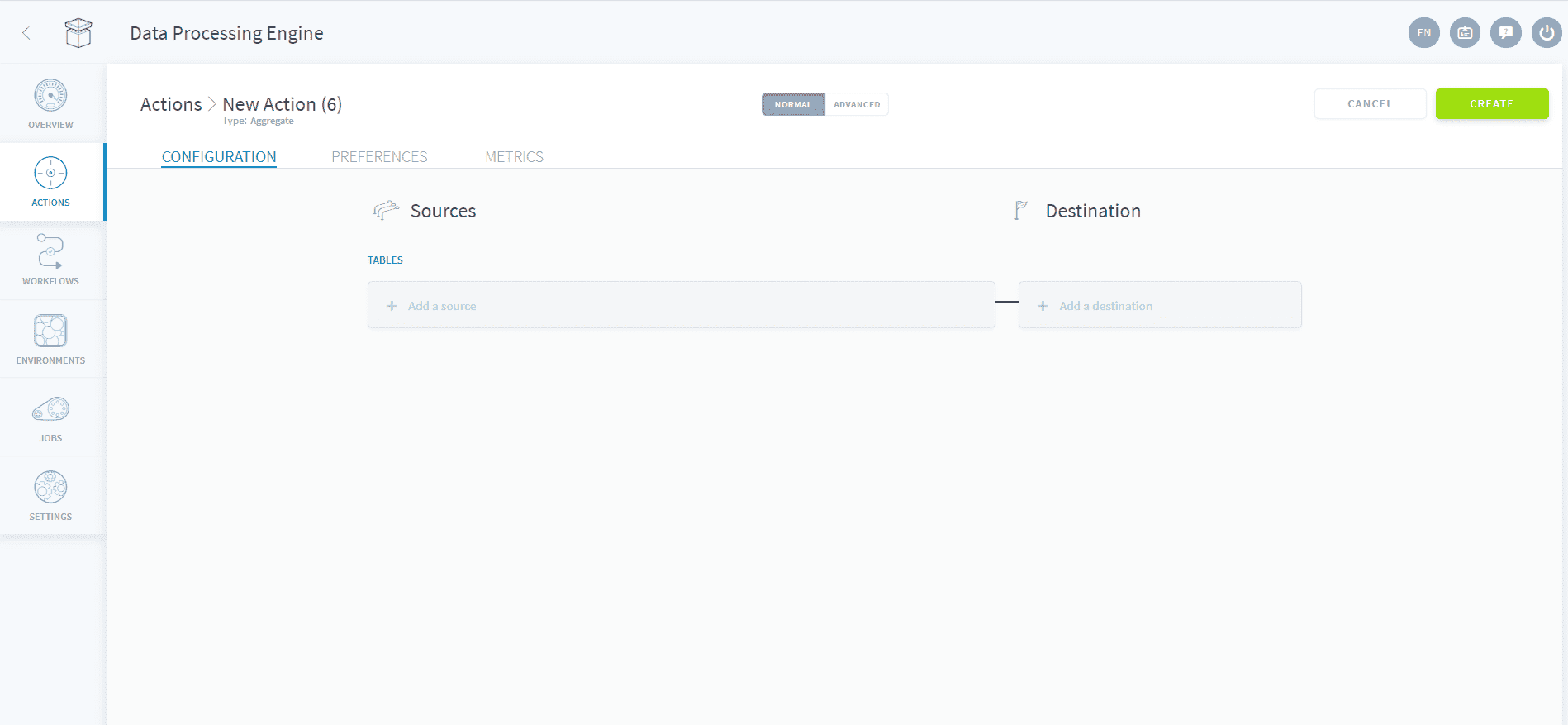
Select the source (left) and destination table. Matching attributes are automatically assigned where possible. It is possible to manually select which attributes are mapped between the source and destination.
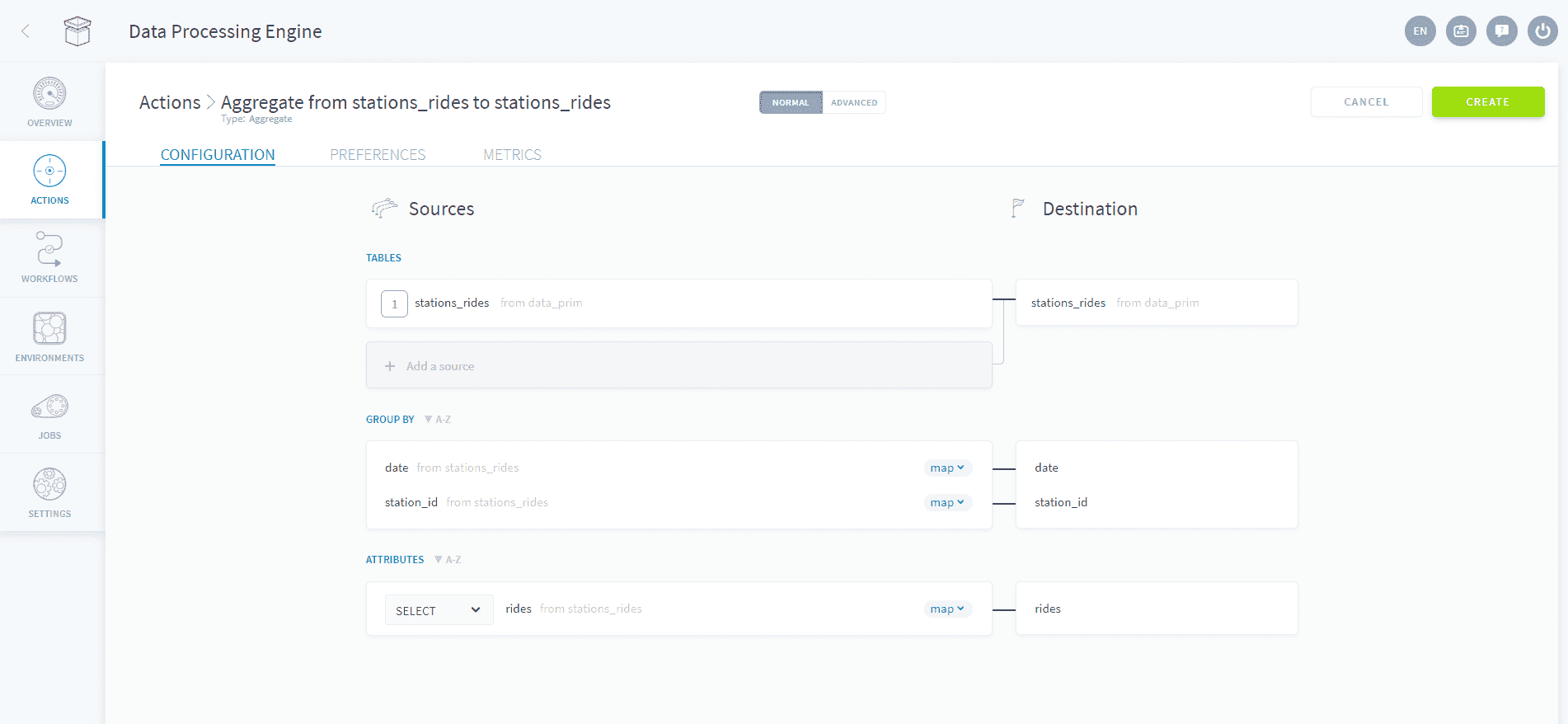
If needed, you can change the mapping to either SQL or plain text by clicking on the MAP button and selecting either SQL or txt.
In the attributes section, it is also possible to change the compute mode of each attribute. In the example above, SELECT has been chosen but other options are available.
Press Create at the top right to create the action.
Join a referential to a primary table
To specify a join, click on Add a source located just below the source table, you will be prompted to select a table to join with. Select the type of join from the dropdown menu, and input the join conditions in the UI. Multiple source tables can be joined.
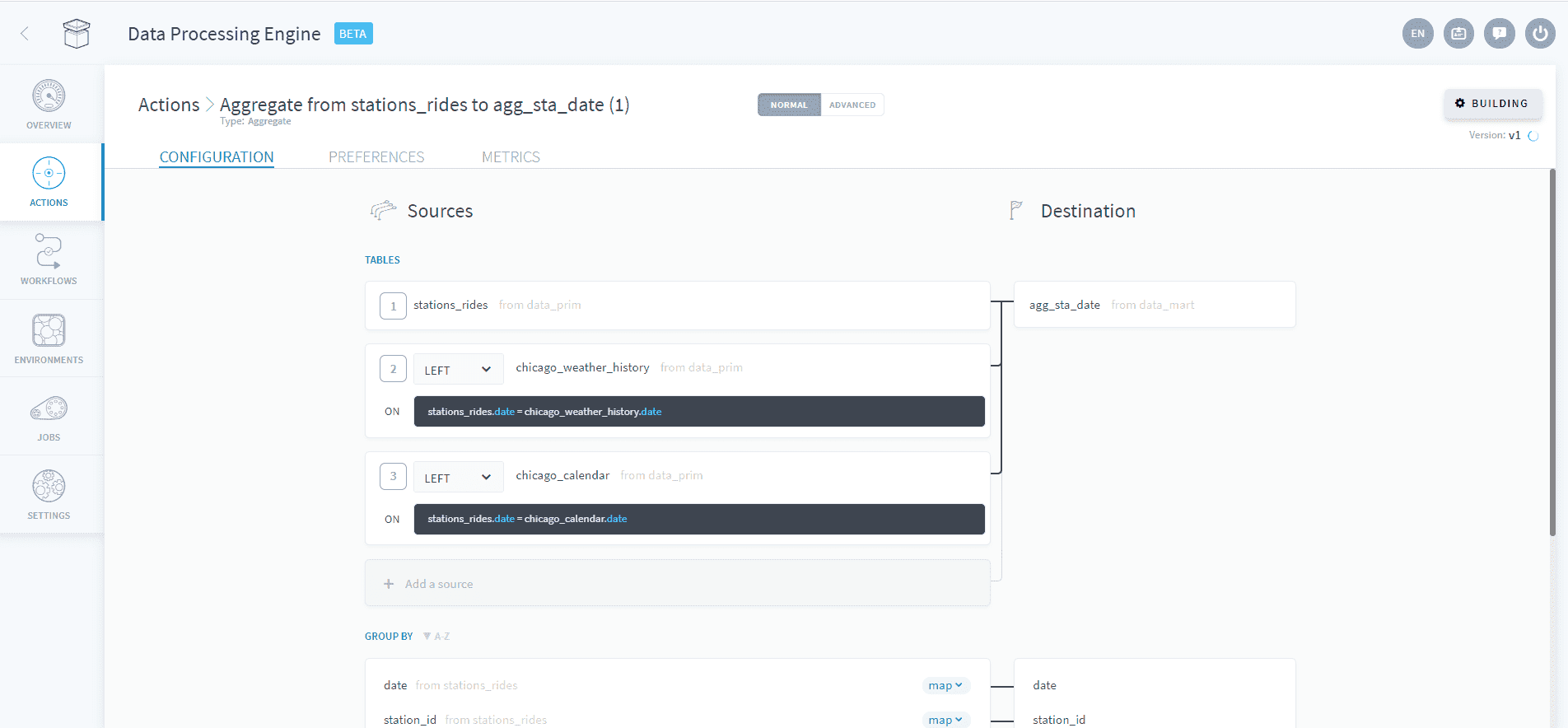
Attributes from all the joined tables can then be selected in the bottom attributes section either from the dropdown menus or using SQL.
Configure the action's preferences
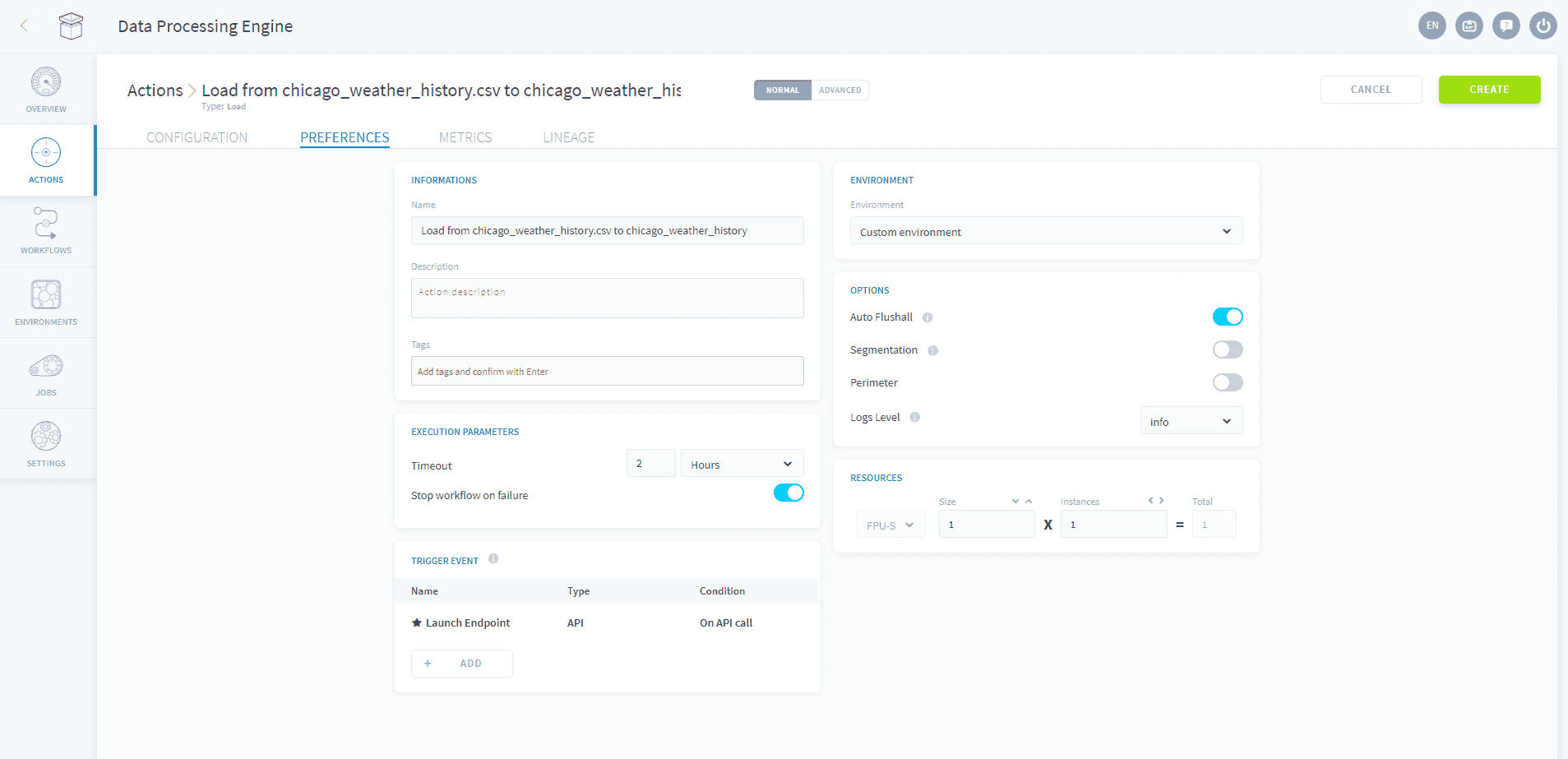
Once you're satisfied with the mapping of your attributes, use the preferences tab to configure the action settings.
Use the Advanced Mode
If you need to access the JSON configuration file of the action, you can activate the Advanced mode by clicking on Advanced at the top of the page.
Use the Advanced mode of an Aggregate action
Go further
For training or technical assistance implementing our solutions, contact your sales representative or visit our Professional Services page to request a quote and have your project analysed by our experts.
Ask questions, give your feedback and interact directly with the team building the Data Platform on the dedicated Discord channel.
If you need support with your OVHcloud services, create a request in our Help Centre.
Join our community of users.