

Deployment settings
This page describes the Machine Learning Manager, a service of the ForePaaS Legacy Platform that is not available on OVHcloud Data Platform. See the current documentation.
Setting up the deployment is the last step needed to configure a pipeline: this is where you decide how to operationally use the models it produces.
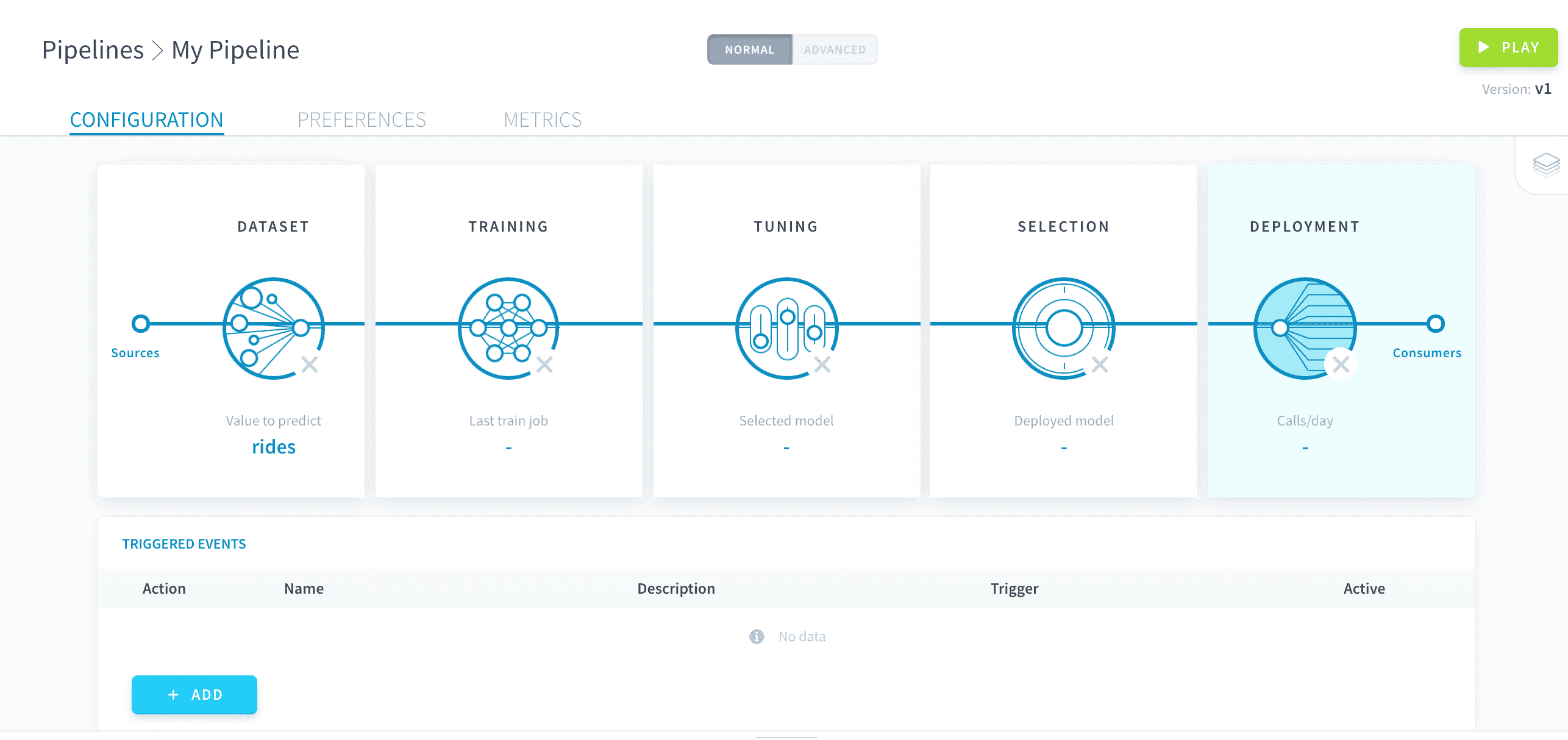
All the configuration is done through what is called consumers. They are entities plugged into the output of your pipeline in order to access its deployed model. They can then be fed with data in order to produce predictions. A single pipeline can have several consumers which makes it possible to use its deployed model in multiple ways at once.
Thanks to consumers, you can call your deployed model both externally and internally to your Project.
- External calls use an endpoint from one of your Project's APIs, requiring an authentication
- Internal calls use the Data Processing Engine (DPE) to load and write data in your Data Manager
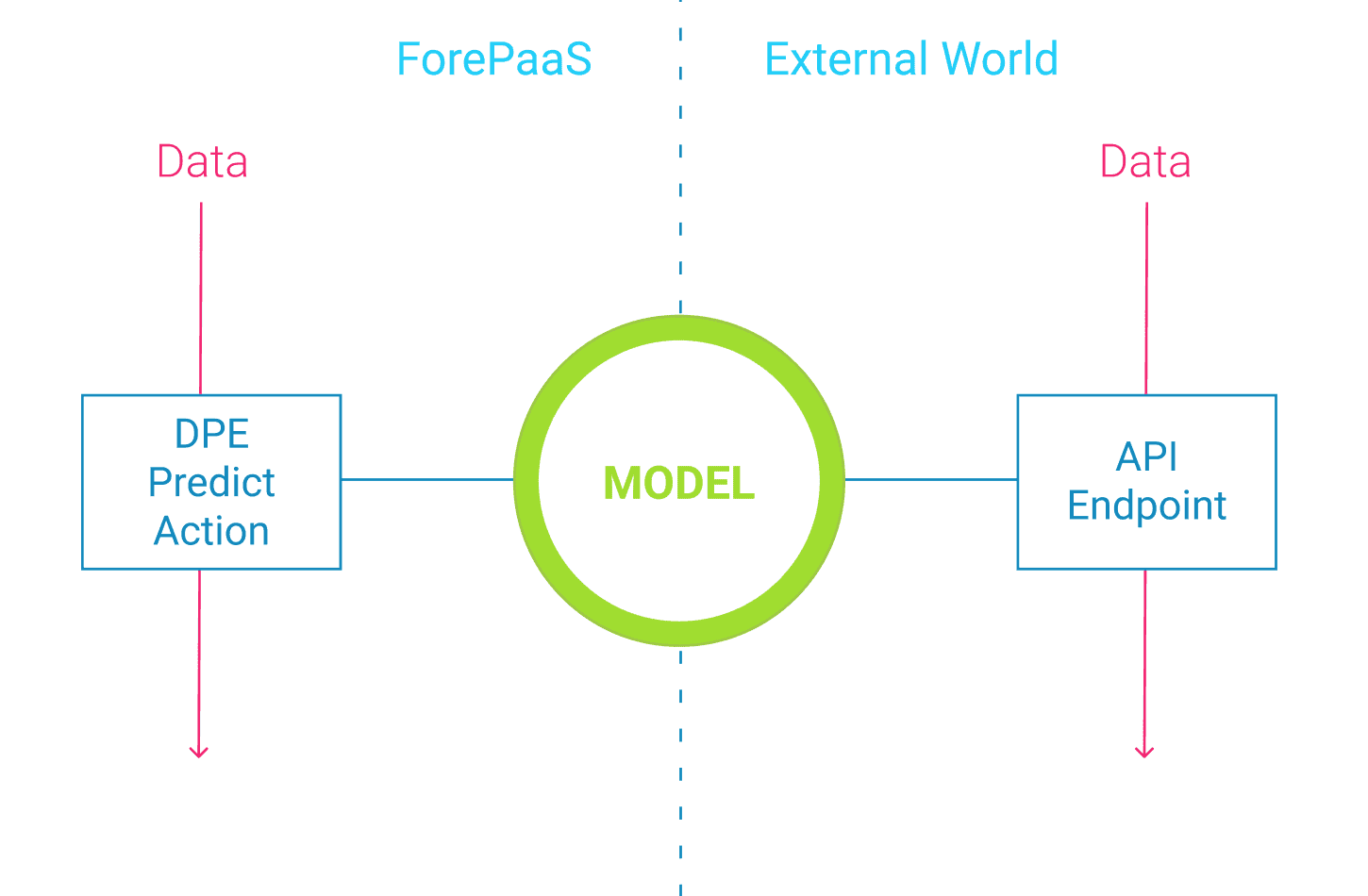
Create a consumer
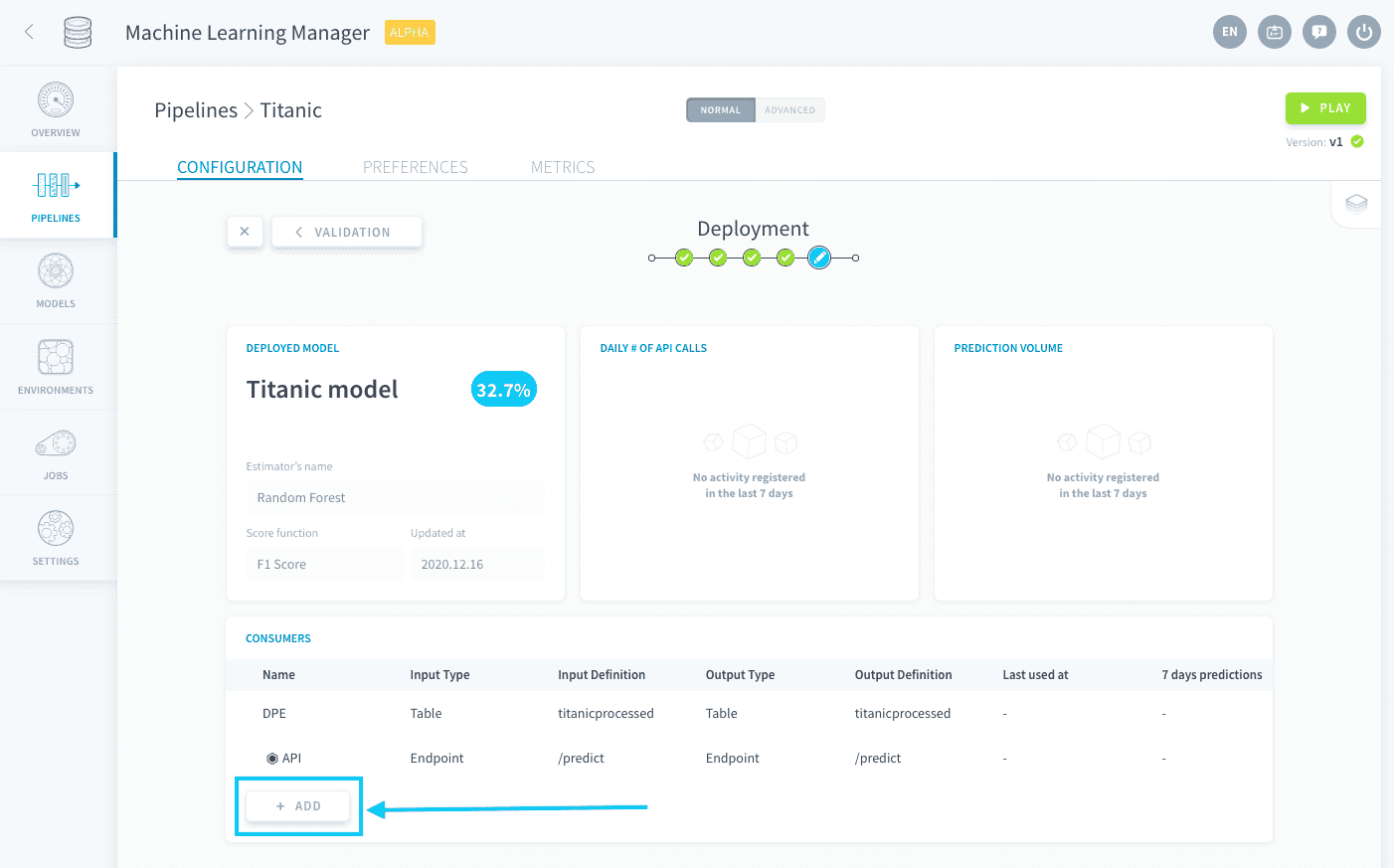
To create a new consumer, click on Add in the consumers panel.
You then need to choose an input and an output. The input represents the way to pass on data to the consumer while the output represents the way predictions are returned.
Input options
ForePaaS lets you choose from the following options for the input of the consumer:
API Endpoint input
You must have a deployed Project API to be able to create a prediction endpoint. When creating the consumer, specify the Project API you want to use.
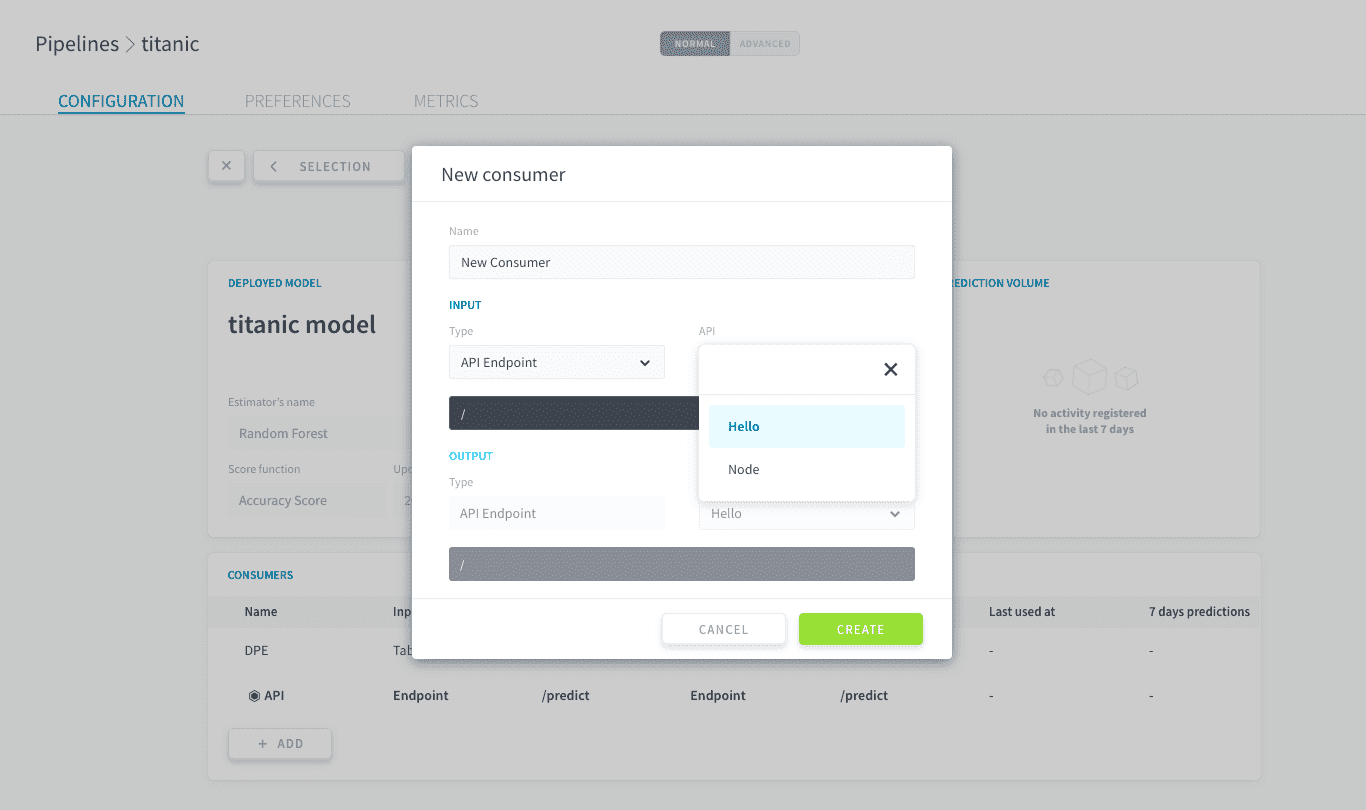
Then, specify the name of the endpoint to create.
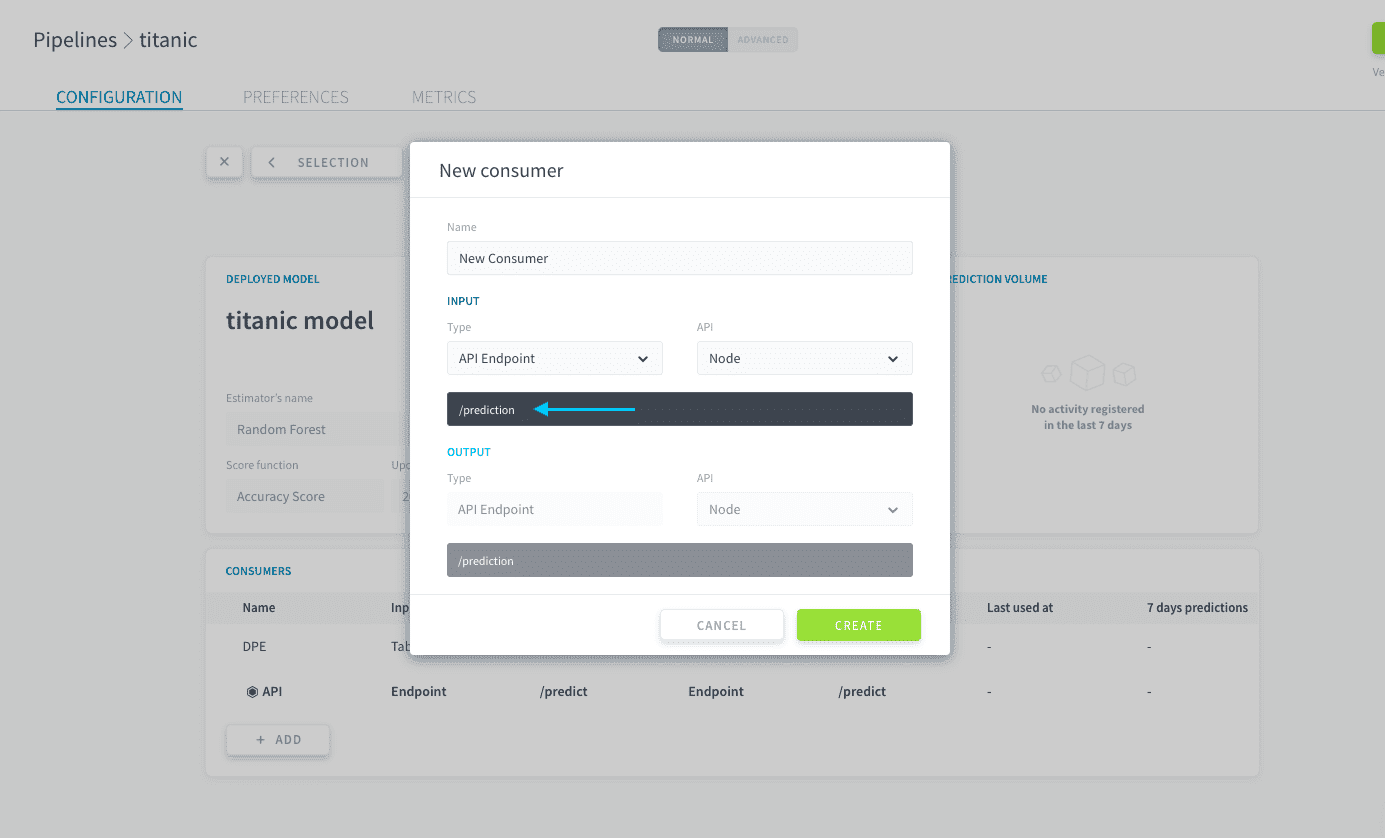
You cannot use an endpoint that already exists, even in another pipeline
Table input
When creating the consumer, specify one of your Data Manager tables.
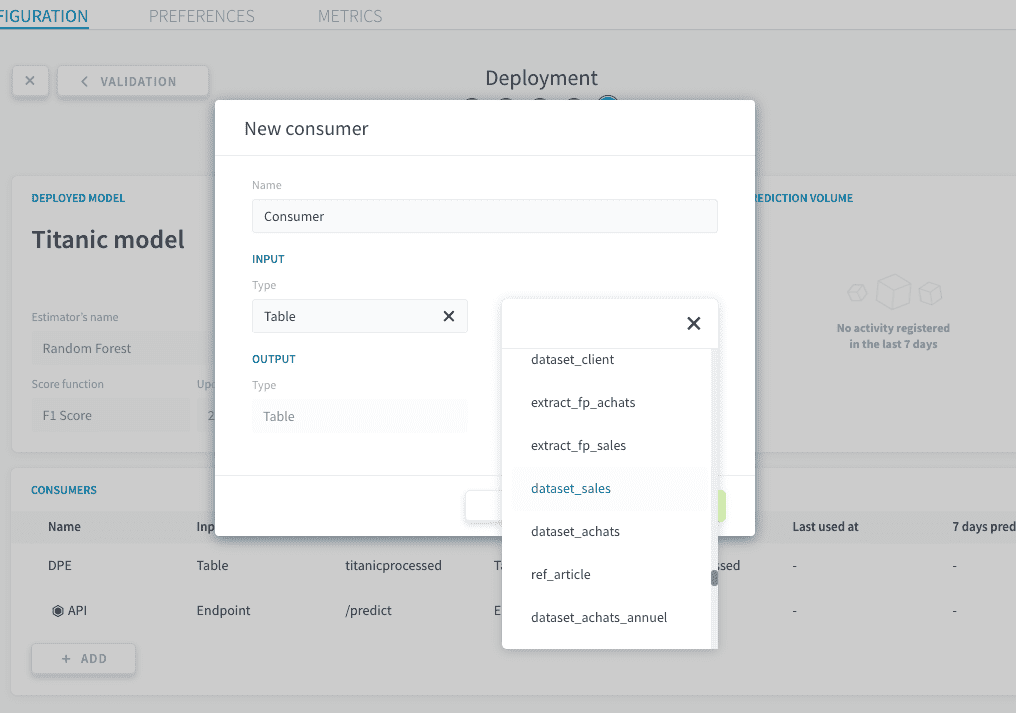
The attributes of your Data Manager table don't need to have the same names as your model's features: the mapping can be customized in the generated Predict Action. However, all of your model's features need to exist in one form or another in the input table.
Bucket input
When creating the consumer, specify one of your Data Store buckets. The consequently generated Predict Action will try to make a prediction for all the files that are stored in the bucket, provided your model has been trained on unstructured data.
Output options
ForePaaS lets you choose from the following options for the output of the consumer:
API Endpoint output
This option is automatically selected when you choose an API endpoint as the input. The endpoint is the same as the input.
Table output
This option is automatically selected when you choose either Bucket or Table as the input. You can choose either the same table as the input or another one.
The attribute of your Data Manager table doesn't need to have the same name as your model's value-to-predict: the mapping can be customized in the generated Predict Action.
Use a consumer to make predictions
Once a consumer has been created, it can be used to make predictions.
- Using API Endpoint as either the input or the output of a consumer creates an API endpoint which can be called
- Using Table as either the input or the output of a consumer automatically generates a Data Processing Engine Predict Action which can be executed
- Using Bucket as the input of a consumer automatically generates a DPE Predict Action which can be executed
Use an API endpoint
For structured data
Open the API control panel by clicking the eye 👁️ icon.
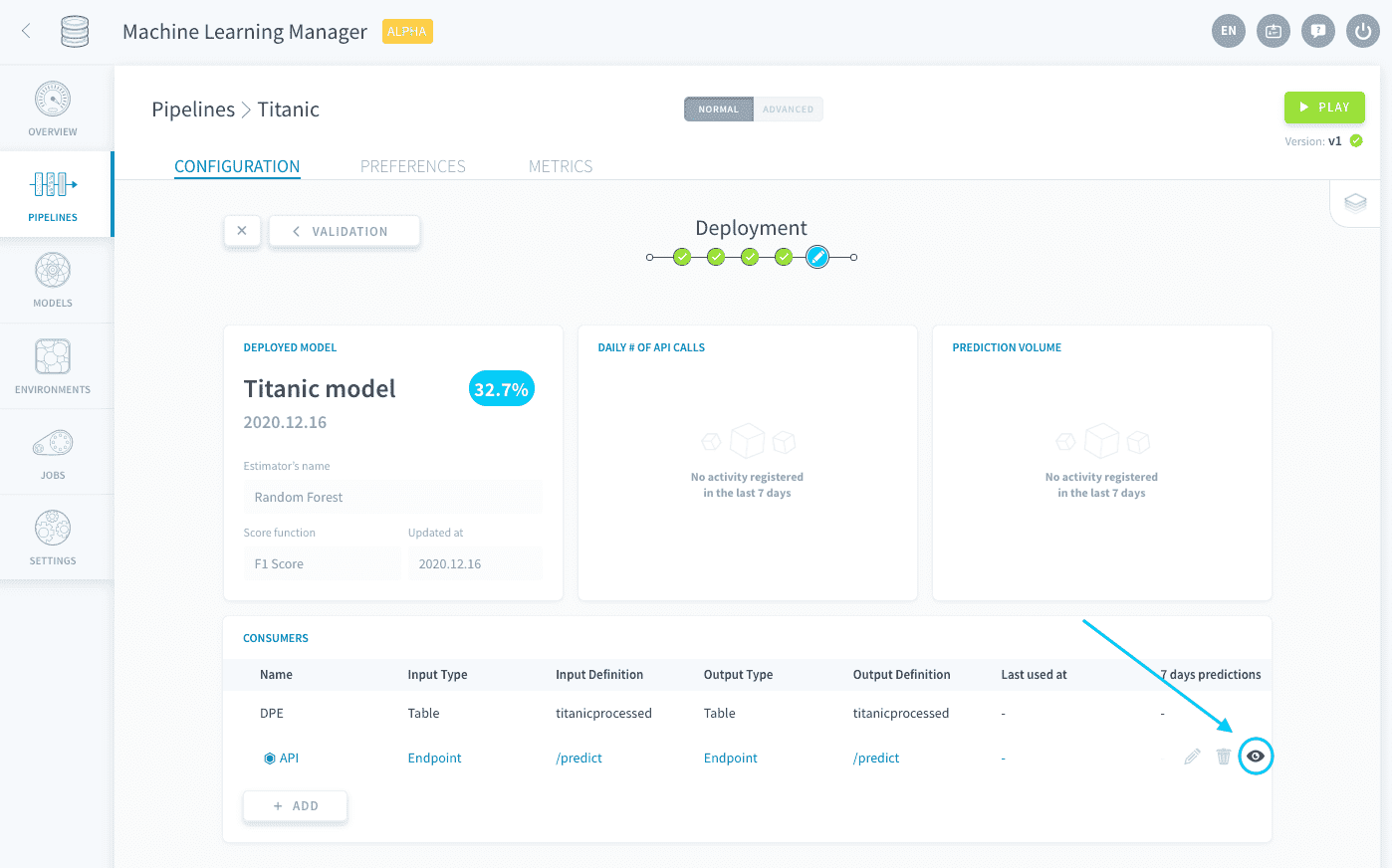
To make a prediction from an API endpoint, you have to generate an authentication token first. You can easily generate this token by entering your API & secret keys and running the command specified in the API control panel.
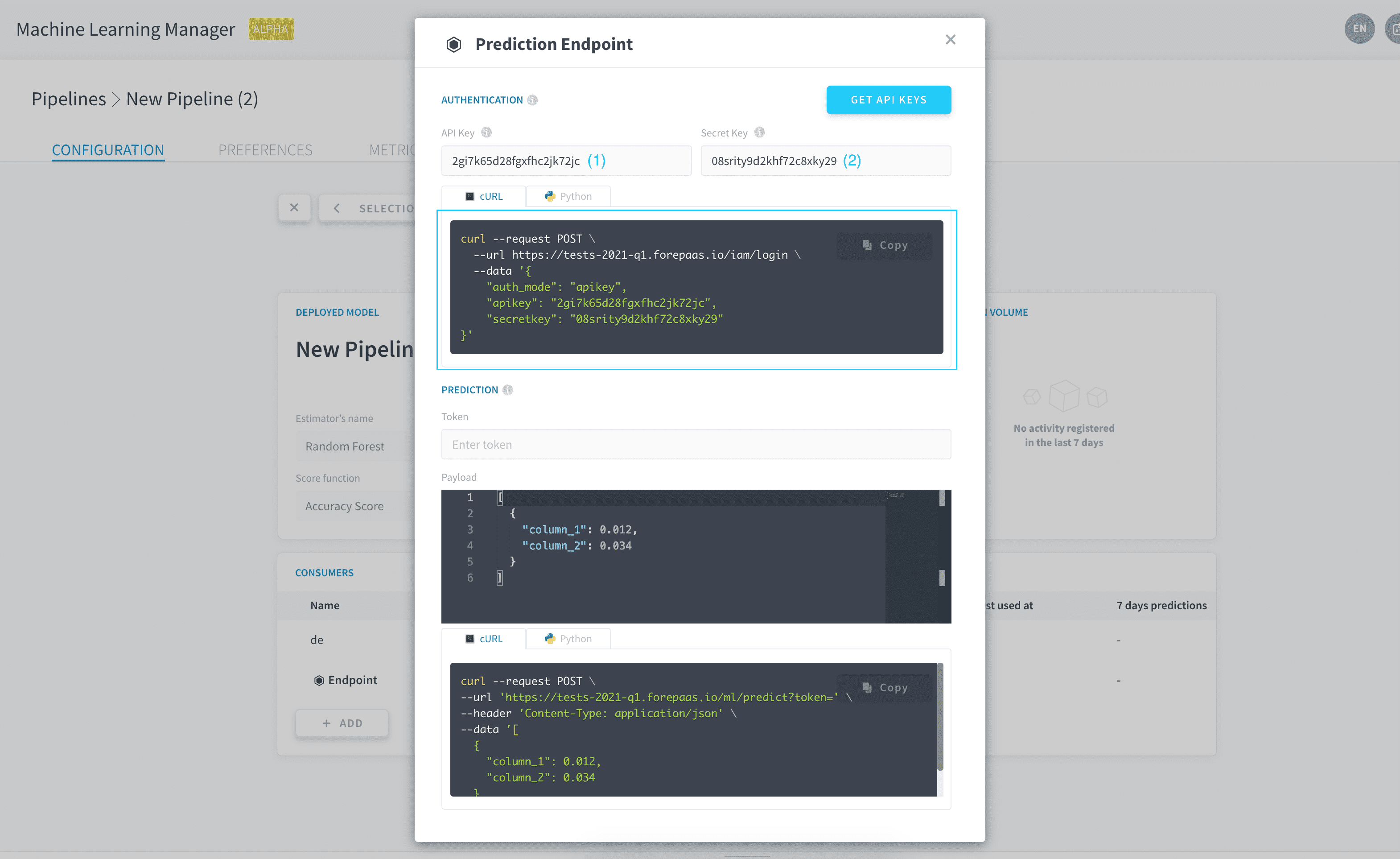
To launch a prediction job, you can run the sample command provided in the API control panel. You will need to enter two parameters in the request: the authentication token you just generated, as well as the data on which to make predictions. Each data point is represented by a dictionary containing the model's features and their values. Multiple data points can be predicted at once by including several dictionaries in the array.
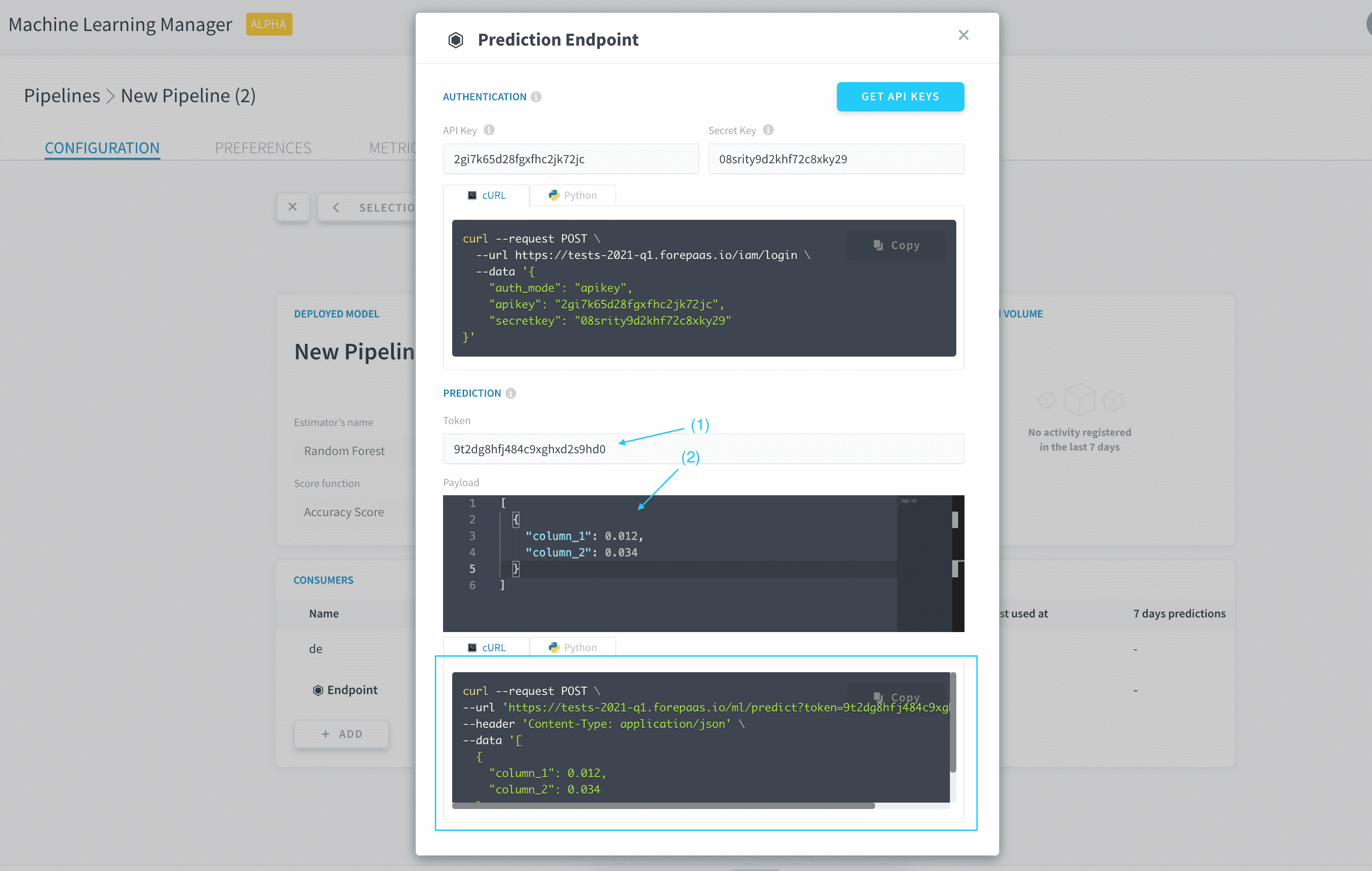
The control panel is pre-populated with a template data payload to show you how variable names and values must be entered.
For unstructured data
When an unstructured-data model is used for predictions, you are supposed to feed it the actual unstructured objects (images, etc.). The platform automatically 'numpyfies', standardizes and normalizes them.
To get predictions on an unstructured data model, make a POST request to the endpoint containing the files with the content-type set to multipart/form-data.
Use a DPE Predict action
The Predict action associated with a consumer is by default generated in the Data Processing Engine, in the Machine Learning repository of the Actions menu.
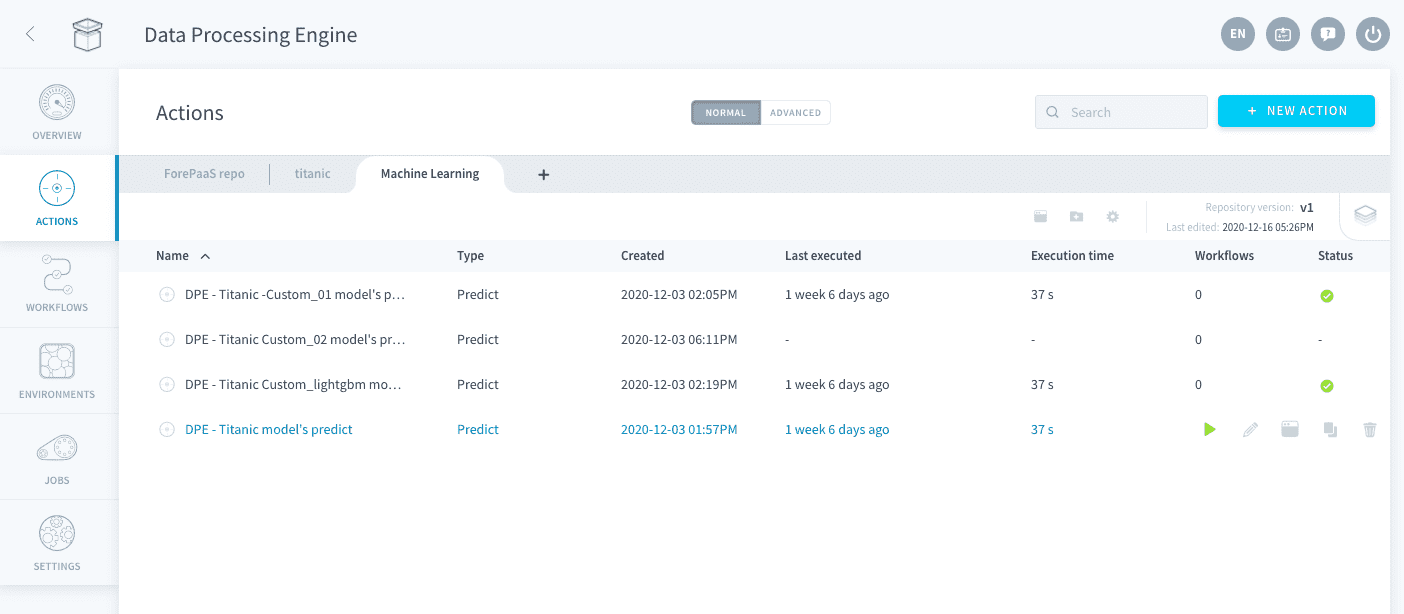
Learn how to configure and run Predict actions
Go further
If you need training or technical assistance to implement our solutions, contact your sales representative or click on this link to get a quote and ask our Professional Services experts for a custom analysis of your project.
Ask questions, give your feedback and interact directly with the team building the Data Platform on the dedicated Discord channel.
If you need support with your OVHcloud services, create a request in our Help Centre.
Join our community of users.