

For AI agents: the complete documentation index is available at https://docs.dataplatform.ovh.net/llms.txt, the full documentation bundle is available at https://docs.dataplatform.ovh.net/llms-full.txt, and this page is available as Markdown at https://docs.dataplatform.ovh.net/legacy/ml-pipelines-configure-training-custom-pytorch.md.
  • 🇬🇧 English
  • Import a custom PyTorch script

    Warning

    This page describes the Machine Learning Manager, a service of the ForePaaS Legacy Platform that is not available on OVHcloud Data Platform. See the current documentation.

    The PyTorch framework allows you to upload a Python .py file containing a PyTorch model compatible with the PyTorch library.

    When you select this framework, some packages are imported by default in the pipeline's environment:

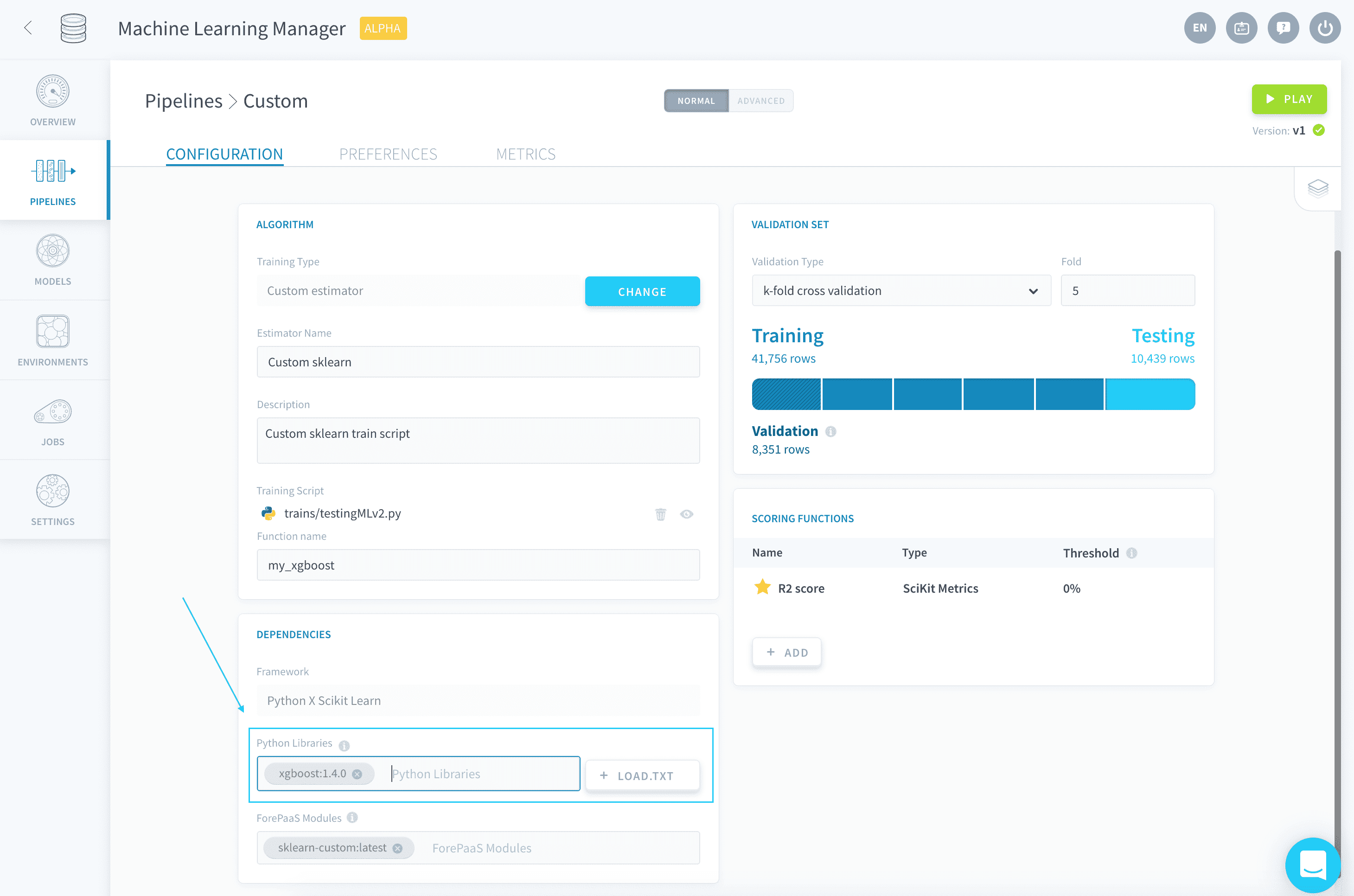
    Any other library used by your custom script has to be specified in the Python libraries field of the Dependencies panel (along with its version, if you wish to not use the latest one).
    machinelearning

    💡 You have the possibility to load a requirements.txt file in order to add all necessary libraries in one go.

    By default, new pipelines will be using Python 3.9.9.


    Upload a custom model

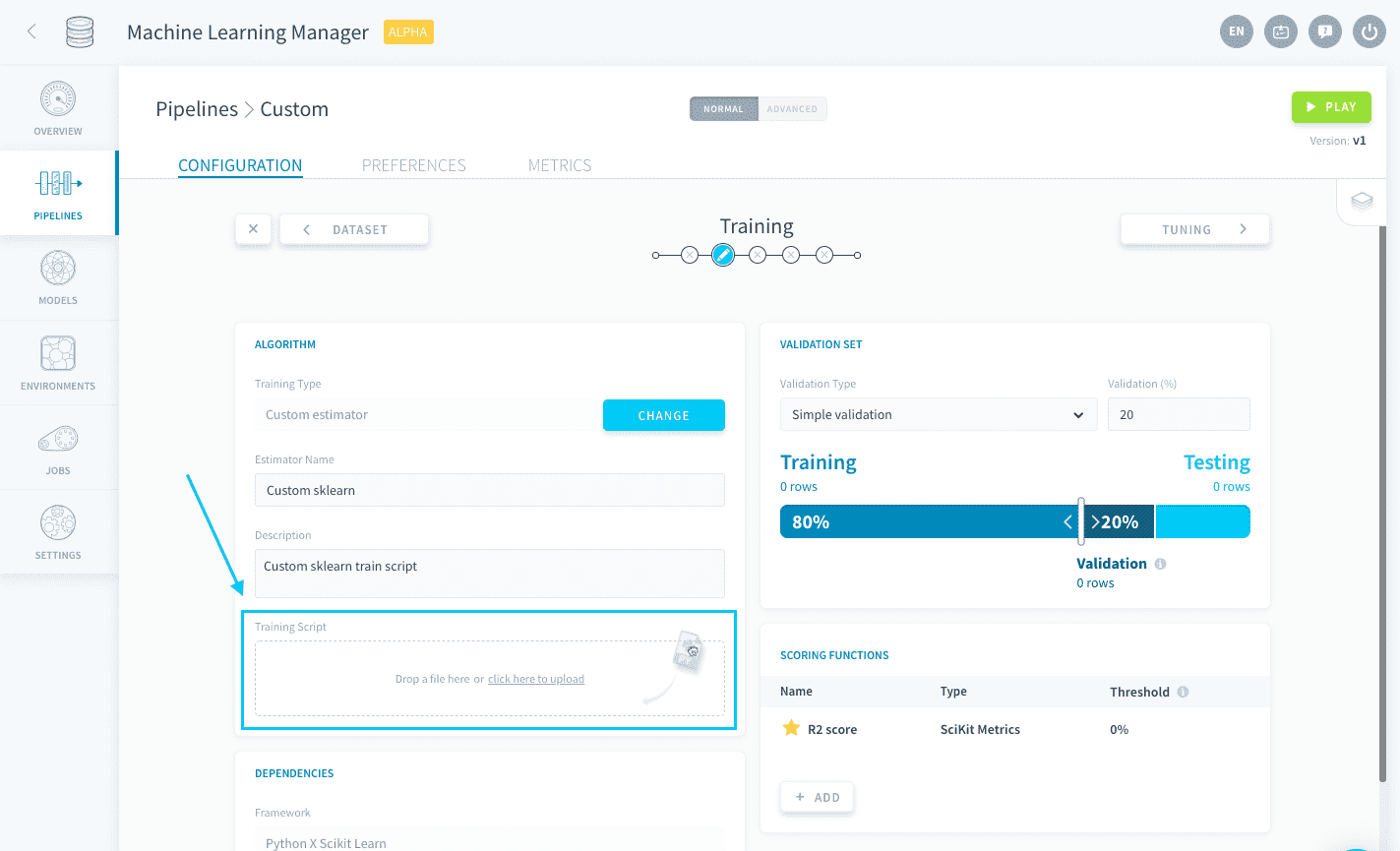
    To upload a custom model, either drag your .py file into the Training Script box or click the box to open the file explorer.
    machinelearning

    When a Training job is launched, this .py file is the file that will be executed. It must contain a function that has the following two requirements:

    • It must have event as its first argument
    • It must return a fitted and pytorch model based on the training dataset

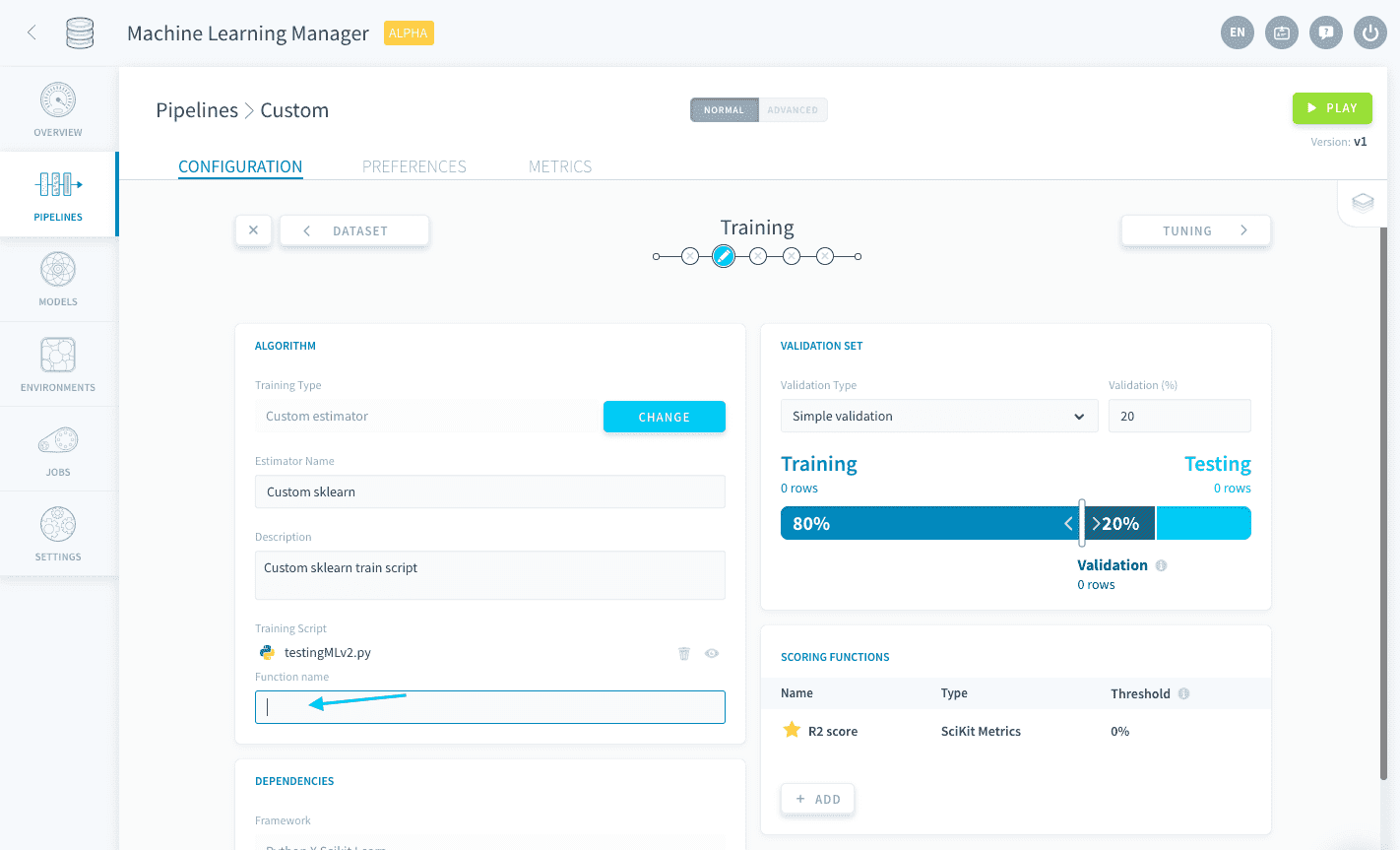
    This function's name must be written down in the function name box.
    machinelearning

    Additionally, and unique to the ForePaaS PyTorch framework, the PyTorch base classes for models and dataset have to be included in the script, and cannot be nested within other functions or classes:

    • torch.utils.data.Dataset
    • nn.Module

    The names of the child class have limitations, the only restrictions are that the parent class must be those previously mentioned. Both should be included to avoid failures.

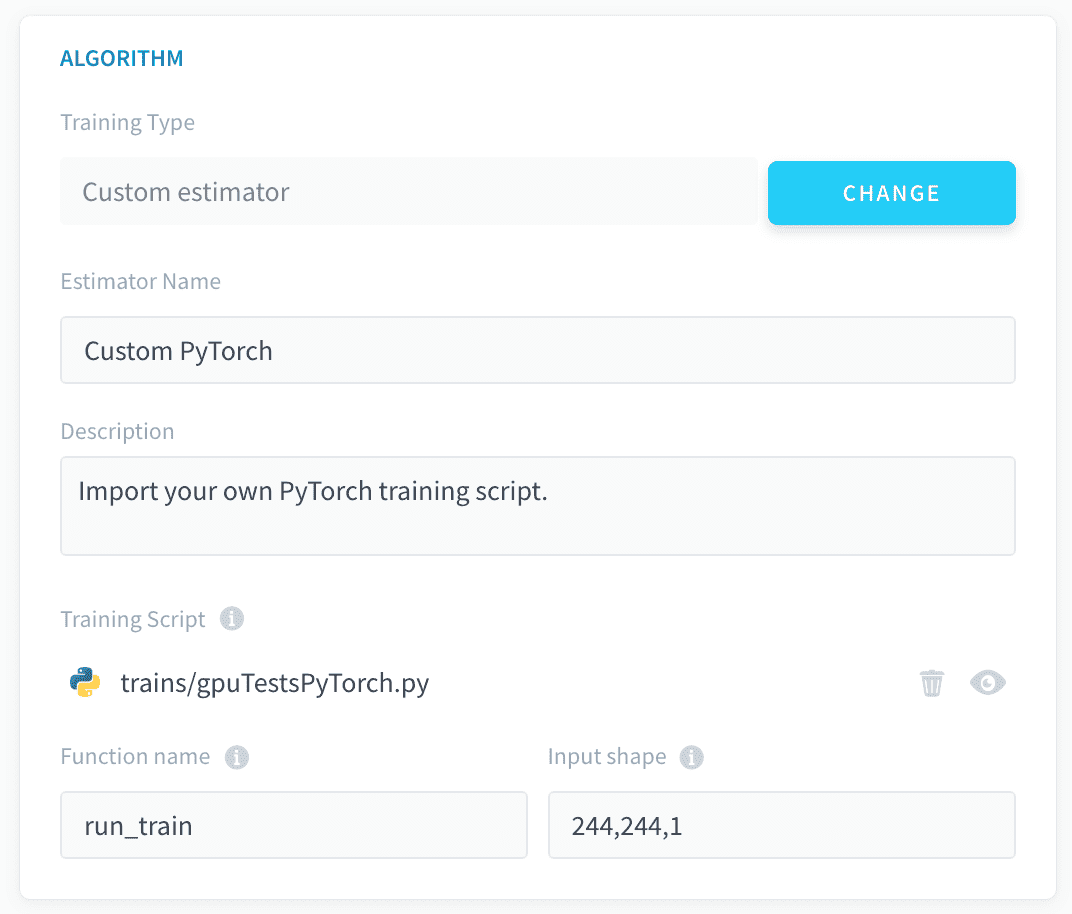
    Finally, the expected dimensions of the input layer must be provided alongside the function name to run, in the overview page:
    machinelearning

    Below is sample code of a custom PyTorch model used with the Getting Started tutorial dataset, an important note is the structure of the code:

    import numpy as np
    import pandas as pd
    import torch
    import torch.nn as nn
    import torch.nn.functional as F
    from torch.utils.data import Dataset, DataLoader
    
    from logging import getLogger
    
    logger = getLogger(__name__)
    
    
    device = 'cuda' if torch.cuda.is_available() else 'cpu'
    
    batch_size = 64
    epochs = 5
    
    # define structured dataset class
    class TabularDataset(Dataset):
      def __init__(self, data, input_cols=None, output_col=None):
        self.n = data.shape[0]
        if output_col:
          self.y = data[output_col].astype(np.float32).values.reshape(-1, 1)
        else:
          self.y =  np.zeros((self.n, 1))
        if input_cols:
            self.x = data[input_cols].astype(np.float32).values
        else:
            input_cols = [col for col in data.columns if col != output_col]
            self.x = data[input_cols].astype(np.float32).values
    
      def __len__(self):
        return self.n
    
      def __getitem__(self, idx):
        return [self.y[idx], self.x[idx]]
    
    # define model class
    class Model(nn.Module):
        def __init__(self, in_features=13, h1=32, h2=8, out_features=1):
            # how many layers?
            super().__init__()
            self.fc1 = nn.Linear(in_features, h1)
            self.fc2 = nn.Linear(h1, h2)
            self.out = nn.Linear(h2, out_features)
        
        def forward(self, x):
            x = F.relu(self.fc1(x))
            x = F.relu(self.fc2(x))
            x = self.out(x)
            return x
    
    
    def pytorch_model_train(event):
        # forepaas get data
        x_df, y_df = get_train_dataset()
        
        data = pd.concat([x_df,y_df], axis=1)
        output_feature = "is_overcrowded"
        # get data
        train_data = TabularDataset(data=data,input_cols=None,output_col=output_feature)
        train_loader = DataLoader(dataset = train_data, batch_size=batch_size, shuffle=True )
        logger.info(len(train_data))
    
        model = Model().to(device)
        model.train()
    
        # some additional params
        criterion = nn.BCEWithLogitsLoss()
        optimizer = torch.optim.Adam(model.parameters(), lr=0.1)
    
        for epoch in range(epochs):
            epoch_loss = 0
            epoch_accuracy = 0 
            for y, x in train_loader:
                x = x.to(device)
                y  = y.to(device)
                # Forward Pass
                preds = model(x)
                loss = criterion(preds, y)
                # Backward Pass and Optimization
                optimizer.zero_grad()
                loss.backward()
                optimizer.step()
                
                acc = ((preds.argmax(dim=1) == y).float().mean())
                epoch_accuracy += acc/len(train_loader)
                epoch_loss += loss/len(train_loader)
            logger.info('Epoch : {}, train accuracy : {}, train loss : {}'.format(epoch+1, epoch_accuracy,epoch_loss))
    
        return model

    With the above code, you would have to specify pytorch_model_train as the function name and 13,1 as the input_shape.

    While the previous code will not be able to use any of the configurations made in the Training and Tuning steps, you have the possibility to connect to other parts of your pipeline configuration from your model thanks to the ForePaaS SDK. This allows you to use all the features provided by ForePaaS pipelines with your custom estimator.

    The following configurations can be integrated:

    !> Since only the custom .py script is executed during Training jobs, failing to integrate the aforementioned configurations into the Python script will result in any respective interface-originated modification to be ignored by the pipeline.


    Use PyTorch for unstructured data training

    The Machine Learning Manager supports images for classification in training and predictions of PyTorch models.

    Data preparation

    To enable unstructured data training, the images must first be uploaded to the Data Store in a folder named after each class.

    Learn how to carry out unstructured data preparation

    Training

    During training, the SDK methods get_train_dataset and get_test_dataset behave differently than with structured data. They both return two one-column DataFrames containing paths to the training images and associated labels (as .txt files). The column names for the images and labels are input and output respectively.

    Warning

    Labels are returned as integers based on the order they appear in the bucket starting from 0. For most cases, this will be alphabetical.

    As such it is necessary to load and process the images and labels within the pytorch dataset class, as shown below in the sample code:

    train_transforms =  transforms.Compose([
            transforms.Resize(150),
            transforms.RandomResizedCrop(150),
            transforms.ToTensor(),
        ])
    
    class dataset(torch.utils.data.Dataset):
        def __init__(self,image_list,label_list,transform=None):
            self.file_list_df = image_list
            self.label_list_df = label_list
            self.transform = transform
            
        def __len__(self):
            self.filelength = len(self.file_list_df)
            return self.filelength
        
        def __getitem__(self,idx):
            file_list = self.file_list_df["input"].values.tolist()
            img_path = file_list[idx]
            img = Image.open(img_path)
            resized_img = img.resize((vertical_px, horizontal_px))
            img = resized_img.convert(mode='L')
            image_2_npArray_2_tensor = transforms.ToTensor()(img)
            label_list = self.label_list_df["output"].values.tolist()
            with open(label_list[idx],'r') as file:
                label = int(file.read())
            return image_2_npArray_2_tensor,torch.tensor(label)
    
    ...
    
    
    def pytorch_train(event):
        # forepaas get data
        x_df, y_df = get_train_dataset()
        train_feature,val_feature,train_label,val_label= train_test_split(x_df, y_df, test_size=0.2)
    
        # get data
        train_data = dataset(train_feature,train_label)
        val_data = dataset(val_feature,val_label, transform=test_transforms)
        ...
      
    Warning

    When an unstructured-data model is used for predictions later on, you are supposed to feed it the actual unstructured objects (images, etc.). The platform automatically 'numpyfies' them and applies standardization/normalization on them. As such, you must normalize the data entering the input layer of your neural network script too.

    The rest of the PyTorch model can then be added with event as the only argument to the method:

    💡 Multiple methods can be included in the custom .py, only the one specified in the function name field via the UI will be executed.

    Neural network training can be accelerated by using GPUs in your ForePaaS pipeline. Check out the link below to learn more.

    Use GPU for your ML processing