

Scale Data Processing Engine resources
The Platform is designed to scale easily as the requirements of your data Project evolve
Objective
The Platform is designed to scale easily as the requirements of your data Project evolve.
In the Data Processing Engine, each individual action or workflow can be scaled both horizontally and vertically, meaning you can parallelize processing tasks and add more computing power to each indefinitely.
Scale your jobs horizontally
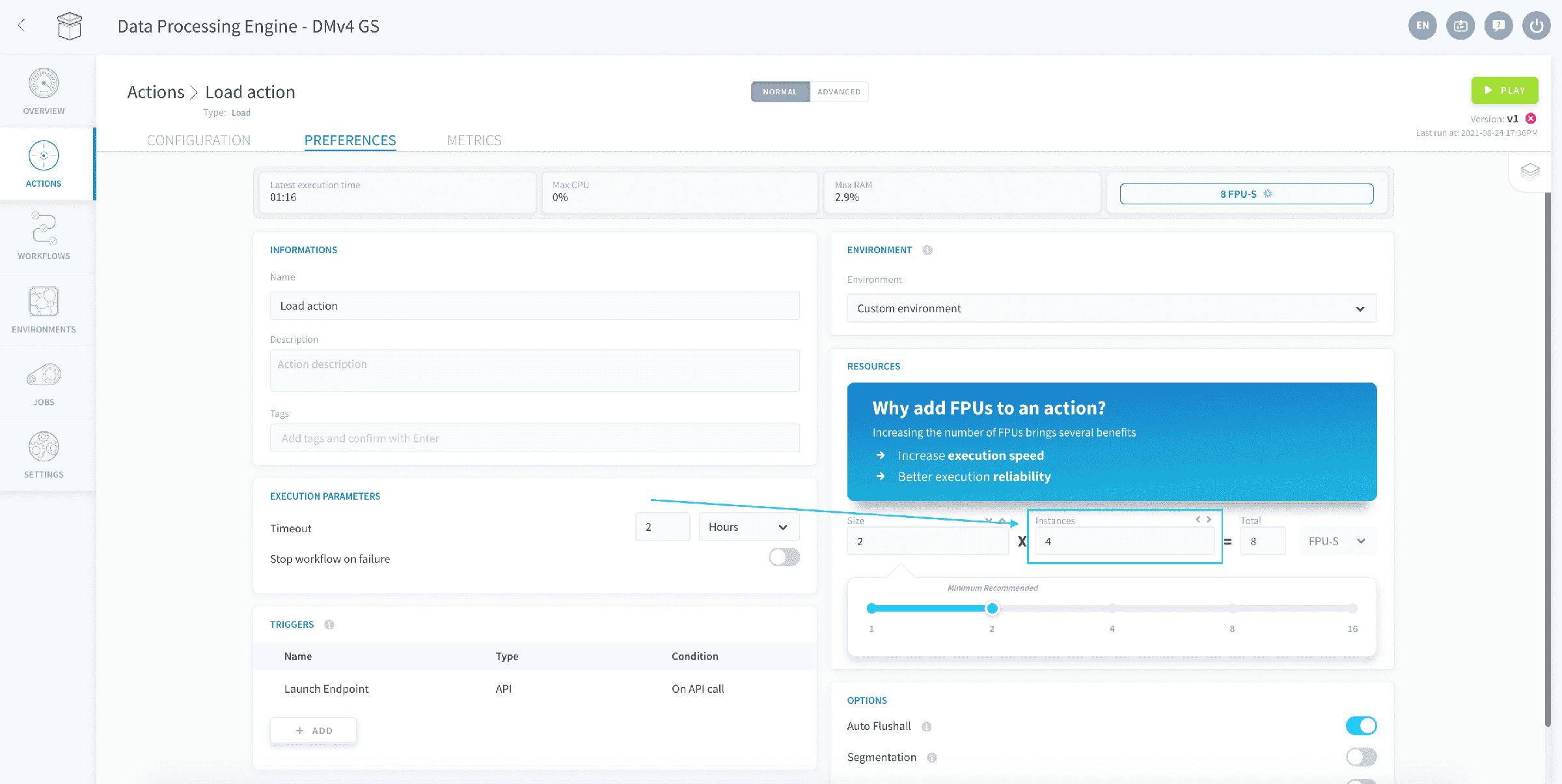
You can parallelize the workload of your action or workflow by selecting the number of parallel instances in which your job will be ran. Typically, multiple instances will be used for the following processes:
- Using segmentation for a job
- Running workflows with multiple actions in the same stage
- Running multiple concurrent occurrences of the same Always-up action/workflow
Failure to allocate multiple instances for the above processes will simply have the broken-down tasks executed back-to-back on the single instance.
To change the amount of parallel instances allocated to an action or a workflow, go to its Preferences tab.
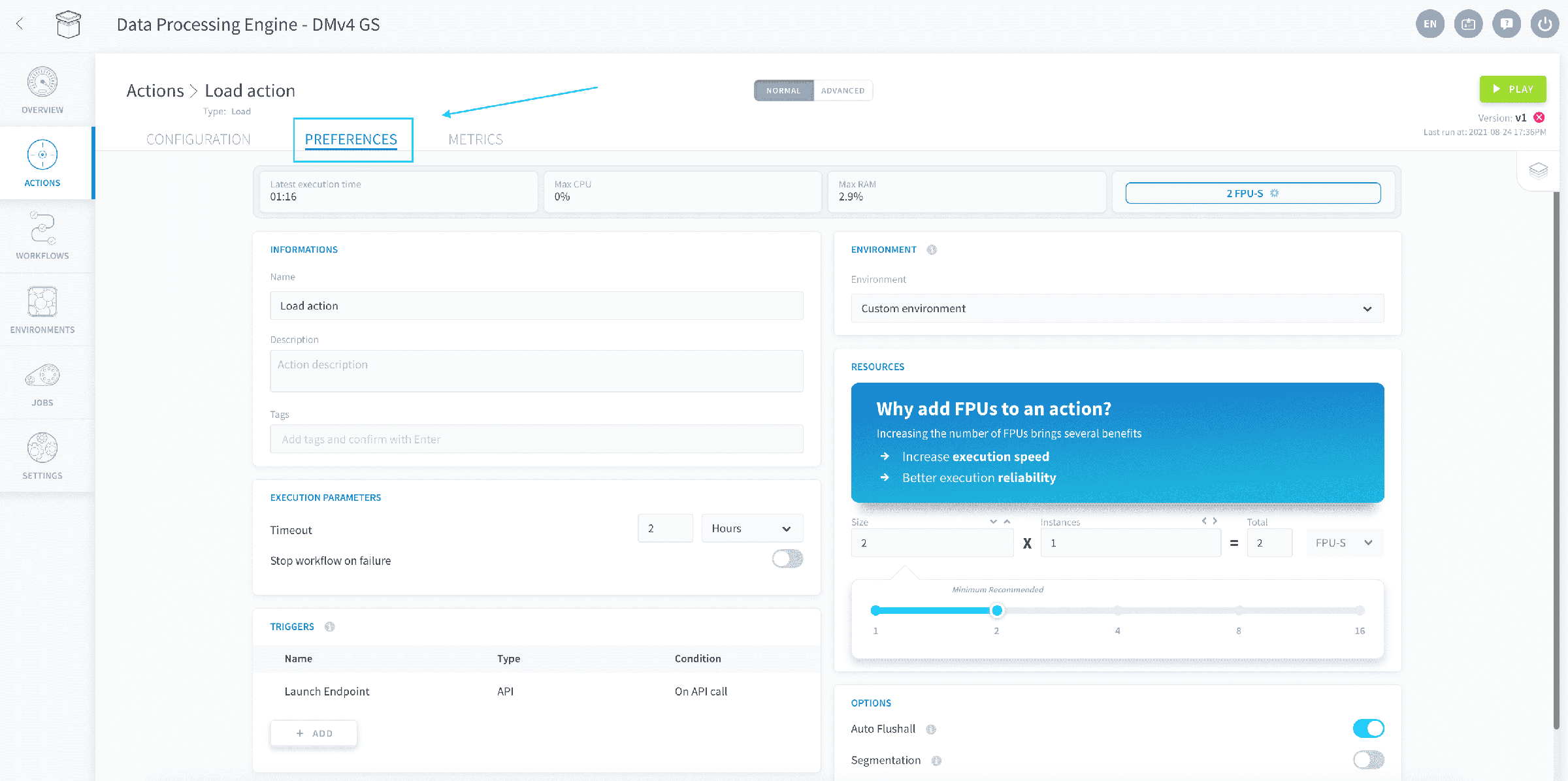
Change the number of instances in the Resources panel.
Scale your jobs vertically
You can allocate more computing power to an action or a workflow by increasing the number of Data Platform Units (DPU) of each computing instance. The DPU is a unit of processing capability, representing access to a certain amount of CPU and memory, as such:
- DPU: - corresponds to approximately 1 vCPU and 4 GB of RAM, based on hardware availability.
By default, newly created actions or workflows are allocated 2 DPU.
To change the amount of DPU allocated to an action or a workflow, go to its Preferences tab.
Set the DPU size of each parallel instance in the Resources panel. The panel shows the total DPU of the execution as you change the values.
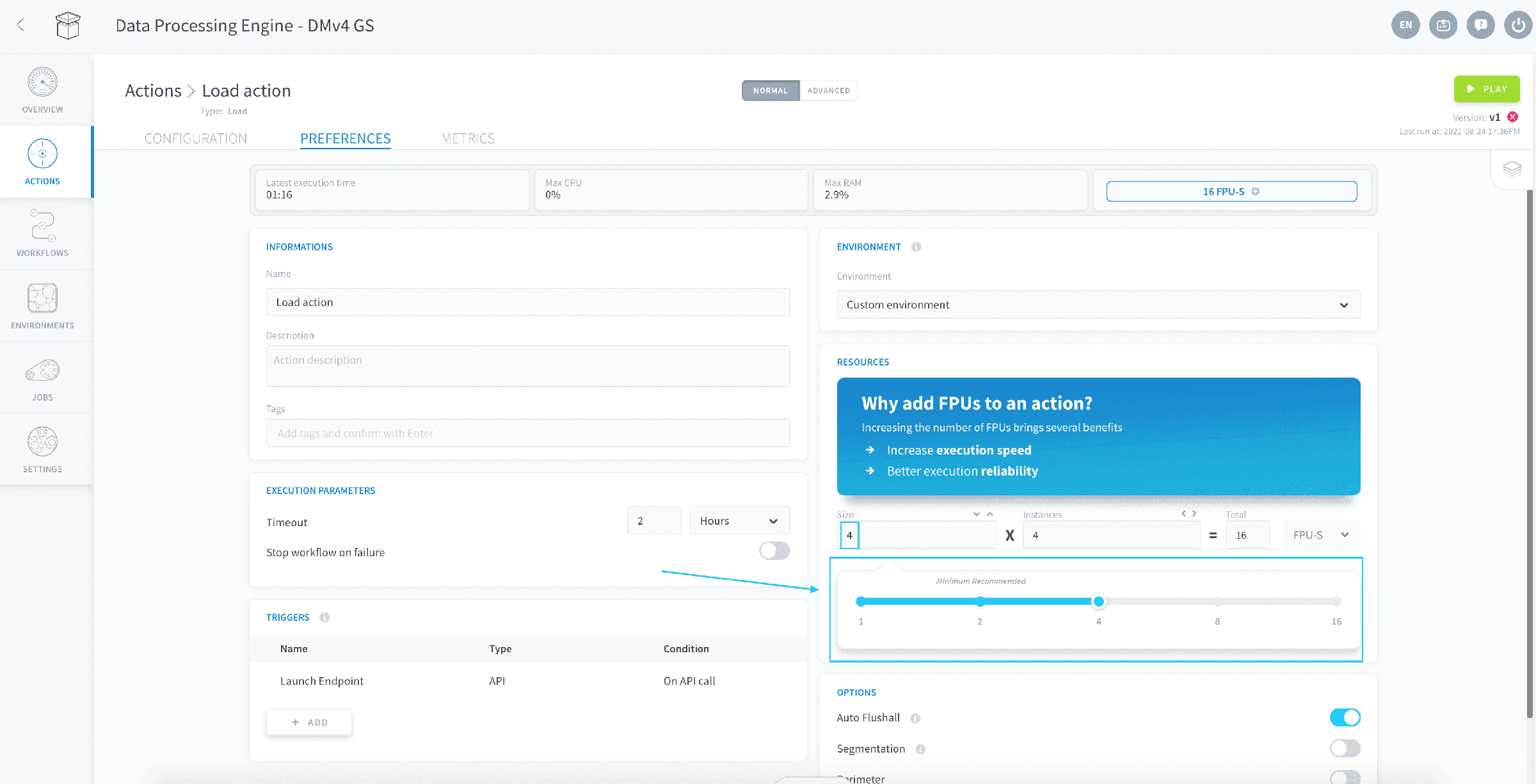
The final total amount of DPU allocated to a DPE job is the number of parallel instances times the DPU size of each.
PySpark actions
For PySpark actions, the Resources panel sizes the Spark executors and the Spark driver separately:
- Executors: the number of executors and the DPU size of each. Executors run the distributed part of your job.
- Driver: a single instance with its own DPU size. The driver coordinates the executors and runs the non-distributed part of your script, so size it independently of the executors.
The total DPU of the execution is the DPU of the executors plus the DPU of the driver, as shown in the panel.
The number of drivers is fixed at 1; only its size can be changed.
If you are using the Always-up execution mode, you still are allowed to update your resources. The update will come into effect shortly after you change your settings and your workflows/actions will not be interrupted in the process.
Go further
For training or technical assistance implementing our solutions, contact your sales representative or visit our Professional Services page to request a quote and have your project analysed by our experts.
Ask questions, give your feedback and interact directly with the team building the Data Platform on the dedicated Discord channel.
If you need support with your OVHcloud services, create a request in our Help Centre.
Join our community of users.