

Settings
This page describes the ForePaaS Legacy Platform, which no longer accepts new signups. If you are using OVHcloud Data Platform, see the Lakehouse Manager documentation.
The Lakehouse Manager settings let you manage the storage engine(s) linked to your Project, i.e. the system storing all the structured data you bring in your Project.
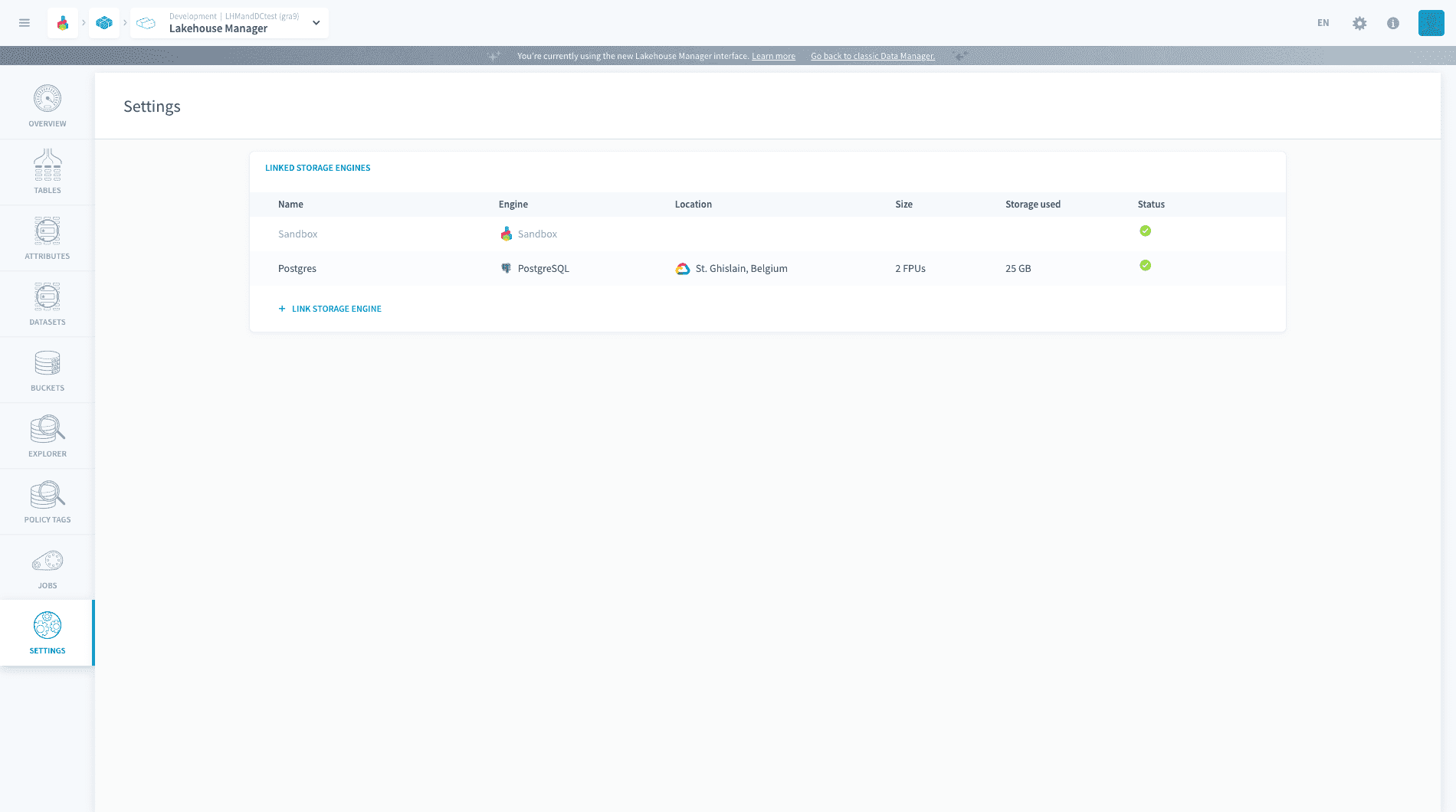
Link / unlink a storage engine
A storage engine is said to be linked to a Project if the Project is able to connect to it (through an automated generation of credentials).
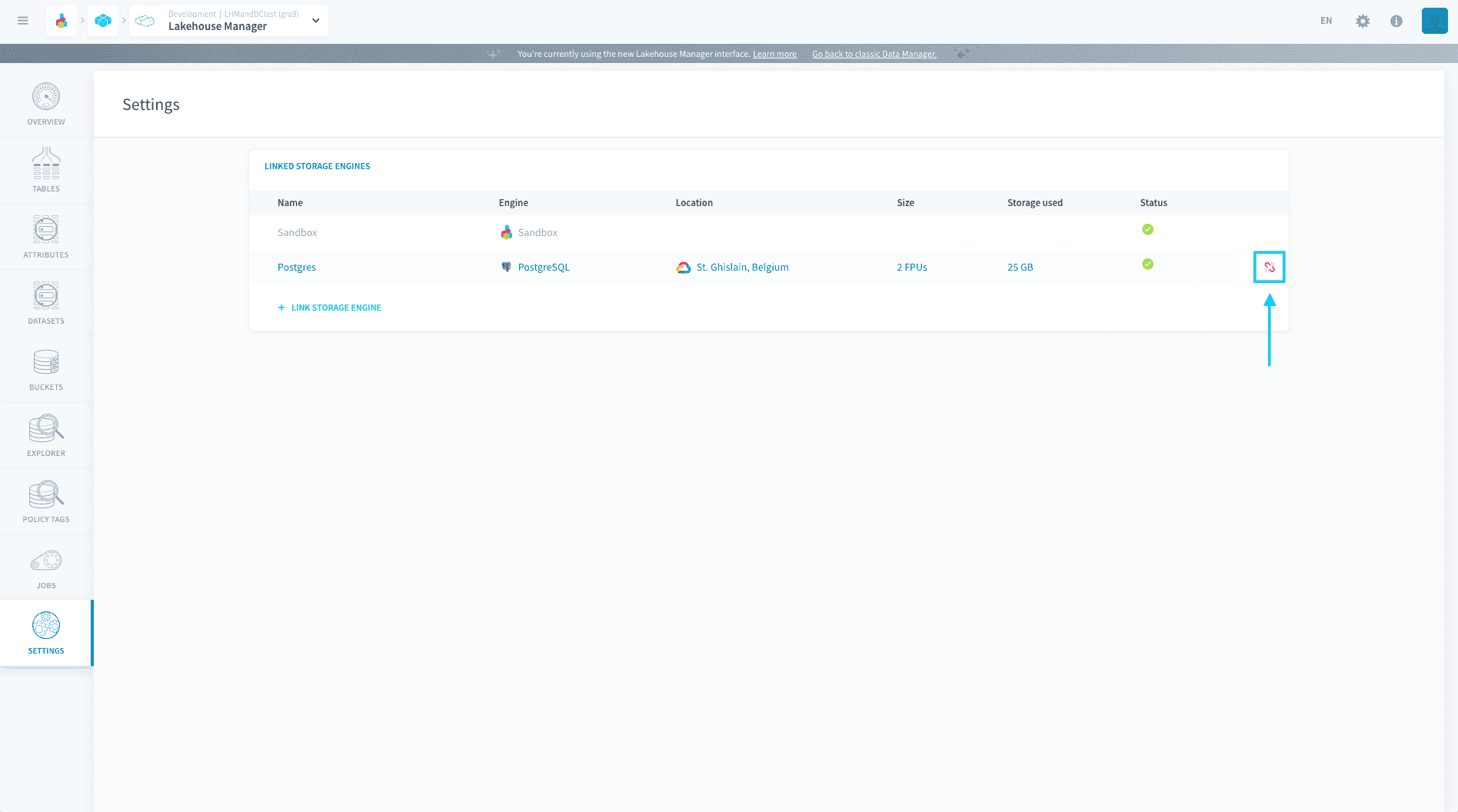
The list of storage engines currently linked to a Project are displayed in the "Linked storage engines" table:
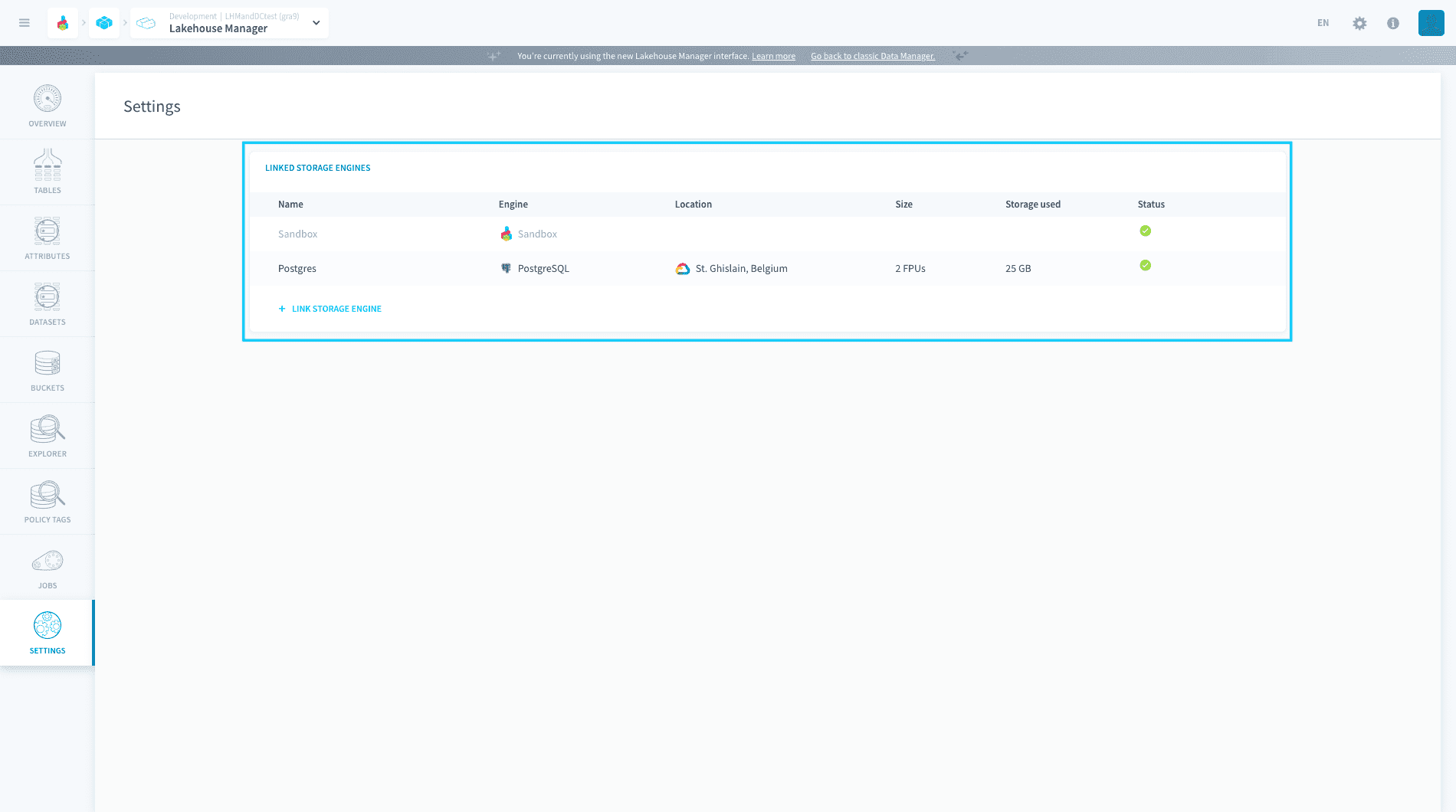
The possible status for a linked storage engine are:
- linking: the storage engine instance is currently being linked to the Project
- unlinking: the storage engine instance is currently being unlinked from the Project
- failed: the storage engine instance has failed to link to the Project. Please delink it and link it again
- updating: the storage engine instance is linked but is currently being updated (for ex: horizontal or vertical resizing). Availability may be reduced
- terminated: the storage engine instance is being deleted
- green checkmark: the storage engine instance is successfully linked to the Project and fully available
Link a storage engine
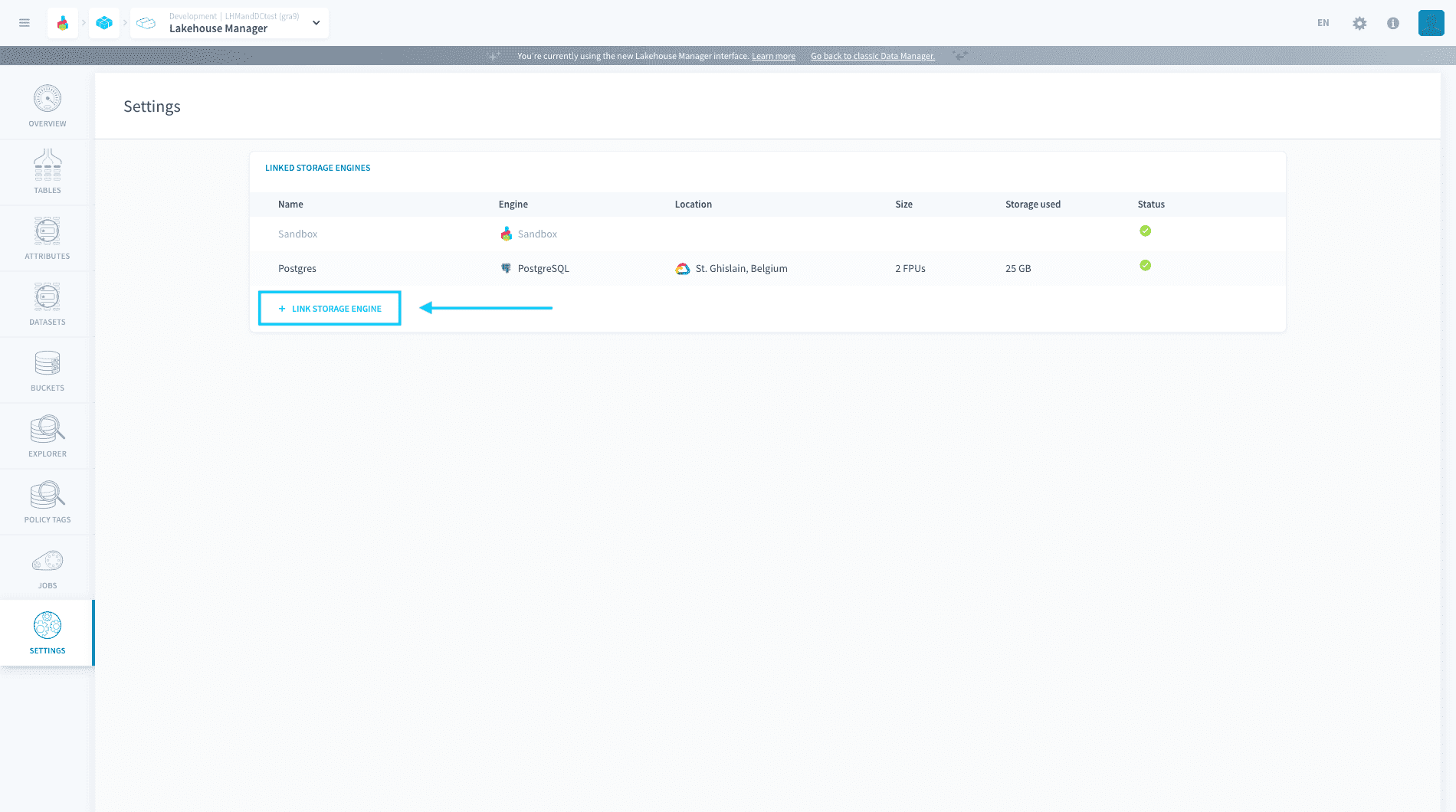
You can only link storage engines that are part of your organization. To link a new storage engine, click on Link storage engine
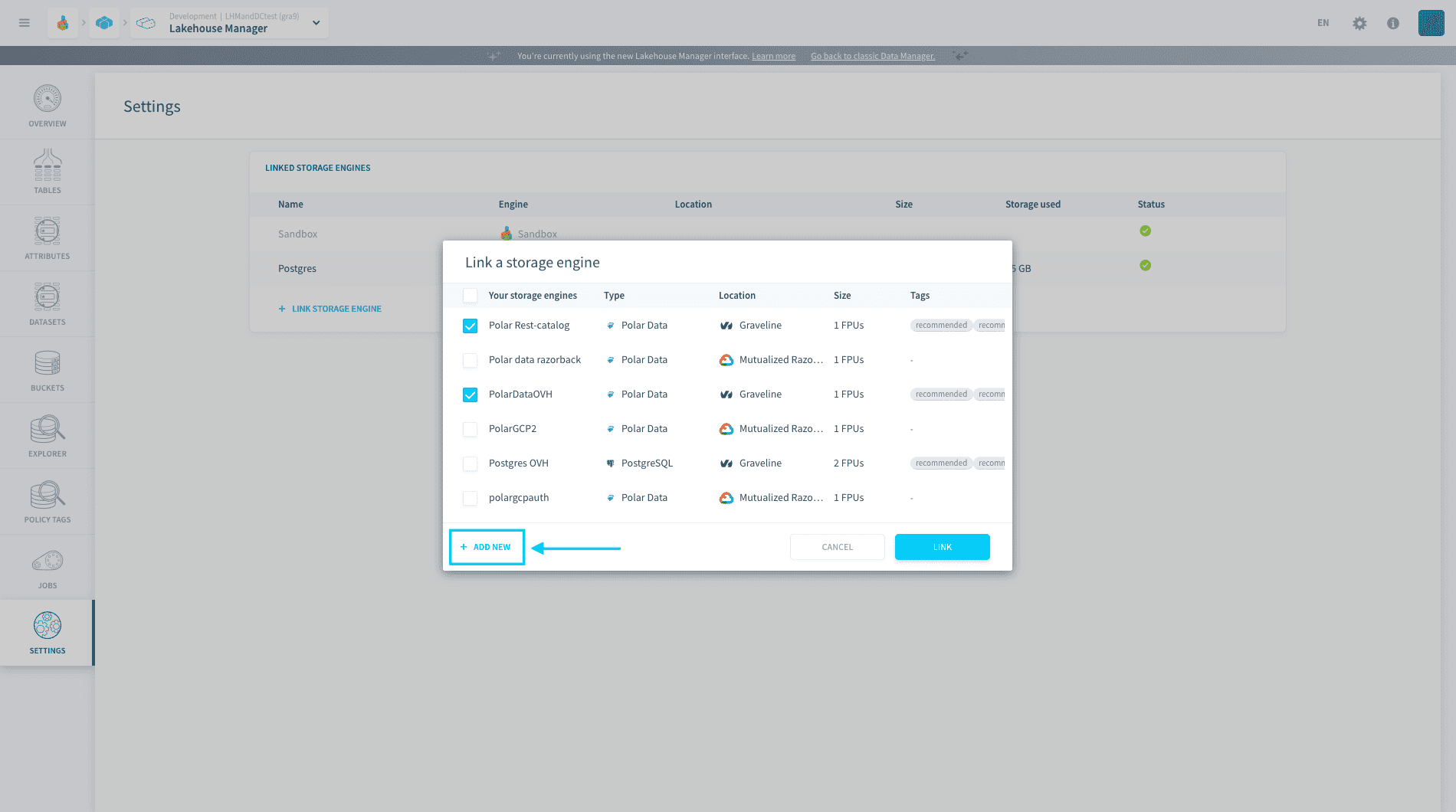
You will see the list of non-linked storage engines that are in your organization. Select one or more, and press Link to link them to the Project.
The linking process can take up to a minute.
You can also create a new storage engine by pressing Add new. They will be added to the list of storage engines of your organization.
Unlink a storage engine
!> You can only unlink a storage engine if no table is using it.
To unlink an engine, press the unlink icon next to the engine.
Go further
If you need training or technical assistance to implement our solutions, contact your sales representative or click on this link to get a quote and ask our Professional Services experts for a custom analysis of your project.
Ask questions, give your feedback and interact directly with the team building the Data Platform on the dedicated Discord channel.
If you need support with your OVHcloud services, create a request in our Help Centre.
Join our community of users.