

Add subscribers to an alert
Subscribers are the people who receive the email an alert sends when its trigger conditions are met
Objective
Subscribers are the people who receive the email an alert sends when its trigger conditions are met. Subscribers are set per alert, and the same list applies whether the alert watches a job execution or a health check.
Subscribers are the users who receive the email notification sent when the trigger conditions (and triggering options) of the alert are met.
In the Subscribers tab of the alert, find the panel Users. This table lists all the users in your organization that are currently subscribed to the alert, meaning they will be notified of the alert on their account's email address.
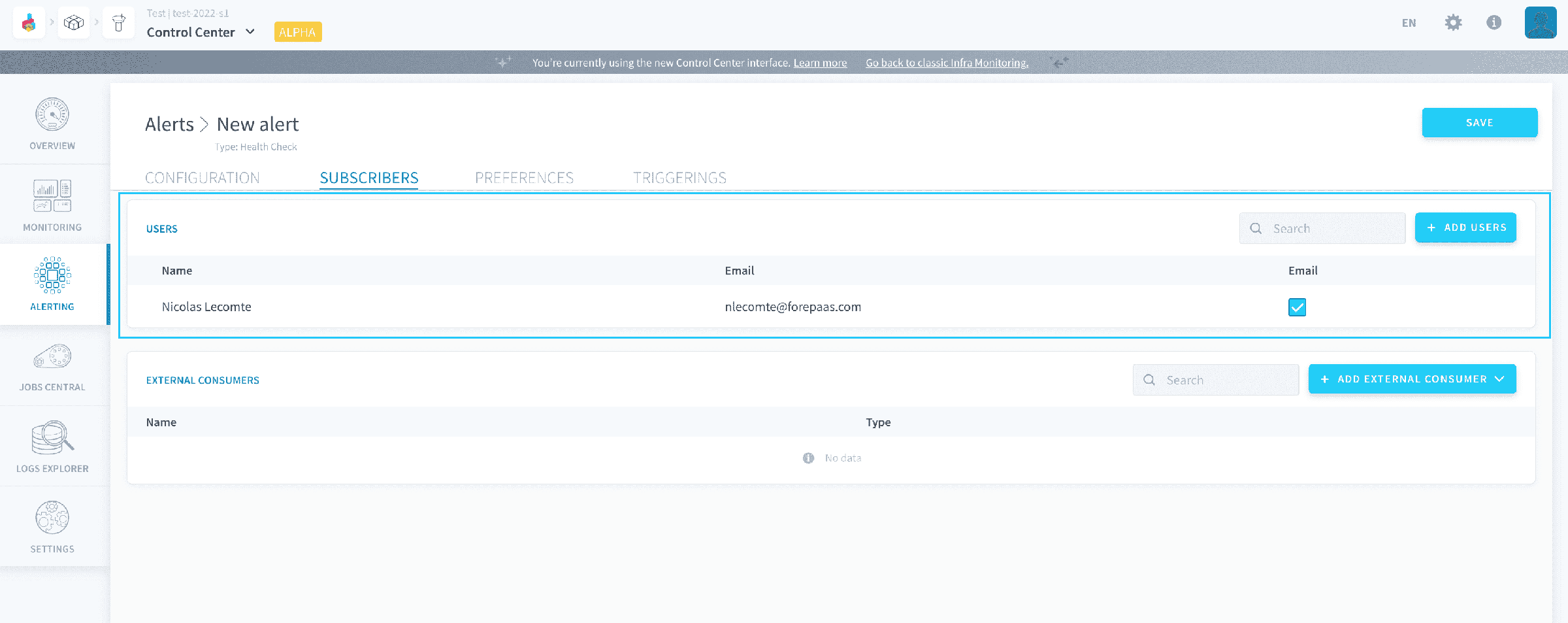
To link a new user, click on Add users in the top right.
You can either add existing users from your organization, or whole new users. If you add a new user, they will automatically be added in your organization as simple users with no permission. Don't forget to grant them access to the Projects if you want them to access the alert's page on the Platform after receiving alert emails.
New subscribed users won't be able to receive notifications until they verify their email address.
Go further
For training or technical assistance implementing our solutions, contact your sales representative or visit our Professional Services page to request a quote and have your project analysed by our experts.
Ask questions, give your feedback and interact directly with the team building the Data Platform on the dedicated Discord channel.
If you need support with your OVHcloud services, create a request in our Help Centre.
Join our community of users.