

Standard estimators
This page describes the Machine Learning Manager, a service of the ForePaaS Legacy Platform that is not available on OVHcloud Data Platform. See the current documentation.
Pipelines let you choose from the most popular machine learning algorithms in the industry. ForePaaS currently supports the following frameworks:
- Scikit Learn
- Keras (coming soon!)
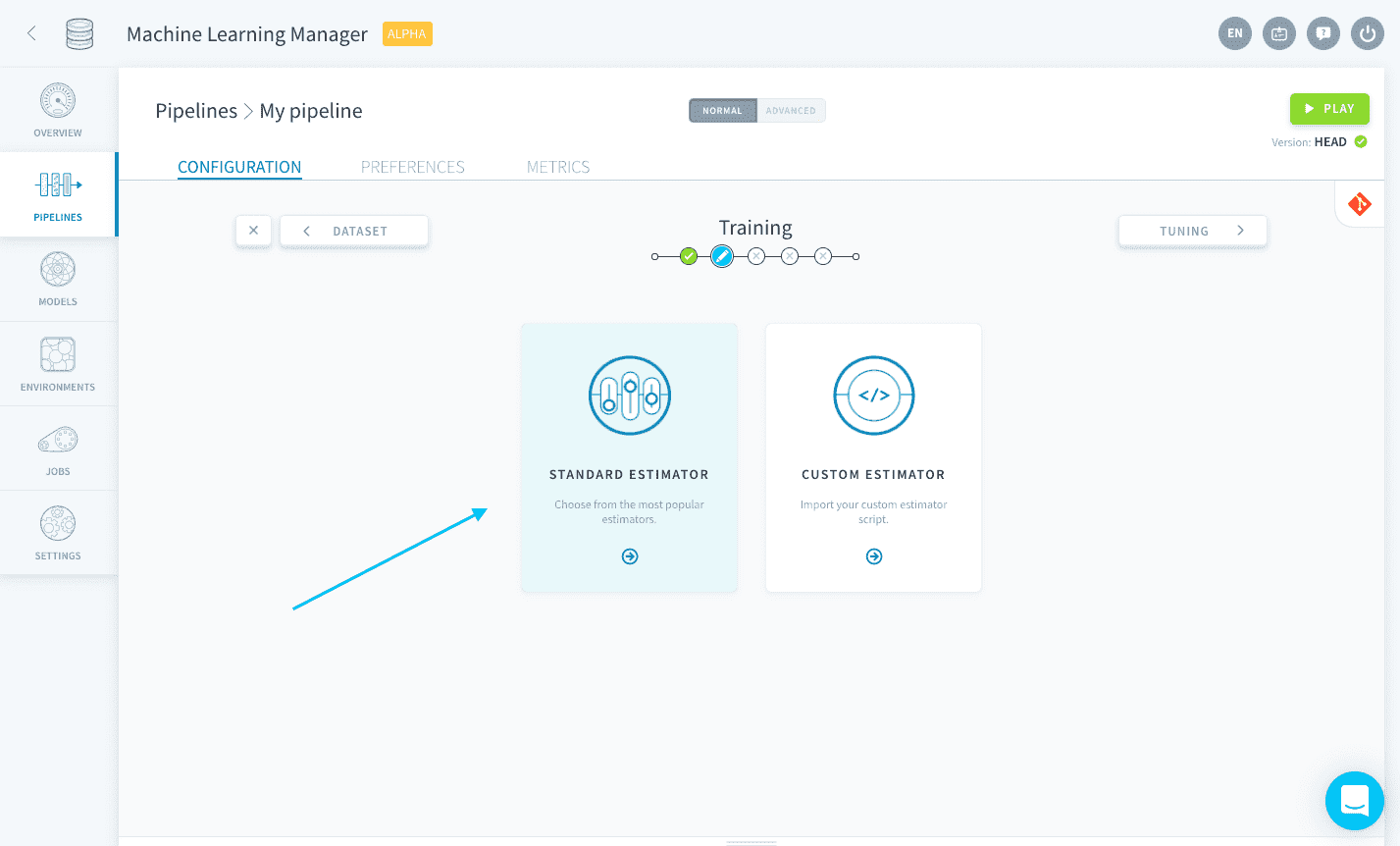
If you cannot find the algorithm of your choice among the standard estimators, you can also upload your own script using the custom estimator option.
Learn more about custom estimators.
Add a standard estimator
Selecting Standard estimator will open the store catalog where you can choose the algorithm you want to use for your model.
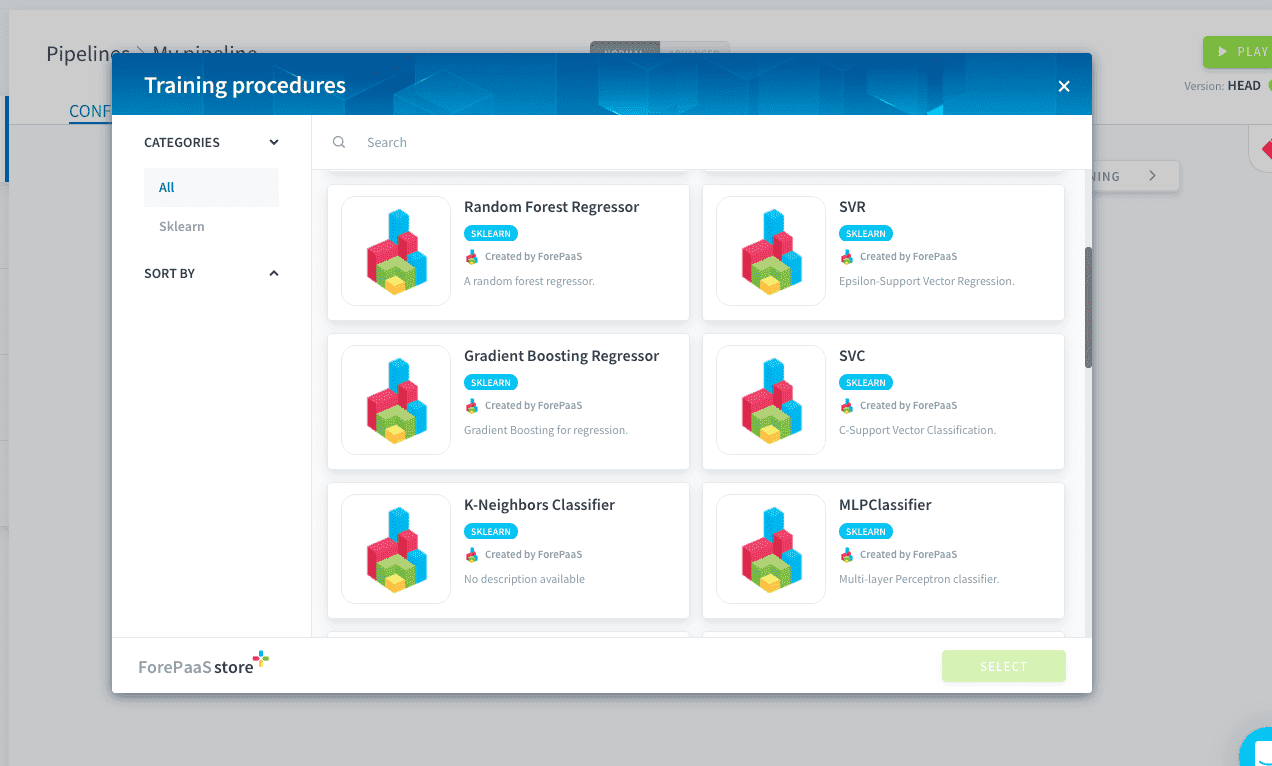
Depending on your use case, you need to choose between a classifier and a regressor. You can know what category is each algorithm by looking at their tags.
Change your pipeline's estimator
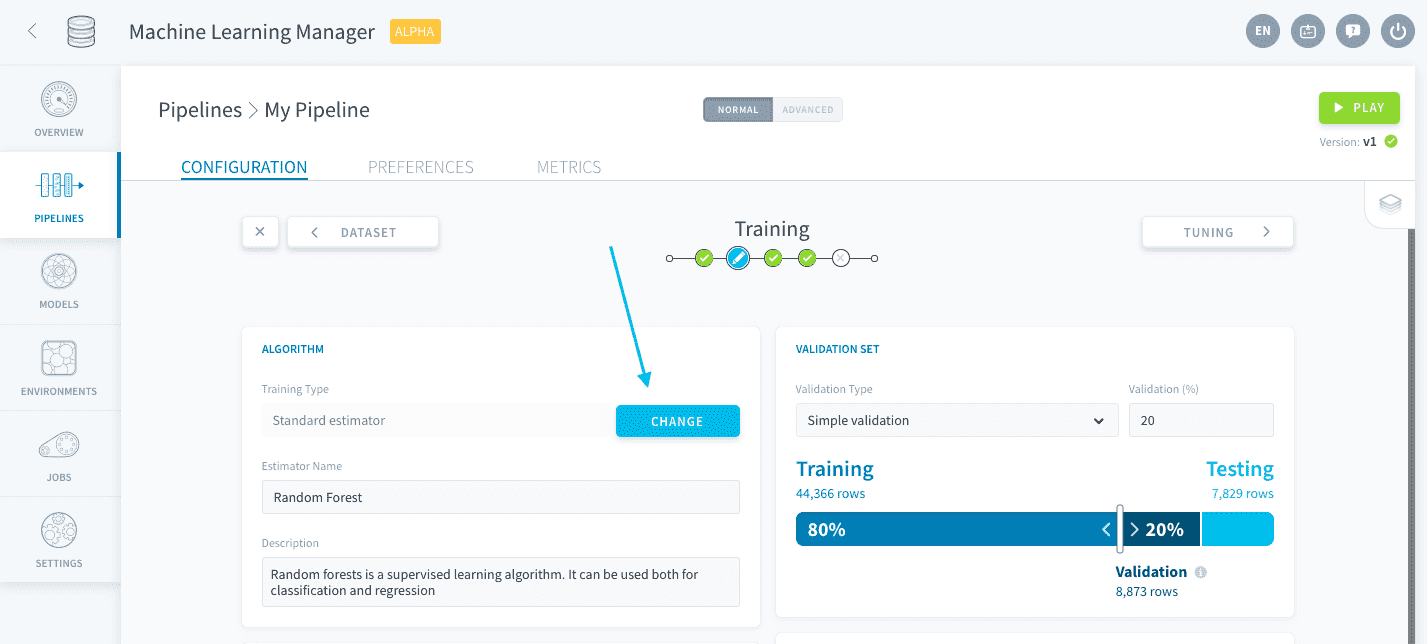
You can change the estimator at the core of your pipeline by clicking the Change button on the Training page.
Manage libraries and dependencies
The Dependencies panel lets you manage all packages requirements for the execution of your pipeline.
Configure scoring and validation
After choosing the base algorithm at the core of your model, you need to be able to evaluate it in an unbiased fashion. Learn how to set validation and scoring functions:
Configure scoring and validation
Go further
If you need training or technical assistance to implement our solutions, contact your sales representative or click on this link to get a quote and ask our Professional Services experts for a custom analysis of your project.
Ask questions, give your feedback and interact directly with the team building the Data Platform on the dedicated Discord channel.
If you need support with your OVHcloud services, create a request in our Help Centre.
Join our community of users.