

Run SQL statements with the SQL action
The SQL action lets you write a SQL query and run it against your datasets and tables as a Data Processing Engine action
Objective
The SQL action lets you write a SQL query and run it against your datasets and tables as a Data Processing Engine action. Like any other action, it can be run on demand, scheduled with a cron trigger, or orchestrated inside a workflow.
Queries run on the underlying Trino engine, so tables are addressed in the fully qualified catalog.schema.table form. The Tables panel (see below) builds those names for you, so you rarely have to type them by hand.
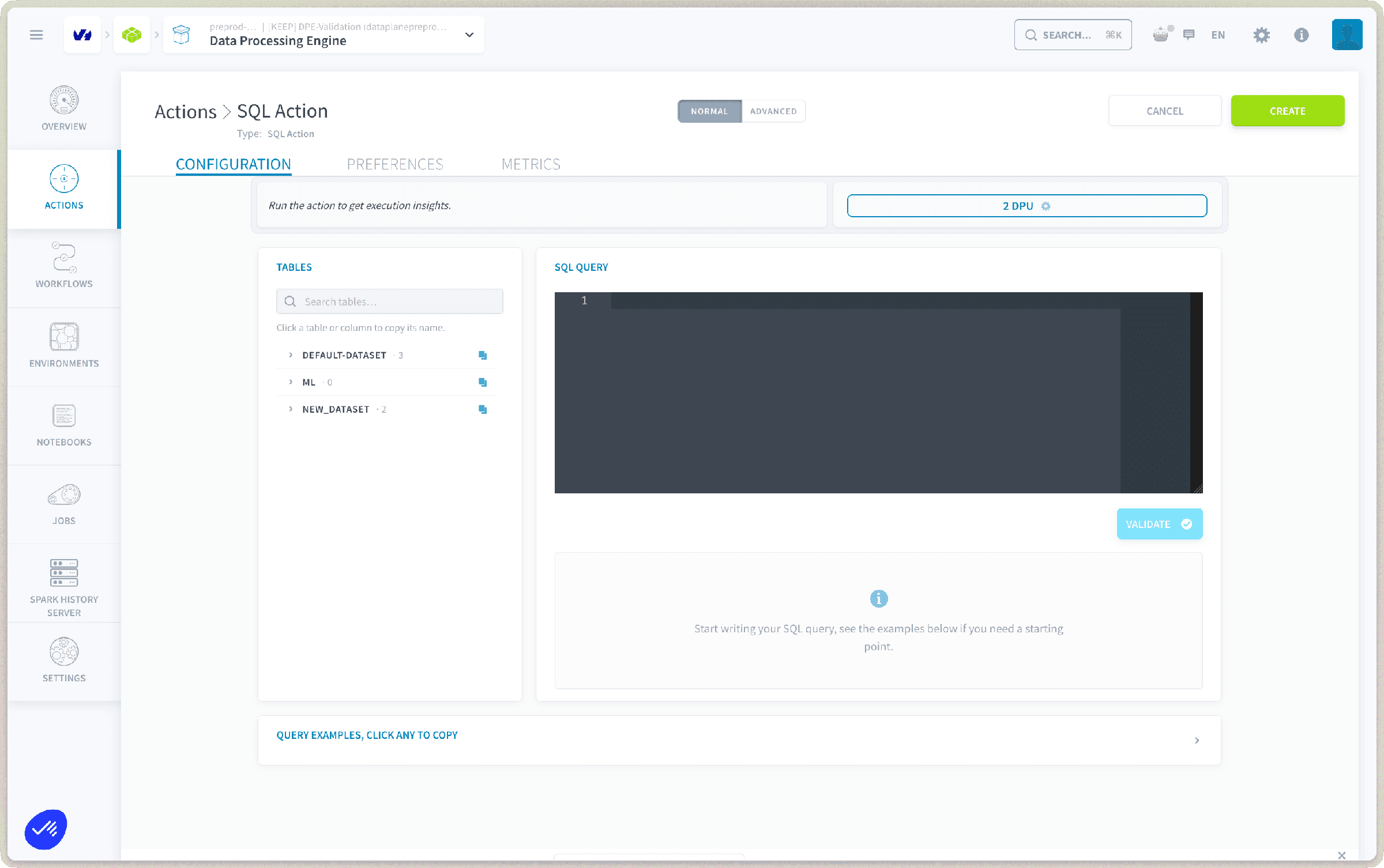
By default a SQL action runs on 2 DPU; you can adjust the allocation from the resource selector at the top of the configuration screen.
Configure a SQL action
The configuration screen has two panels: the Tables browser on the left to help you find and reference assets, and the SQL query editor on the right where you write and validate your statement.
Browse tables and copy names
The Tables panel lists the datasets in your project, each expandable to its tables and their attributes. Use the search box to quickly locate an asset, then click it to copy its name to the clipboard, shaped so it drops straight into your query:
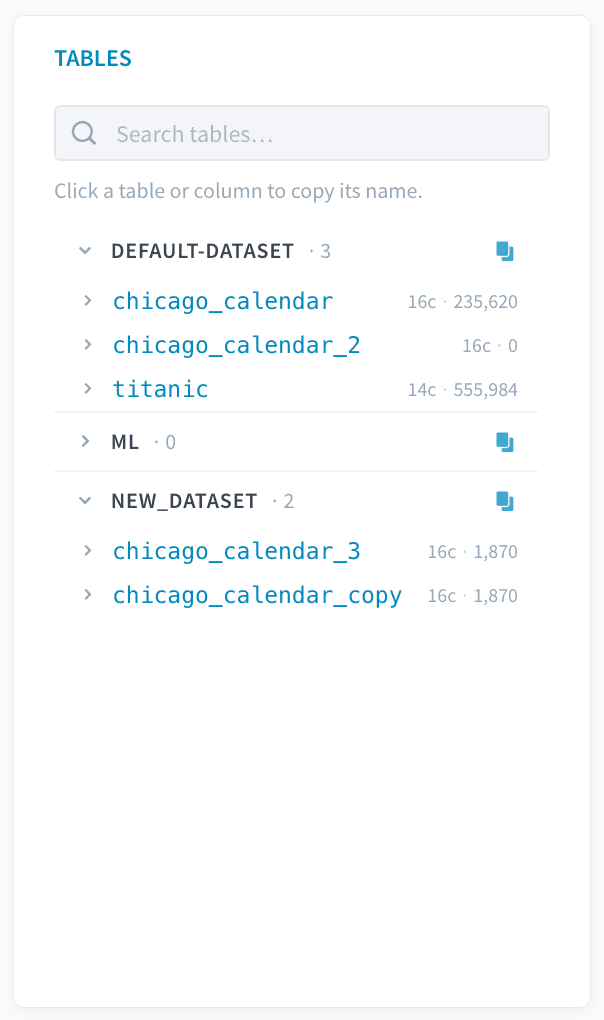
This saves you from remembering how each dataset maps to its Trino catalog and schema, and helps the engine resolve your query on the first try.
Write and validate the query
Type your query in the SQL query editor. If you need a starting point, open the Query examples drawer at the bottom of the page and click any example to copy it into the editor.
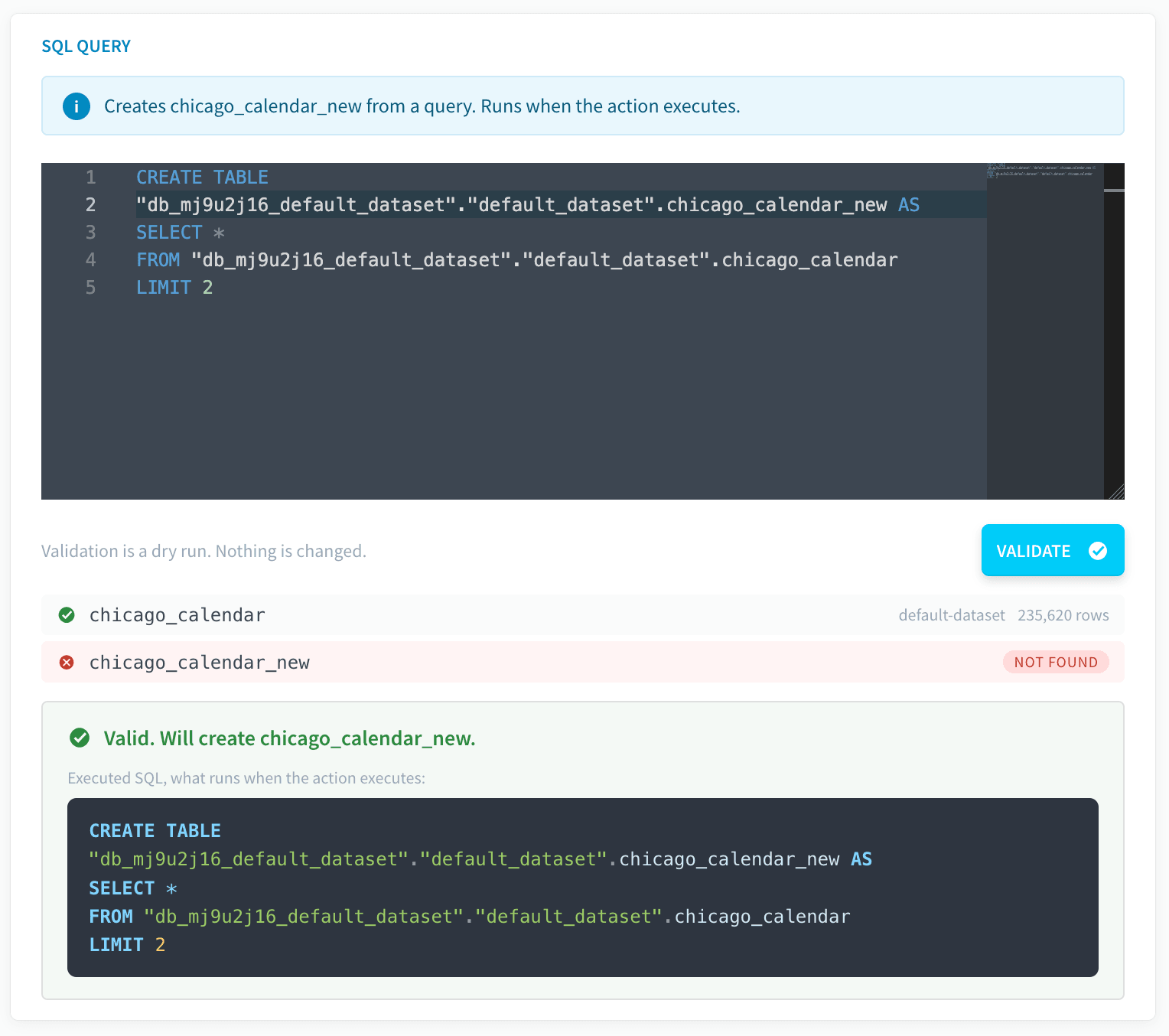
Once your query is ready, click Validate. This runs the query as a dry run and, on success, shows a validation summary at the bottom of the editor: a beautified version of EXPLAIN that tells you what the query will do, with the key details for that query type.
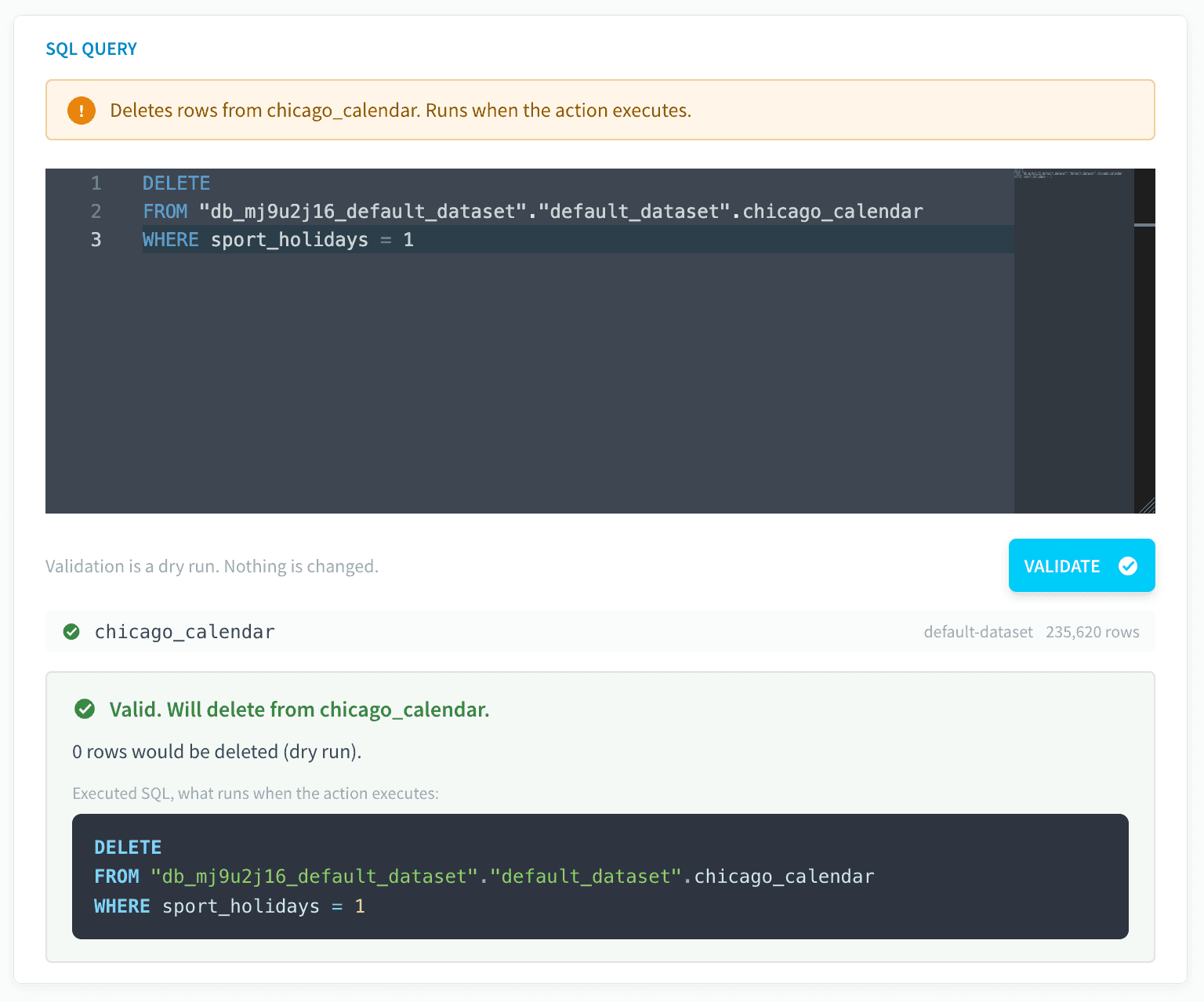
Validate does not gate creation. The Create button is always available, but validating first is best practice: it confirms the query is well-formed and resolves against your tables before you commit the action.
When you're satisfied, click Create at the top right to create the action.
Supported query types
The SQL action supports a broad range of statements. The engine recognizes the type of each query and behaves accordingly:
- Read: return rows without changing anything.
- Metadata: inspect schema or query plans.
- DML: modify the rows in a table.
- DDL: change the structure of a table.
Select a tab below to see an example query for each type:
Access-control statements such as GRANT and REVOKE are not supported and will be rejected during validation.
Create a table from a query
When you run a SELECT, the action offers the option to create a new table from the query result.
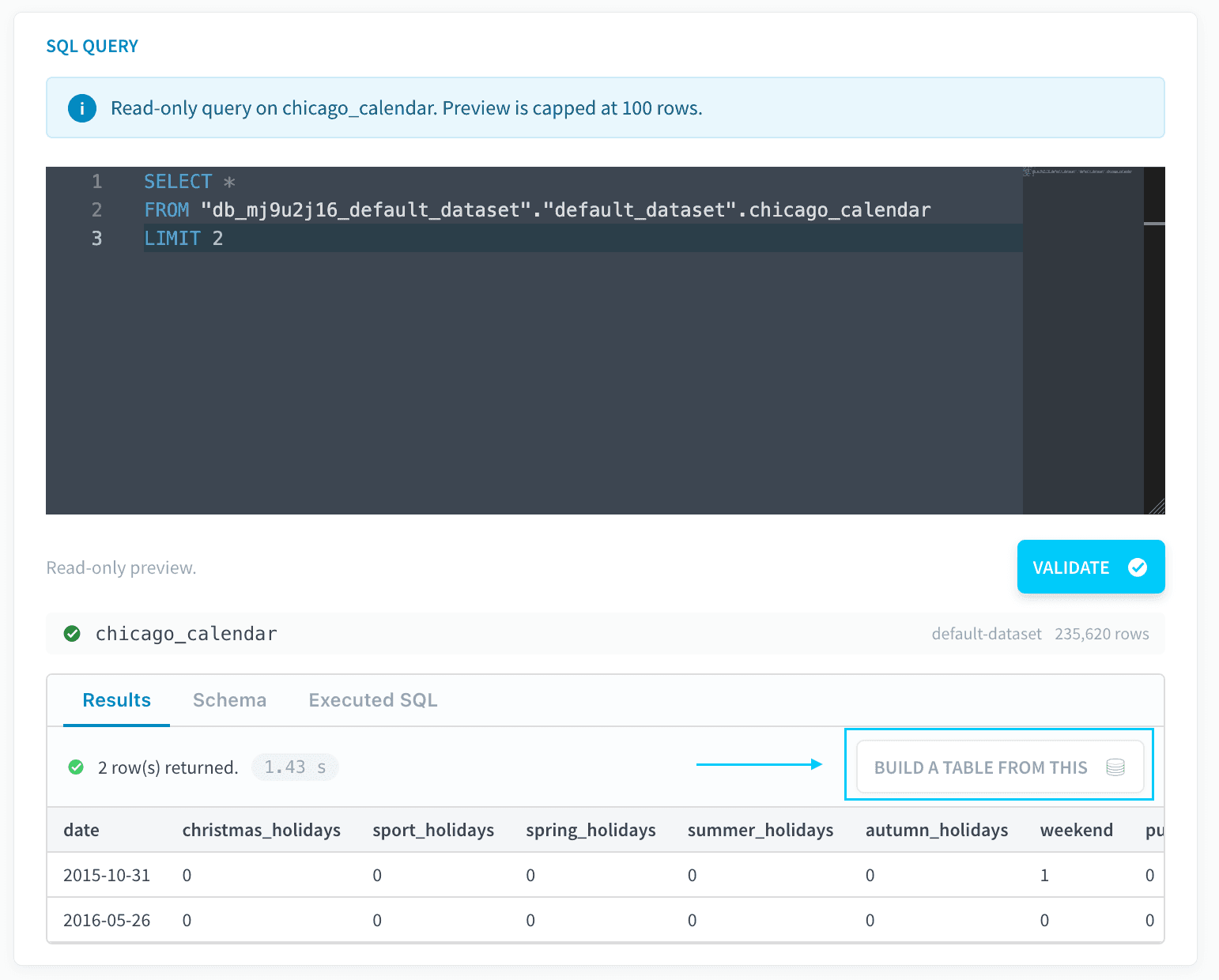
If you create and run an action with a CREATE TABLE AS SELECT (CTAS), or any other CREATE statement, the table is created on the target dataset, and the corresponding logical table is registered and built in the Lakehouse Manager as well. The new table is then available across the platform like any other Lakehouse Manager table.
Validation at run time
Validation does not only happen while you author the query. Every time the action runs, the query is re-validated with EXPLAIN before any statement is executed.
This catches cases where the query no longer fits the table. For example, if a column referenced by the query was renamed or removed because the table's schema changed since the action was created, the run-time validation fails and the action is stopped before it executes anything, so a stale query can't run against an incompatible table and corrupt your data.
Because validation runs before execution on every run, a SQL action that suddenly fails to validate is often a signal that an upstream table has changed. Check the table's schema before updating the query.
Use the Advanced mode
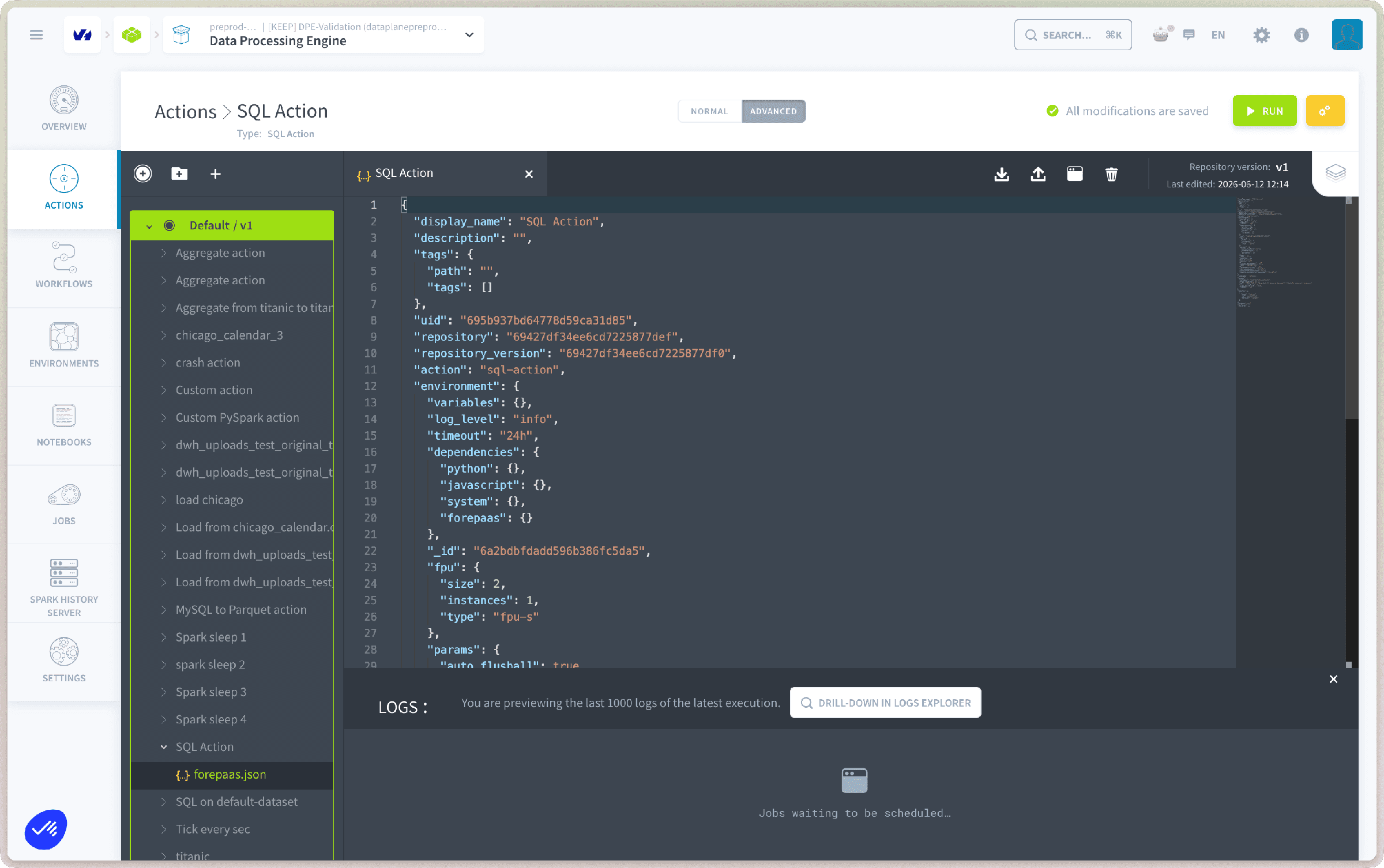
If you need to access the JSON configuration file of the action, activate the Advanced mode by clicking on Advanced at the top of the page.
Go further
For training or technical assistance implementing our solutions, contact your sales representative or visit our Professional Services page to request a quote and have your project analysed by our experts.
Ask questions, give your feedback and interact directly with the team building the Data Platform on the dedicated Discord channel.
If you need support with your OVHcloud services, create a request in our Help Centre.
Join our community of users.