

Identity Access Manager
Who can do what, from the organization down to a single column.
What is the Identity Access Manager?
The Identity Access Manager decides who can do what. It exists as two almost entirely independent modules: one for each organization, one for each project.
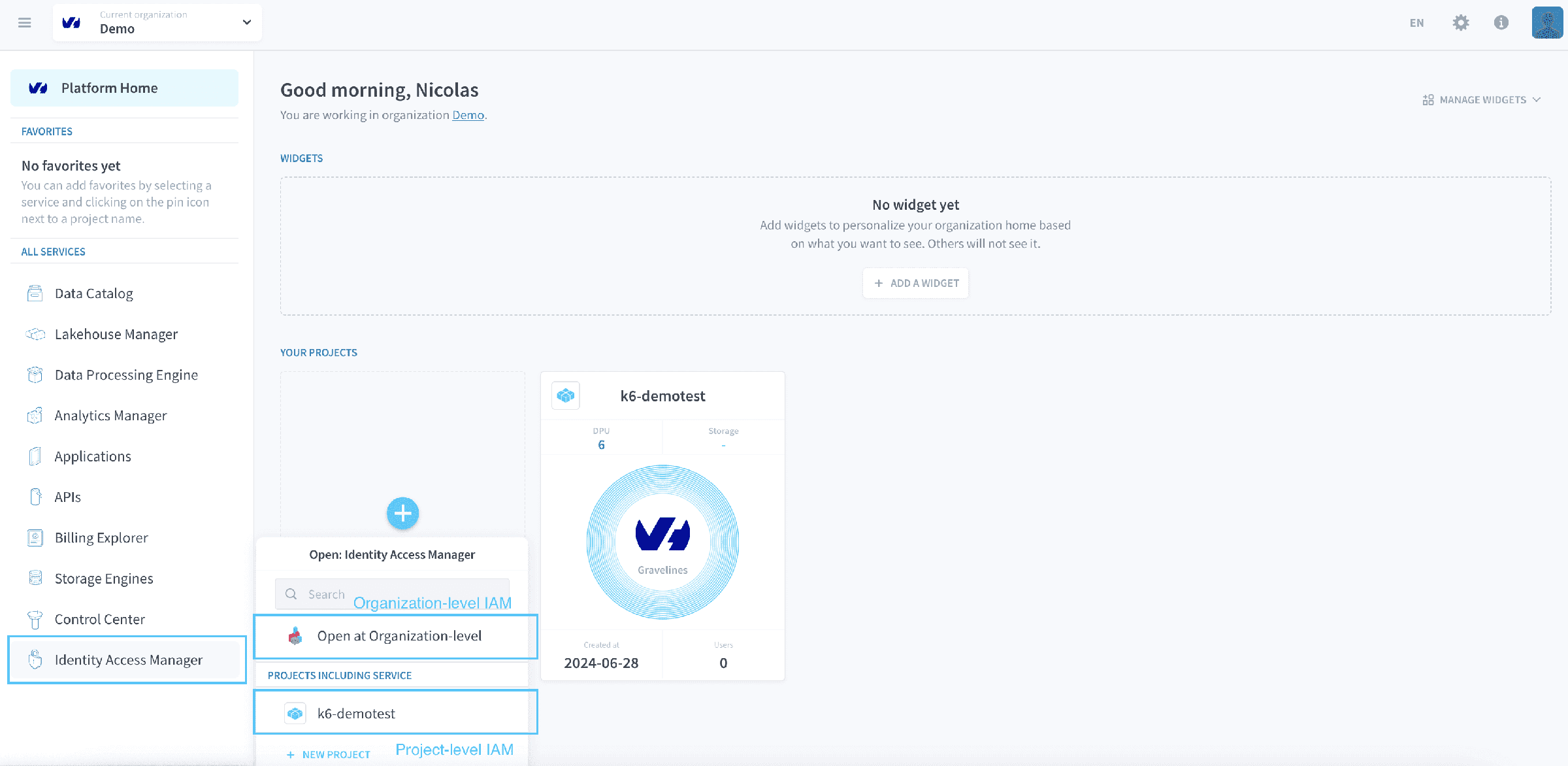
Organization IAM governs the organization itself: the authentication settings for members signing in to Data Platform, single sign-on through an external provider, enforced multi-factor authentication, join requests, and the access rights members hold over organization-level resources and settings.
Project IAM governs one project, and reaches further. It covers the team members working inside the project and the end users of the applications it deploys. Access is role-based and granular: roles are granted to users, to service accounts or to groups, and evaluated against project resources, down to individual table attributes where policy tags are involved. Project IAM also owns the login page of every deployed application and the authentication providers offered on it.
Three providers exist by default on every application: Data Platform IDs, Project IDs and API/Secret keys. Additional SSO or MFA providers are configured per project, and adding one means editing each application's authentication configuration before users see it in the login menu.
Authenticating against the platform programmatically, rather than through a login page, is covered by the Authentication API.
Service accounts exist only in Project IAM. Every Data Processing Engine job runs as one, which is how a pipeline's permissions stay separate from those of the person who wrote it.
Organization IAM→
Members and their rights over organization-level resources.
Authentication settings→
SSO, enforced MFA and join requests for the organization.
MFA setup guide→
Enrol a second factor on your own account and recover it if you lose the device.
Project IAM→
Access inside one project, for teams and for end users.
Users, roles and groups→
The principals in a project and the permissions they hold.
Go further
For training or technical assistance implementing our solutions, contact your sales representative or visit our Professional Services page to request a quote and have your project analysed by our experts.
Ask questions, give your feedback and interact directly with the team building the Data Platform on the dedicated Discord channel.
If you need support with your OVHcloud services, create a request in our Help Centre.
Join our community of users.