

Manage Analytics Manager repositories and cache
The settings tab allows you to manage your Analytics Manager repositories and cache. The Analytics Manager has a cache on executed queries
Objective
The settings tab allows you to manage your Analytics Manager repositories and cache.
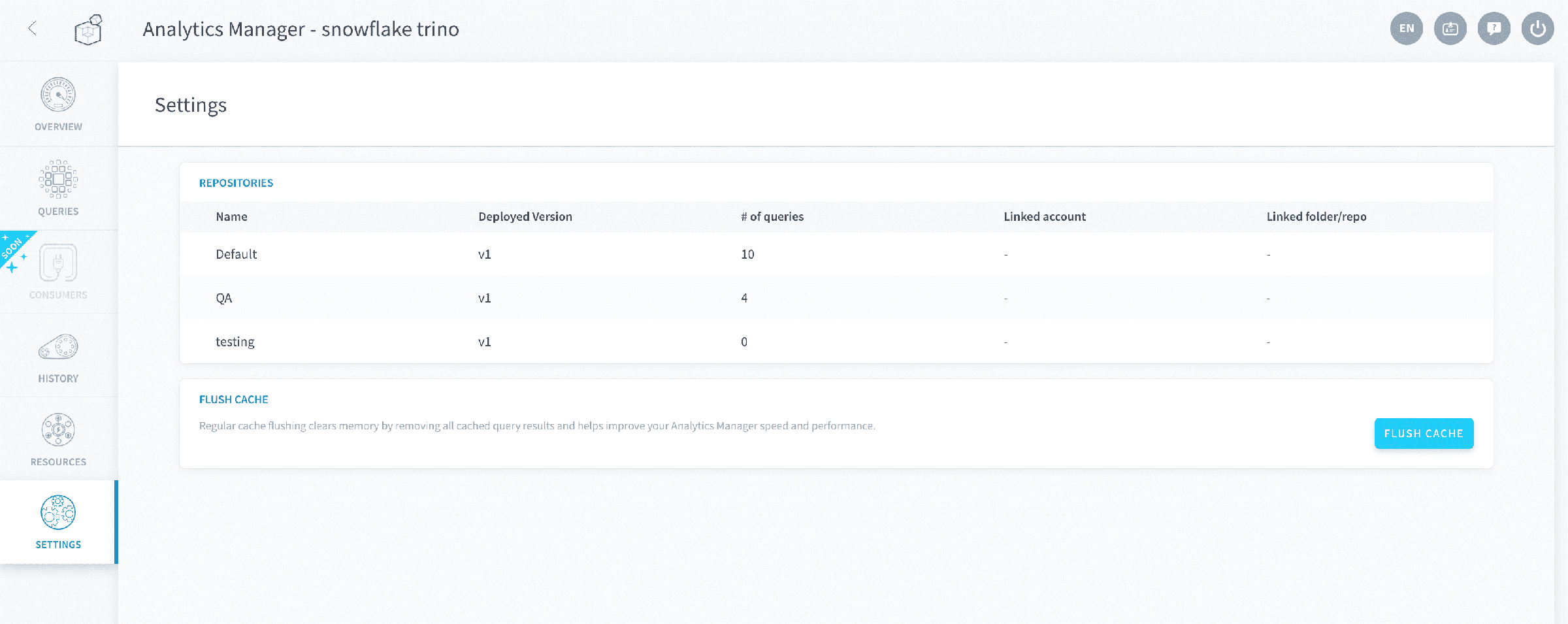
Repositories
The Repositories panel gives a broad overview of each of your query repositories, allowing not only a quick overview of each one, but also the means to edit each repository such as changing the linked Git account (coming soon!).
Flush Cache
The Analytics Manager has a cache on executed queries.
The flush cache button provides you the simplicity of getting rid of unnecessary blocked memory because of various queries results or cache metadata and lets you work with improved speed and performance.
Go further
For training or technical assistance implementing our solutions, contact your sales representative or visit our Professional Services page to request a quote and have your project analysed by our experts.
Ask questions, give your feedback and interact directly with the team building the Data Platform on the dedicated Discord channel.
If you need support with your OVHcloud services, create a request in our Help Centre.
Join our community of users.