

Manage Project users in the Identity Access Manager
How people are registered in a Project, as team members of your organization or as application end-users
Objective
When a person is registered in a Project either as a team member (i.e. connected using their Data Platform account and part of your organization) or as an application end-user (i.e. connected via the embedded authentication service of the Project), they will be found in the Users tab of the Identity Access Manager.
On Data Platform, each user is identified by their email address, which must be unique to them.
Organization IAM users vs. Project IAM users
The users in the Organization IAM correspond to all your team members who have access to the platform and who can potentially access the organization's resources. These users are managed in the same way as the Project IAM users, with the sole difference that there is no distinction between team member users and end-users. All users in the Organization IAM are team members with access to Data Platform.
On the other hands, users in the Project IAM can be either team members with access to the services/resources within a project (Data Processing Engine, Analytics Manager, etc) or end-users who only have access to the applications and dashboards. End-users are not a part of the organization, hence they do not exist in the Organization IAM and do not have access to the platform itself.
As a rule of thumb:
- If you want to add a team member to work with you on Data Platform: add them in the Organization IAM. Then make sure to grant permissions either at organization-level or project-level through roles and groups.
- If you want to grant access to an app or a dashboard to a end-user, add them in the Project IAM.
Manage Organization IAM users
All team members that need to work on Data Platform MUST be added in the Organization's IAM.
To add someone in the Organization's IAM, head to the Users tab of the Organization IAM, and click on Invite users.
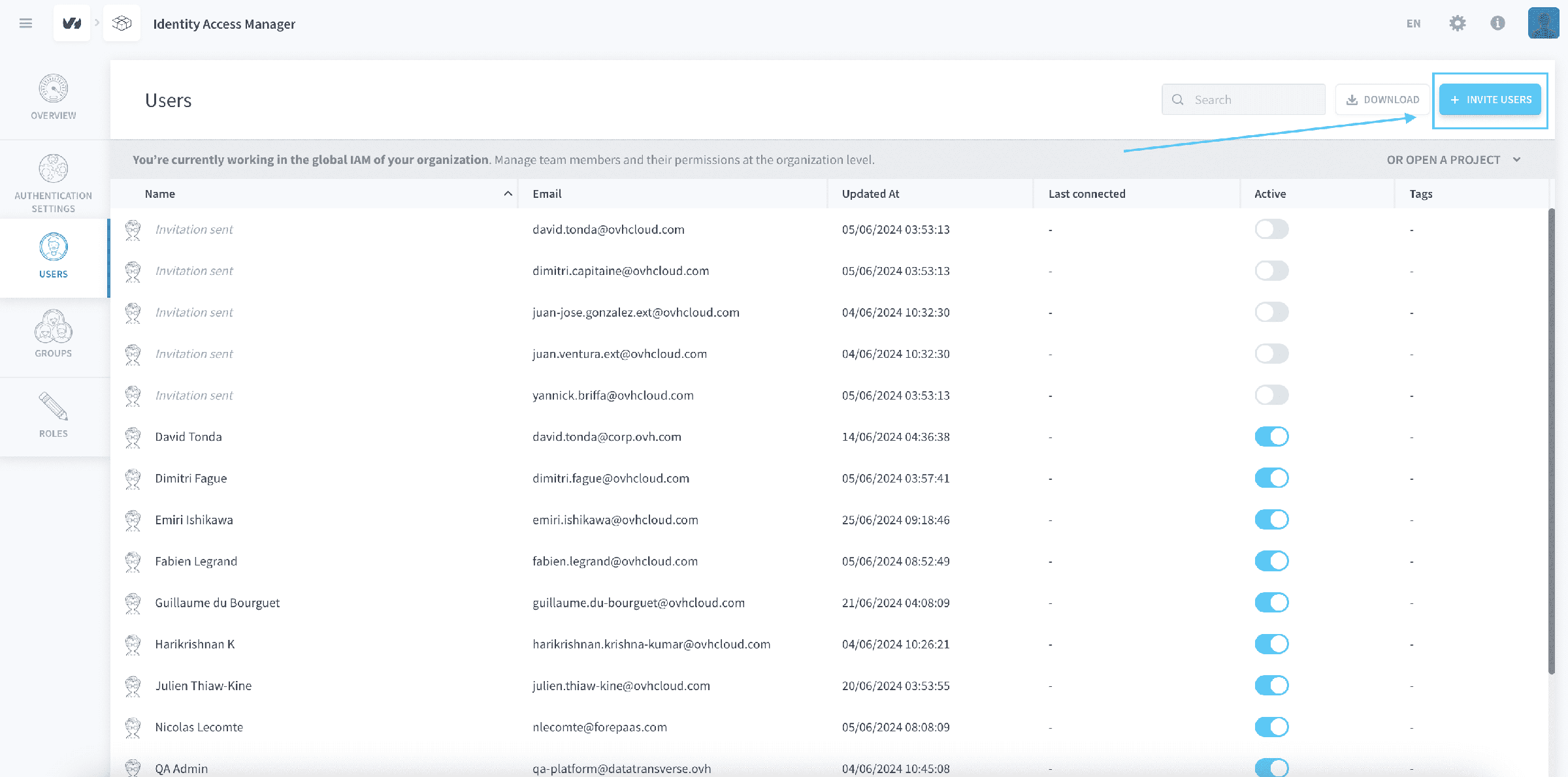
Make sure to grant permissions to the new user by binding them a role or adding them to a group.
Manage Project IAM users
The Users tab of the Project IAM lists all users that can get access to your Project. These are either:
- Team members from your organization
- End-users that can open your applications
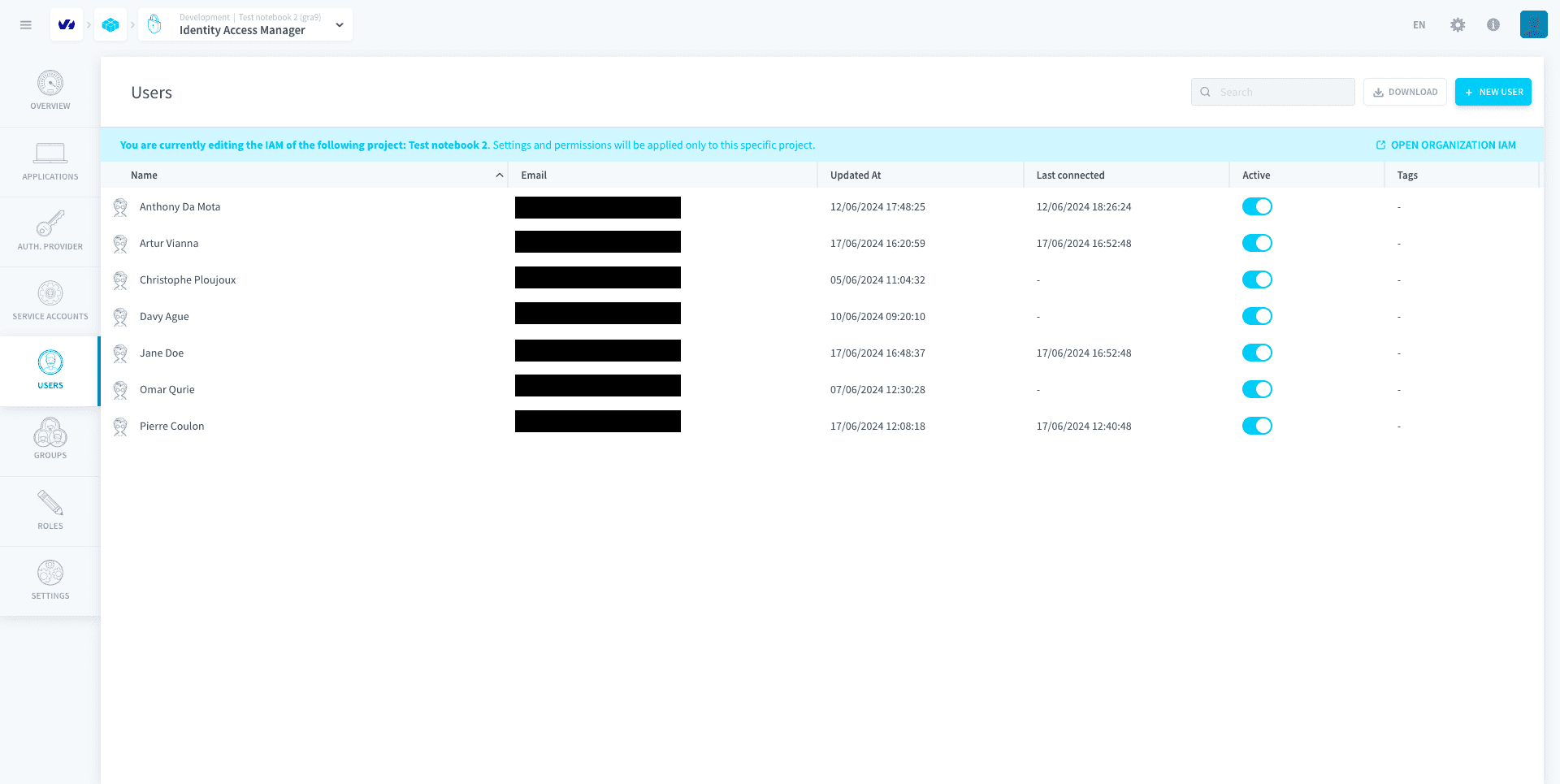
Team members
Your team members are the people with whom you work on data Projects in the Project. They must have a Data Platform account and be part of your organization to open and edit the Project (i.e. they must exist in the users list of the Organization IAM).
To add a new team member in your Project:
- Click on + New User
- Type their email
- Choose the Team Member option
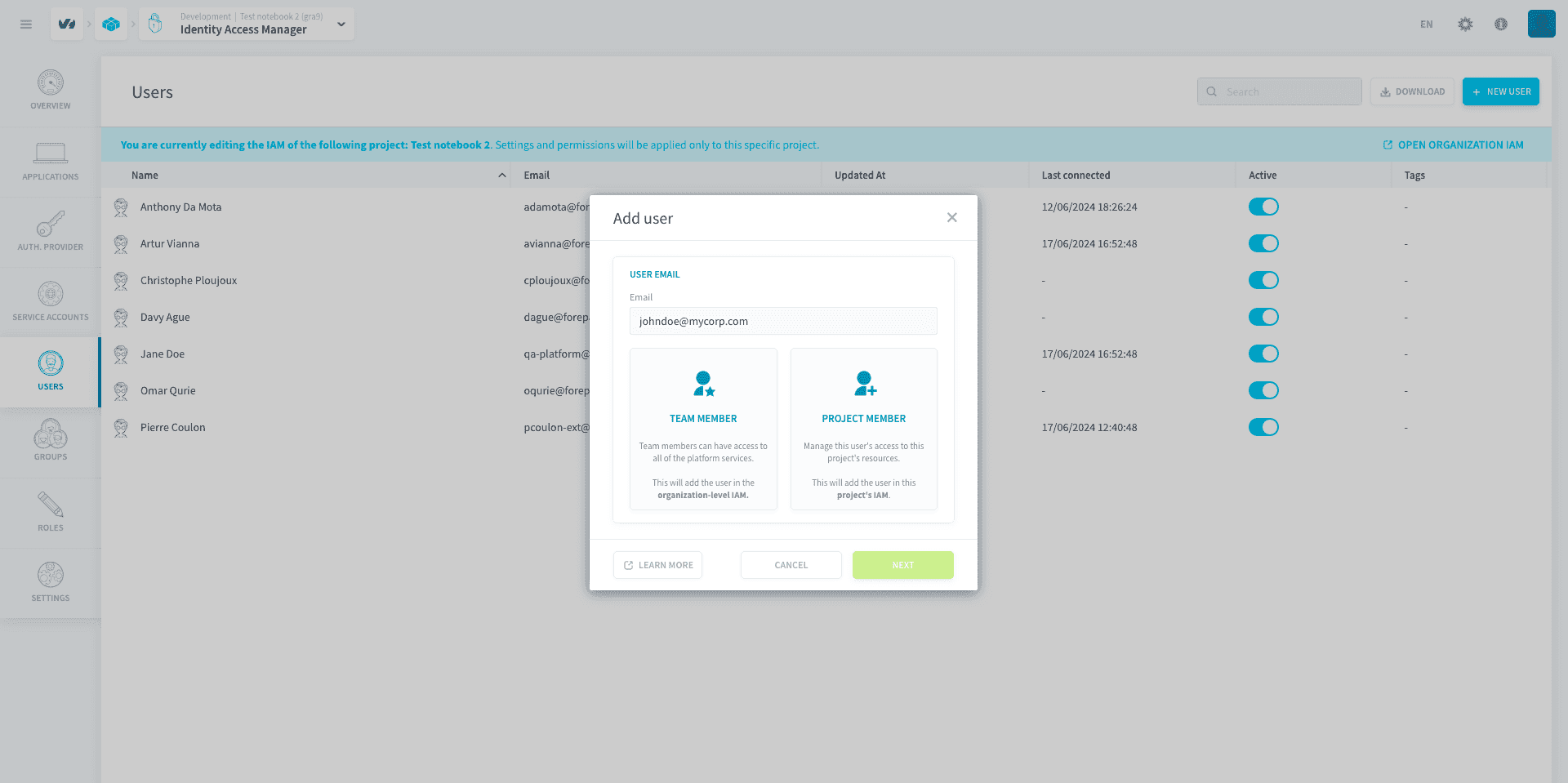
Click on Next and follow the instructions to add the new team member. This will automatically add the user in the Organization IAM first.
Members that are Admin in an organization will also have full Admin rights in the Identity Access Managers of all Projects in this organization. Members that are added as User in an organization will need to have their permissions added manually, either by placing them in a group or by assigning them a role directly. Furthermore, if a user is added as Project Admin in the Organization IAM, they will be added as Admin in the Project IAM.
Application end-users
The end-users that you are building the application for don't need a Data Platform account to connect. Your Project comes with an internal authentication service that uses an email and password.
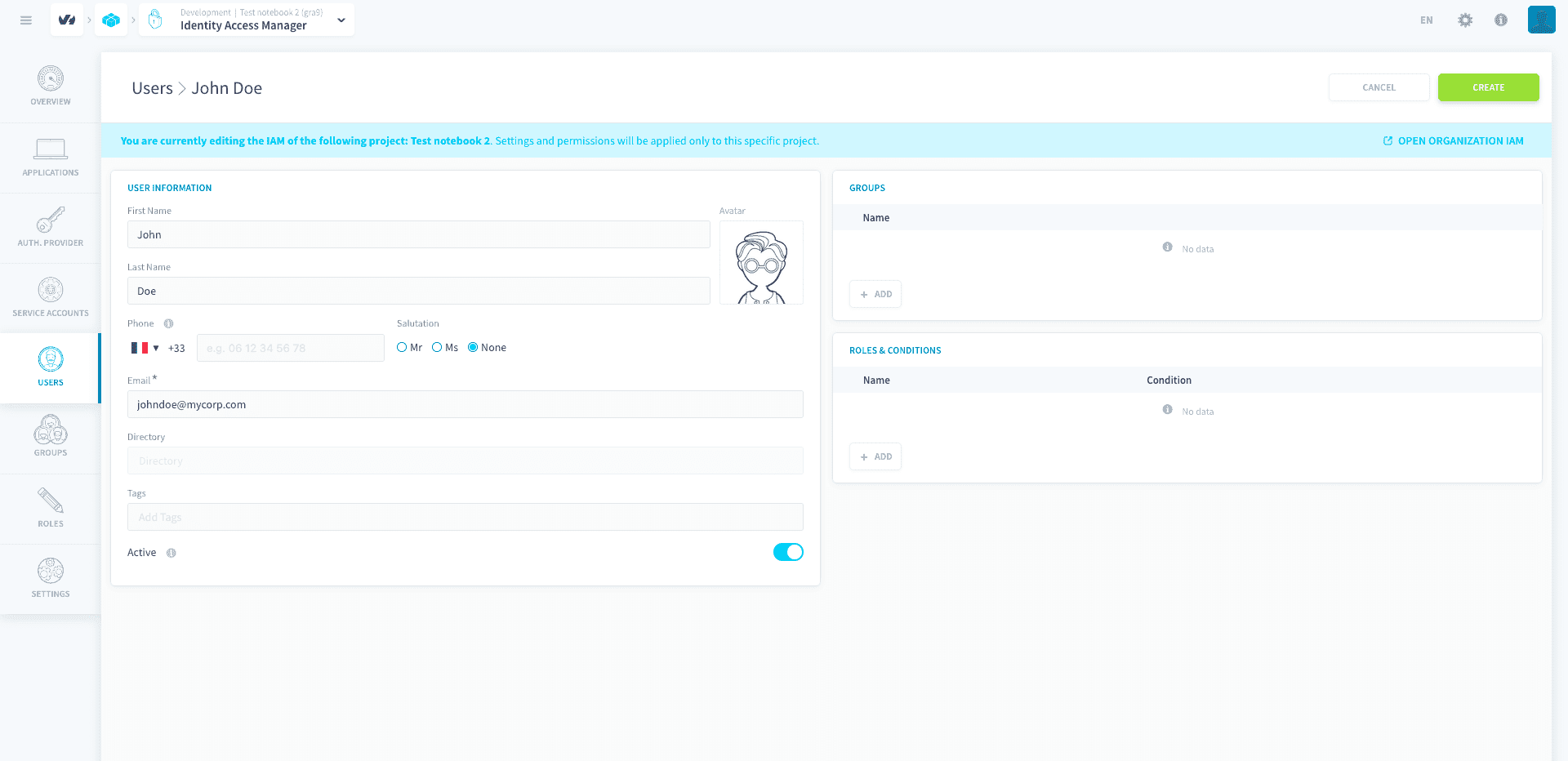
To add an end-user in your Project, click on New User.
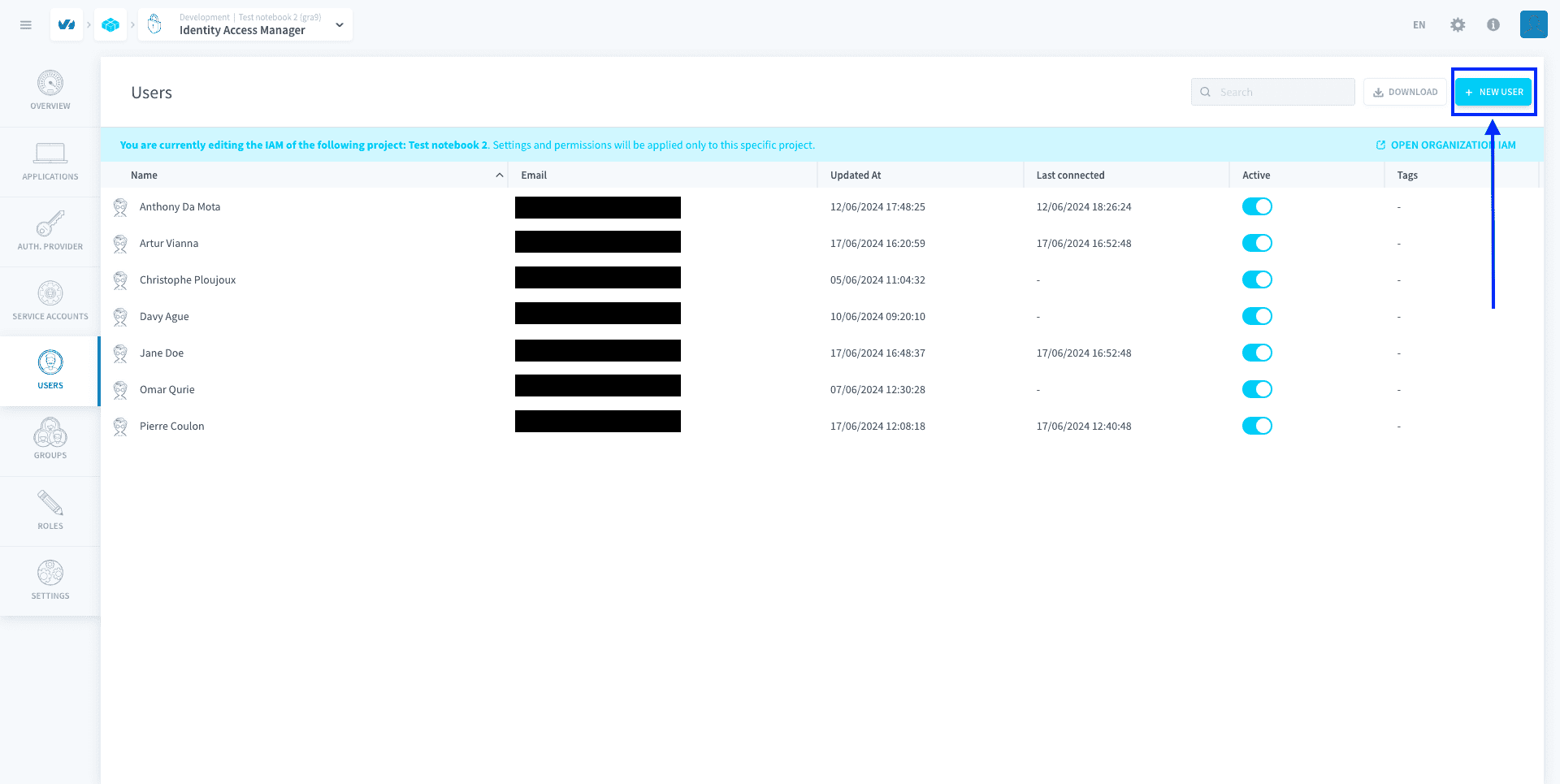
You must enter an email for the end-user, as it will be their default authentication method.
Once the end-user is created, they receive an email with a single-use link to set their password. No password is generated for you to pass on. To reset a password later, use the reset option on the user: after you confirm, the end-user receives a single-use reset link by email.
All information entered in the Identity Access Manager, including phone number and email address, is securely stored in the Project and cannot be accessed by Data Platform. It is for your own internal usage and will never be used for marketing purposes.
Generate an API & secret key for a user
Whenever you need to trigger specific jobs (such as launching workflows) from outside of Data Platform, you will need to generate an API and a secret key to authenticate.
Generate API & secret keys for users
Go further
For training or technical assistance implementing our solutions, contact your sales representative or visit our Professional Services page to request a quote and have your project analysed by our experts.
Ask questions, give your feedback and interact directly with the team building the Data Platform on the dedicated Discord channel.
If you need support with your OVHcloud services, create a request in our Help Centre.
Join our community of users.