

Manage the Analytics Manager query engine
The resources tab allows you to manage the query engine of your Project, i.e. the technology powering SQL analytics in the Project
Objective
The resources tab allows you to manage the query engine of your Project, i.e. the technology powering SQL analytics in the Project.
It executes queries on one or several tables, and is able to distribute the query processing on multiple worker instances.
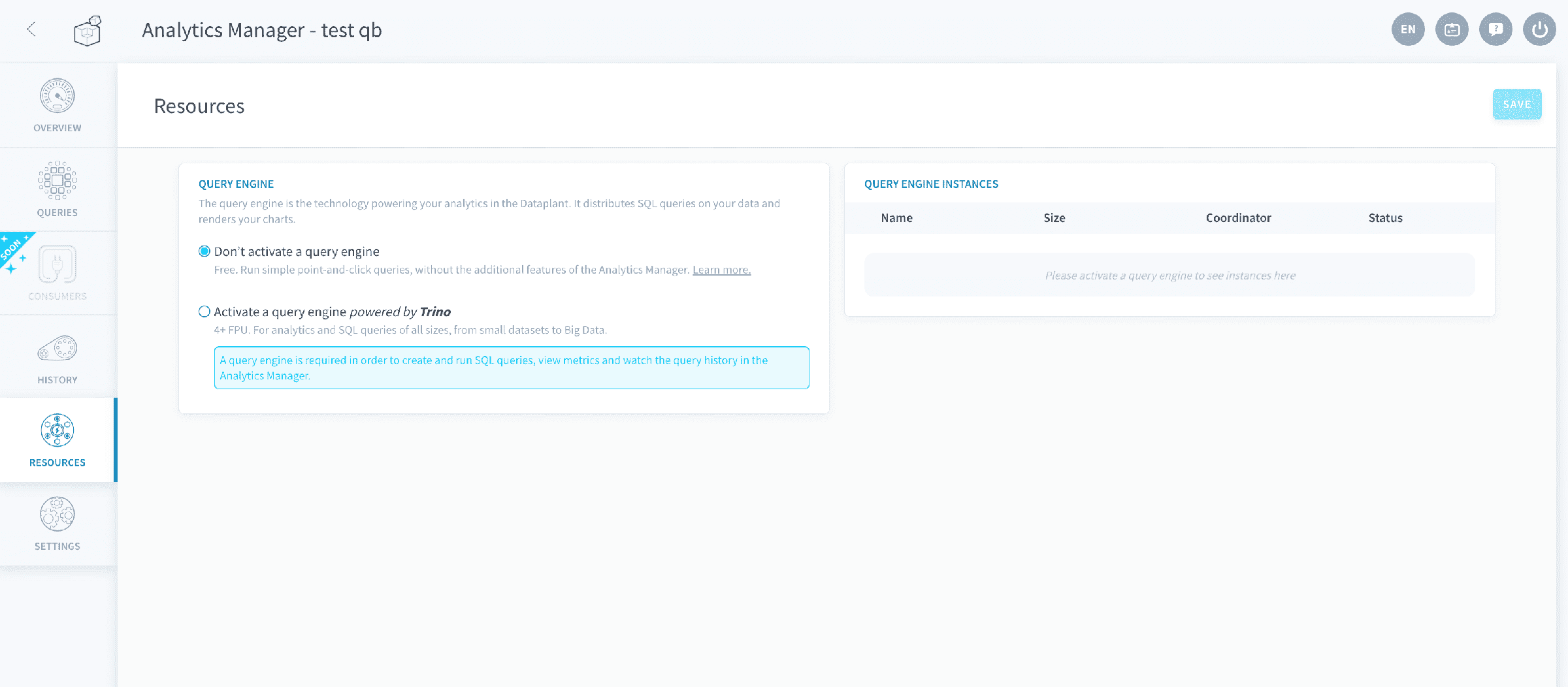
You can activate one query engine per Project, in order to use the advanced features of the Analytics Manager.
Manage the query engine
No query engine
By default, newly created Projects have no query engine activated. You can activate it manually on the resources page.
Without a query engine activated, you can still do the following:
- Create and run queries using the visual mode, on a single dataset
- Deploy and use applications in Application Services
- Connect to your data from a Data Processing Engine action.
- Connect to the datasets directly from outside the Project - coming soon!
However, it is impossible to do the following without a query engine:
- Create and run queries using the SQL mode
- Query (and join) data spread on multiple datasets, or even on directly queryable sources
- Create dashboards
- View the query history and detailed query execution metrics
- Implement fine-grained permissions on the tables and access to the data they contain - coming soon!
Manage instances
You can manage the number of parallel worker instances within a Trino cluster. There will also always be a coordinator, which distributes queries in the cluster.
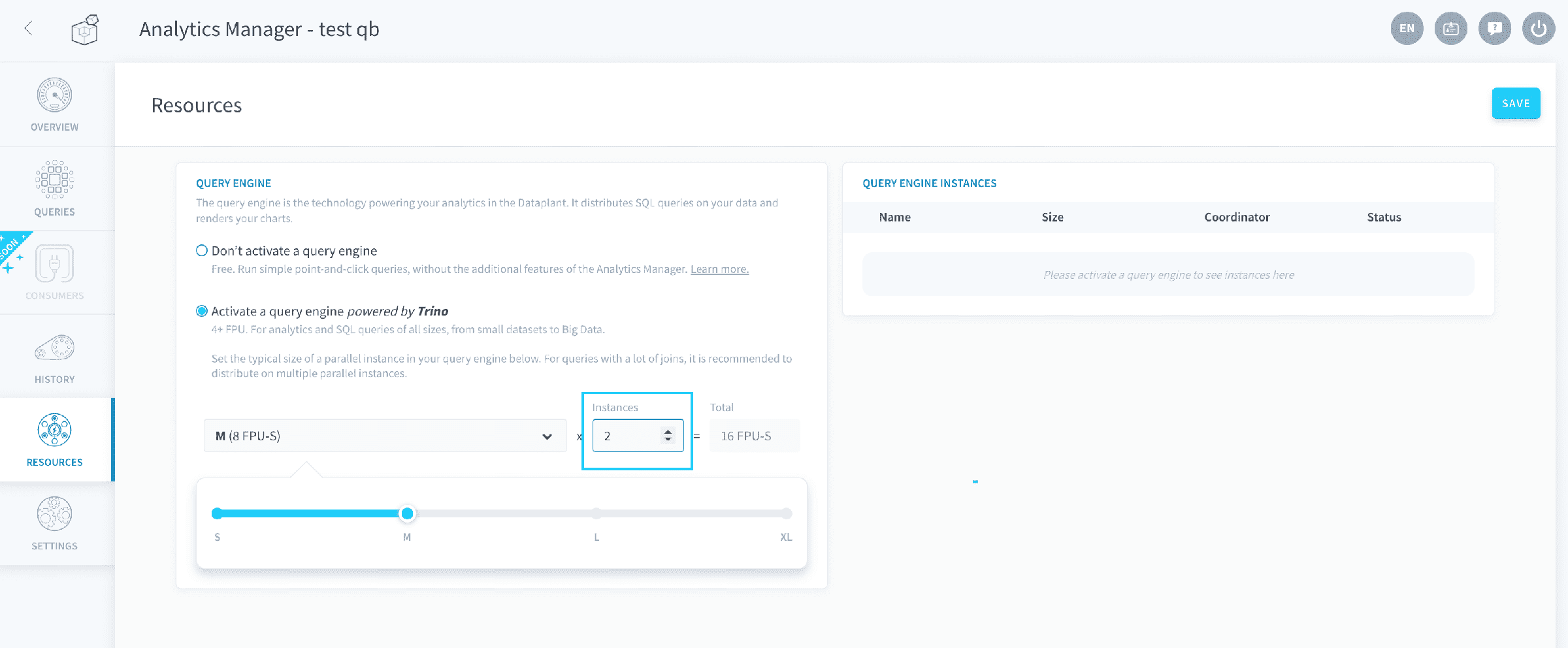
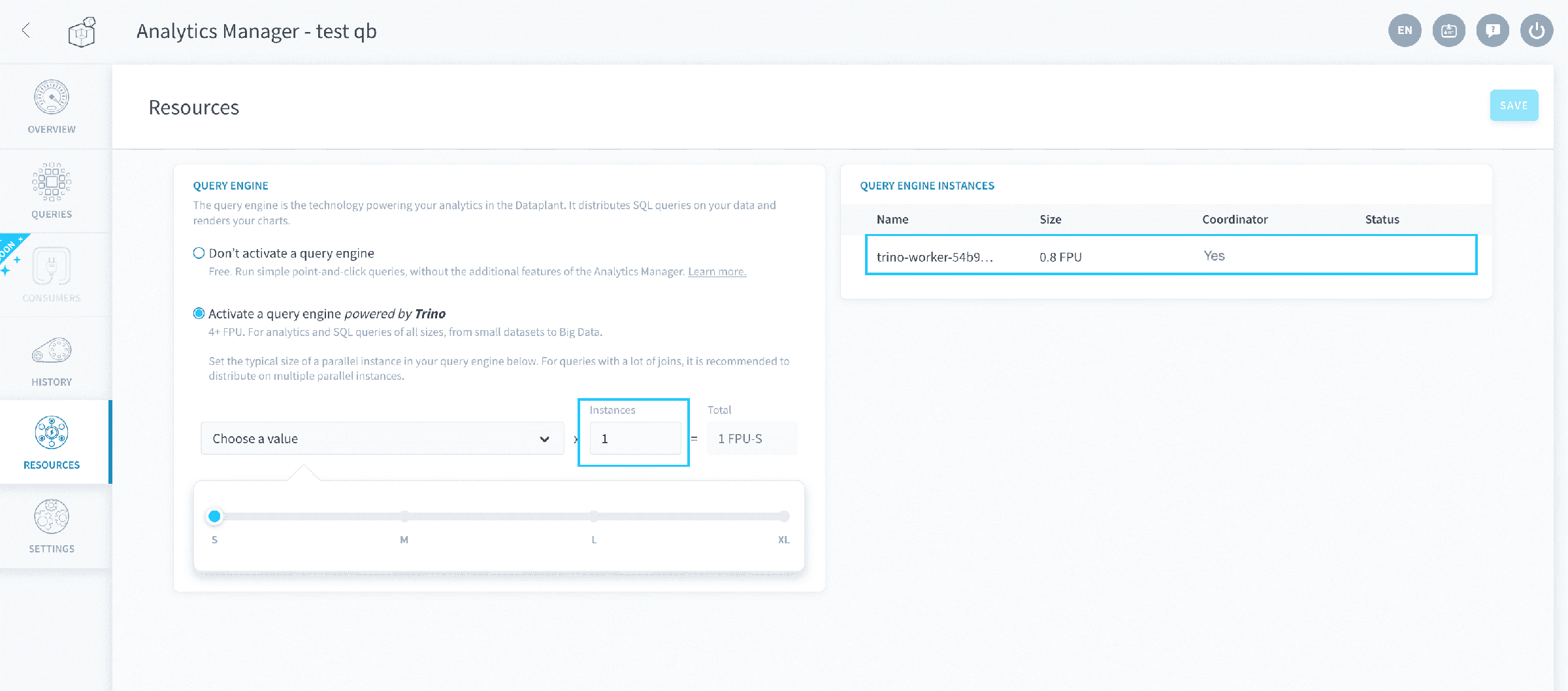
If you only have one instance in your cluster, the coordinator will also be a worker.
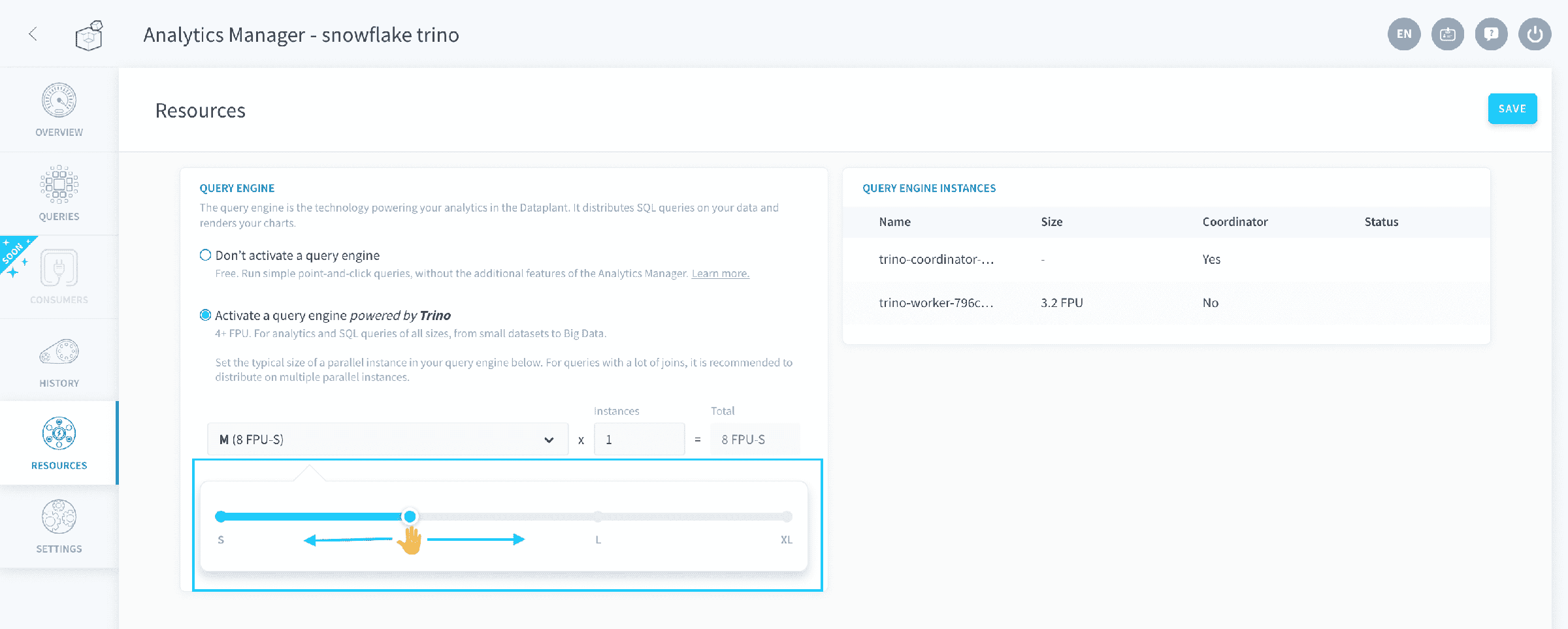
You can also scale your query engine vertically and allocate more computing power to it by increasing the number of Data Platform Units (DPU) of each instance. The DPU is a unit of general processing capability, representing access to approximately 1 vCPU and 4 GB of RAM, based on hardware availability.
Go further
For training or technical assistance implementing our solutions, contact your sales representative or visit our Professional Services page to request a quote and have your project analysed by our experts.
Ask questions, give your feedback and interact directly with the team building the Data Platform on the dedicated Discord channel.
If you need support with your OVHcloud services, create a request in our Help Centre.
Join our community of users.