

Execute a pipeline
This page describes the Machine Learning Manager, a service of the ForePaaS Legacy Platform that is not available on OVHcloud Data Platform. See the current documentation.
After a pipeline is configured, it can be executed in order to realize different tasks called jobs. These jobs are ran using ForePaaS technology to ensure scalability to large volume or frequency of processed data.
The execution of a pipeline is the backbone of having a model evolve through its natural life-cycle. Following the configuration you specified, this is how you can incorporate additional data over time, re-train models, deploy new ones and make predictions.
Pipeline jobs
There are four kind of jobs that can be executed either manually or through triggers.
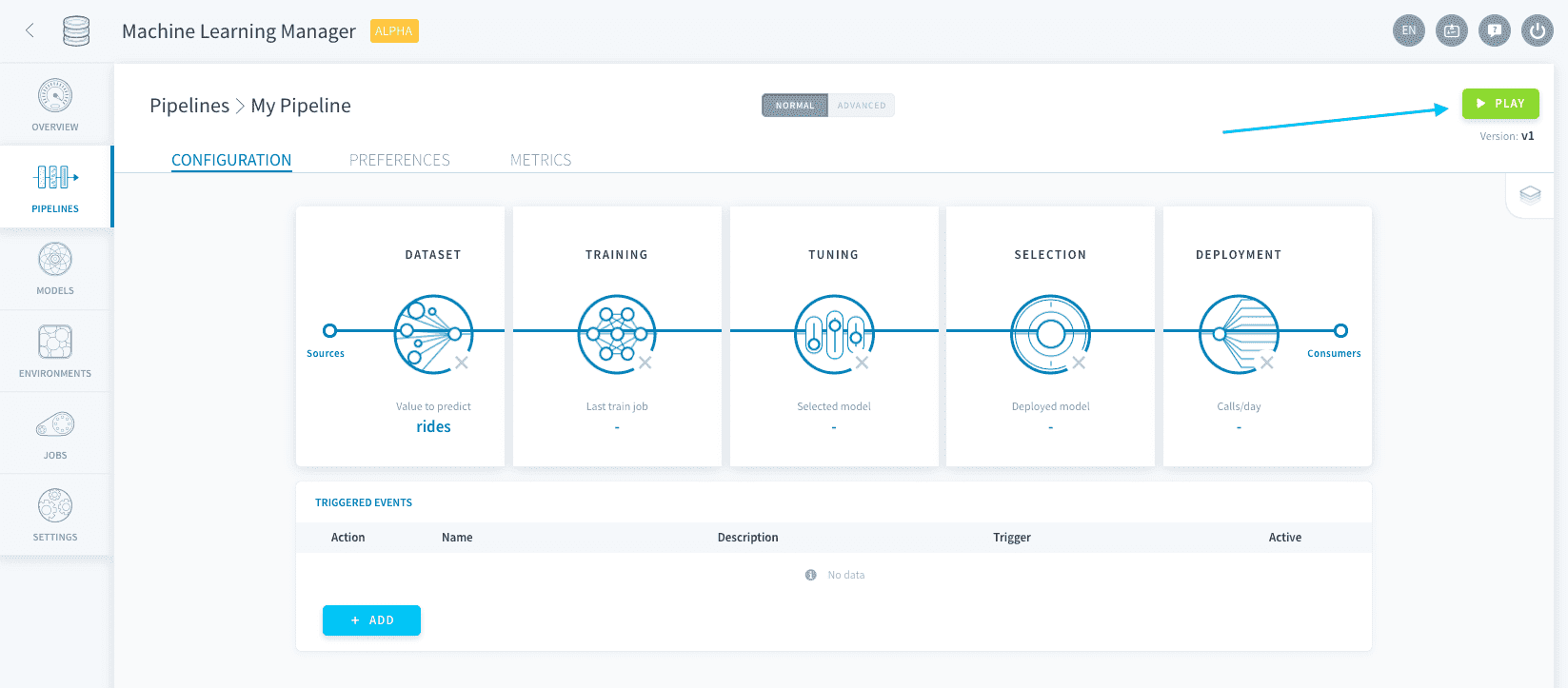
To manually execute pipeline jobs, simply press the Play ▶️ button at the top-right.
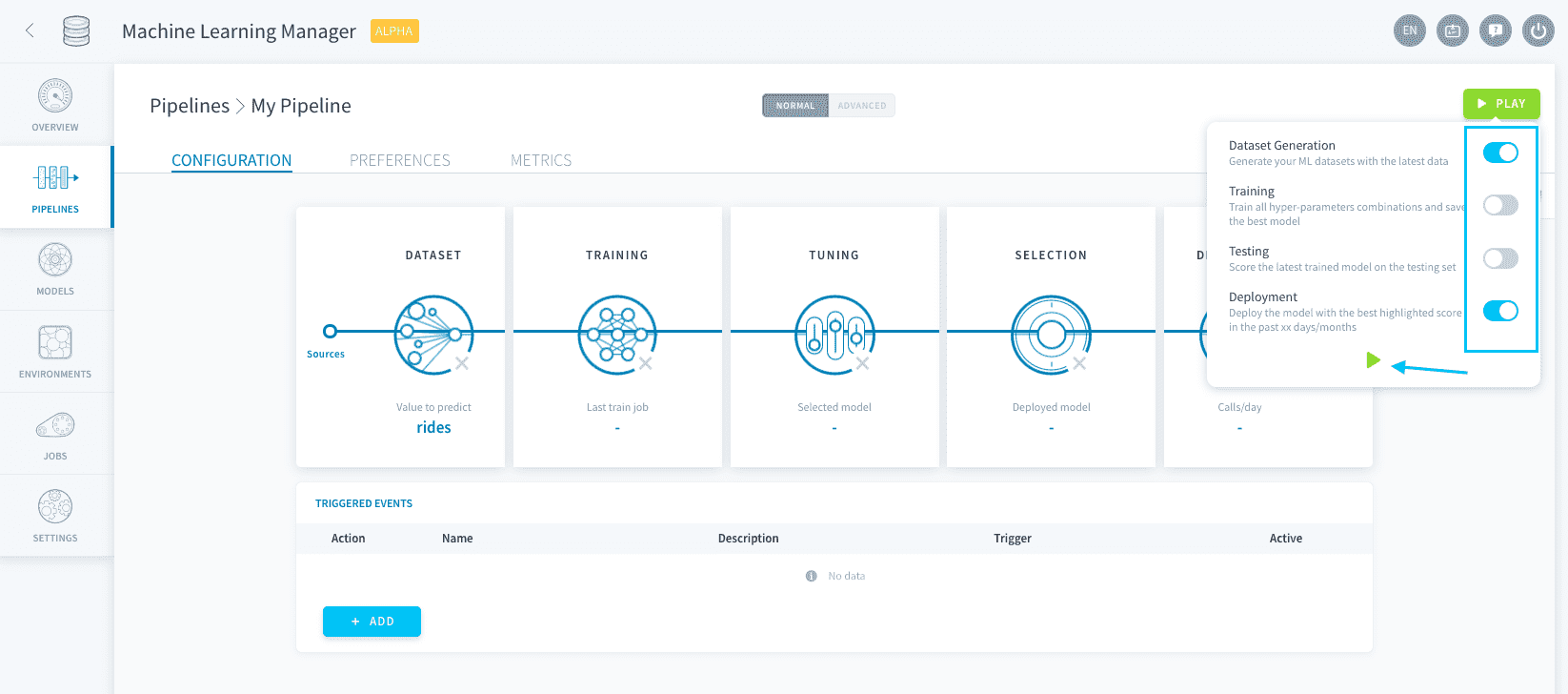
You can then specify which jobs you want to run and how.
Dataset generation jobs
Dataset generation jobs are used to create (or add to) the training, testing and validation datasets using your data inputs.
Training and testing sets are modeled and stored as ML tables in the Data Manager.
When a dataset generation job is launched, the training and validation sets are flushed of their previous data. Then any data point in the data input that isn't already in the testing set is split between the training and testing sets following the rules you set in the Dataset step. The validation set is generated following the rules you set in the Training step.
The testing set is never erased naturally, unless you manually reset your datasets from the pipeline preferences.
Training jobs
Training jobs are used to train models based on an algorithm and a combination of hyper-parameters, and score them on the validation set.
Training jobs can be accelerated with graphics processing units (GPU) using FPU-G.
Testing jobs
Testing jobs are used to evaluate models on the testing set using all added scoring functions.
Testing jobs can be accelerated with graphics processing units (GPU) by using FPU-G.
Deployment jobs
Deployment jobs are used to deploy inference APIs which are a model's interface to make predictions. The model deployed is based on the criteria specified in the Model Selection step.
Set up triggers
Instead of having to manually press the Play ▶️ button, you can choose to configure triggers to execute pipelines at specific moments or events.
Manage pipeline preferences
In the Preferences tab, you can set up fundamental options for the execution of your pipelines such as allocated resources, timeout and logs settings and even reset datasets if needed.
Scale your pipelines
Each pipeline can be scaled independently in the Preferences, for you to specify the resources allocated to training, scoring and dataset generation jobs.
Go further
If you need training or technical assistance to implement our solutions, contact your sales representative or click on this link to get a quote and ask our Professional Services experts for a custom analysis of your project.
Ask questions, give your feedback and interact directly with the team building the Data Platform on the dedicated Discord channel.
If you need support with your OVHcloud services, create a request in our Help Centre.
Join our community of users.